Gradespace Assess
Add-on for Tutorv0.4.0Online tests for your students, on your own website.
Tutors build tests in the staff portal, students take timed tests that save every answer, and marking, results and analytics come from your TargetGrade school.
from£69one-time · incl. VAT where applicable
Before you buy: Assess needs Gradespace Tutor Pro and a TargetGrade school account, which you pay for separately, to TargetGrade. What you need
- One-time price
- Lifetime updates
- No AI key needed
- 14-day money-back
What it does
Your tutors build and mark tests in the staff portal and your students take them in the student portal, on your own website. TargetGrade keeps the tests, attempts and marks.
Tests built in the staff portal
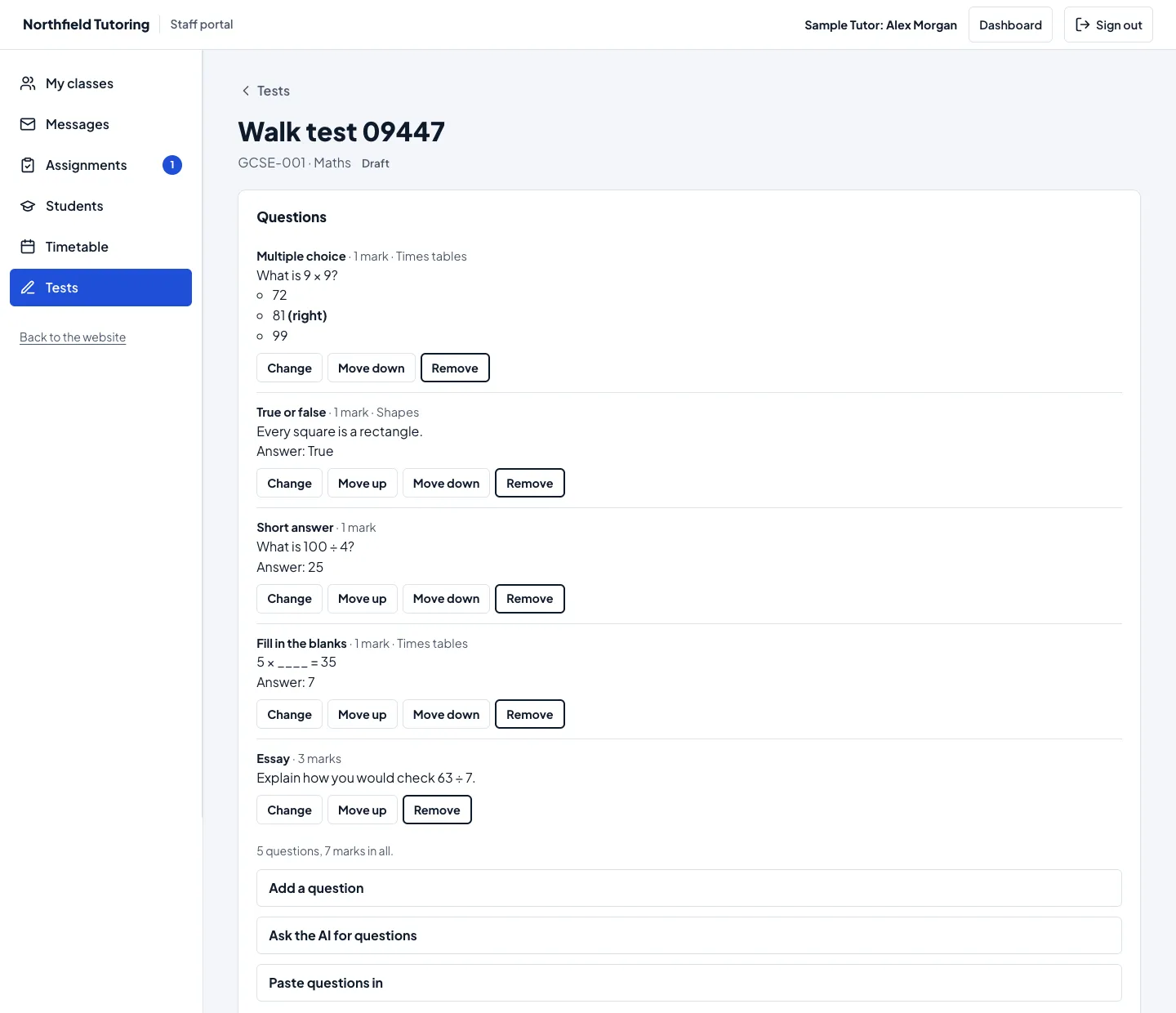
Tutors make a test for a subject they teach, with five kinds of question: multiple choice, true or false, short answer, fill in the blanks and essay, each with marks and a topic. Publish it now or schedule it.
AI questions and pasted worksheets
Ask TargetGrade’s AI for questions on a topic, or paste in a worksheet and let it read the questions out. They’re suggestions: the tutor checks, edits and ticks each one before it’s added.
A timed test that’s hard to lose
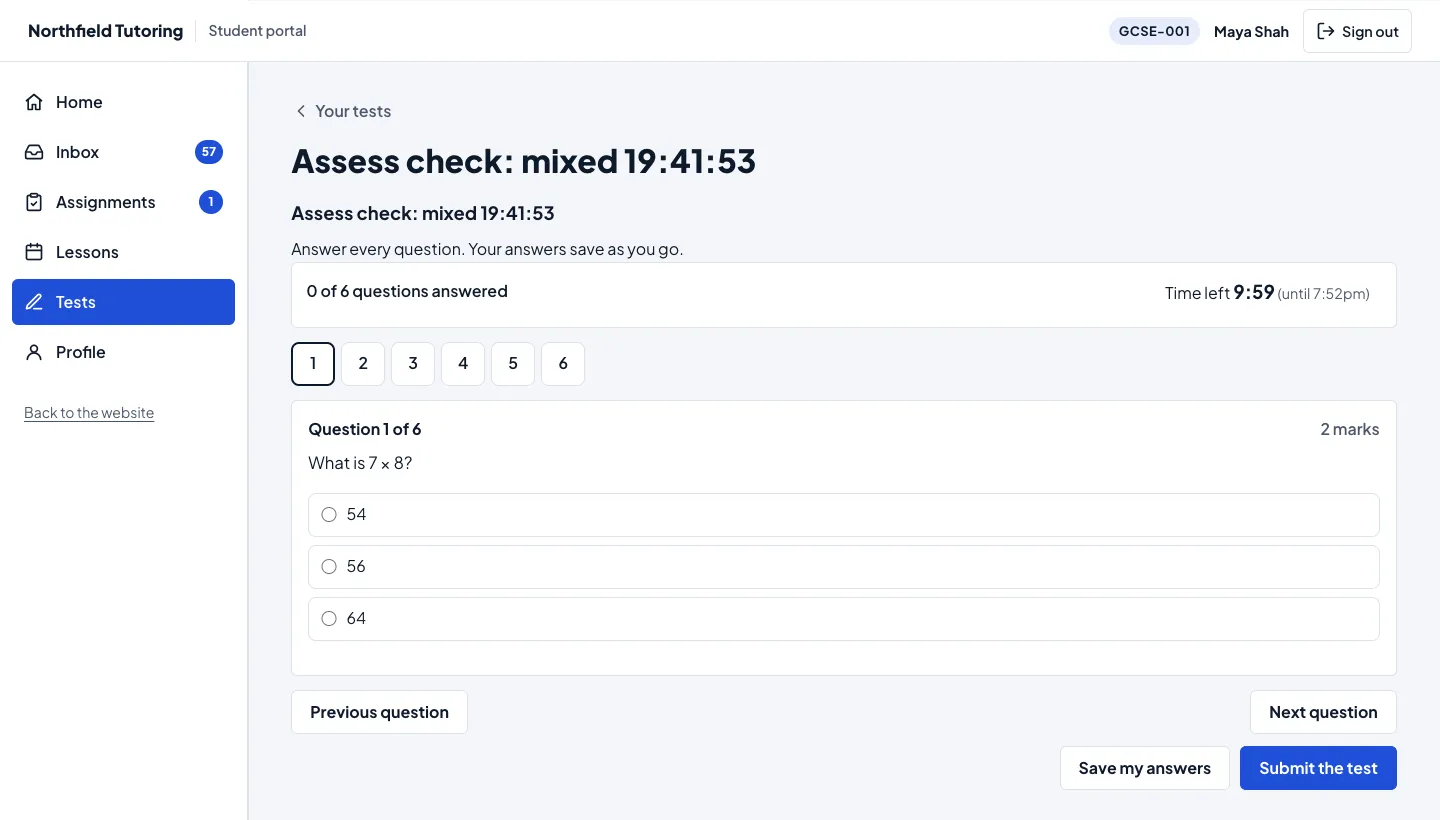
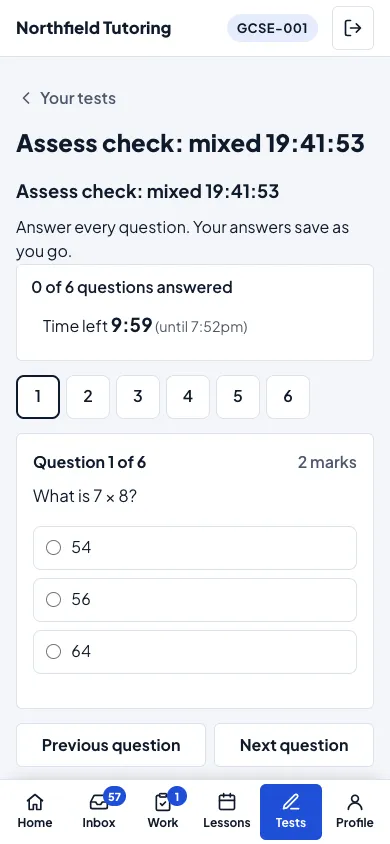
One question at a time with a list to jump between. Every answer is saved a moment after it’s typed, so a student can close the laptop and carry on later, on another device. The countdown follows the server’s clock, and when time runs out the saved answers are handed in.
Marked for you, with a queue for the rest
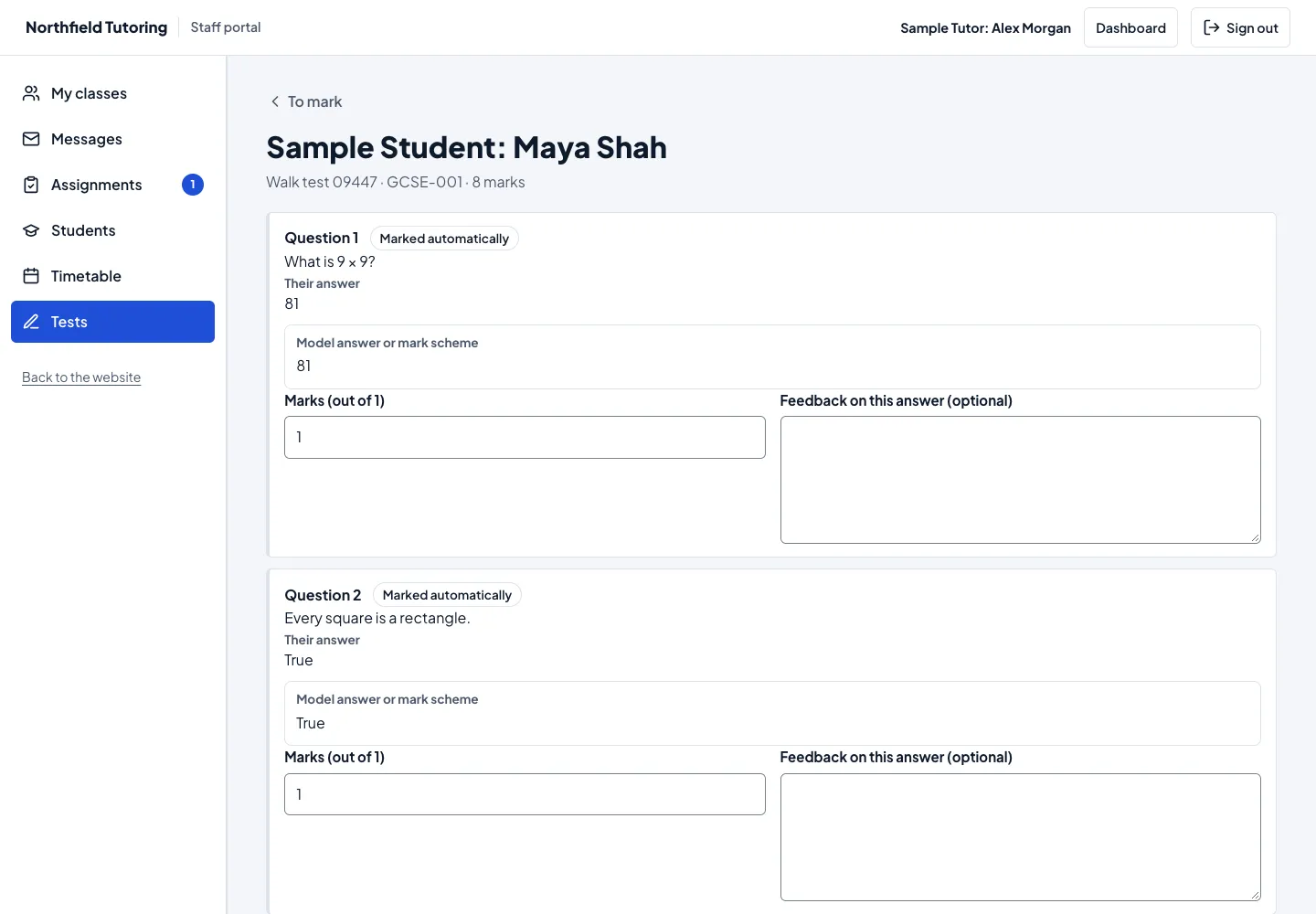
Questions with a right answer are marked automatically. Essays, and short answers a tutor chooses to mark, wait in a marking queue, oldest first, with feedback on each answer and “Save and mark the next”.
Results when you release them
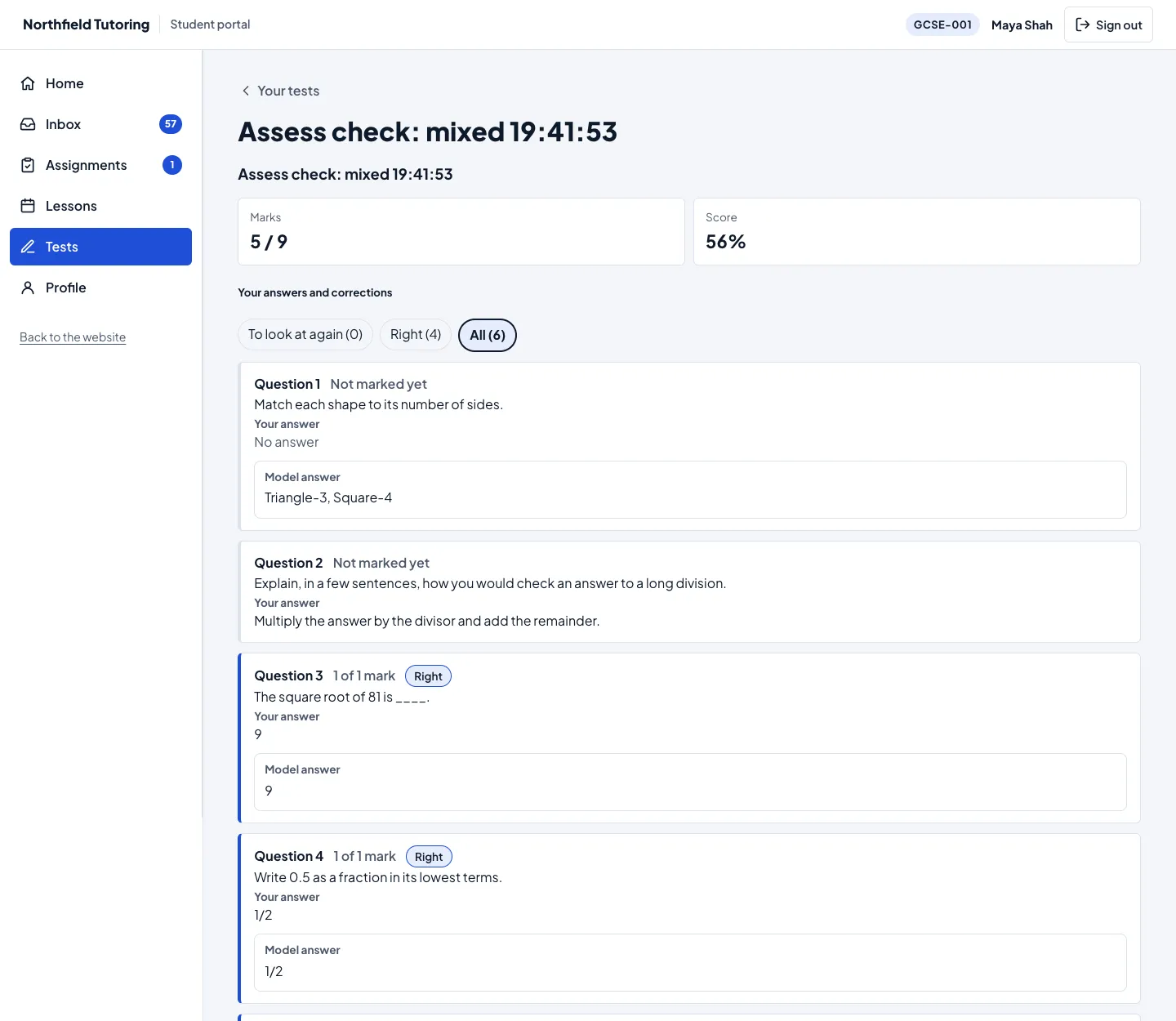
Scores and model answers follow the settings your tutors choose: a student sees their score only once it’s released, and the right answers only when they’re shared and can’t help on another try. “Your result is ready” goes to the student, and to the parent of a student under 18.
Analytics for every test and class
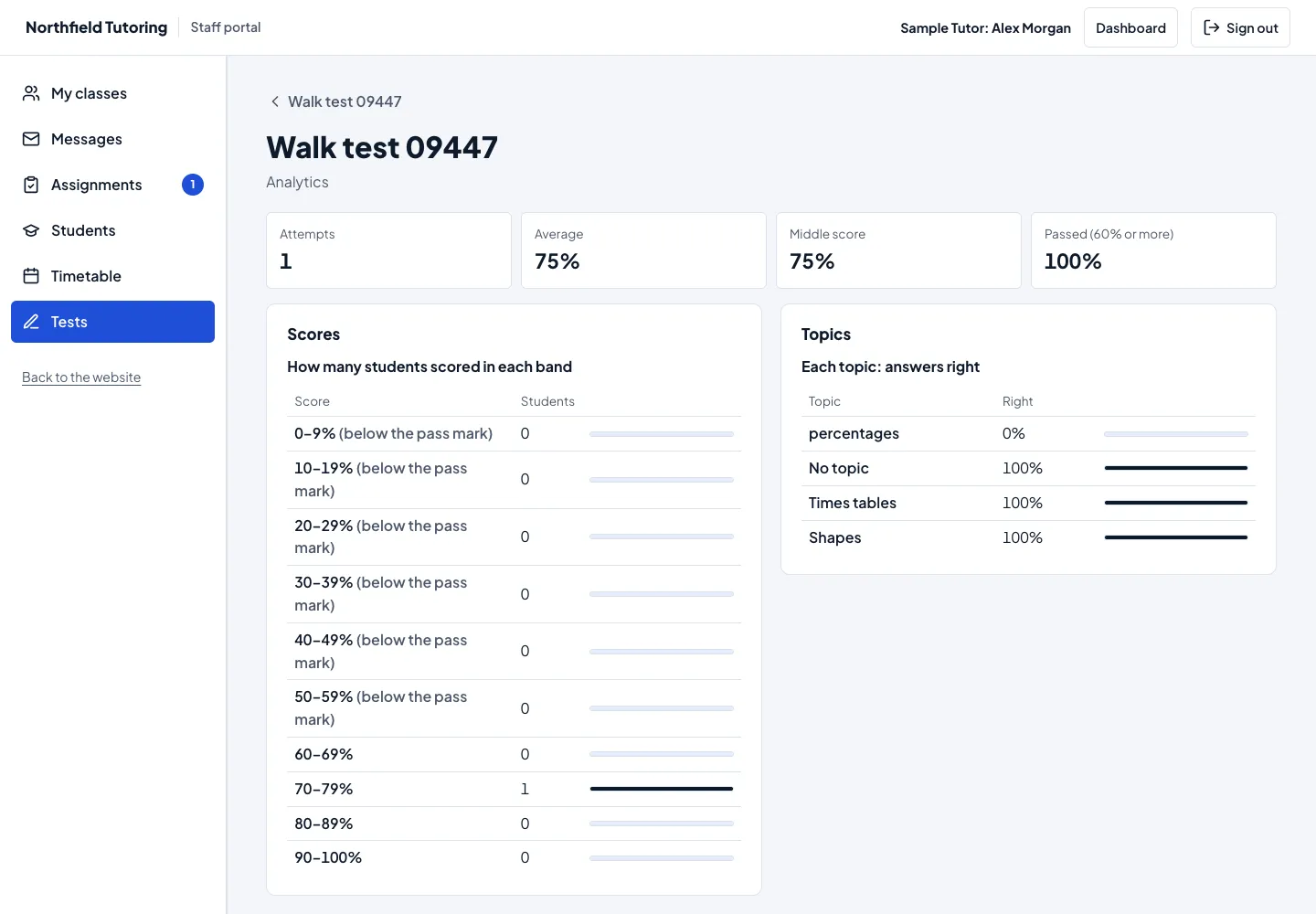
Attempts, the average and middle score, the pass rate, scores in bands, every question hardest first and how each topic went, and each class over time. Tables with every number written out.
AI marking suggestions for assignments
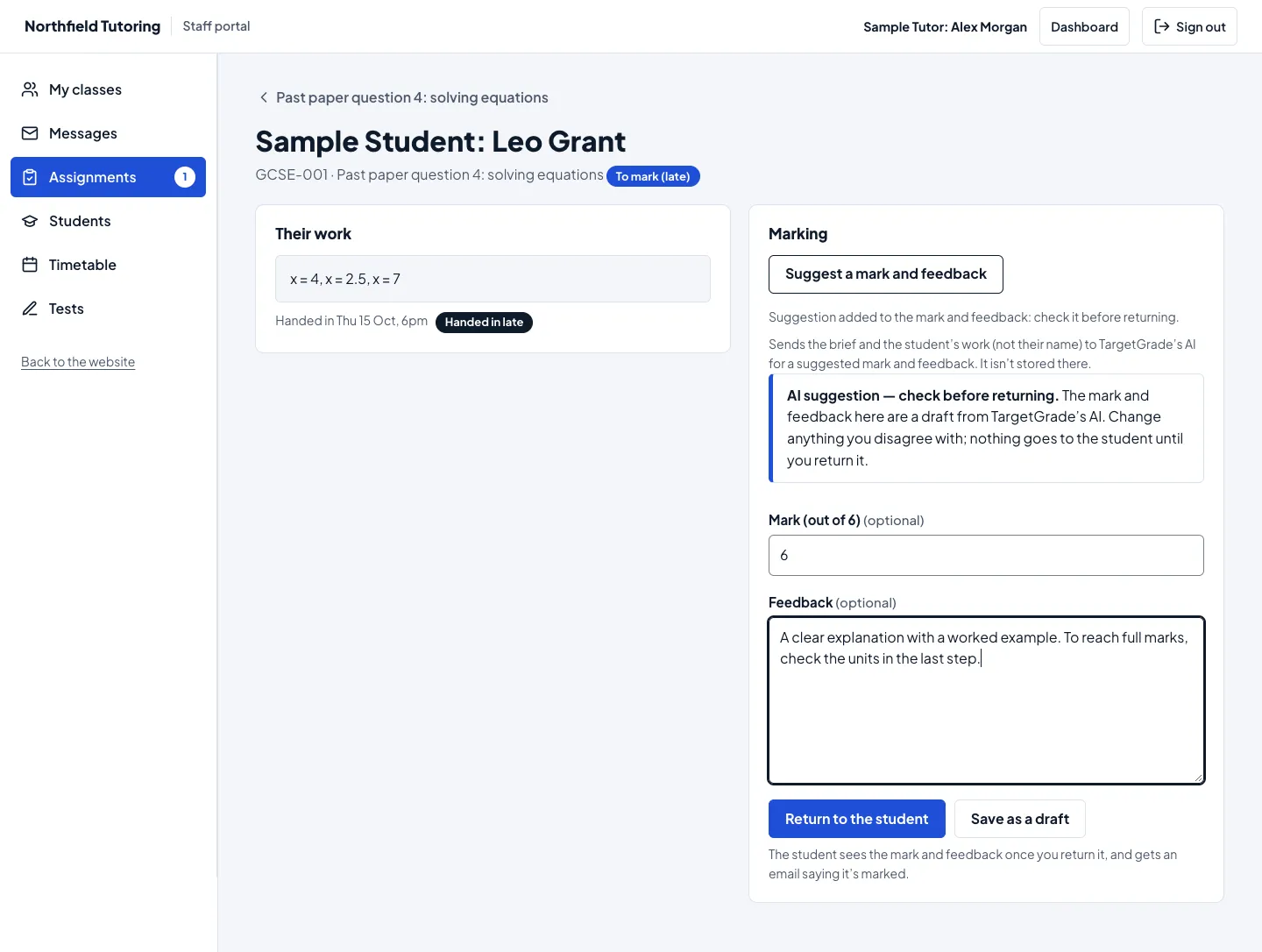
Off until you switch it on. On the assignment marking screen, “Suggest a mark and feedback” fills in a draft labelled as an AI suggestion; the tutor checks and changes it, and nothing goes to the student until they return it.
Groups with several subjects
Each tutor works only with the subjects they teach in a group, and each student sees only the tests for the subjects they take. Classes, subjects, tutors and students are linked to TargetGrade for you, with no second password.
Preview as a student
With Tutor’s “Preview as a student”, staff see the Tests list and a test’s questions exactly as a student would, read only: nothing is saved and no attempt is used.
Privacy: AI marking suggestions are off until you switch them on. TargetGrade gets the assignment’s brief, its maximum mark, the level and subject and the student’s work, never their name, and work by students under 18 only when you tick “Include work by students under 18”. The TargetGrade key and every access token stay on your server, encrypted, and the browser never talks to TargetGrade.
See it in the portals
Screenshots from the Assess test site: a sample tutoring centre on Gradespace Tutor, connected to TargetGrade.
Before you buy
What you need
Assess is an add-on: it works inside a Tutor website and connects it to your TargetGrade school.
Gradespace Tutor with a Pro licence
Assess adds tests to Tutor’s student and staff portals, which come with Tutor Pro (student accounts and classes). Tutor 0.4.0 or later brings groups with several subjects and Preview as a student.
See Gradespace TutorGradespace Core
The free framework every kit runs on, version 0.8.0 or later. It comes with Tutor.
A TargetGrade school account
The tests, attempts and marks live in your TargetGrade school, which you pay for separately, to TargetGrade. It gives you a school ID and a school API key to paste into your website.
TargetGradeYour website on https://
Reachable from the internet, so TargetGrade can tell your website when a test is marked.
Prices
One payment, a lifetime licence and every future update. Assess needs Gradespace Tutor Pro and a TargetGrade school account (paid to TargetGrade).
Starter
£69one-time
incl. VAT where applicable · 1 live website · lifetime updates
- Tests built in the staff portal: multiple choice, true or false, short answer, fill in the blanks and essay
- Questions suggested by TargetGrade’s AI, or read from a pasted worksheet, checked before they’re added
- A timed test in the student portal that saves every answer as it’s typed
- Marked automatically where it can be, with a marking queue for essays
- Results and model answers shown when your tutors’ settings allow
- Analytics for each test and class: scores, pass rate, questions and topics
- AI marking suggestions for assignments (off until you switch them on)
- Students, tutors, groups and subjects linked to TargetGrade for you
- Lifetime updates
Agency
£179one-time
incl. VAT where applicable · 5 live websites · lifetime updates
- Everything in Starter
- 5 live websites on one licence
Tutor Pro + Assess
Save £19£189one-time
incl. VAT where applicable · two licences, 1 live website each · lifetime updates
- A Gradespace Tutor Pro licence: the kit with its student and staff portals
- A Gradespace Assess Starter licence
- Both keys emailed together and on your licences page
- £19 less than £139 + £69 bought one by one
Already have an Assess Starter licence? Move it to Agency from your licences page and pay only the difference. Already on Gradespace Tutor Pro? Buy Assess on its own. Read the manual.
Questions
Do I need an AI key?
Do I need a TargetGrade account?
Which kit and tier does it need?
Can I buy Tutor and Assess together?
Does the AI mark work by itself?
When do students see their results?
What if a laptop closes in the middle of a test?
Where is our data kept?
What does the licence do?
Refunds
Something else? Get in touch, or read the Gradespace Assess manual.