User manual
Gradespace Lifestyle: the manual
What the Lifestyle kit does for a lifestyle blog with a small shop, what Starter and Pro include, and every chapter of this manual in reading order.
On this page
Gradespace Lifestyle is the website kit for lifestyle bloggers who also run a small shop: recipes, home, wellness and style posts beside a WooCommerce shop of everyday things and digital downloads. It gives your website:
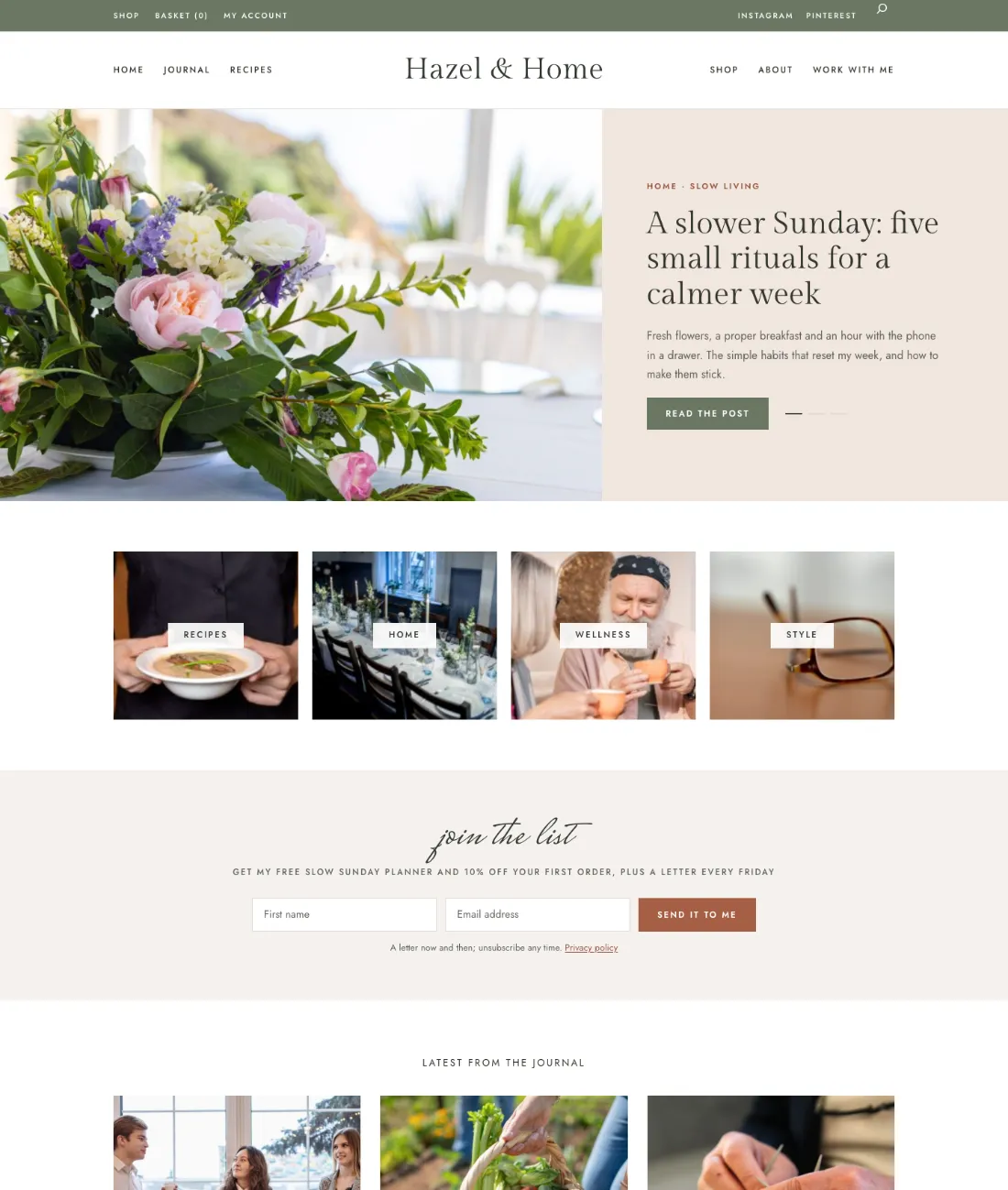
- Blog sections that follow your design: featured posts, category tiles, latest and popular posts, an Instagram strip, where to next and about you.
- An announcement bar for free delivery or a dispatch cut-off.
- A newsletter sign-up that sends a free download (and, if you like, a first-order discount code), and your own mailing list.
- Products linked to the posts that use them: "how I use it", "make this with it" and Shop this post, with your own why I love it note.
- Gift wrapping and a handwritten note in the basket and at checkout.
- A shop with filters: price bands, in stock, new in and gift-wrap available, category tabs and badges such as Bestseller and New.
- A Work with me form for brand partnerships.
- With Pro: recipe cards, product cards inside posts, letters to your list, back-in-stock emails and a media kit page.
The shop is WooCommerce, so you take payments through WooCommerce's own Stripe or PayPal.
The demo website at lifestyle.gskits.co.uk is the sample blog Hazel & Home. The pictures in this manual come from it.
The three parts
A Gradespace kit comes in three parts, installed in this order:
- Gradespace Core (free): the back office. Settings in plain words, the Today screen, staff accounts, emails, the setup wizard, your licence and updates.
- The Gradespace Lifestyle plugin: everything in the list above. (A plugin is an add-on for WordPress.)
- The Gradespace Lifestyle theme: the look of the website, with four designs (Linen, Peach, Journal and Market) and seven colour palettes each.
One licence covers the plugin and its theme. Install WooCommerce too if you sell anything.
Starter and Pro
Without a licence key, or with a Starter licence, the kit runs in Starter mode. Features marked (Pro) need a Pro or Agency licence.
Chapters
- Quick start
- The setup wizard
- Designs, pages and menus
- Blog sections
- Posts and products
- The shop
- Gift wrapping and the note
- The mailing list and your freebie
- Letters to your list (Pro)
- Recipe cards (Pro)
- Back-in-stock emails (Pro)
- The media kit (Pro)
- Settings
Manual for Gradespace Lifestyle 0.1.0, November 2026.
Every chapter of this manual
Getting started
Buying and installing
- Buying and your licenceSharedThe Starter, Pro and Agency tiers, buying a kit, the licence key email, your licences page on thegradespace.com, and moving or upgrading a licence.
- Before you installSharedWhat your website and hosting need for a Gradespace kit, how to check them, and why to take a backup and use a test copy first.
- Installing your kitSharedInstalling Gradespace Core, then your kit's plugin, then your kit's theme from their .zip files, adding your licence key, and how updates arrive.
Setting up
- The setup wizardSharedHow the setup wizard works in every kit: each step, the starter pages and menu, sample photos, legal pages, how to run it again, and how to remove the sample content.
- The setup wizardEach step of the setup wizard, what the starter content adds, and running it again.
- Your look: design, colours, logo, menus and footerSharedChoosing a design and colour palette in Site Settings → Design & colours, previewing it, keeping the menu at the top when scrolling, adding your logo, and changing the menu and the footer.
- Designs, pages and menusThe four designs of the Lifestyle theme (Linen, Peach, Journal, Market), their palettes, the home page, the starter pages and the menus.
- Pages, posts and picturesSharedEditing pages in the WordPress block editor, starting a page from your kit's ready-made layouts and sections, writing blog posts, and adding and replacing pictures in the media library.
Running your website
- Blog sectionsThe blocks that make the home page and how each chooses what to show: featured posts, the welcome hero, category tiles, latest and popular posts, Instagram, where to next, about you.
- Posts and productsLinking products to the posts that use them, “how I use it” and “make this with it”, Shop this post, “why I love it” notes and product cards in posts (Pro).
- The shopThe shop page, category tabs, filters and sorting, badges, digital downloads, the product page and payments.
- Gift wrapping and the noteOffering gift wrapping and a handwritten note, its price, products that can't be wrapped, and where you see them on the order.
- The mailing list and your freebieHow people join, the freebie email, the checkout box, Blog & shop → Mailing list, downloading and adding people, unsubscribing and personal data.
- Letters to your list (Pro)Writing a letter, sending a test, sending it to your list a few at a time, and what each email contains.
- Recipe cards (Pro)Adding a recipe card to a post, ingredients and method, times and servings, the print view and the Recipe data search engines read.
- Back-in-stock emails (Pro)How shoppers ask to hear when a product is back, the email they get, and Blog & shop → Back in stock.
- The media kit (Pro)The Media kit page for brand partners: your audience, numbers, past work, offers, rates and a downloadable PDF.
- SettingsEvery setting the kit adds: Shop extras, Newsletter and Media kit, and the emails it sends.
Looking after your website
- Staff accounts and signing inSharedGiving each member of staff their own account, the staff roles each kit comes with, choosing what each role can do (Pro), and the staff sign-in page.
- Privacy, cookies and emailsSharedThe cookie banner and cookie settings, your starter terms, privacy and cookie policies, requests for people's data, the website's branded emails, test emails and the email log (Pro).
- Backups and updatesSharedWhat to back up and how often, and how to install updates to Gradespace Core, your kit's plugin and its theme safely.
- Troubleshooting and supportSharedFixes for the problems people meet most often: licence messages, installing, the setup wizard, pages not found, emails, signing in, the design and the cookie banner, and how to get help.
Bought this kit? The whole manual is also a PDF (version 1.0.0) to download or print, on My licences.