Running your website
The shop
The shop page, category tabs, filters and sorting, badges, digital downloads, the product page and payments.
On this page
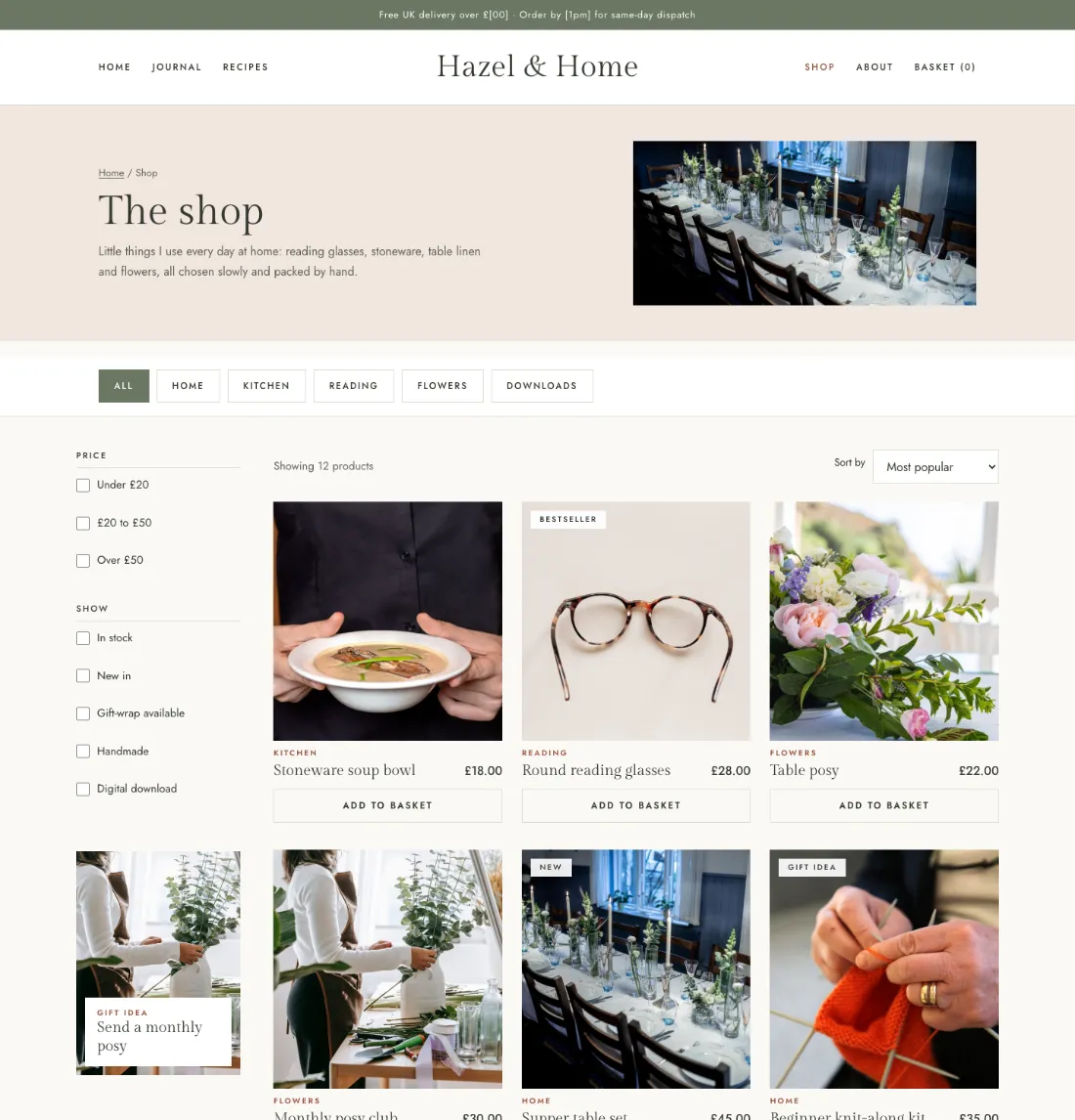
- Category tabs are your top-level product categories.
- Filters: price bands (set under Blog & shop → Settings → Shop extras → Price bands, e.g. "20, 50"), In stock, New in (added in the last 45 days, or your choice) and Gift-wrap available. They apply as soon as they're ticked.
- Extra filters: your own ticks from product tags (Shop extras → Extra filters, "Handmade|handmade"); tag the products to match. A tag with no products isn't offered.
- Categories with counts in the sidebar (Market).
- Sort by: most popular, newest, price.
- Badges on photos come from a product's first tag: use tags such as Bestseller, New, Limited, Digital or Gift idea.
- Digital downloads are WooCommerce downloadable products; a free one's button says Download.
- The product page has the photos, options as buttons (colour dots come from Products → Attributes → the term → Swatch colour), quantity, Add to basket, the ticked lines from Shop extras, why I love it, and the Details, Delivery & returns and Care panels.
- Design extras: Peach's "sending a gift?" panel under the shop and What arrives cards on a product (fill in What arrives on the product, one line each as "Title|short line"); Journal's Currently loving (a product with a why I love it note) and the note on shop cards; Market's Pair it with a recipe band (the newest recipe and its products).
- Payments and delivery are WooCommerce's: WooCommerce → Settings → Payments and Shipping.