Running your website
Marking and analytics
The marking queue for essays and tutor-marked answers, marking one attempt question by question with feedback, and the analytics for a test and for a class over time.
On this page
October 2026.
The marking queue
Tests → To mark lists the attempts waiting for you, oldest first, for the subjects you teach only, with Late where a student went over the time. These are attempts with an essay, or with short answers you chose to mark yourself.
Marking an attempt
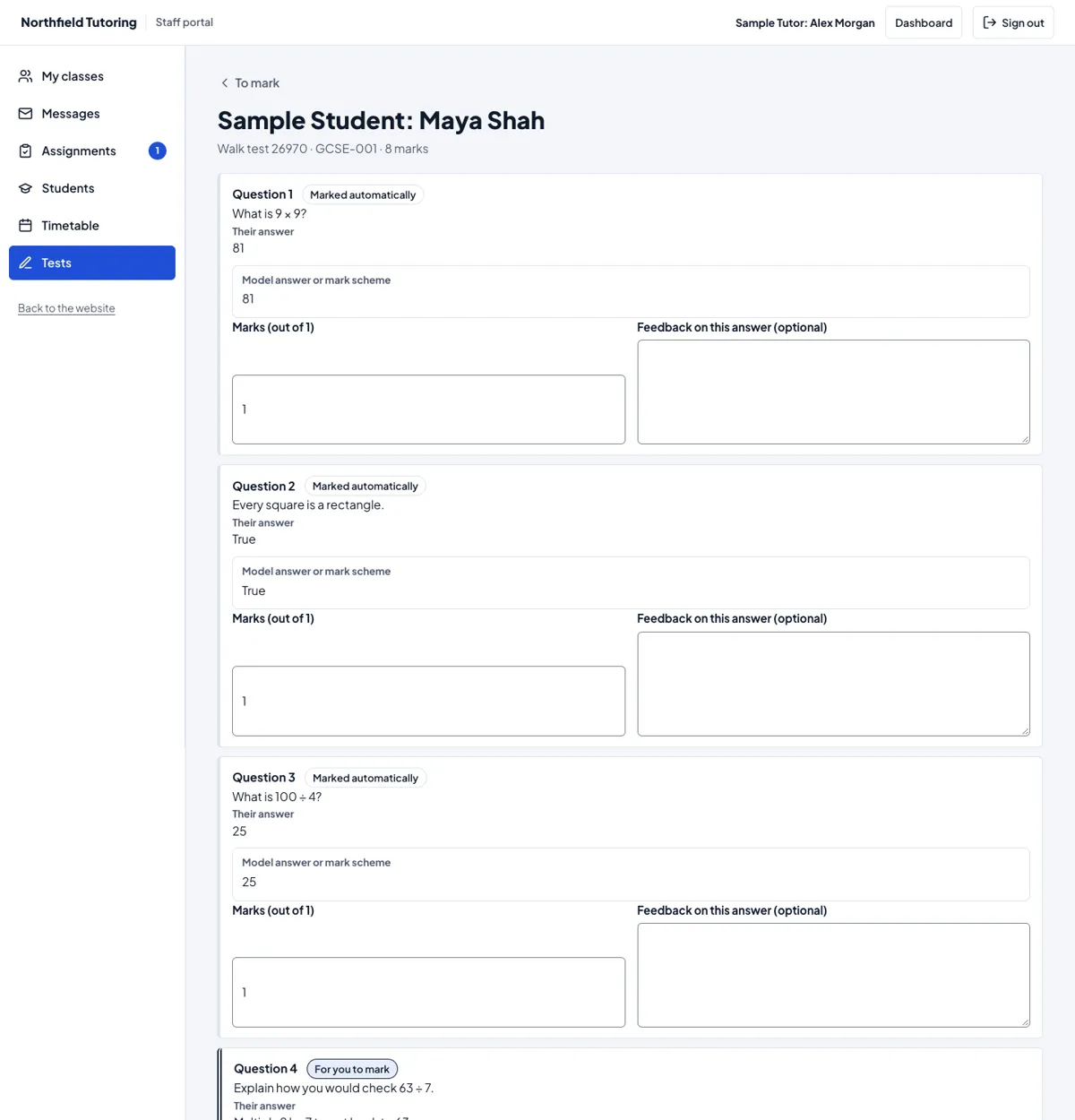
Each question shows the student's answer and your model answer or mark scheme. Questions marked automatically already have their marks; you can change them. For each question for you to mark:
- Enter the marks: from 0 to the question's maximum, in halves if you like.
- Add feedback on this answer if you want to.
Add Overall feedback, then press:
- Save and mark the next to go straight to the next attempt waiting, or
- Save the marks to go back to the list.
Saving adds up the marks and marks the test. The student sees the result when the test's settings allow, and is emailed "Your result is ready" (see Results, emails and privacy).
Analytics for a test
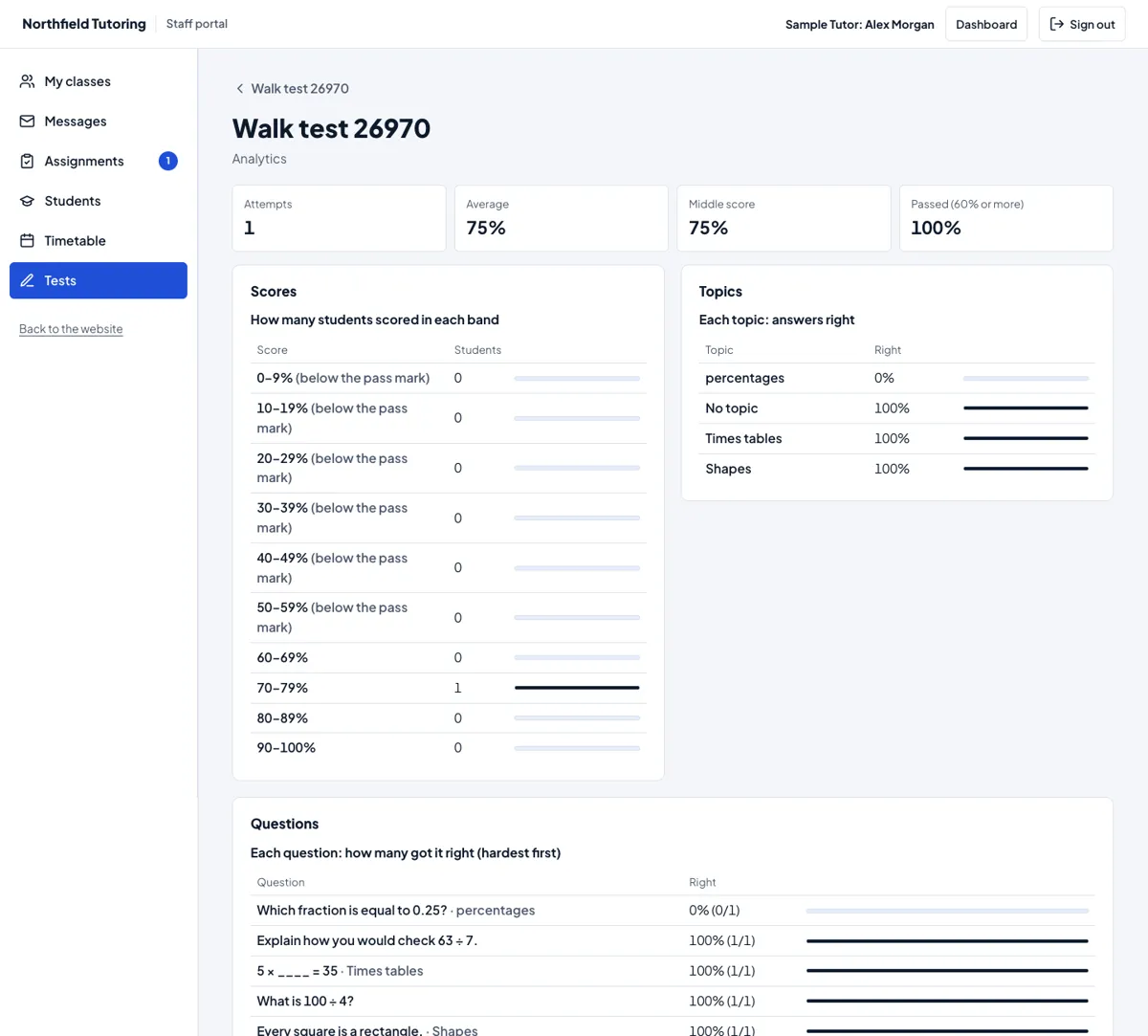
Analytics on a test shows:
- Attempts, the Average, the Middle score and how many Passed (at or above the pass mark);
- Scores: how many students scored in each band of 10%, with the bands below the pass mark labelled;
- Topics: the share of answers that were right for each topic;
- Questions: each question with how many got it right, hardest first.
Each table has its numbers written out. The thin bars beside them are only there to help you compare at a glance. If some attempts are still waiting for you, the page says their scores may change.
A class over time
The class over time (next to a group in the list) lists that group's tests in your subjects, oldest first, with how many took each one and the average. It's a quick way to spot a topic the class found hard.