Running your website
Results, emails and privacy
What students see after submitting, the Your result is ready email, Online tests → Results, and exporting or erasing personal data.
On this page
What students see
What a student sees follows the test's settings (see Building tests), exactly as TargetGrade's own website shows it:
- Before the score is released: "Submitted, awaiting results." (or "Being marked" for a paper test).
- Once released: the marks, the percentage and, question by question, their answer and the marks for it.
- Model answers and explanations appear only when the tutor shares answers and the student has no attempt left (all used, or the test has closed). Otherwise the page says why, for example "Answers appear once you've used all your attempts or the test closes."
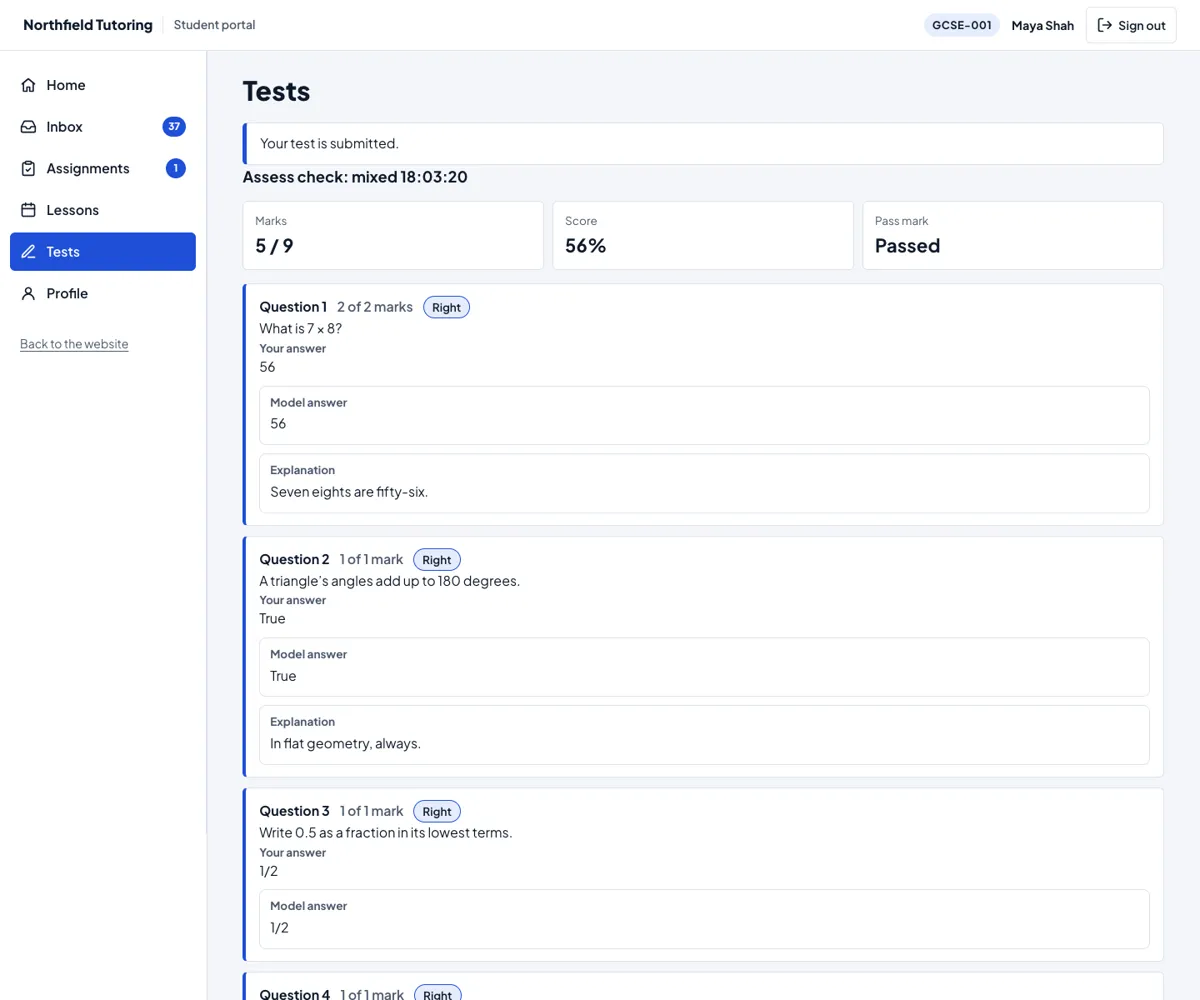
Review your answers lists every question, with To look at again first once the marks are out.
"Your result is ready"
When a test is marked and the result is released, the student gets "Your result is ready" with a link. For a student under 18, the parent or guardian gets a copy without the link. The email never contains the mark. It goes once per attempt. You can switch it off under Settings → Email ("Online test: result ready").
Online tests → Results
This tab lists the latest marked and submitted attempts that TargetGrade has told the website about, with whether the student can see them yet. Administrators and the Office role see it. The full results and answers stay in TargetGrade.
The staff portal's latest attempts
With Tutor 0.3.0, the staff portal's Tests tab is where tutors build, mark and look at tests (see Building tests and Marking and analytics). Under the tests it also lists each class's latest attempts, with the marks and whether the student can see the result yet.
Privacy
- Exporting a person's data (Tools → Export Personal Data) includes their link to TargetGrade and the results the website keeps.
- Erasing (Tools → Erase Personal Data, or erasing a student's record) deletes those from your website. It does not delete their TargetGrade account, attempts or marks: those are in your TargetGrade school. If they shouldn't take more tests, suspend them first under People and classes. To delete the account itself, ask TargetGrade.
- The TargetGrade key and every access token stay on your server, encrypted. Students' browsers only ever talk to your website.