Running your website
Register and behaviour
The register taken in the staff portal and sent to TargetGrade, recording how each student did in a lesson from your school's templates, and what students see on their own record.
On this page
October 2026.
With Gradespace Tutor 0.5.0 and Pro, tutors take the register in the staff portal. With Gradespace Assess connected, it goes to your TargetGrade school too, and tutors record behaviour there, so TargetGrade's reports, the student and their parents see both.
The register
Timetable (Lessons) → Take the register shows a day's lessons: a tutor's own, or every lesson for the office. Day before, Day after and the date choose the day.
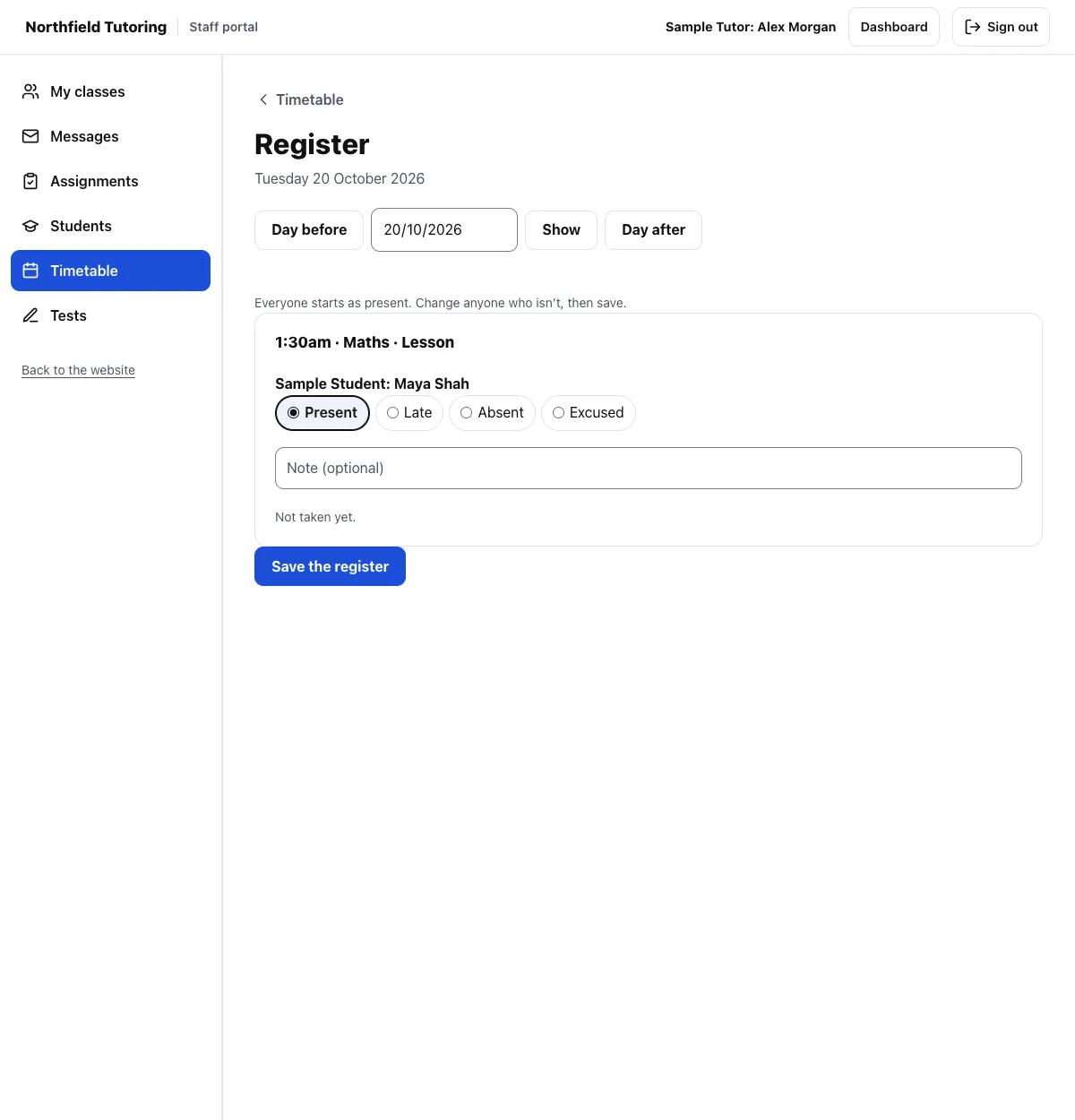
Everyone starts as present. Change anyone who isn't (Late, Absent or Excused), add a note if you want, then press Save the register. It's saved in Tutor's register as before (a one-to-one lesson that has started becomes Taught, or Didn't come for an absence; the office's CSV under Tutoring → Attendance has it), and sent to TargetGrade for the group and subject on that day, as the lesson's tutor. The page doesn't wait for TargetGrade.
A lesson whose tutor or student isn't linked to TargetGrade yet is kept in Tutor's register only. Link them under Online tests → People and classes.
Behaviour
Students → Record behaviour (or Record behaviour on a student's page):
- Choose the group and subject (only the subjects you teach in your groups) and the day, then Show.
- For each student, record how they did:
- Start from a template (your school's, from TargetGrade: "Excellent lesson", "Homework not done", "Late to lesson"…) fills whatever you leave as it is;
- Participation and Attitude: excellent, good, fair or poor;
- Homework: done, late, part done, not done or none set;
- Late and the minutes late; Uniform if you check it;
- Notes.
- Press Save. A student you leave as it is gets nothing recorded.
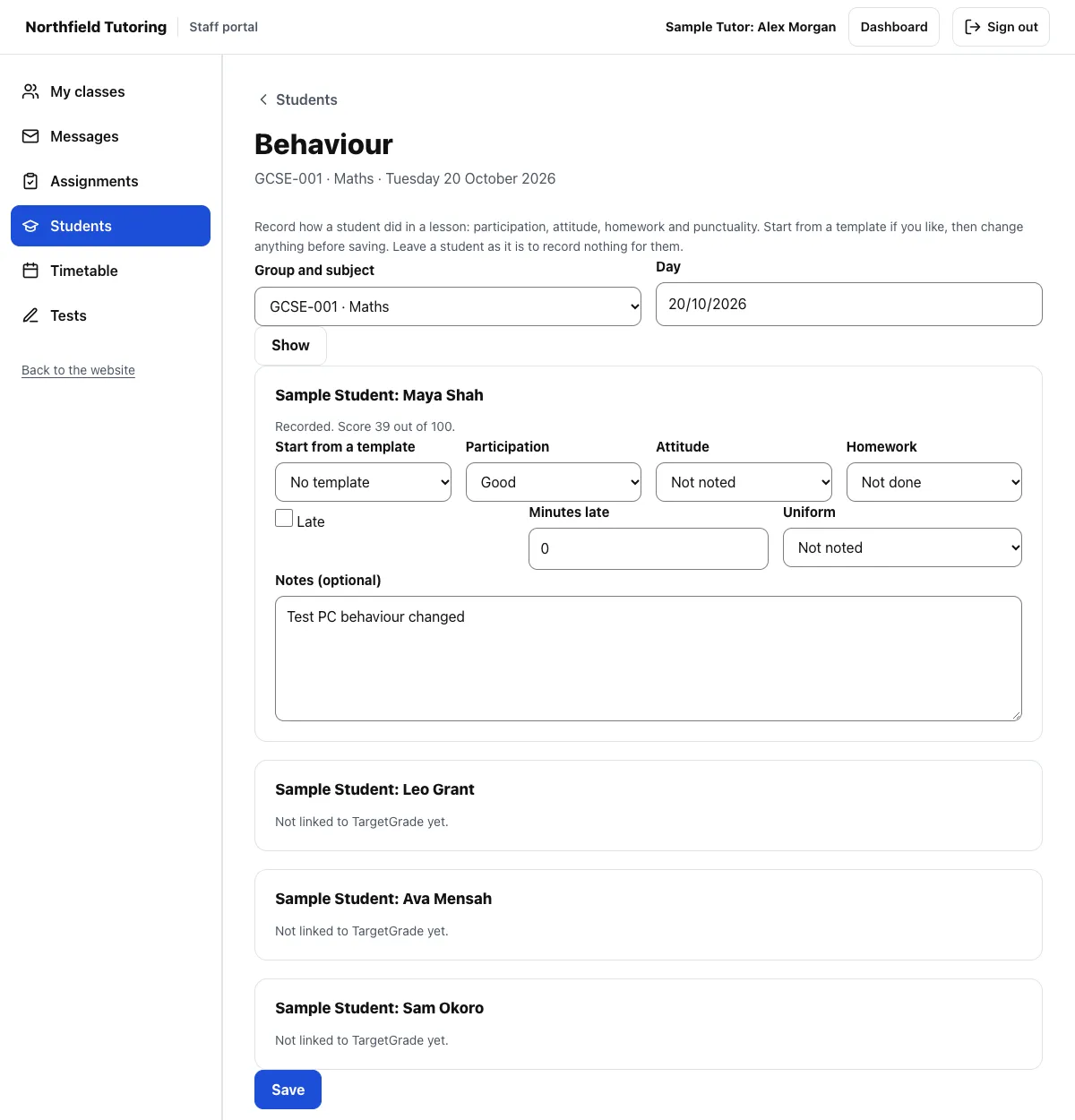
There's one record for each student, group, subject and day: saving again changes it. TargetGrade works out a score from 0 to 100, shown once saved. A student's page in the staff portal has a Behaviour card with their latest records.
What students see
Profile → See my record (and the student area) shows the student's own attendance (the share of lessons attended, present, late and absent, each subject, the latest registers and their notes) and what their tutors noted about their behaviour.
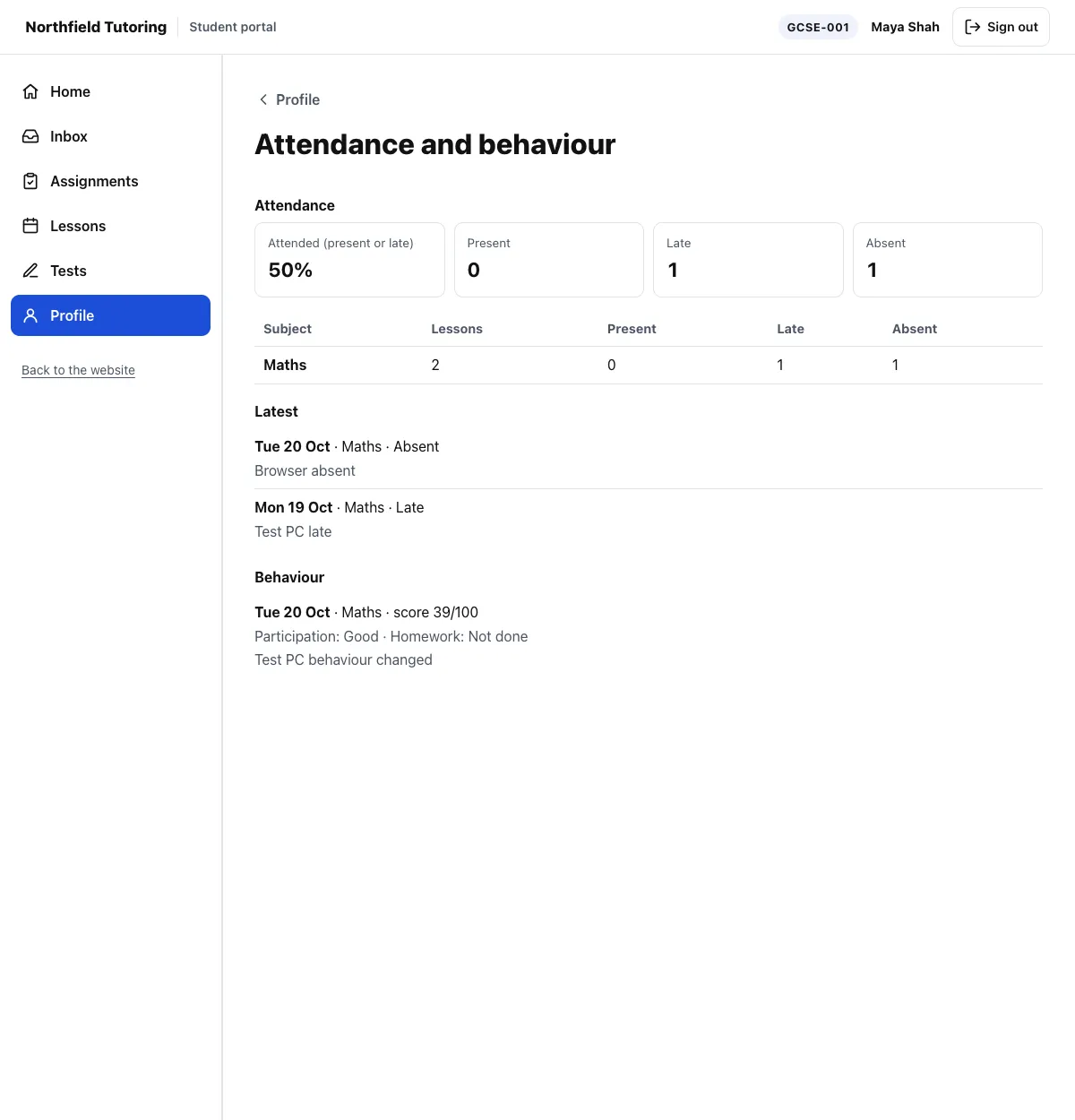
Their parent sees the same on the private results page (see Results, emails and privacy).