User manual
Gradespace Marketplace: the manual
What the Marketplace kit does for an auction house and marketplace, what Starter and Pro include, and every chapter of this manual in reading order.
On this page
Gradespace Marketplace is the website kit for selling general goods by auction and at a set price. It works two ways at once: as an auction house, selling your own stock in timed sales of numbered lots with a buyer's premium, and as a marketplace, where approved outside sellers list their own items and are paid once the buyer has them. It gives your website:
- Timed house sales: numbered lots that close one after another, a buyer's premium, reserves, extra time for late bids, collection or delivery.
- Auctions and Buy It Now on any listing, with automatic bidding up to each bidder's top bid.
- My bids for buyers: what they're winning, what they've been outbid on, what they won and still have to pay.
- Invoices and a payment deadline: a winner who doesn't pay in time loses the lot and can't bid again, though they can still buy with Buy It Now.
- Messages between buyers and sellers, with phone numbers and email addresses hidden until something is sold.
- Cancellations, returns and problems as cases with a three-working-day reply time, refunds, and your staff deciding when people can't agree.
- Ratings and feedback after the item arrives, and a shop page for every seller.
- Address labels, and Royal Mail Click & Drop labels on your own or the seller's account.
- With Pro: outside sellers with their own seller hub, Stripe payouts held until the buyer has the item, make an offer, saved searches with daily alerts, help writing listings from photos, importing a sale from a spreadsheet, sellers bringing their listings across from Shopify, WooCommerce, Etsy or eBay, and prices that update by themselves on every list.
The shop is WooCommerce, so buyers pay through WooCommerce's own Stripe or PayPal.
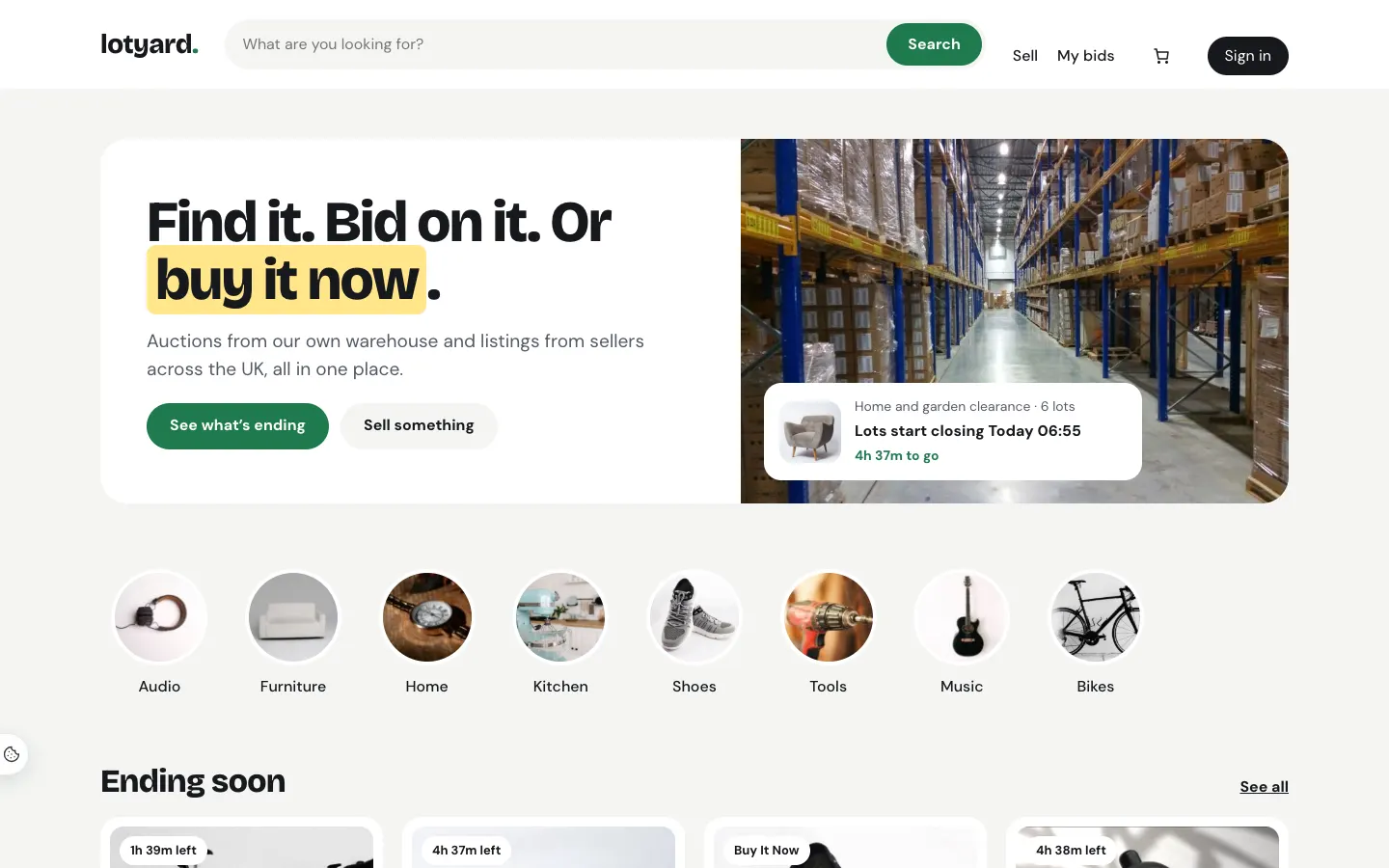
The demo website at marketplace.gskits.co.uk is the sample marketplace Lotyard. The pictures in this manual come from the same sample content.
The three parts
A Gradespace kit comes in three parts, installed in this order:
- Gradespace Core (free): the back office. Settings in plain words, the Today screen, staff accounts, emails, the setup wizard, your licence and updates.
- The Gradespace Marketplace plugin: everything in the list above. (A plugin is an add-on for WordPress.)
- The Gradespace Marketplace theme: the look of the website, with three designs (Showroom, Catalogue and Saleroom).
One licence covers the plugin and its theme. Install WooCommerce first: lots and listings are WooCommerce products.
Starter and Pro
Without a licence key, or with a Starter licence, the kit runs in Starter mode: a complete auction house for your own stock. Features marked (Pro) need a Pro or Agency licence.
Chapters
- Quick start
- The setup wizard
- Designs, pages and menus
- House sales and lots
- Bidding, buying and paying
- Sending and collection
- Outside sellers (Pro)
- The seller hub (Pro)
- Messages
- Cases, returns and refunds
- Ratings and feedback
- Labels and Click & Drop
- Staff screens and staff access
- Emails
- Settings
Manual for Gradespace Marketplace 0.3.0, November 2026.
Every chapter of this manual
Getting started
Buying and installing
- Buying and your licenceSharedThe Starter, Pro and Agency tiers, buying a kit, the licence key email, your licences page on thegradespace.com, and moving or upgrading a licence.
- Before you installSharedWhat your website and hosting need for a Gradespace kit, how to check them, and why to take a backup and use a test copy first.
- Installing your kitSharedInstalling Gradespace Core, then your kit's plugin, then your kit's theme from their .zip files, adding your licence key, and how updates arrive.
Setting up
- The setup wizardSharedHow the setup wizard works in every kit: each step, the starter pages and menu, sample photos, legal pages, how to run it again, and how to remove the sample content.
- The setup wizardEach step of the setup wizard, the starter content it can add, and how to run it again.
- Your look: design, colours, logo, menus and footerSharedChoosing a design and colour palette in Site Settings → Design & colours, previewing it, keeping the menu at the top when scrolling, adding your logo, and changing the menu and the footer.
- Designs, pages and menusThe three designs, the home page sections and the pages the theme links to.
- Pages, posts and picturesSharedEditing pages in the WordPress block editor, starting a page from your kit's ready-made layouts and sections, writing blog posts, and adding and replacing pictures in the media library.
Running your website
- Cases, returns and refundsCancelling, items that didn't arrive or aren't as described, returns, offers, refunds and staff decisions.
- Ratings and feedbackHow buyers rate sellers, replies, rating buyers, removing feedback, and where ratings show.
- Labels and Click & DropPrinting address labels and lot labels, and sending orders to Royal Mail Click & Drop.
- Staff screens and staff accessThe Today screen, the Marketplace menu, bidders, and which staff can do what.
- EmailsEvery email the marketplace sends, to whom, and how to turn one off.
- SettingsEvery marketplace setting, what it does and its starting value.
- House sales and lotsMaking a sale, adding and importing lots, closing times, pausing, lot labels, and what happens when a sale ends.
- Bidding, buying and payingHow bidding works for your buyers, Buy It Now, watching, offers, saved searches, My bids, invoices, and buyers who don't pay.
- Sending and collectionSending your own lots or having them collected, how outside sellers send, and when a buyer says it arrived.
- Outside sellers (Pro)How people apply to sell, approving and suspending sellers, commission, Stripe, and paying sellers.
- The seller hub (Pro)What sellers see in My account: the dashboard, listing an item, importing listings from another shop, changing stock, sending orders, feedback and shop settings.
- MessagesPrivate messages between buyers and sellers, hidden contact details, reporting and blocking.
Looking after your website
- Staff accounts and signing inSharedGiving each member of staff their own account, the staff roles each kit comes with, choosing what each role can do (Pro), and the staff sign-in page.
- Privacy, cookies and emailsSharedThe cookie banner and cookie settings, your starter terms, privacy and cookie policies, requests for people's data, the website's branded emails, test emails and the email log (Pro).
- Backups and updatesSharedWhat to back up and how often, and how to install updates to Gradespace Core, your kit's plugin and its theme safely.
- Troubleshooting and supportSharedFixes for the problems people meet most often: licence messages, installing, the setup wizard, pages not found, emails, signing in, the design and the cookie banner, and how to get help.
Bought this kit? The whole manual is also a PDF (version 1.1.0) to download or print, on My licences.