Running your website
The seller hub (Pro)
What sellers see in My account: the dashboard, listing an item, importing listings from another shop, changing stock, sending orders, feedback and shop settings.
On this page
Sellers run their shop from My account, on a phone or a computer.
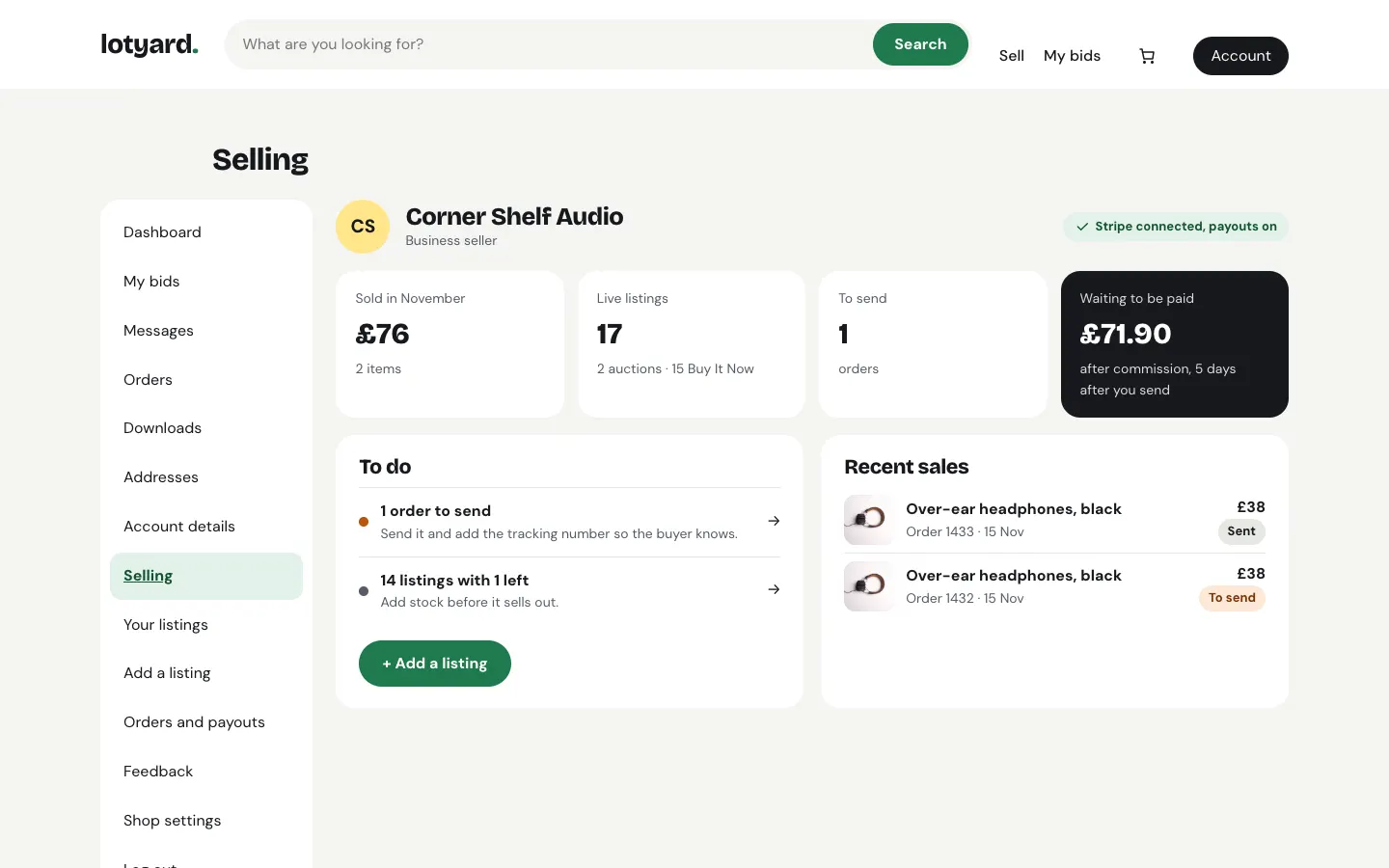
- Selling (the dashboard): what they've sold this month, live listings, orders to send, money waiting to be paid, and a to-do list (offers to answer, orders to send, listings about to sell out).
- Your listings: every listing with its state (Live, Being checked, Auction with time left, Sold, Ended). Change a Buy It Now listing's stock right there; it ends by itself at 0. An auction can't be changed once someone has bid, apart from its words and photos. An ended auction can be Relisted, or turned into Buy It Now.
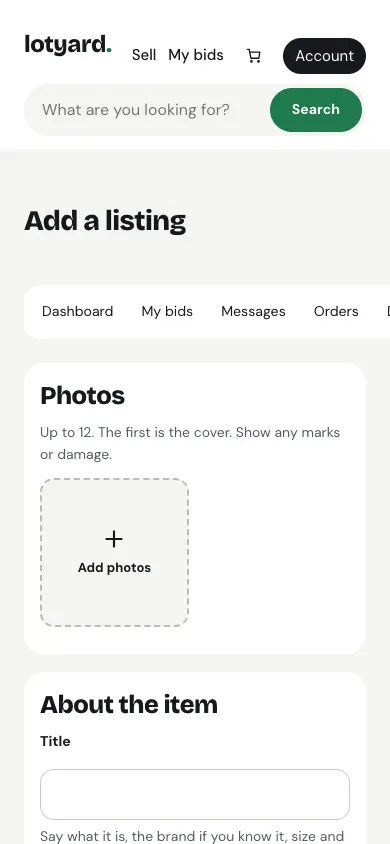
- Add a listing: photos, title, category, condition, then Auction (start price, reserve, Buy It Now too if they like, running 3, 5, 7 or 10 days) or Buy It Now (price and quantity), with Pro, Accept offers and an optional Decline offers below for Buy It Now, postage (empty for free) or Collection only, the town buyers can collect from, and returns. The box at the side shows what they'll get after commission.
- Write it for me from the photos (with the Gradespace Assistant add-on) fills in the title, description, category and condition from the first photo. The seller checks and edits everything before it goes live.
-
Import listings (Pro): bring their listings across from Shopify, WooCommerce, Etsy or eBay as drafts. See Importing from another shop below.
-
Offers (Pro): offers buyers made on their Buy It Now listings, with Accept, Decline and Counter, and earlier offers below. They have 48 hours to answer each one. See Make an offer.
-
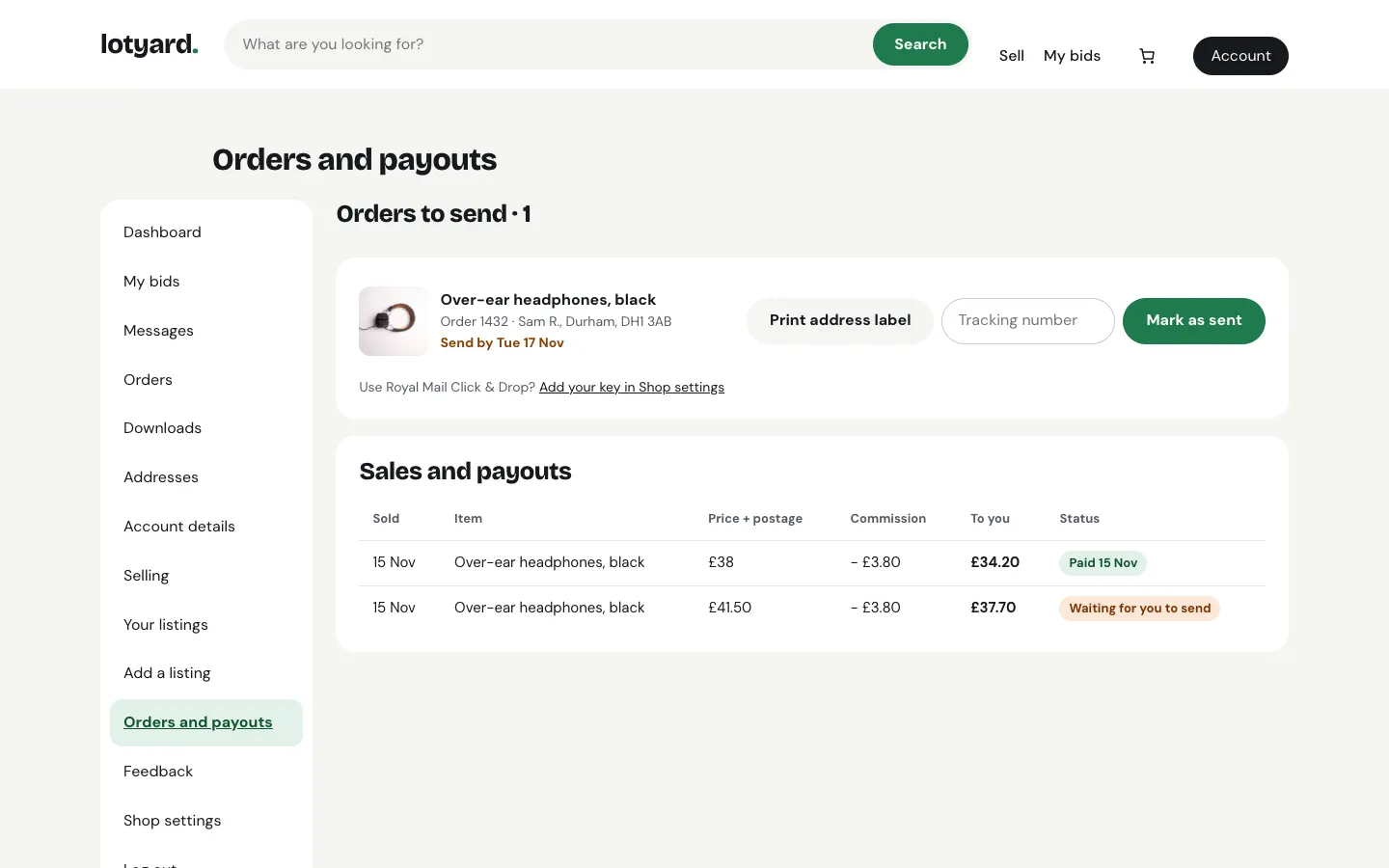
Orders and payouts: orders to send with the buyer's town and a Send by date, Print address label, Click & Drop, the tracking number and Mark as sent; below, each sale with the commission and when it's paid.
- Feedback: their ratings and buyers' comments, with a Reply to each.
- Shop settings: shop name, return address (printed on address labels) and their own Royal Mail Click & Drop key.
- Messages and My bids work as for any buyer.
Each seller also has a public shop page at /seller/their-shop-name/ with their listings, rating and feedback.
Importing from another shop (Pro)
A seller who already sells somewhere else doesn't have to type every listing again. They export their products from the other shop and upload the file in Import listings (or Import on Your listings).
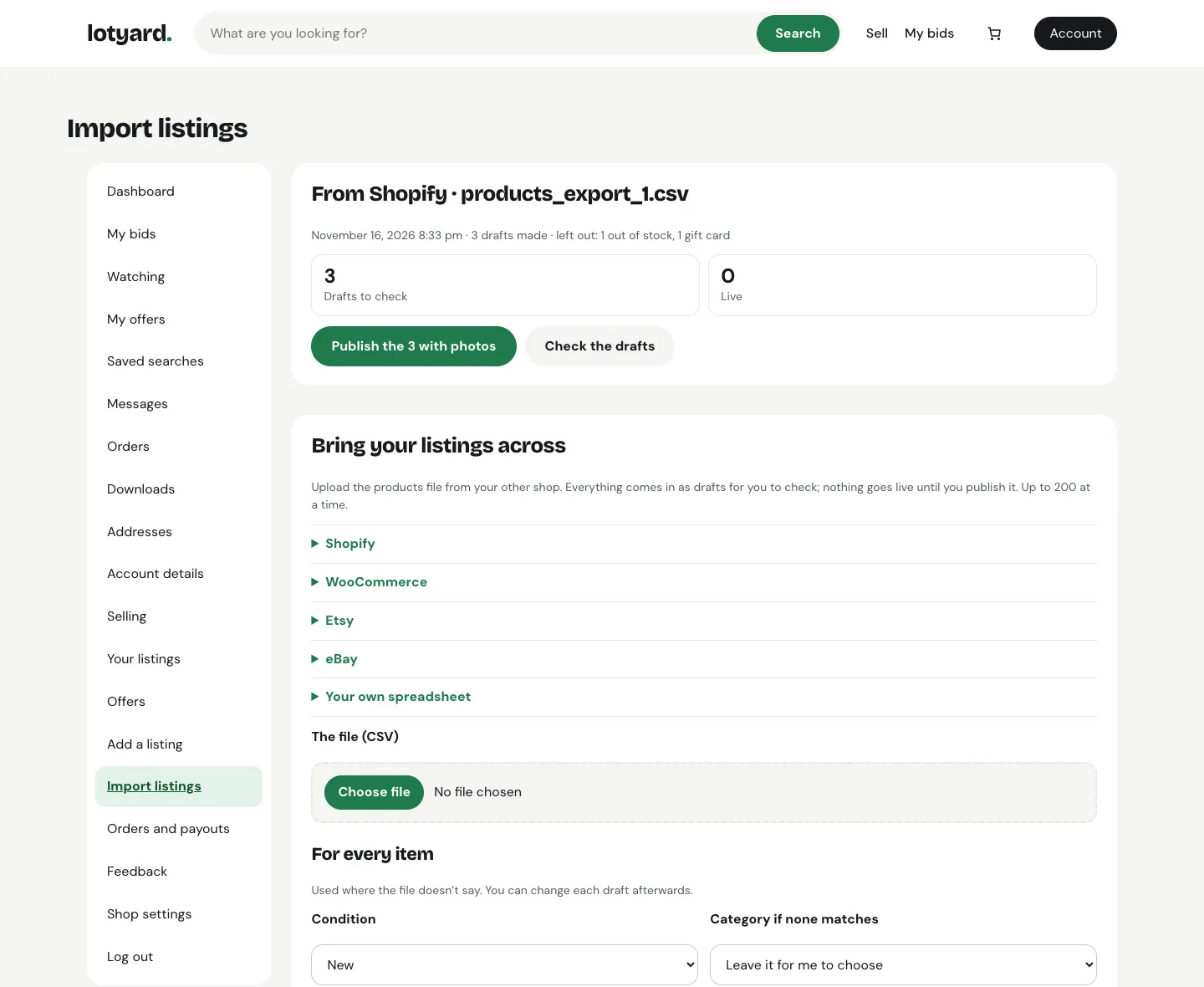
Getting the file. The page explains each one under its name:
- Shopify: Products → Export → All products → CSV for Excel, Numbers or other spreadsheet programs. Shopify emails the file.
- WooCommerce: Products → All Products → Export → Generate CSV.
- Etsy: Shop Manager → Settings → Options → Download Data → Download CSV.
- eBay: Seller Hub → Reports → Downloads → Active listings. eBay's report has no photos or descriptions, so the seller adds those to each draft. eBay's listing template (the bulk-listing spreadsheet) works too, with its photos.
- Their own spreadsheet, saved as CSV, with the columns title and price, and if they like quantity, description, category, condition and photos (web addresses, separated by commas).
The kit works out which shop a file came from by its column names, so the seller doesn't have to say.
For every item. Before uploading, the seller picks what to use where the file doesn't say: the condition, a category for items whose category doesn't match one of yours, postage (empty for free), the town buyers can collect from, Collection only, and, with Pro, whether to accept offers.
What comes across. Each item becomes a Buy It Now draft with its title (cut to 80 characters at a word), description (simple formatting only; the old shop's styles are left behind), price, how many are in stock, and a category matched to yours by name. Photos come from their web addresses in the background, a few each minute, so a big file can take a while; drafts waiting for theirs say photos on the way in Your listings. Up to 12 photos per listing.
- A product with options (sizes, colours) becomes one listing per option, such as "Waxed cotton jacket – M", so the stock stays right.
- Items that are out of stock, archived in Shopify, gift cards, and WooCommerce's grouped and external products are left out, and the page says how many.
- eBay auctions come in as Buy It Now at their Buy It Now price (or their current price). The seller can switch one back to an auction when they edit it.
- Items with no price, or under 50p, are listed under items couldn't come in.
- Prices come across as the same numbers. If the other shop used another currency (an Etsy shop in dollars, say), the page says so, so the seller can check them.
Up to 200 at a time. For a bigger shop, the seller uploads the same file again and the next 200 come in. Items already brought in are always skipped, so uploading a file twice never makes copies.
Publishing. Nothing goes live by itself. The seller checks the drafts (Check the drafts), changes anything they like, then publishes each one, or presses Publish the N with photos to put every draft from that file that has a photo live at once. A draft needs at least one photo before it can go live. If you check new sellers' listings first (Settings → Marketplace → Check new listings before they go live), they wait for you as usual.