Setting up
The setup wizard
Each step of the setup wizard, the starter content it can add, and how to run it again.
On this page
The wizard opens the first time you activate the kit. You can run it again from Marketplace → Settings; running it again never makes copies or overwrites pages you've changed.
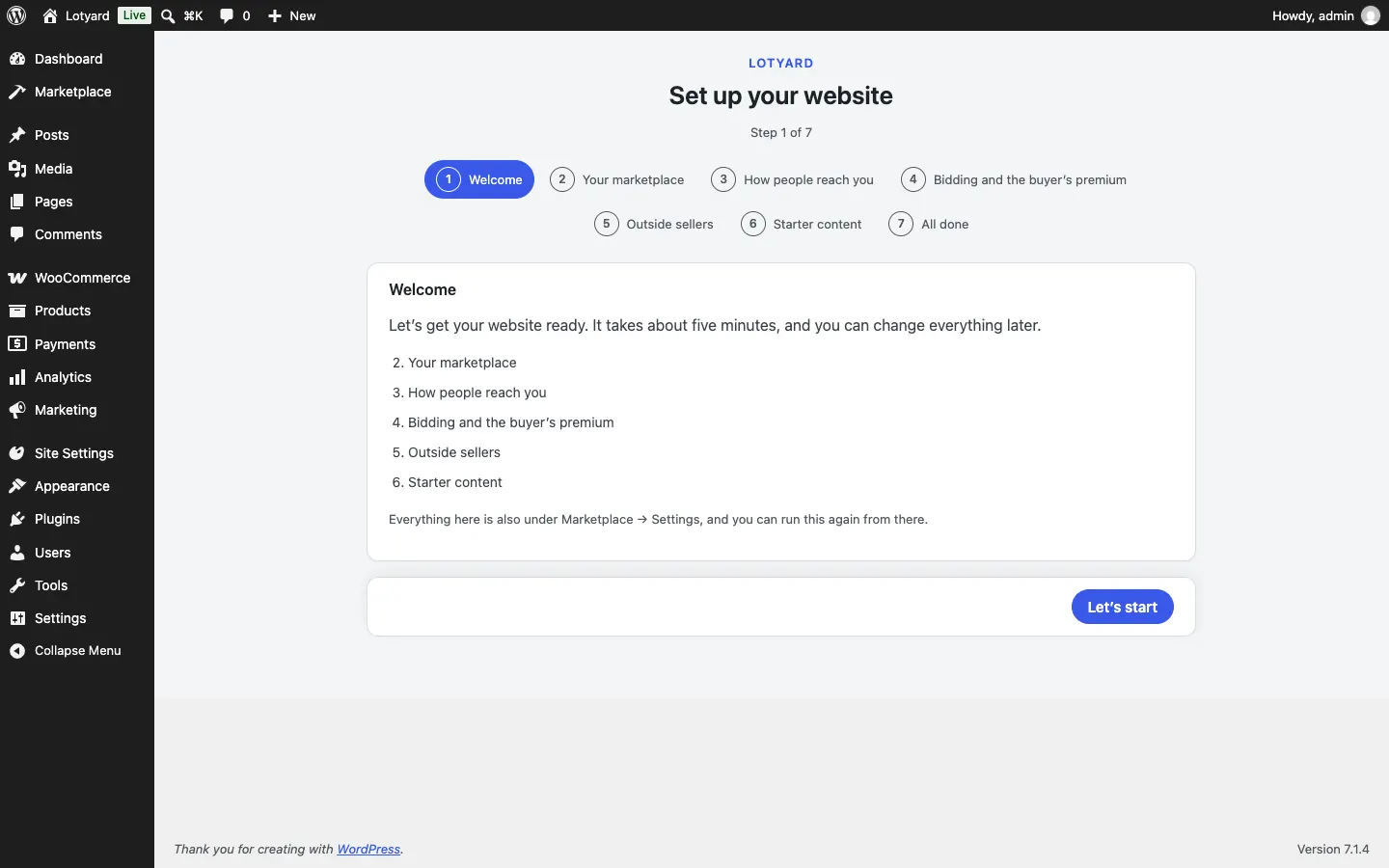
- Your marketplace: its name, company name, a short line about it and your logo. They appear on the website, in emails, on invoices and on the sign-in page.
- How people reach you: phone, email, address and the address that gets staff emails.
- Bidding and the buyer's premium: the premium added to winning bids on your own lots (20% unless you change it), the extra time a late bid adds (2 minutes), how many days winners have to pay (3), and whether an overdue invoice stops that buyer bidding (on).
- Outside sellers (Pro): your standard commission (10%), the smallest commission on a sale (£0.50), how many days after sending a seller is paid (5), and whether you check new listings before they go live.
- Starter content, each one a tick:
- Starter pages: Sell with us and Seller fees (with Pro, for outside sellers), How bidding works, Buyer's premium, Help, Terms of sale and Photo credits, with [placeholders] for your details. The header and footer link to them.
- Sample photos: 18 photos of everyday goods from Pexels, each credited in the media library.
- Shop settings: UK pounds, accounts made on My account (bidders need one), sold items hidden from the shop, and postage taken from each listing for UK addresses, with collection as the other choice.
- Sample sales and listings (not ticked to start with): three house sales with lots closing a week later, and two Buy It Now items.