Running your website
House sales and lots
Making a sale, adding and importing lots, closing times, pausing, lot labels, and what happens when a sale ends.
On this page
A house sale holds your own lots, numbered, closing one after another: lot 1 at the first closing time, lot 2 a minute later (or whatever gap you choose), and so on. Manage them under Marketplace → Sales and lots.
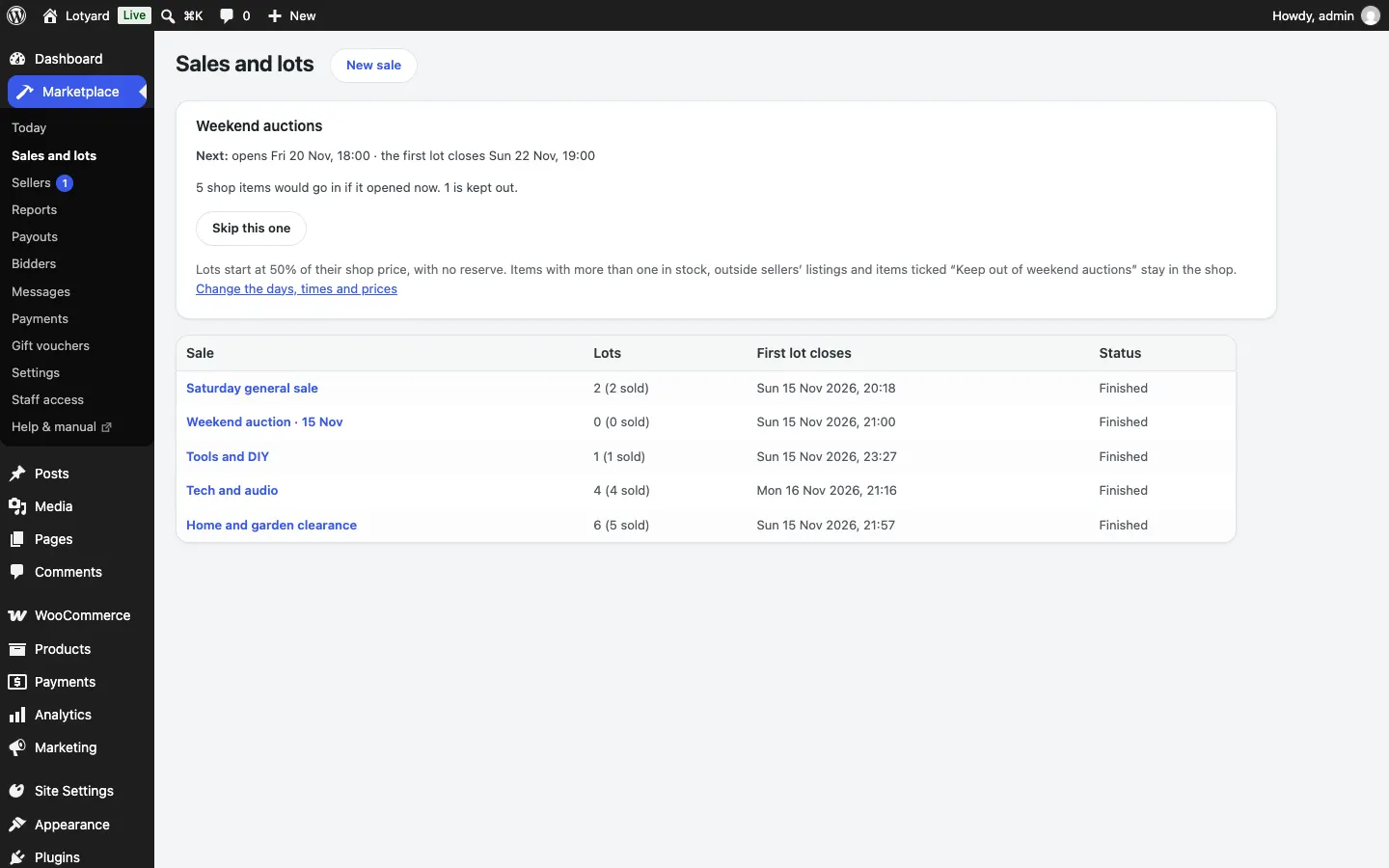
Make a sale
- New sale: its name, when it opens for bids, when the first lot closes, how often a lot closes after that, where buyers collect from, and words about the sale for its page. You can set a different buyer's premium or payment deadline for one sale.
- Add lots one at a time: title, grade (New, Like new, Used very good, Used, Used working, Untested, Spares or repair), description, start price, reserve, category and a photo.
- Or Import lots from a spreadsheet (Pro): a CSV file with a header row of
title, grade, description, start, reserve, category, photo. Photo is a web address, or a file name inside a zip of photos you upload with it. Lots are numbered in the spreadsheet's order after the ones already there. - Print lot labels: eight to a sheet of A4, each with the lot number, title, grade, the sale's name and a QR code that opens the lot.
Once a lot has bids its closing time is fixed. If you need to stop the clock (a problem at the warehouse, a website fault), use Pause the sale on the sale or on the Today screen: every open lot stops taking bids and its clock stops. Resume starts them again with the same time left.
When a lot closes
The highest bidder wins if the reserve is met. They get an invoice with the hammer price, the buyer's premium (with VAT shown) and delivery if they chose it, and have the number of days you set to pay. When the last lot closes you get an email with how the sale did.
If a winner doesn't pay in time, the invoice is cancelled and that person can't bid again (they can still buy with Buy It Now). See Bidding, buying and paying.
Weekend auctions
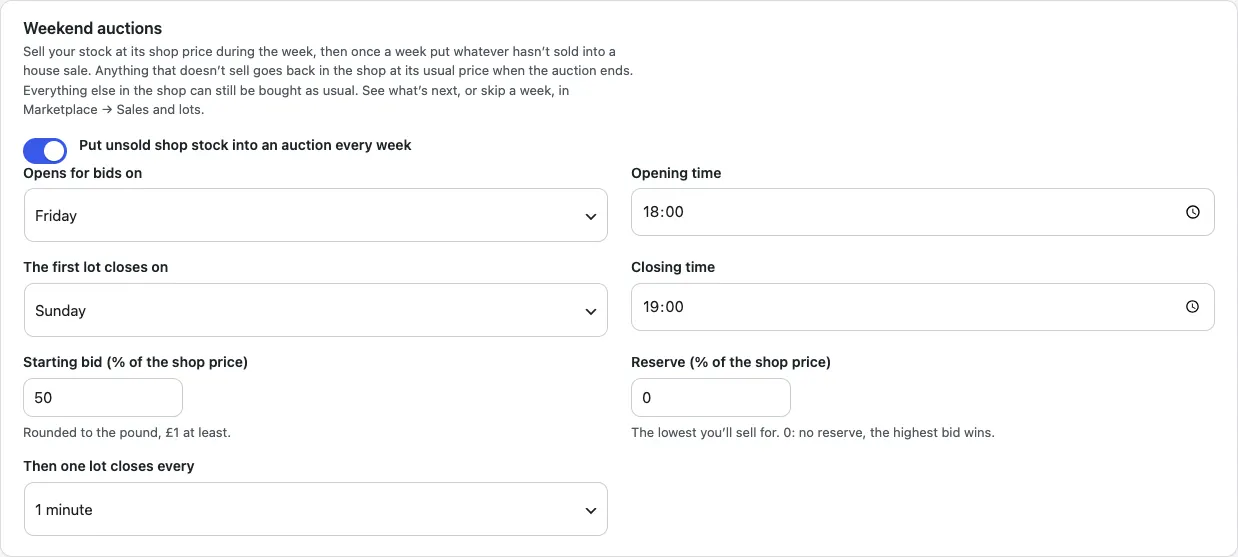
If you sell your stock at a fixed price during the week, the site can put whatever hasn't sold into an auction once a week by itself. Turn it on under Marketplace → Settings → Marketplace → Weekend auctions and choose:
- the day and time it opens for bids (Friday 18:00 to start with)
- the day and time the first lot closes (Sunday 19:00), and how often a lot closes after that
- the starting bid as a share of the shop price (50%, rounded to the pound, £1 at least)
- a reserve as a share of the shop price, if you want one (0: no reserve, the highest bid wins)
At the opening time a house sale called "Weekend auction" with the dates is made, and each one-off item of your own stock goes in as a numbered lot, sorted by category. Items with more than one in stock, outside sellers' listings, and anything ticked Keep out of weekend auctions on its product screen stay in the shop, and everything left in the shop can still be bought as usual all weekend.
When the last lot closes, winners get their invoices as in any house sale. Anything that didn't sell goes straight back in the shop at its usual price, ready for next week.
The Weekend auctions card at the top of Sales and lots shows the auction that's on now, when the next one opens and how many items would go in. Use Skip this one for a weekend you don't want one. While it's on, the weekend auction is an ordinary sale: you can pause it, change it or add lots.