Running your website
Places and services
Your halls, shops, hubs and food banks with opening times and access notes; the services you run; and routing volunteers and messages to each place's coordinator.
On this page
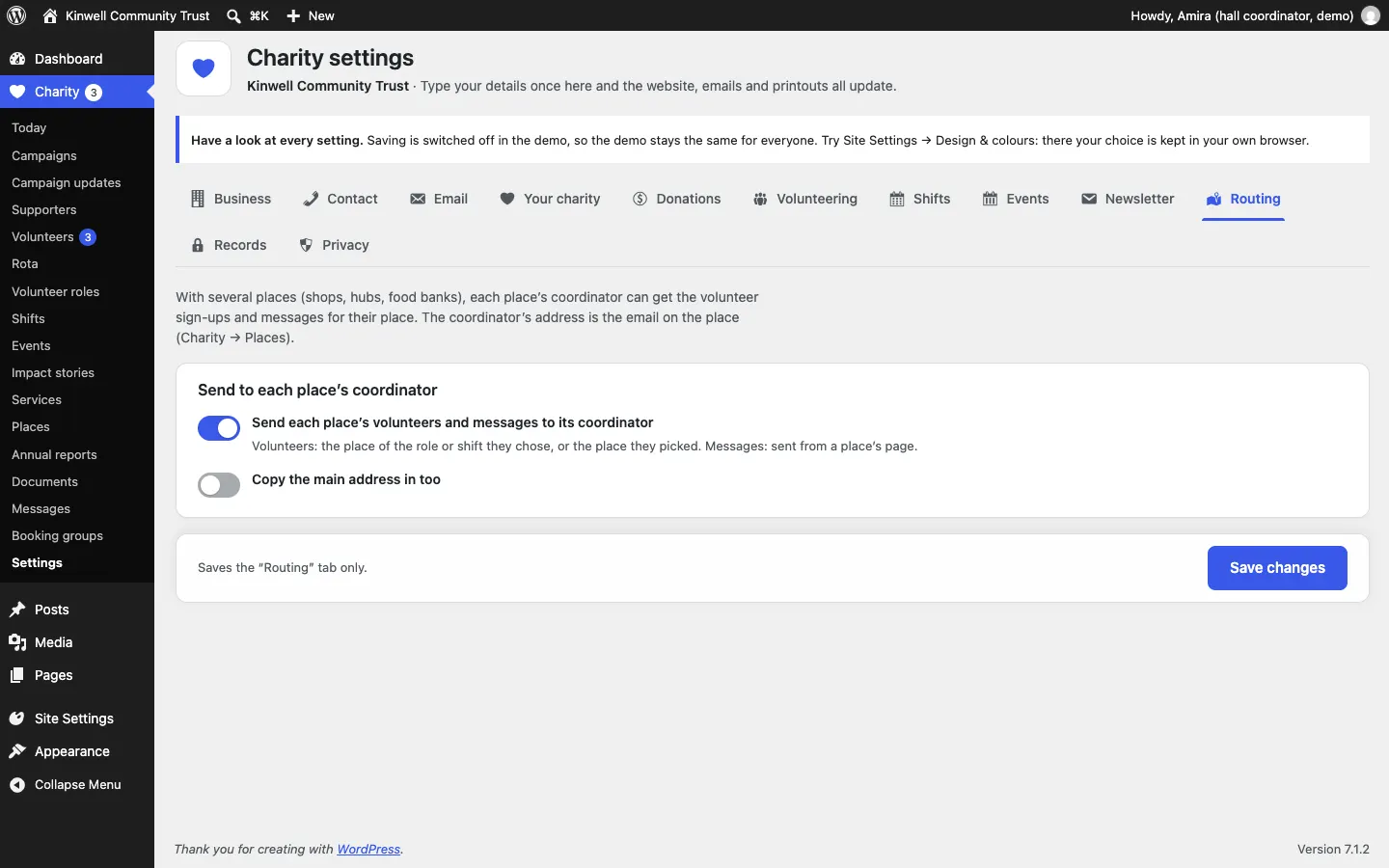
Places are where you work: halls, shops, hubs, food banks and offices. Services are what you do there: a pantry, a café, befriending, money advice. Together they fill the Get help page, so people can quickly see what's on offer, who it's for, when and where, and how to start.
Features marked (Pro) need a Pro or Agency licence.
How to add a place
- Go to Charity → Places and click Add place.
- Type the name, for example "Kinwell Hall", and a few lines about it. Add a photo as the Featured image.
- In Place details on the right:
- Short name, used in lists and buttons.
- Colour: pages that belong to this place take on its colour.
- Main place: tick it for your main address. Its details are shown on pages that don't belong to a place.
- Badge on the photo (optional).
- The address: Venue (building name), Street address, Town or city and Postcode.
- Phone numbers (separate with commas) and Numbers on WhatsApp.
- Coordinator's email: with routing (Pro), volunteers and messages for this place go here.
- What it is, for example "Community hall".
- Opening times, one per line. Services that run here add their own times.
- Access: step-free access, hearing loop, toilets, buses.
- Map link: empty uses a link to the address on OpenStreetMap.
- Click Publish.

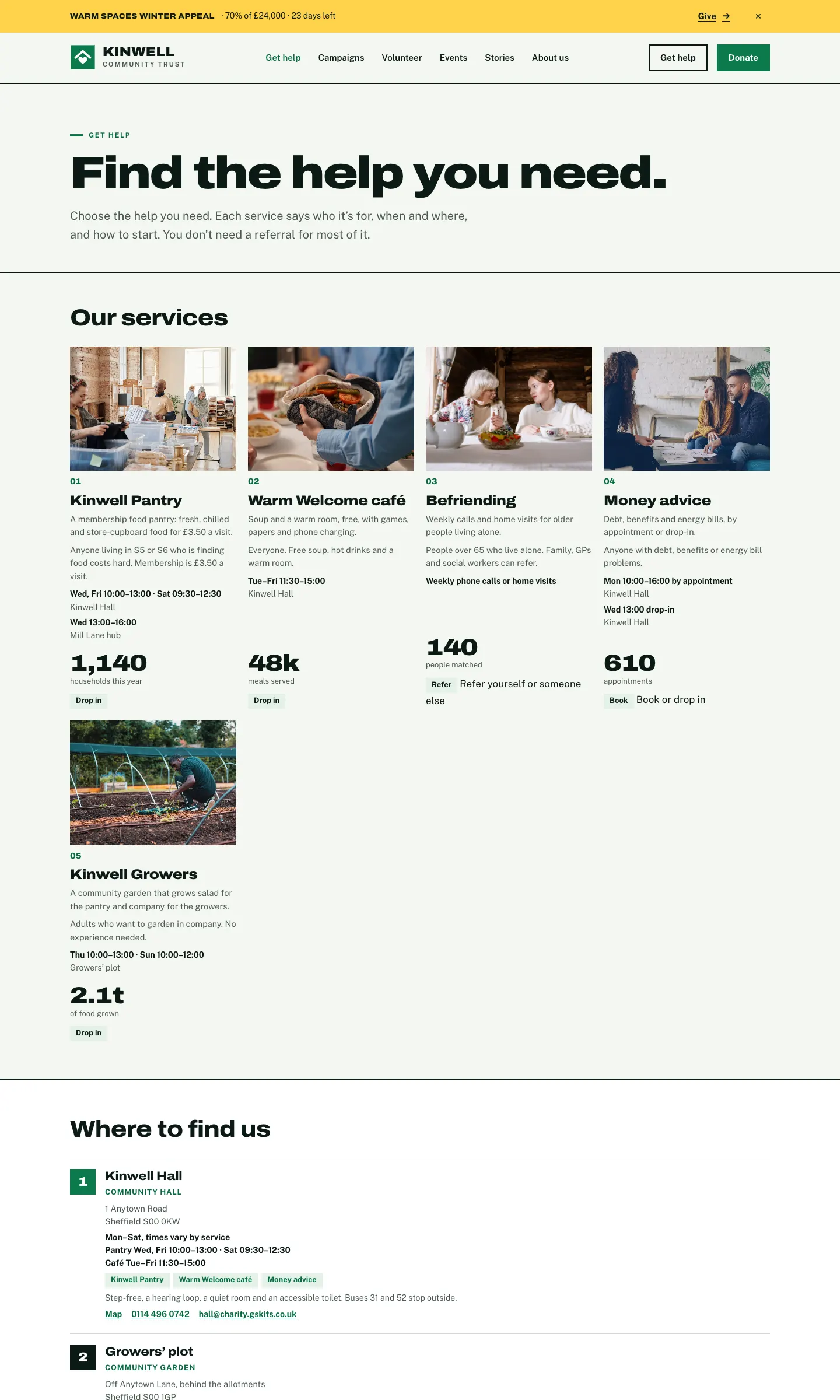
Each place gets its own page with its address, opening times, access notes, the services that run there, and Directions, Call and Email buttons:
How to add a service
- Go to Charity → Services and click Add service.
- Type the name, for example "Kinwell Pantry", and describe it. Add a photo and an Excerpt.
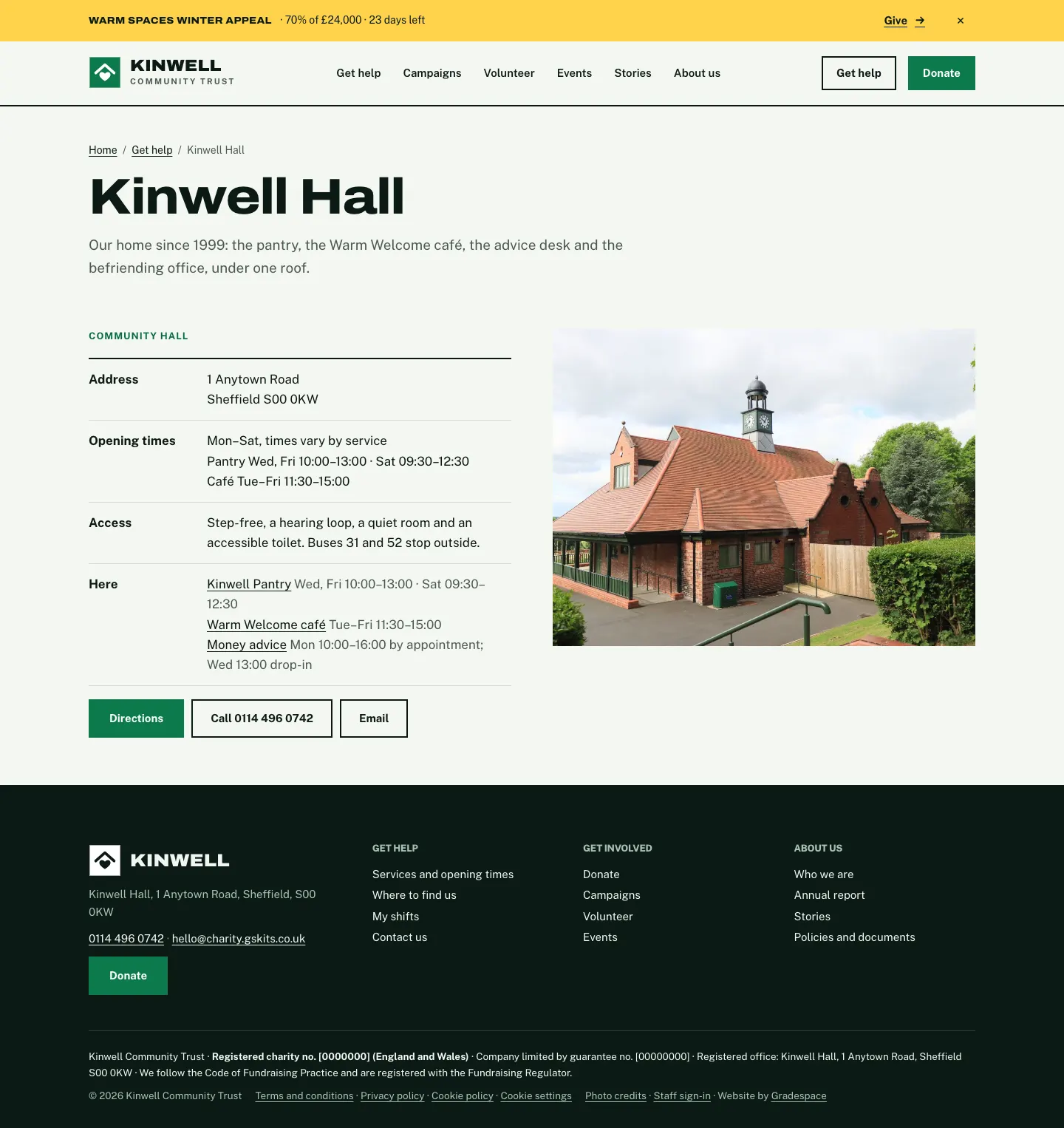
- In The service:
- Who it's for: plain words on who can come, any cost and whether a referral is needed.
- When and where: one per line,
days and times | place, for exampleWed, Fri 10:00–13:00 | Kinwell Hall. The place is one of your places (by name) or any words. - How to start: Drop in, Book, Refer, Call us or Online, and How to start, in a few words ("No referral needed").
- Runs from: tick the places.
- A figure:
value | what it counts, for example1,140 | households this year. From your own records. - Booking or referral link (optional).
- Click Publish.
Routing (Pro)
With several places, each place's coordinator can get the volunteer sign-ups and messages for their place instead of everything going to the main office.
- Set the Coordinator's email on each place (above).
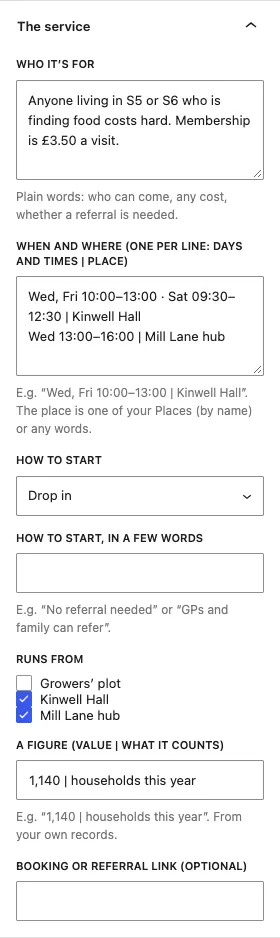
- Go to Charity → Settings → Routing.
- Tick Send each place's volunteers and messages to its coordinator.
- Tick Copy the main address in too if the office should still get a copy.
- Click Save changes.
Volunteers go to the place of the role or shift they chose, or the place they picked. Messages go when they're sent from a place's page. The coordinator also hears about changes to that place's shifts.