Running your website
Settings reference
Every tab under Charity → Settings, what it controls and where it's explained in this manual.
On this page
All the kit's settings are under Charity → Settings, in tabs across the top. Type your details once here and the website, emails and printouts all update. Each tab has its own Save changes button, which saves that tab only.
Features marked (Pro) need a Pro or Agency licence.
Business
Your trading name (also the website's title), registered company name and company number, tagline, logo, the staff sign-in page, how the website looks in search results and when shared, and your social media links.
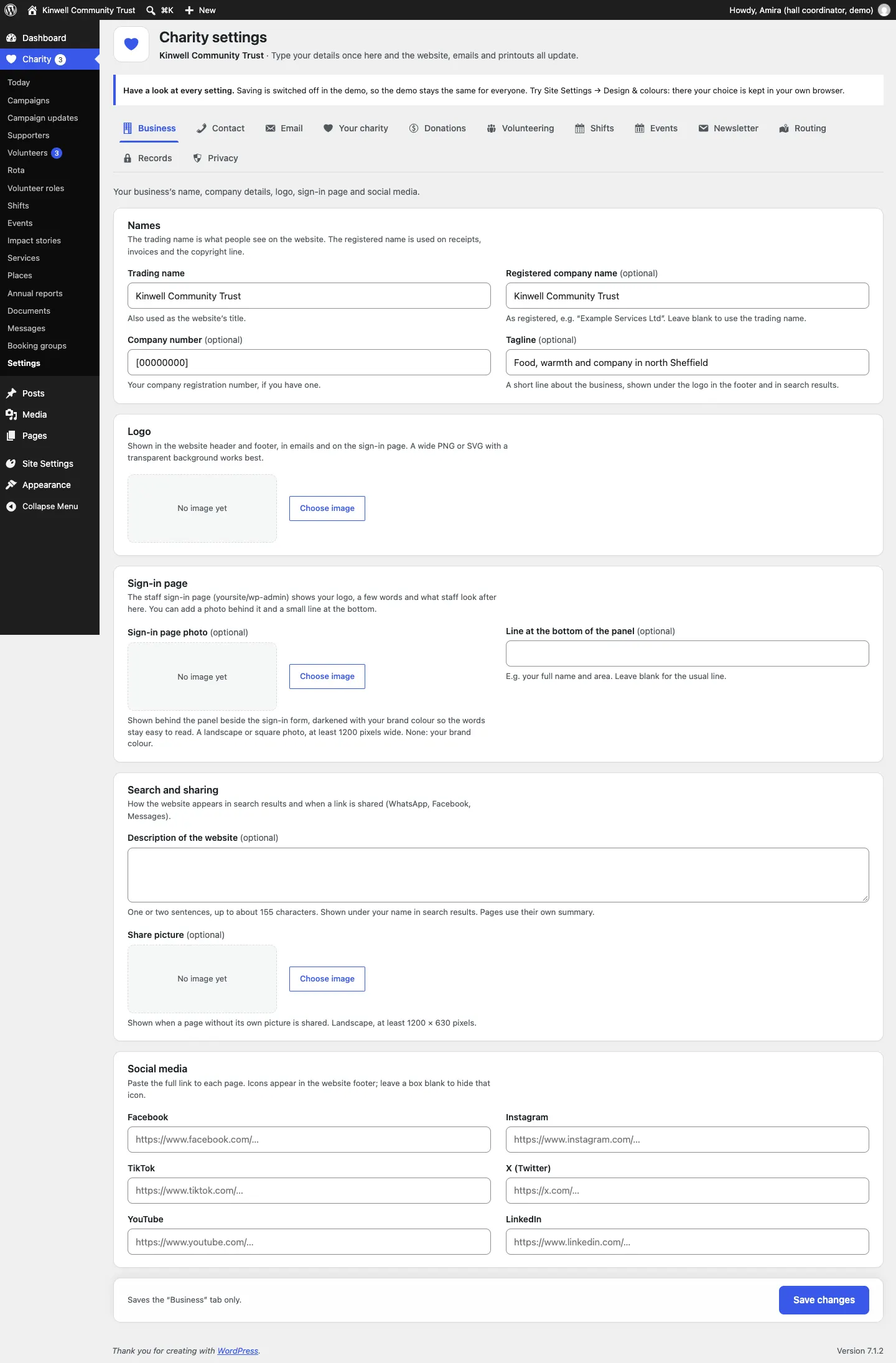
See Your look and Staff accounts and sign-in.
Contact
Your phone numbers and WhatsApp number, public email, address and map link, and the contact form: subjects, automatic reply and when messages are reviewed. See Messages.
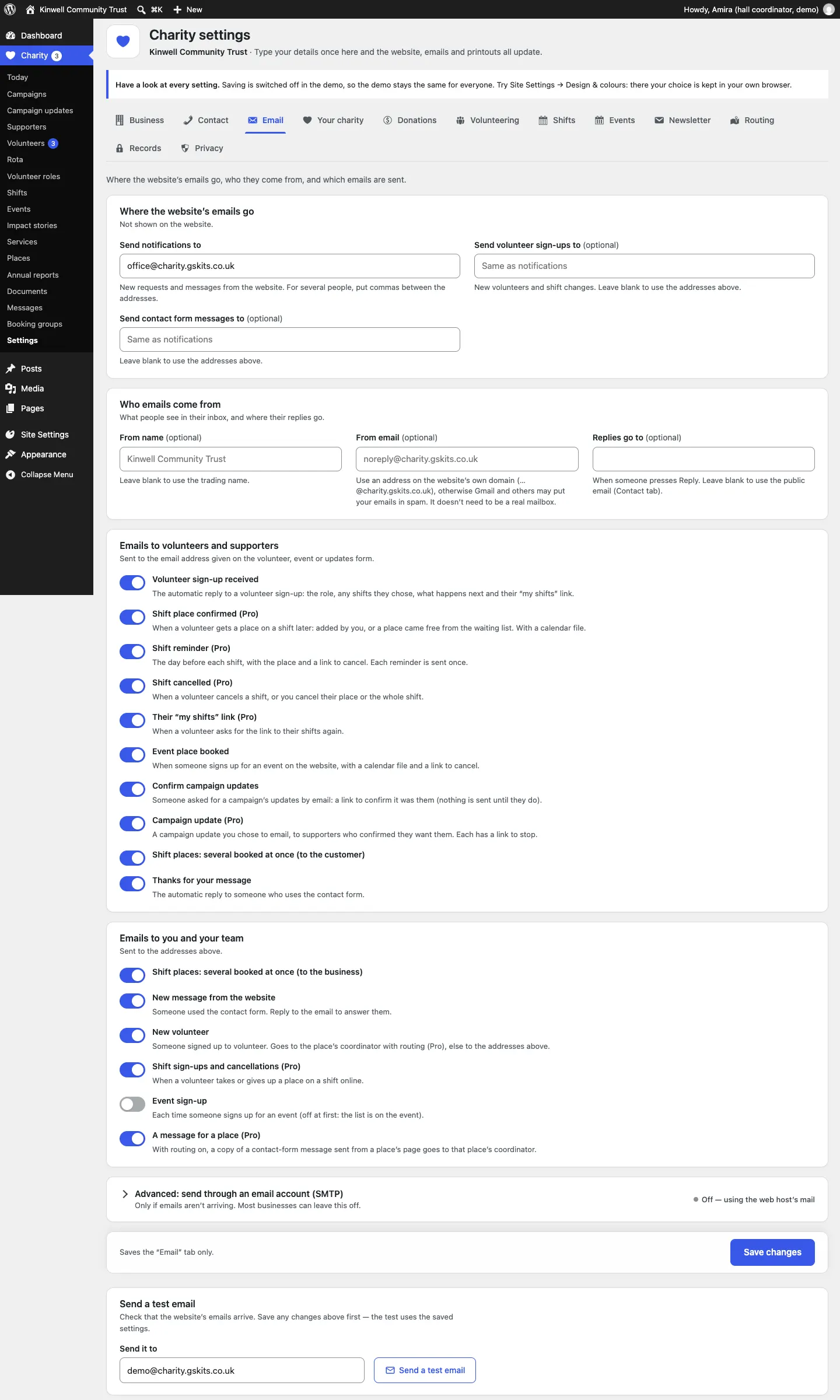
Where the website's emails go and who they come from, and every email the website sends, each with a switch and its own wording.
- Send notifications to: new volunteers, messages and other notices from the website. For several people, put commas between the addresses.
- Send volunteer sign-ups to (optional): new volunteers and shift changes go here instead. Send contact form messages to (optional): contact form messages go here instead. Leave either blank to use Send notifications to.
- From name, From email and Replies go to. Use a from address on your website's own domain, or emails may go to spam.
- Emails to volunteers and supporters: Volunteer sign-up received; Shift place confirmed (Pro); Shift reminder (Pro); Shift cancelled (Pro); Their "my shifts" link (Pro); Event place booked; Confirm campaign updates; Campaign update (Pro); Shift places: several booked at once; Thanks for your message.
- Emails to you and your team: Shift places: several booked at once; New message from the website; New volunteer; Shift sign-ups and cancellations (Pro); Event sign-up (off at first); A message for a place (Pro).
- Advanced: send through an email account (SMTP): only if emails aren't arriving.
- Send a test email: check that emails arrive. Save first.
See Privacy, cookies and emails.
Your charity
Who you're registered with, your charity number (and Scottish number), kind of company, registered office, anything else for the legal line, the Fundraising Regulator line, and your trustees. See Stories, annual reports and documents.
Donations
Your provider, donation page, monthly giving, amounts, the embedded form, another provider's web addresses, what gifts do and other ways to give. See Donations, Gift Aid and supporters.
Volunteering
Taking sign-ups online, asking when people are free, the volunteer page, youngest age, who gets in touch, skills to tick, the reply email and what happens next. See Volunteers and roles.
Shifts (Pro)
Shift sign-ups online, waiting lists, when sign-ups close, how far ahead shifts are shown, how late volunteers can cancel online, and the My shifts page. See Shifts, the rota and My shifts.
Events
The calendar feed of your events, kinds of event, how far ahead lists go, and (Pro) calendars to read in. See Events.
Newsletter
The sign-up band for your mailing provider. See Stories, annual reports and documents.
Routing (Pro)
Sending each place's volunteers and messages to its coordinator. See Places and services.
Records
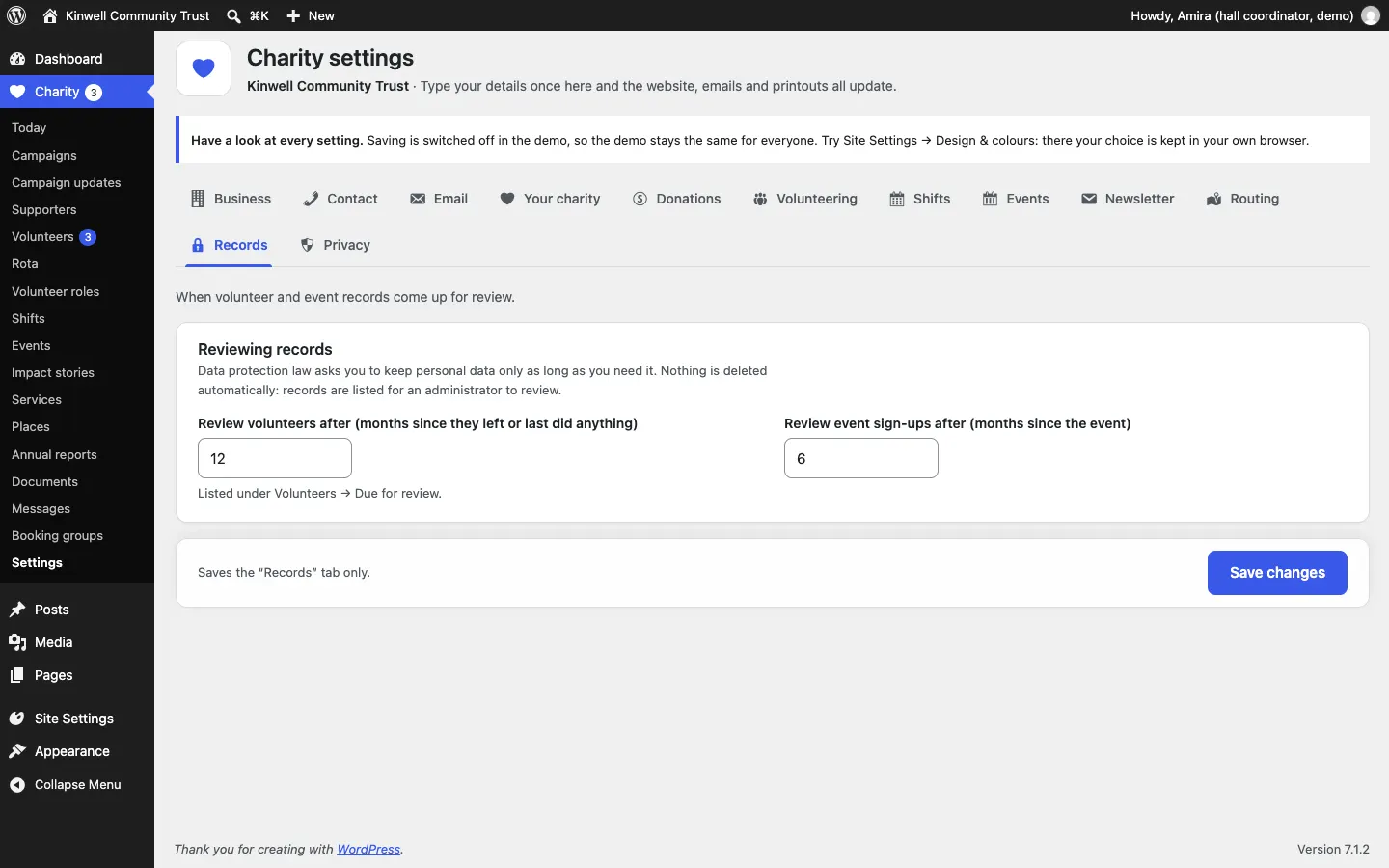
When volunteer records and event sign-ups come up for review: 12 and 6 months out of the box. See Volunteers and roles.
Privacy
The cookie banner and its wording, the law that applies to your terms and the email for privacy requests. See Privacy, cookies and emails.
Other settings outside this screen
- Site Settings → Design & colours: design, palette and sticky menu. See Designs, pages and menus.
- Settings → Gradespace licence: your licence key. See Installing.
- Charity → Staff access: who can do what. See Running the website day to day.
- Charity → Settings → Run setup again: the setup wizard. See The Charity setup wizard.