User manual
Gradespace Group: the manual
What the Group kit does, what comes with Starter and Pro, and every chapter of this manual in reading order.
On this page
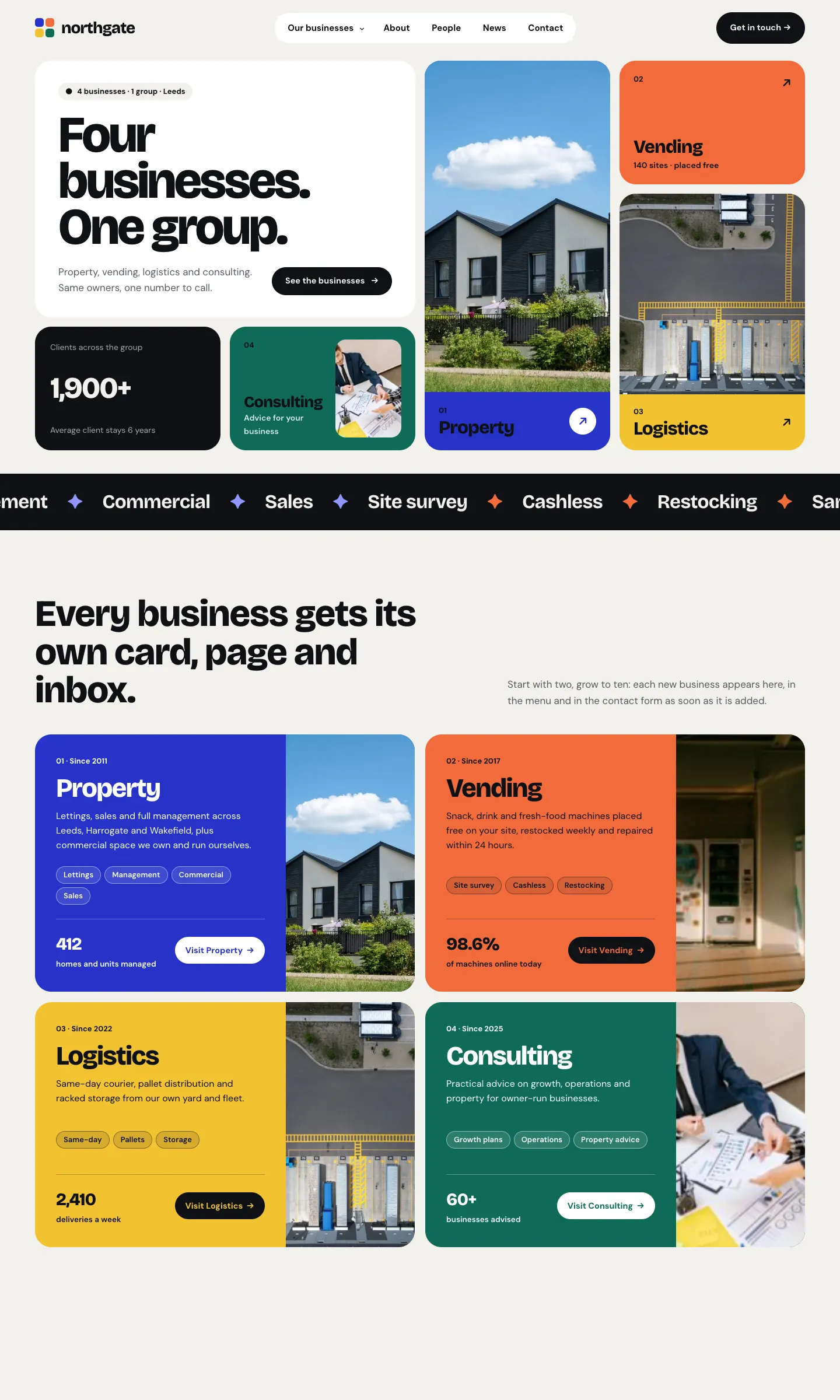
Gradespace Group is one website for a parent company and the businesses it runs. Each business gets its own page, its own services, its own team and its own inbox, all under the parent company's name and details. Visitors use one contact form, pick the business their question is about, and the message goes straight to the right team.
With Pro you can also run stock and machines, give your clients their own sign-in area with orders, invoices, plans and documents, and let each member of staff see only the businesses they look after.
The examples in this manual come from the public demo, a made-up group called Northgate Group with four businesses: Property, Vending, Logistics and Consulting. You can look around it yourself at group.gskits.co.uk.
What you need
The kit comes in three parts, and you install them in this order:
- Gradespace Core, free. A plugin (an add-on for WordPress) that holds your settings, the Today screen, staff access, emails, the setup wizard and your licence.
- The Gradespace Group plugin. Everything in this manual: businesses, enquiries, listings, stock, clients.
- The Gradespace Group theme. The design: how the website looks.
One licence covers the plugin and the theme. See Buying and your licence and Installing.
Starter and Pro
| What | Starter | Pro and Agency |
|---|---|---|
| The parent company's details on every page, invoice and email | Yes | Yes |
| As many businesses as you like, each with its own page, services, menu and inbox | Yes | Yes |
| Team directory, news and testimonials by business | Yes | Yes |
| The contact form that sends each enquiry to the right business | Yes | Yes |
| Group → Enquiries: status, notes, assigning, replies, spreadsheet download | Yes | Yes |
| Listings (homes to let and for sale, commercial units, anything a business offers) | Yes | Yes |
| Three designs (Mosaic, Charter, Parallel), each with seven colour palettes | Yes | Yes |
| One brand for the whole group | Yes | Yes |
| Each business in its own colour, font and logo | Yes | |
| Stock & equipment: products, suppliers, stock, movements, machines, service visits, restock tasks | Yes | |
| Clients and the client area: orders, invoices and receipts, plans and renewals, documents, requests | Yes | |
| Staff by business: people see only the businesses they look after | Yes |
An Agency licence is Pro for up to five websites.
Throughout this manual, features marked (Pro) need a Pro or Agency licence. On a Starter website those menu items show a small Pro badge and a short explanation instead of the screen.
The chapters, in reading order
Getting started
- Buying and your licence
- Before you install
- Installing
- Quick start: from buying to your first client order
- The setup wizard (in general)
- The Group setup wizard
- Designs, pages and menus
Your website
Every day
- Enquiries
- Messages
- Clients (Pro)
- Orders, invoices and plans (Pro)
- What your clients see: the client area (Pro)
- Stock & equipment (Pro)
- Staff by business (Pro)
- Group settings
- Running the website day to day
Looking after the website
Getting help
Email support@thegradespace.com with what you were doing, what you expected to happen and a screenshot.
Every chapter of this manual
Buying and installing
- Buying and your licenceSharedThe Starter, Pro and Agency tiers, buying a kit, the licence key email, your licences page on thegradespace.com, and moving or upgrading a licence.
- Before you installSharedWhat your website and hosting need for a Gradespace kit, how to check them, and why to take a backup and use a test copy first.
- Installing your kitSharedInstalling Gradespace Core, then your kit's plugin, then your kit's theme from their .zip files, adding your licence key, and how updates arrive.
Setting up
- The setup wizardSharedHow the setup wizard works in every kit: each step, the starter pages and menu, sample photos, legal pages, and how to run it again.
- The setup wizardThe step-by-step screen that gets a new group website ready: the parent company, the businesses it runs, one brand or many, and the starter pages, sample group and photos.
- Your look: design, colours, logo, menus and footerSharedChoosing a design and colour palette in Site Settings → Design & colours, previewing it, keeping the menu at the top when scrolling, adding your logo, and changing the menu and the footer.
- Designs, pages and menusThe three Group designs (Mosaic, Charter and Parallel) and their colour palettes, one brand or each business its own, and the pages and menus the kit makes for you.
- Pages, posts and picturesSharedEditing pages in the WordPress block editor, starting a page from your kit's ready-made layouts and sections, writing blog posts, and adding and replacing pictures in the media library.
Running your website
- Your businessesAdd, edit, hide and reorder the businesses in your group; set each one's page, inbox, contact question and (Pro) brand kit; and file services, team members, testimonials and news under a business.
- EnquiriesHow the contact form sends each enquiry to the right business, and how to filter, assign, note, reply to and close enquiries under Group → Enquiries.
- ListingsAdd homes to let and for sale, commercial units or anything else a business offers; change a listing's status from the list; and set your own listing types.
- MessagesGroup → Messages, the plain record of every message sent through the website's forms, how to reply and how to review old ones; and the Messages part of the client area.
- Clients (Pro)Group → Clients: add client companies, their sites and machines, invite their people to sign in, share private documents and see their requests, all on one page per client.
- Orders, invoices and plans (Pro)Record client orders and their progress, record payments, print invoices and receipts in the selling business's name, and keep track of service plans, rentals, leases and contracts with renewal reminders.
- What your clients see: the client area (Pro)How clients sign in at My account, and everything they see there: orders and invoices, plans, sites and machines, service visits, requests, messages and documents.
- Stock & equipment (Pro)Products, categories, suppliers, stock in each place, every movement recorded, machines at client sites, service visits and restock tasks, with low-stock alerts.
- Staff by business (Pro)Give each member of staff only the businesses they look after, with the Group admin, Business manager and Business staff roles.
- Group settingsEvery tab of Group → Settings: Business, Contact, Email, Group, Listings, Stock & equipment, Client area and Privacy, and what each setting does.
- Running the website day to dayThe daily and weekly routine for a group website: signing in, the Today screen, the red numbers in the menu, and a quick reference to where everything is.
Looking after your website
- Staff accounts and signing inSharedGiving each member of staff their own account, the staff roles each kit comes with, choosing what each role can do (Pro), and the staff sign-in page.
- Privacy, cookies and emailsSharedThe cookie banner and cookie settings, your starter terms, privacy and cookie policies, requests for people's data, the website's branded emails, test emails and the email log (Pro).
- Backups and updatesSharedWhat to back up and how often, and how to install updates to Gradespace Core, your kit's plugin and its theme safely.
- Troubleshooting and supportSharedFixes for the problems people meet most often: licence messages, installing, the setup wizard, pages not found, emails, signing in, the design and the cookie banner, and how to get help.
Bought this kit? The whole manual is also a PDF (version 1.0.1) to download or print, on My licences.