Running your website
Staff by business (Pro)
Give each member of staff only the businesses they look after, with the Group admin, Business manager and Business staff roles.
On this page
In a group, the person who runs Property doesn't need to see Vending's stock, and the vending engineers don't need to see tenancy documents. Staff by business lets you tick the businesses each person looks after. Everyone else's records stay out of their screens, lists, searches, counts and downloads.
Everything in this chapter is part of Pro: features marked (Pro) need a Pro or Agency licence.
Give everyone their own sign-in first: see Staff and sign-in. Please don't share accounts. The website records who did what.
The roles
| Role | What they see and change |
|---|---|
| Administrator and Group admin | Everything, for every business. Ticks don't limit them. |
| Business manager | Their businesses' pages, services, listings, enquiries, stock, machines and clients. |
| Business staff | Their businesses' enquiries and day-to-day stock. |
What each role can do is set under Group → Settings → Staff access (administrators only). See Staff and sign-in.
How to choose who looks after which business
- Go to Group → Staff by business.
- For each person, tick the businesses they look after.
- Click Save.
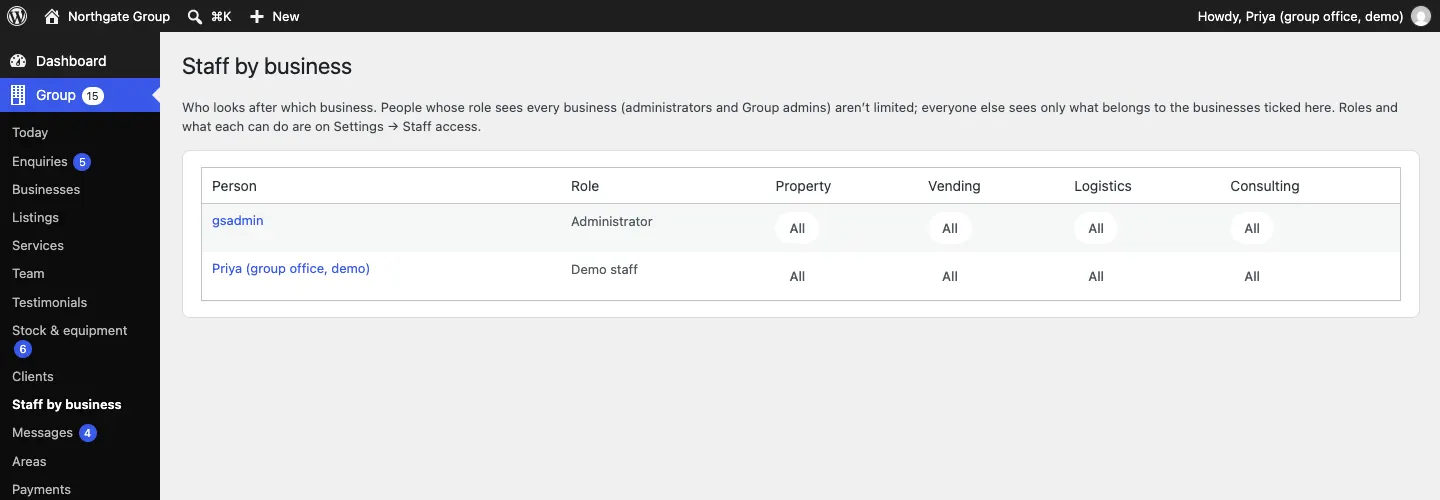
You can also do this on a person's profile: Users, open the person, and tick their Businesses.
What changes for them
A business manager for Property:
- sees only Property's enquiries in Group → Enquiries, and only Property in the filters,
- sees only Property's listings and services,
- sees only clients served by Property, and only Property's orders, plans and documents on them,
- doesn't see Vending's stock, machines or restock tasks,
- sees counts on Group → Today and the red menu numbers for Property only.
Every change to who looks after which business is recorded under Group → Stock & equipment → Activity.