User manual
Gradespace Bakery: the manual
What the Bakery kit does for a cake maker or small bakery, what Starter and Pro include, and every chapter of this manual in reading order.
On this page
Gradespace Bakery is the website kit for cake makers and small bakeries: wedding and celebration cakes, cupcakes, dessert tables and office catering. It gives your website:
- A cake builder: customers design a made-to-order cake in four steps (size and style, flavours and fillings for each tier, extras and a message, then the date) and watch the price add up as they go. The price is always worked out again by the website, so nobody can change it in their browser.
- Bake dates: you open the dates you bake for, each with a limit of orders. Customers choose from the dates with room, and a full date can't be booked twice, even by two people at the same moment.
- Packages and enquiries: wedding cakes, dessert tables and office catering as packages with a set price "from". Couples send an enquiry; you agree a total and email a deposit link and, later, a balance link. They pay by card.
- The taster box credit: a paid taster box comes off the couple's wedding balance automatically.
- Flavours and fillings, each with what it contains, shown in the cake builder and on the Flavours page.
- Reviews and your rating, including a Leave a review form where customers confirm their email with a short code. You approve each review before it shows.
- A Today screen with the next bake date and its orders, new enquiries, money coming in and reviews to approve.
- With Pro: My wedding for couples, ingredient stock that goes down as orders are paid, payment reminders, a printable bake-day sheet and delivery priced by postcode.
The shop is WooCommerce, so customers pay through WooCommerce's own Stripe or PayPal.
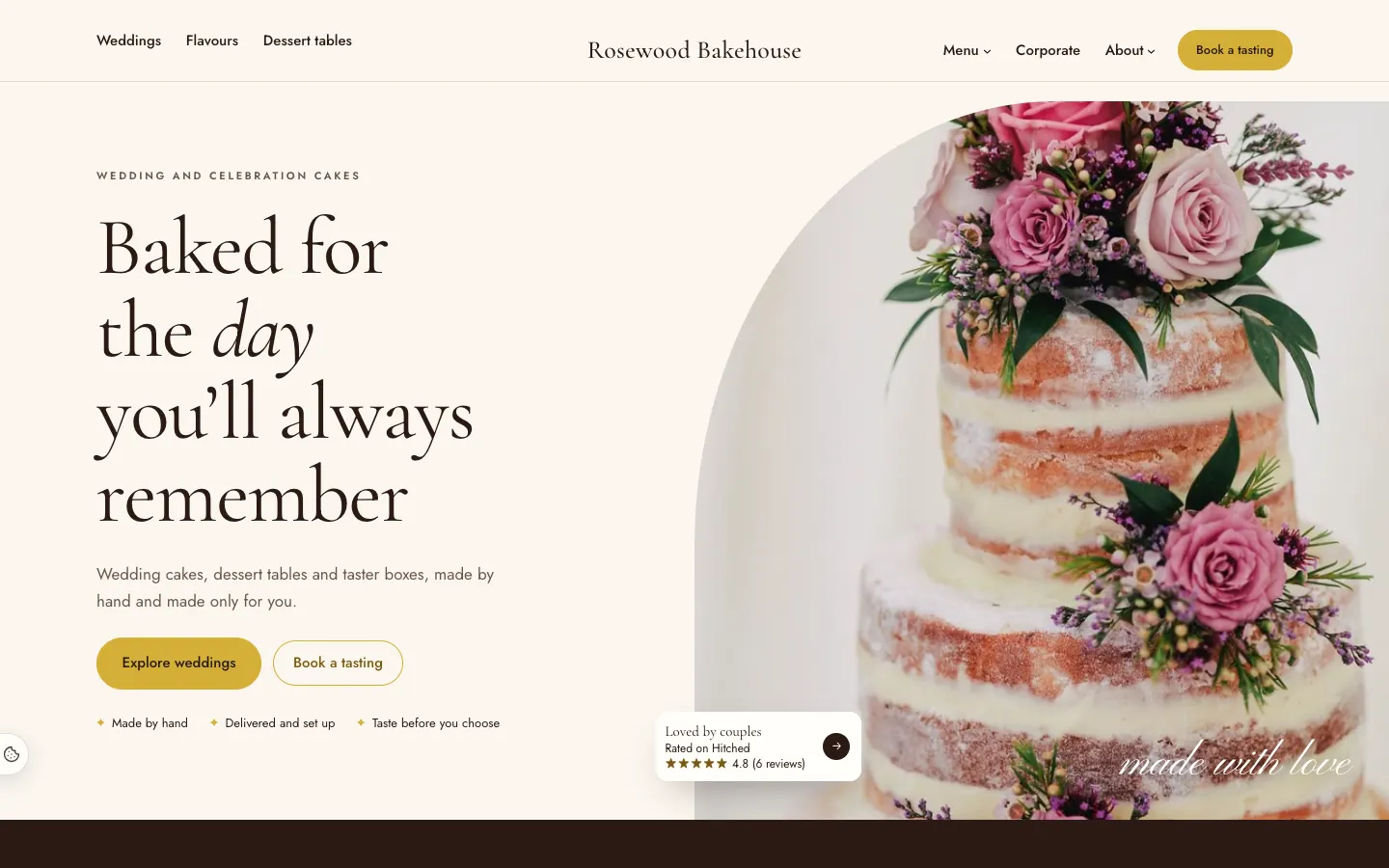
The demo website at bakery.gskits.co.uk is the sample bakery Rosewood Bakehouse. The pictures in this manual come from the same sample content.
The three parts
A Gradespace kit comes in three parts, installed in this order:
- Gradespace Core (free): the back office. Settings in plain words, the Today screen, staff accounts, emails, the setup wizard, your licence and updates.
- The Gradespace Bakery plugin: everything in the list above. (A plugin is an add-on for WordPress.)
- The Gradespace Bakery theme: the look of the website, with four designs (Gilded, Blush, Atelier and Country).
One licence covers the plugin and its theme. Install WooCommerce first: your cakes are WooCommerce products.
Starter and Pro
Without a licence key, or with a Starter licence, the kit runs in Starter mode: everything a cake maker needs to take orders and wedding enquiries. Features marked (Pro) need a Pro or Agency licence.
Chapters
- Quick start
- The setup wizard
- Designs, pages and menus
- The cake builder
- Bake dates
- Weddings, packages and enquiries
- Flavours and reviews
- My wedding (Pro)
- Ingredient stock and recipes (Pro)
- The bake-day sheet (Pro)
- Delivery by postcode (Pro)
- Today and staff
- Emails
- Settings
Manual for Gradespace Bakery 0.1.0, November 2026.
Every chapter of this manual
Getting started
Buying and installing
- Buying and your licenceSharedThe Starter, Pro and Agency tiers, buying a kit, the licence key email, your licences page on thegradespace.com, and moving or upgrading a licence.
- Before you installSharedWhat your website and hosting need for a Gradespace kit, how to check them, and why to take a backup and use a test copy first.
- Installing your kitSharedInstalling Gradespace Core, then your kit's plugin, then your kit's theme from their .zip files, adding your licence key, and how updates arrive.
Setting up
- The setup wizardSharedHow the setup wizard works in every kit: each step, the starter pages and menu, sample photos, legal pages, how to run it again, and how to remove the sample content.
- The setup wizardThe wizard's steps for a bakery and what each piece of starter content adds.
- Your look: design, colours, logo, menus and footerSharedChoosing a design and colour palette in Site Settings → Design & colours, previewing it, keeping the menu at the top when scrolling, adding your logo, and changing the menu and the footer.
- Designs, pages and menusThe four designs, their colour palettes, the home page each one brings and the blocks you can add to any page.
- Pages, posts and picturesSharedEditing pages in the WordPress block editor, starting a page from your kit's ready-made layouts and sections, writing blog posts, and adding and replacing pictures in the media library.
Running your website
- The bake-day sheet (Pro)Everything to bake for one date on one printable page.
- Delivery by postcode (Pro)A delivery charge for each postcode area, and collection for everyone else.
- Today and staffThe Today screen, the counts on the Bakery menu, and who can use which screens.
- EmailsEvery email the bakery sends, to whom, and how to change or turn one off.
- SettingsEvery Bakery setting, what it does and its starting value.
- The cake builderMade-to-order cakes: what customers choose, how you set the sizes, shapes, finishes, extras and prices, and what you see on the order.
- Bake datesOpening the dates you bake for, the limit of orders on each, closing a date, and what customers see.
- Weddings, packages and enquiriesPackages for weddings, dessert tables and office catering, the enquiry form, agreeing a total, deposit and balance links, and the taster box credit.
- Flavours and reviewsYour cake flavours and fillings with what each contains, the reviews on your website, and how customers leave a review.
- My wedding (Pro)The page where couples see their booking, payments, checklist, documents and messages, how they sign in, and balance reminders.
- Ingredient stock and recipes (Pro)Ingredients, suppliers, pack prices and seasons, recipes, how paid orders take what they use off stock, running-low emails, what's coming up, the shopping list by supplier and what a cake costs you.
Looking after your website
- Staff accounts and signing inSharedGiving each member of staff their own account, the staff roles each kit comes with, choosing what each role can do (Pro), and the staff sign-in page.
- Privacy, cookies and emailsSharedThe cookie banner and cookie settings, your starter terms, privacy and cookie policies, requests for people's data, the website's branded emails, test emails and the email log (Pro).
- Backups and updatesSharedWhat to back up and how often, and how to install updates to Gradespace Core, your kit's plugin and its theme safely.
- Troubleshooting and supportSharedFixes for the problems people meet most often: licence messages, installing, the setup wizard, pages not found, emails, signing in, the design and the cookie banner, and how to get help.
Bought this kit? The whole manual is also a PDF (version 1.1.2) to download or print, on My licences.