Setting up
Designs, pages and menus
The four designs, their colour palettes, the home page each one brings and the blocks you can add to any page.
On this page
Choose a design under Site Settings → Design & colours. Your flavours, cakes, packages and reviews stay the same; the look changes. Blush and Country also bring their own header, footer and home page, so changing to one of them changes the home page too. Nothing is lost: each design's home page sections are kept, and the website shows the chosen design's.
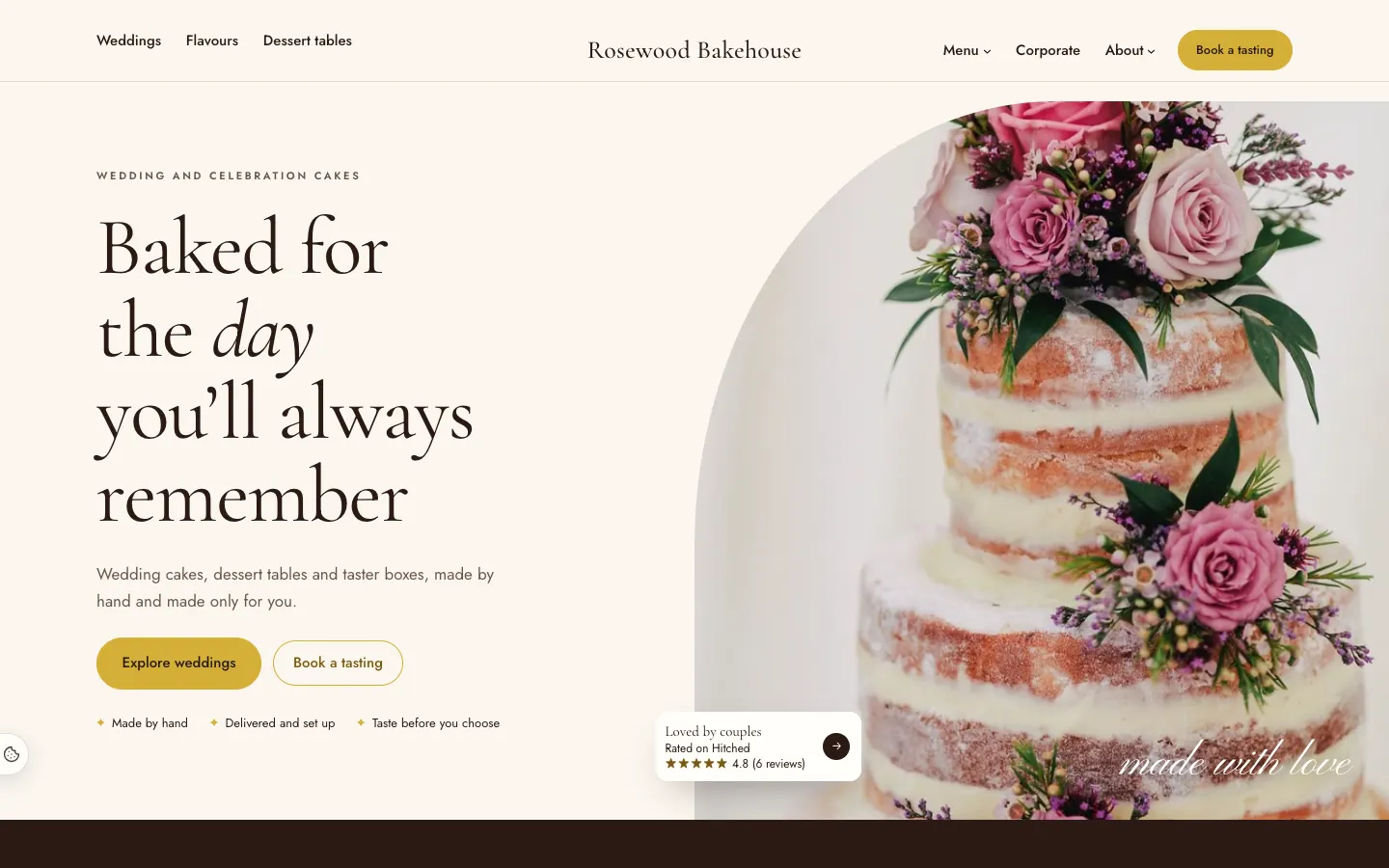
- Gilded (the default): romantic and grand. Cream and cocoa with gold, an arched photo opening, serif headings with an italic word, handwritten notes, a slow ribbon of flavours and cards with tab labels.
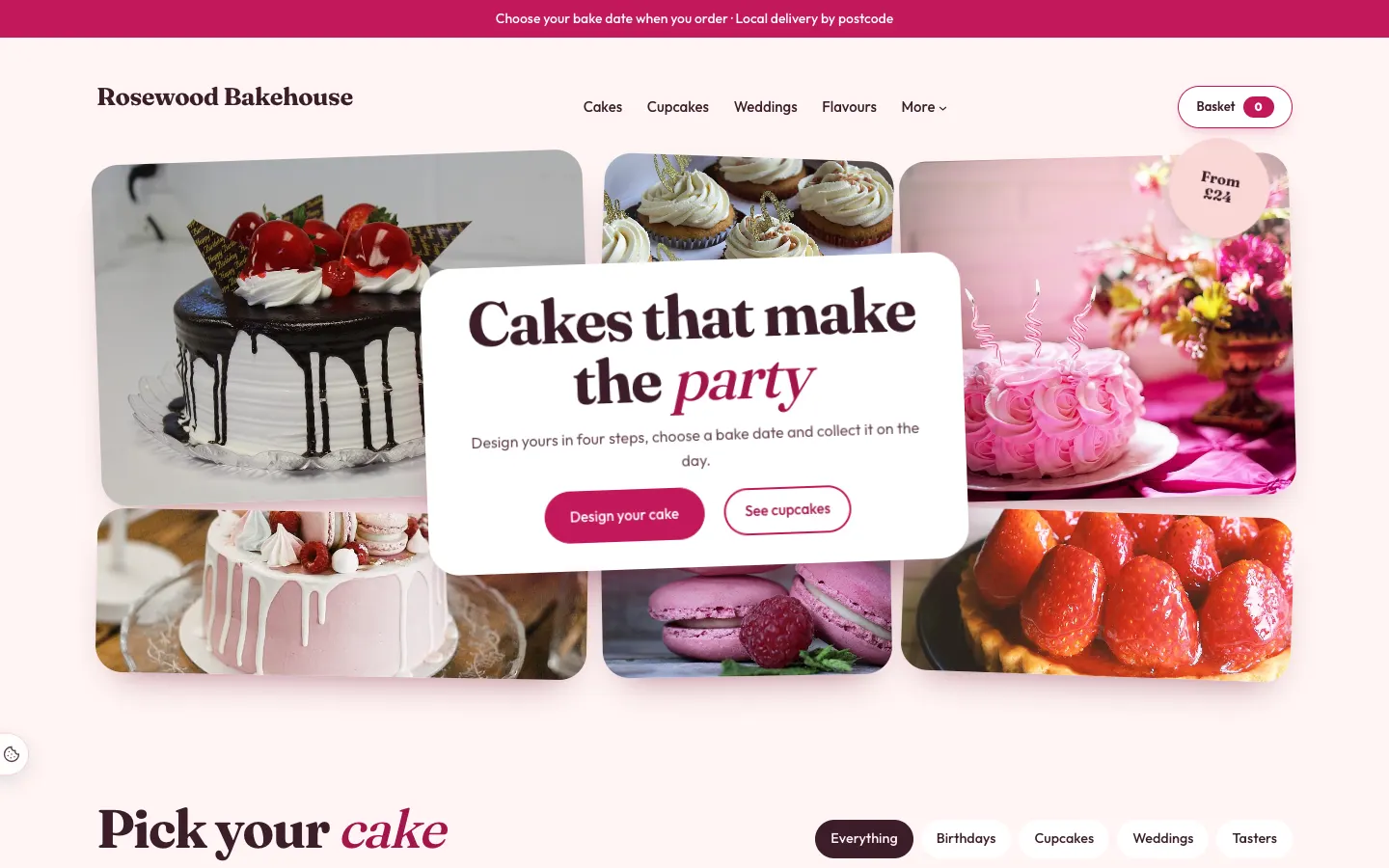
- Blush: bright and celebratory, laid out like a shop front. An offer bar, a basket button that shows how many things are in it, a collage of photos with a sticker headline, the cakes first as tiles with their prices, occasions, four numbered steps, a big review and a rounded footer.
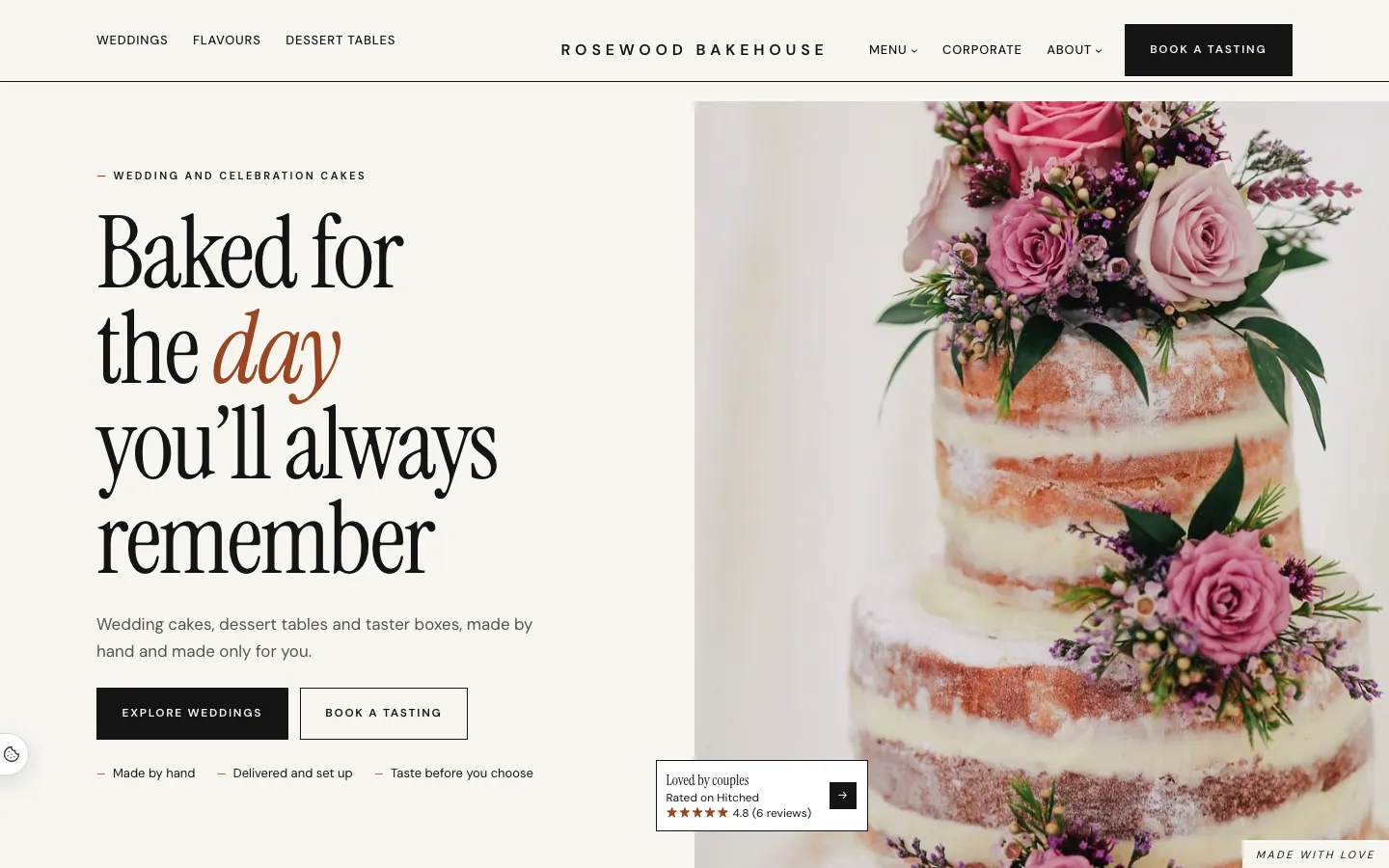
- Atelier: editorial and minimal, like a patisserie. Off-white, black and one terracotta accent, large serif headings, straight edges, thin rules and numbered labels. It uses the same home page as Gilded.
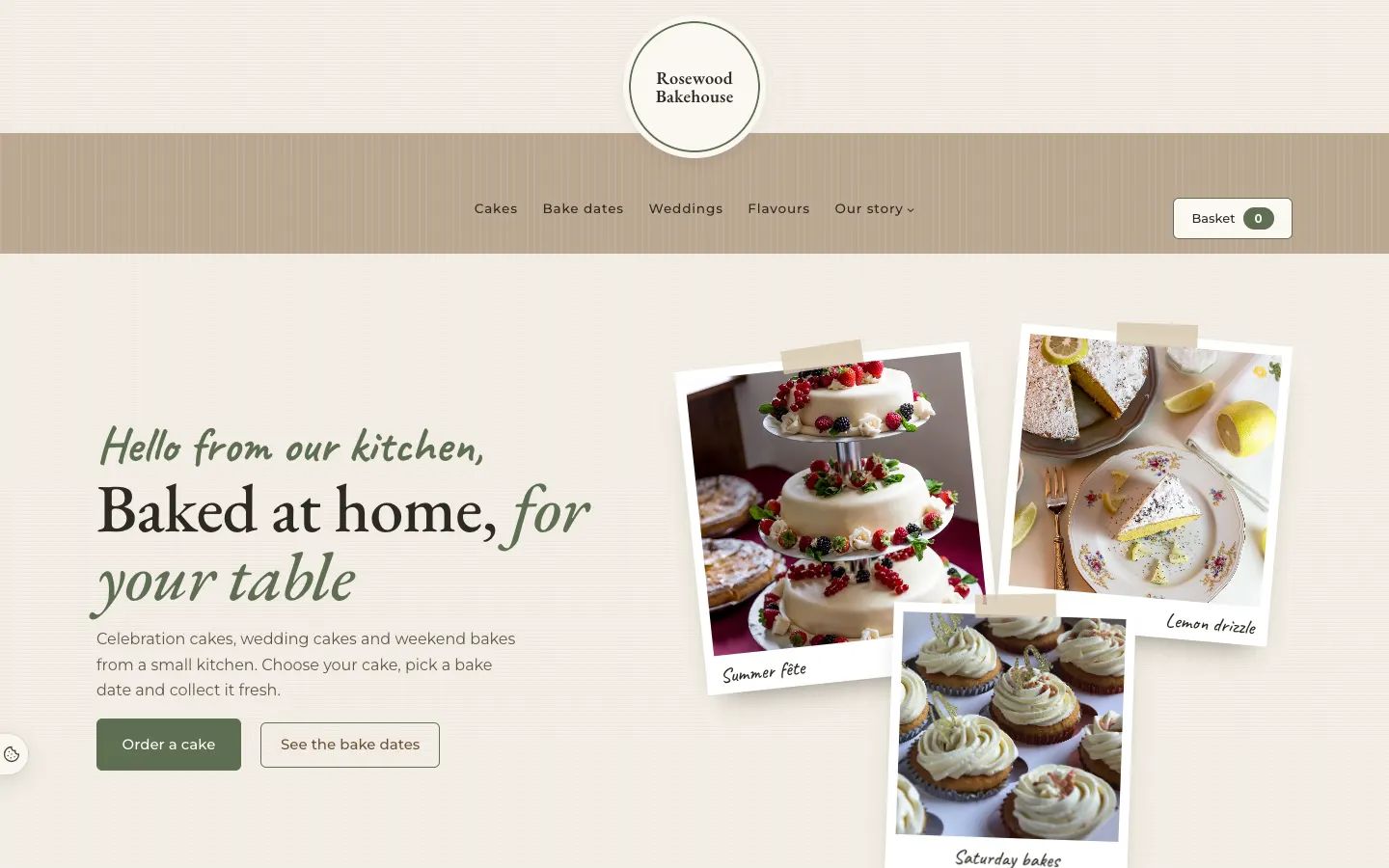
- Country: a farm-shop noticeboard. A round badge over a kraft-paper strip, a handwritten hello beside pinned photos, your coming bake dates on a dark board, flavours on a chalkboard, framed cakes with stamped labels, your story on a recipe card and a gingham edge on the footer.
Every design works on a phone: the name and the menu button on one row, with the basket button beside them in Blush and Country.
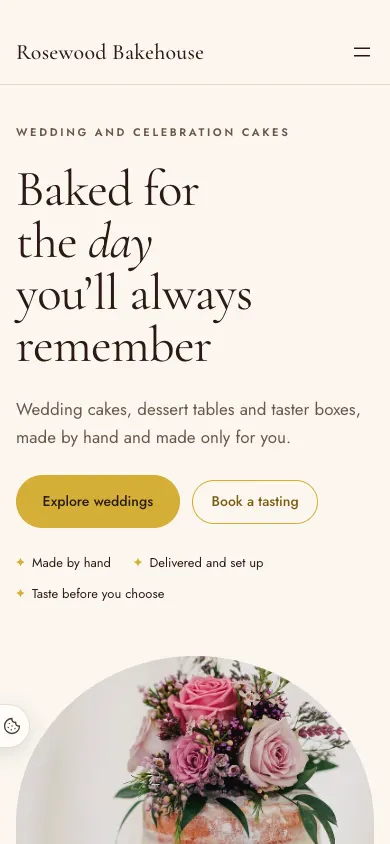
Colour palettes
Each design has seven colour palettes of its own, under the design in Site Settings → Design & colours. Every text colour is checked to read clearly (4.5:1 or better) on its background.
Pages and menus
The starter pages are Home, Weddings, Flavours, Dessert tables, Corporate, The menu, About, Reviews, Gallery, Questions, Contact, My wedding, Terms and Photo credits. Change their words and photos in the page editor like any WordPress page. The header and footer menus link to them; change the menus under Appearance → Editor → Patterns → Header (or Footer). Blush and Country have their own header and footer, listed there as Header (Blush), Footer (Country) and so on.
The basket page is called Basket, as people say it in the UK.
Bakery blocks
Add these to any page from the block inserter, under Bakery. Most read what you set elsewhere, so they stay up to date on their own.