Contents · Bakery manual

Running your website

Settings

Every Bakery setting, what it does and its starting value.

On this page

Under Bakery → Settings → Bakery:
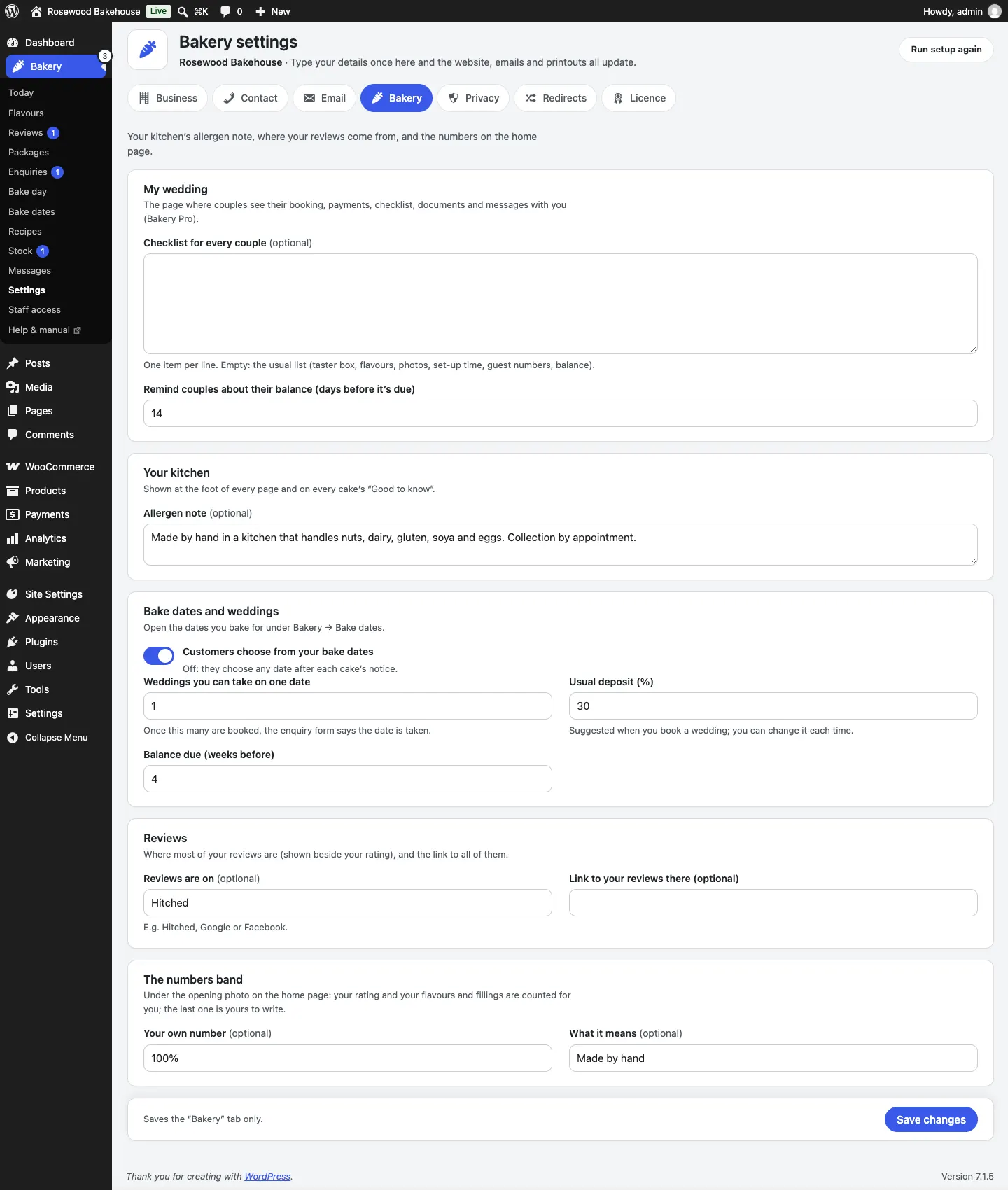
Bakery settings: the Bakery tab with My wedding, Your kitchen, Bake dates and weddings, Reviews and The numbers band
SettingWhat it doesStarts at
Checklist for every coupleThe My wedding checklist, one item per line (Pro)Empty: the usual list
Remind couples about their balance (days before it's due)When the balance reminder goes (Pro)14
Allergen noteAt the foot of every page and on every cake's Good to know"Made by hand in a kitchen that handles nuts, dairy, gluten, soya and eggs. Collection by appointment."
Customers choose from your bake datesOff: customers choose any date after each cake's noticeOn
Weddings you can take on one dateOnce this many are booked, the enquiry form says the date is taken2
Usual deposit (%)Suggested when you book a wedding; you can change it each time30
Balance due (weeks before)Suggests each enquiry's balance due date4
Reviews are onThe site most of your reviews are on, shown beside your ratingHitched
Link to your reviews thereWhere Read them all goes; empty, your Reviews pageEmpty
Your own number and What it meansThe last number in the numbers band on the home page100%, Made by hand

Elsewhere:

  • Your name, logo, contact details and address: the other tabs under Bakery → Settings (shared by every kit).
  • Design and colours: Site Settings → Design & colours. See Designs, pages and menus.
  • Emails: Site Settings → Email. See Emails.
  • Each cake's sizes, prices and notice: its Cake builder tab under Products. See The cake builder.
  • Bake dates: Bakery → Bake dates. See Bake dates.
  • Delivery by postcode: WooCommerce → Settings → Shipping. See Delivery by postcode.
  • Your licence: Bakery → Settings → Licence.