Running your website
The cake builder
Made-to-order cakes: what customers choose, how you set the sizes, shapes, finishes, extras and prices, and what you see on the order.
On this page
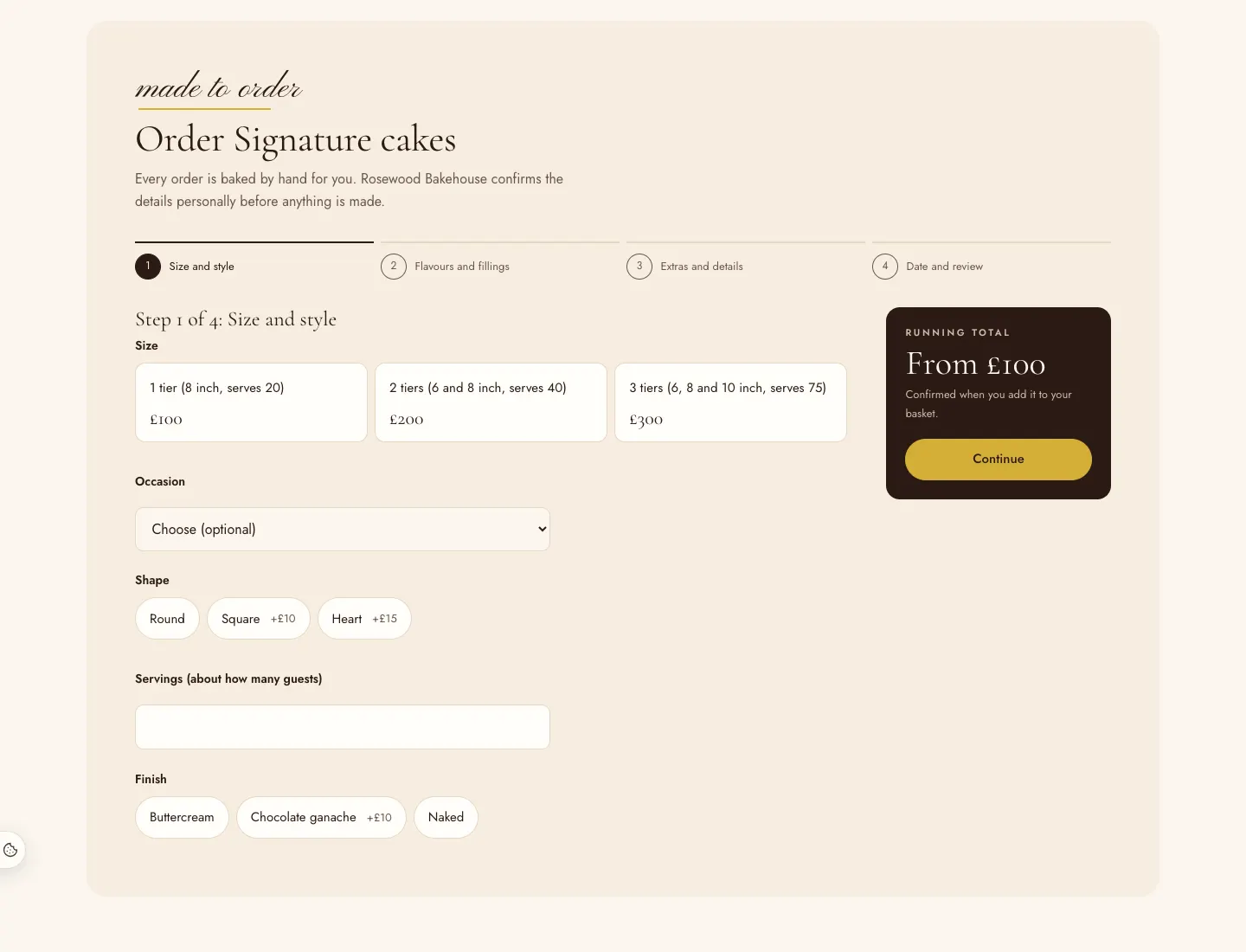
A made-to-order cake is a WooCommerce product with the cake builder switched on. On its page, customers design their cake in four steps and the price adds up as they go:
- Size and style: the size (with its number of tiers), the occasion, the shape, about how many guests, and the finish.
- Flavours and fillings: a cake flavour and a filling for every tier, each with what it contains beside it.
- Extras and details: extras such as fresh flowers or gold leaf, a message on the cake, notes, and up to three inspiration photos.
- Date and review: the date they need it (from your bake dates), then everything they chose, before Add to basket.
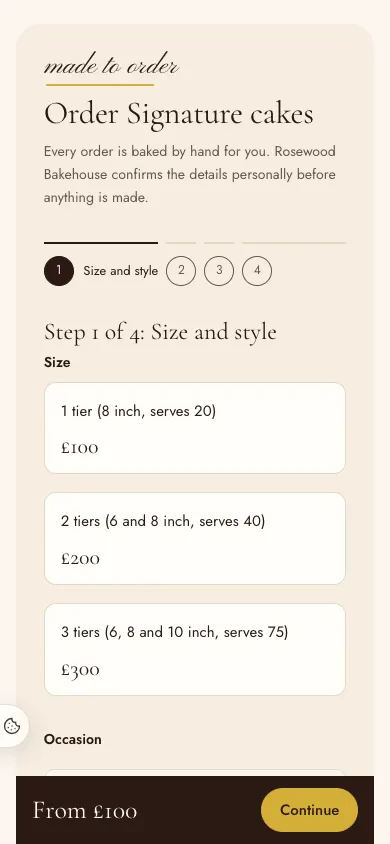
On a phone the running total sits at the foot of the screen with the Continue button.
The website works the price out again from your settings when the cake goes in the basket, so the price can't be changed in the browser. Every choice is kept on the basket, the order and its emails.
Setting up a cake
Open the cake under Products and choose the Cake builder tab in Product data.
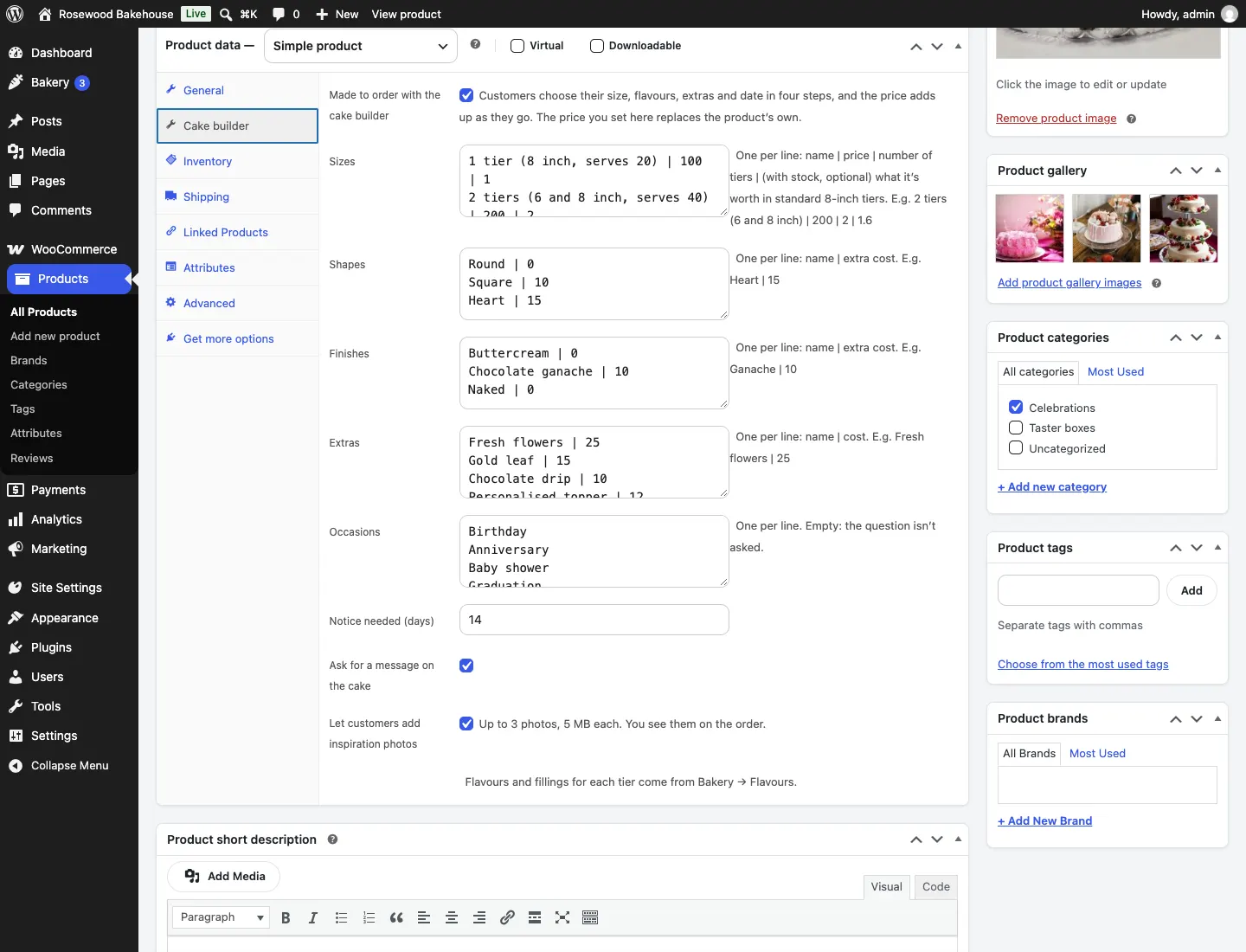
- Tick Made to order with the cake builder. The price you set on the product's General tab is replaced by the builder's prices.
- Sizes: one per line, as
name | price | number of tiers. For example2 tiers (6 and 8 inch, serves 40) | 200 | 2. With ingredient stock (Pro) a fourth number can say how much of the standard recipe the size takes; see Ingredient stock and recipes. - Shapes, Finishes and Extras: one per line, as
name | extra cost. For exampleHeart | 15orFresh flowers | 25. Leave the cost out, or write 0, for no extra cost. - Occasions: one per line. Leave it empty and the question isn't asked.
- Notice needed (days): the earliest date a customer can choose. It starts at 14.
- Ask for a message on the cake and Let customers add inspiration photos (up to 3 photos, 5 MB each; you see them on the order).
The flavours and fillings for every tier come from Bakery → Flavours, so a new flavour appears in every cake builder at once.
The shop page and the cake's card show From and the lowest size price, and the button reads Design yours.
Things baked to order without the builder
For something with a fixed price that still needs a date, such as the taster box, leave the builder off and on the General tab tick Customers choose a bake date, with its own Notice needed (days) (7 if you leave it empty). Customers then choose a date above Add to basket.
Taster credit on the same tab: once a customer has paid for it, its price comes off their wedding balance. See Weddings, packages and enquiries.