Running your website
My wedding (Pro)
The page where couples see their booking, payments, checklist, documents and messages, how they sign in, and balance reminders.
On this page
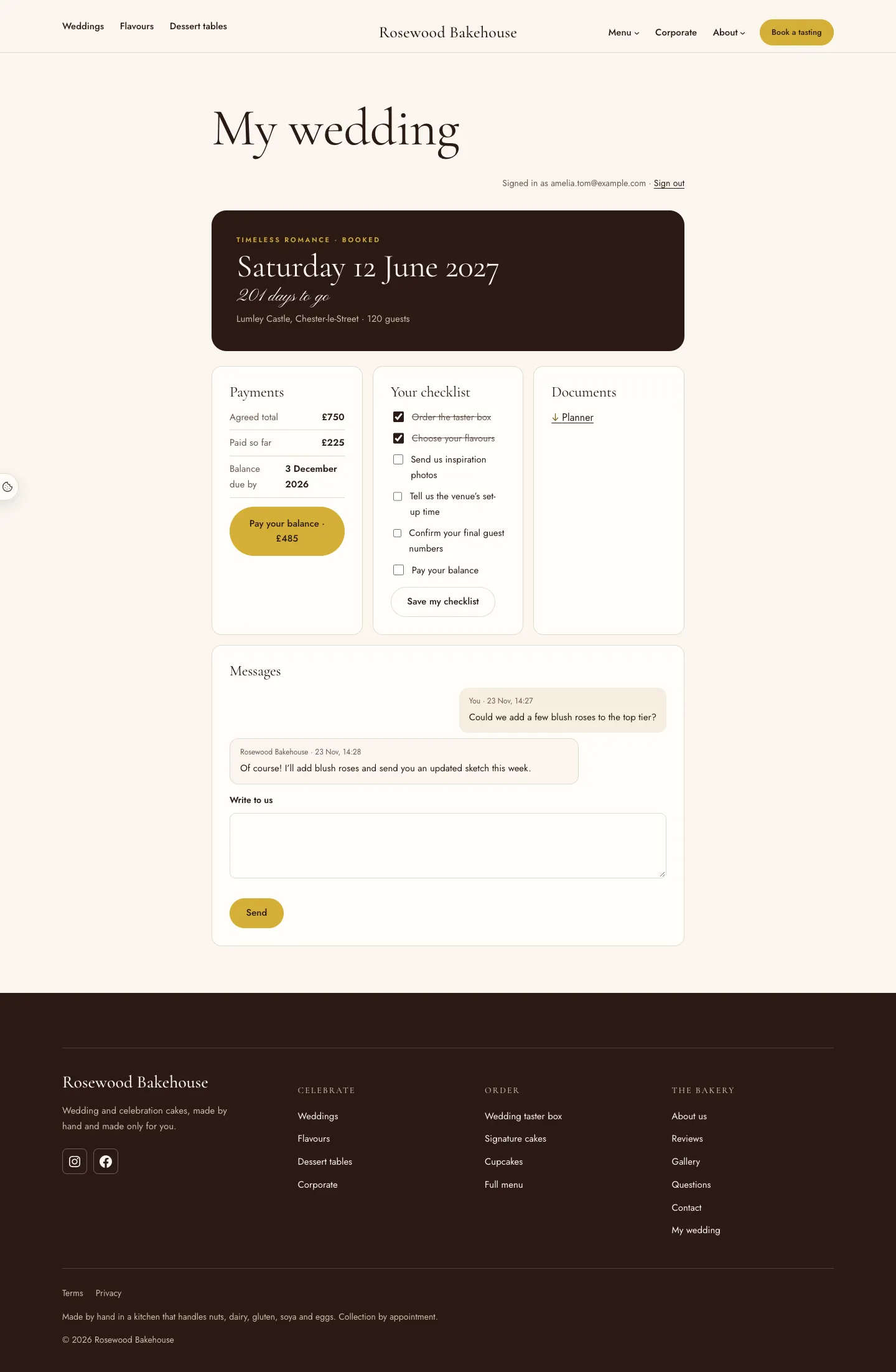
My wedding is a page on your website where each couple sees their booking in one place: the date and venue with a countdown, what's agreed and what's paid, a checklist, documents you've shared and messages with you. It needs a Pro or Agency licence; without one, visitors don't see it.
Signing in
Couples don't need a password or an account. On the My wedding page they type the email address they enquired with and press Email me a link. The link works once, for 30 minutes, and keeps them signed in on that device. Sign out is beside their email address at the top.
They see every enquiry made with that email address that's new, quoted or booked.
What couples see
- Payments: the agreed total, what's paid so far and when the balance is due, with Pay your deposit or Pay your balance buttons once you've sent those links. Before you've added a total it says you'll add the quote once you've talked.
- Your checklist: they tick items as they go and press Save my checklist. The list is the same for every couple; change it under Bakery → Settings → Bakery → My wedding. Empty, it's: order the taster box, choose your flavours, send us inspiration photos, tell us the venue's set-up time, confirm your final guest numbers, pay your balance.
- Documents: files you've shared, such as a design sketch or your quote.
- Messages: a conversation with you. When they write, you get a Message from a couple email with a button to reply.
Replying and sharing documents
Open the enquiry under Bakery → Enquiries. In Messages and documents (My wedding):
- Type in Reply and save the enquiry. The couple get an email with a link to My wedding.
- Under Documents they can open, press Add a document, choose a PDF or image from the media library, then save. Remove takes one away.
Couples waiting for a reply are listed on Today.
Balance reminders (Pro)
Once a day, couples whose balance link has been sent but not paid get a friendly Your balance is due soon email, with the amount and a Pay securely button, when the due date is close. How close is Remind couples about their balance (days before it's due) under Bakery → Settings → Bakery → My wedding; it starts at 14. Each couple is reminded once.