Running your website
Bake dates
Opening the dates you bake for, the limit of orders on each, closing a date, and what customers see.
On this page
You decide which days you bake and how many orders each day can take. Customers choose from those dates in the cake builder (after the cake's notice) and above Add to basket on things such as the taster box. When a date has all its orders it shows as Fully booked; with one or two places left it says so.
Two customers can't take the last place on a date at the same moment: the second one is told the date is now fully booked and asked to choose another.
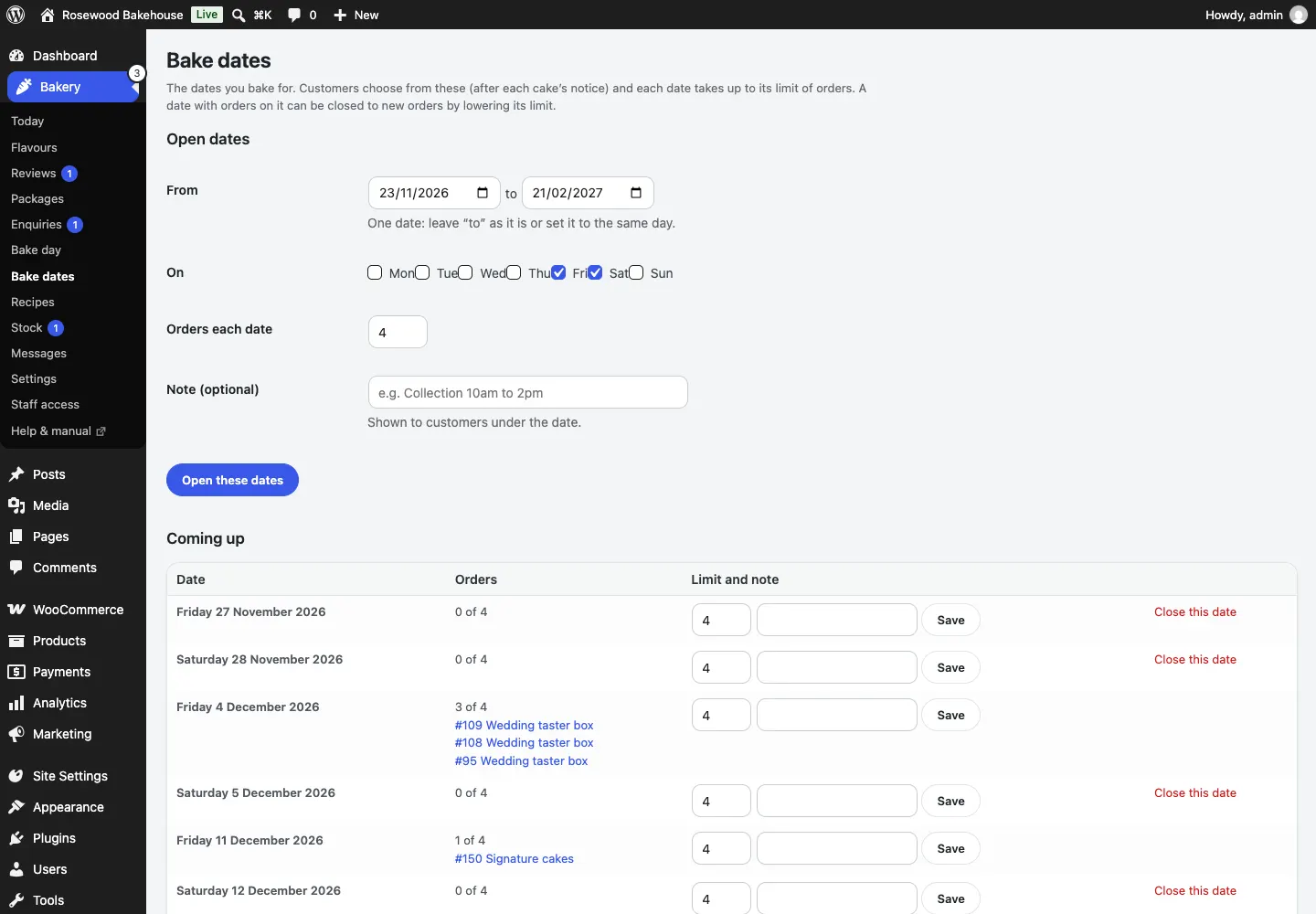
Opening dates
Under Bakery → Bake dates → Open dates:
- Choose From and to. For one date, leave to as it is or set it to the same day.
- Tick the days you bake On, for example Friday and Saturday.
- Set Orders each date.
- Add a Note if you like, such as "Collection 10am to 2pm". Customers see it under the date.
- Press Open these dates.
Changing or closing a date
Under Coming up each date shows how many orders it has (for example 3 of 4), with a link to each order. Change its Limit or Note and press Save.
Close this date removes a date with no orders. A date that already has orders can't be closed: lower its limit to the number of orders it has, and it takes no more.
Turning bake dates off
Under Bakery → Settings → Bakery, switch off Customers choose from your bake dates. Customers can then choose any date after each cake's notice.