Running your website
Delivery by postcode (Pro)
A delivery charge for each postcode area, and collection for everyone else.
On this page
Delivery by postcode (Bakery) charges for delivery by postcode area, each with its own price. A postcode outside all your areas isn't offered delivery, so that customer chooses collection instead. It needs a Pro or Agency licence.
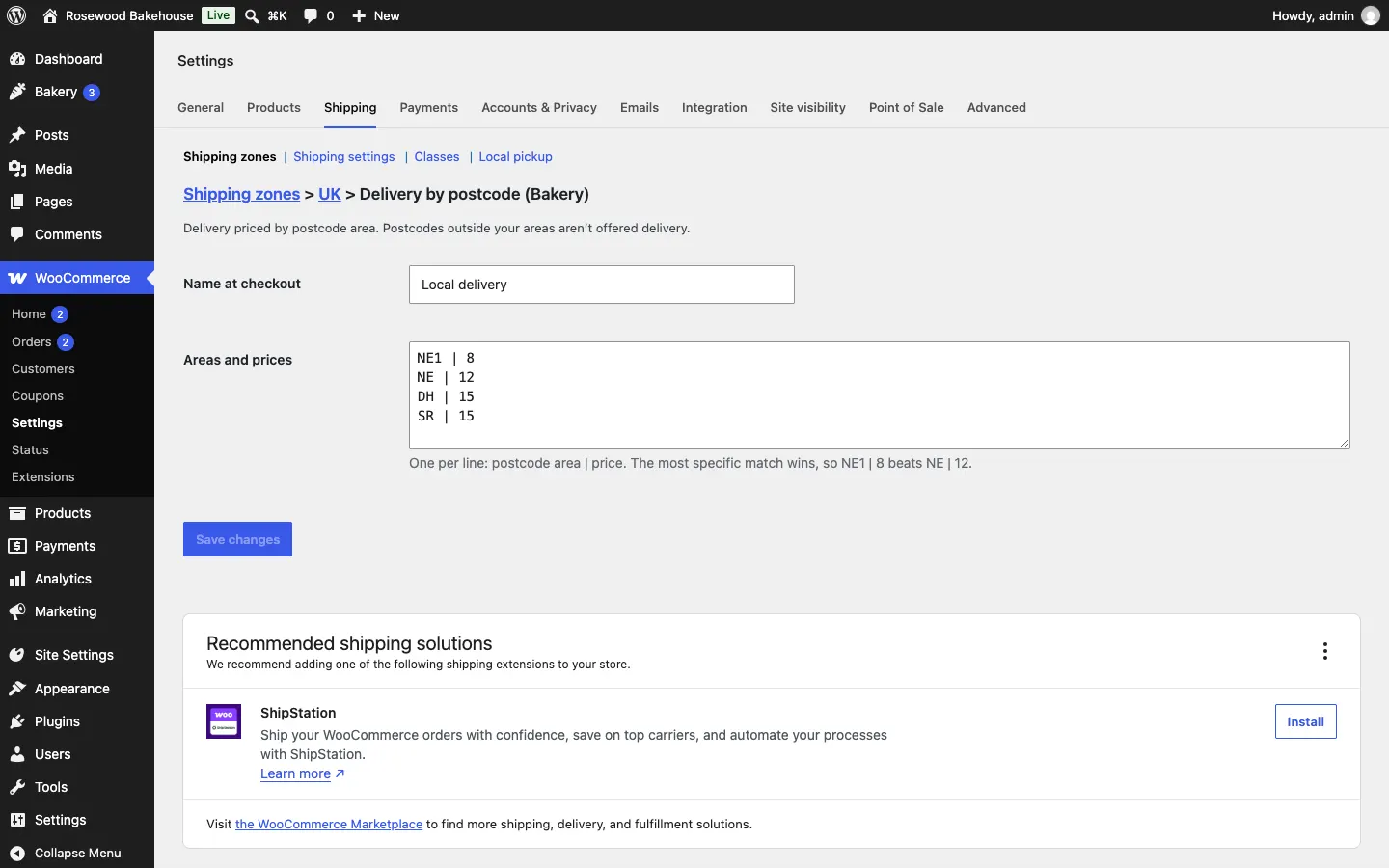
Setting it up
- Go to WooCommerce → Settings → Shipping and open (or add) the zone for the United Kingdom.
- Press Add shipping method and choose Delivery by postcode (Bakery). Add Local pickup too, for collection.
- Open the new method and set:
- Name at checkout: what customers see, such as "Local delivery".
- Areas and prices: one per line, as
postcode area | price.
- Press Save changes.
How the price is chosen
The most specific area that matches the customer's postcode sets the price. With these lines:
NE1 | 8
NE | 12
DH | 15
a customer in NE1 pays £8, one in NE12 pays £12, one in DH1 pays £15, and one in TS1 isn't offered delivery, only collection.
Collection or delivery is shown on each order and on the bake-day sheet.