Running your website
Weddings, packages and enquiries
Packages for weddings, dessert tables and office catering, the enquiry form, agreeing a total, deposit and balance links, and the taster box credit.
On this page
Wedding cakes, dessert tables and office catering are packages: a set price "from" and what's included. Each package has its own page with an enquiry form. You agree the details with the couple or customer, then send them a link to pay a deposit and, later, the balance.
Packages
Add and change them under Bakery → Packages. For each one:
- Kind: Weddings, Dessert tables or Corporate. It decides which page and which cards it appears on.
- Price, as it should read, for example "From £700" or "£450".
- Label on its card (optional), such as "Most loved". Empty: the card shows the kind.
- What's included, one thing per line, for example "2 to 3 tiers".
- Notice needed (optional), such as "At least 3 months' notice". It's shown on the package's page.
- The photo is the package's featured image.
The enquiry form
On a package's page, Tell us about your day asks for the date, the number of guests, the venue and town, whether the cake is inside or outside, the tiers, the flavours they like, colours or theme, anything else including allergies, their names, email and phone.
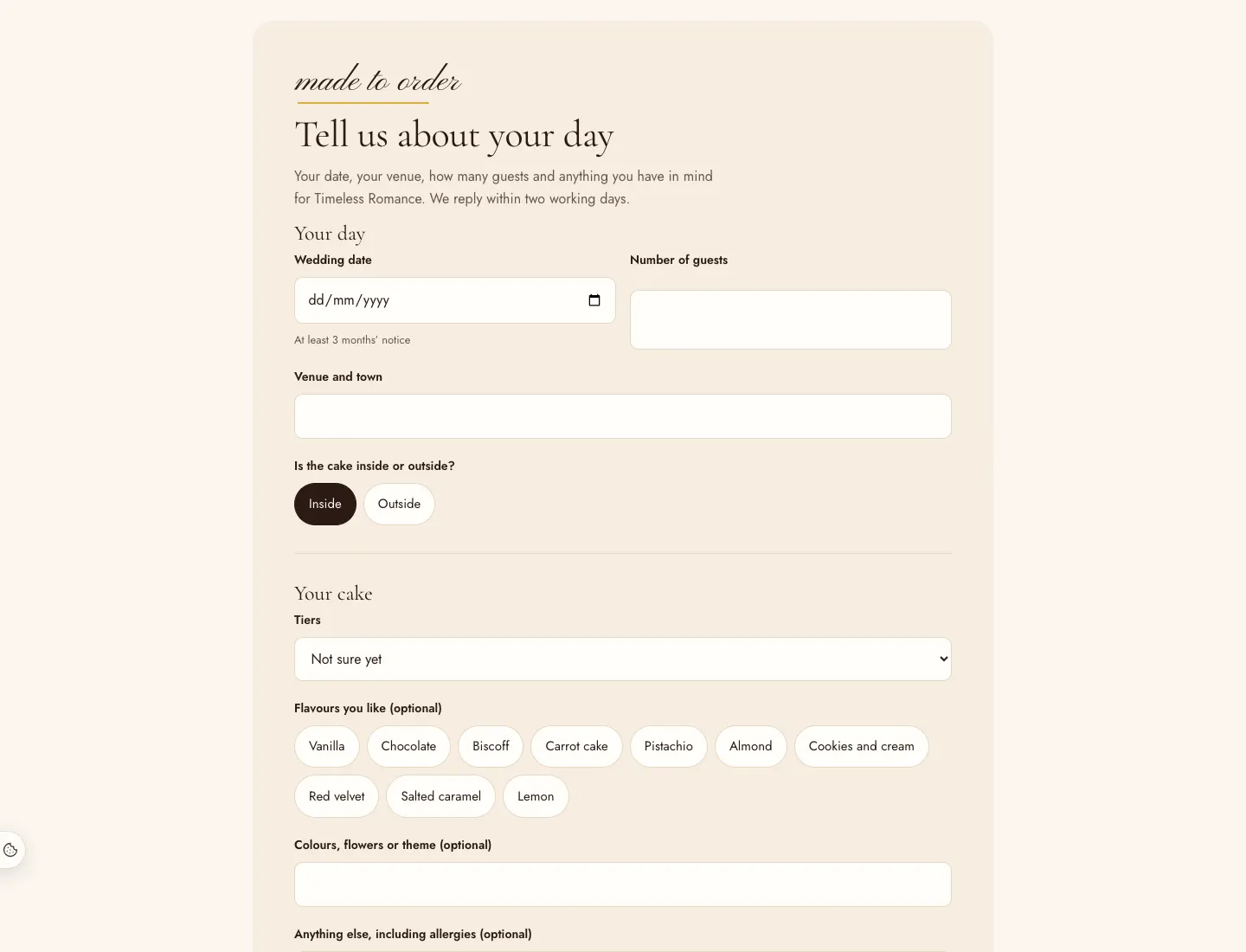
The form checks a few things before it's sent:
- Notice: wedding and dessert table enquiries need a date at least 90 days away, office catering at least 7 days. An earlier date is turned away with the earliest date you can take and a suggestion to call.
- Weddings on one date: once a date has as many booked weddings as Weddings you can take on one date (Bakery → Settings → Bakery; it starts at 2), the form says the date is fully booked.
When an enquiry arrives you get a New enquiry email with everything they told you, and they get We've got your enquiry with a copy of what they sent.
Answering an enquiry
Enquiries are under Bakery → Enquiries, newest first, with their date, guests and status: New, Quoted, Booked or Declined. New ones are counted on the menu and listed on Today.
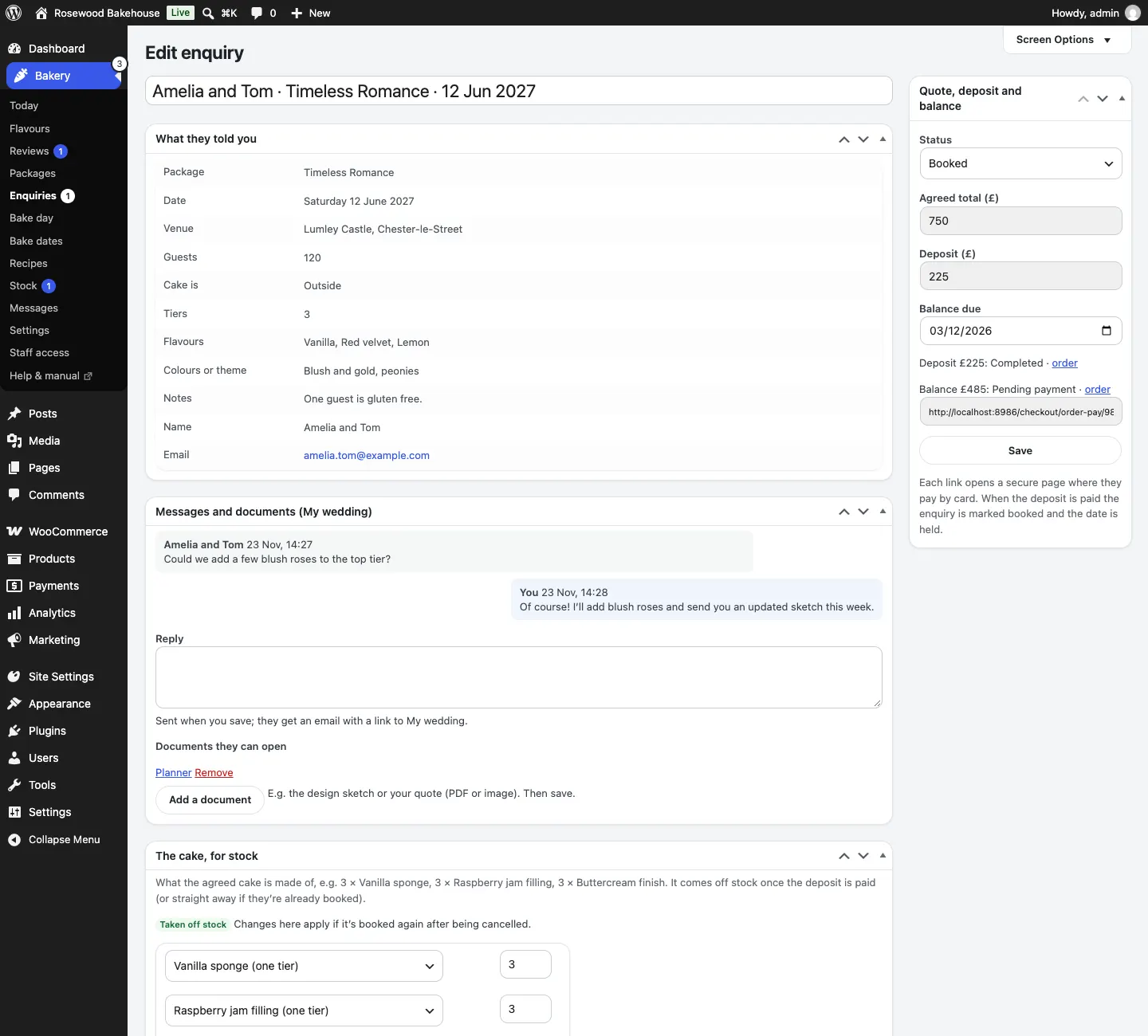
Open one. What they told you shows the form. In Quote, deposit and balance:
- Set the Status as you go (for example Quoted once you've sent a price).
- Type the Agreed total (£). The Deposit (£) is worked out from Usual deposit (%) in the settings (30 to start with) if you leave it empty; you can change it each time.
- Check Balance due. It's suggested from Balance due (weeks before) in the settings (4 weeks before the date to start with).
- Press Save and send the deposit link. They get an email with a Pay securely button and pay by card.
When the deposit is paid, the enquiry is marked Booked, the date is held, and they get Your booking is confirmed.
Later, press Send the balance link and they get an email with the amount and the due date. Each link also appears on the enquiry, with whether it's paid, so you can copy it into a message of your own.
Payment links need WooCommerce with a way to pay switched on.
The taster box credit
The Wedding taster box has Taster credit ticked on its General tab. When someone pays for it, they get an email saying its price will come off their wedding cake. When you send the balance link for an enquiry from the same email address, the price is taken off as Taster box credit, once. Nobody has to remember a code.
For example: an agreed total of £750, a £225 deposit paid and a £40 taster box mean a balance link for £485.