User manual
Gradespace Music: the manual
What the Music kit does for a music school or teacher, what Starter and Pro include, and every chapter of this manual in reading order.
On this page
Gradespace Music turns a WordPress website into the front desk of a music school. Visitors see your instruments, tutors, lessons and prices, and book a lesson online at a time that is really free. Your office confirms the booking, the student gets an email with a calendar invite, and everyone gets a reminder the day before. Behind the scenes you have a Today screen, a lesson calendar, student records, and pages for events, photos and practice handouts.
It works for a school with several tutors and for a single teacher. If you teach on your own, you are simply the only tutor.
The kit comes in three parts, installed in this order:
- Gradespace Core (free): the back office that every Gradespace kit shares. It gives you the settings screens, the Today screen, staff access, branded emails, the setup wizard and your licence.
- The Gradespace Music plugin: a plugin is an add-on for WordPress. This one adds tutors, lessons, booking and everything else in this manual.
- The Gradespace Music theme: the design of the website.
One licence covers the plugin and the theme.
What the kit does
- Instruments, tutors and lesson types. Each tutor has a public profile, the instruments and lessons they teach, and their own weekly teaching hours and days off.
- Online booking. The student (or a parent) picks an instrument, a lesson, a tutor or "any tutor", then a free day and time. The website only offers times when the tutor teaches and the school is open.
- Lessons for the office. Confirm or decline requests, move or cancel lessons, add phone bookings, and see everything on a day, week or month calendar.
- Students. A record for every student, made automatically from their first booking, with their parent or guardian's details and all their lessons.
- The rest of the website. Events and concerts, photo albums, downloadable practice resources, testimonials, FAQs and a contact form.
- Practice tools (Pro). An instrument tuner and a metronome that students can use on your website.
What it doesn't do
So you know where the edges are:
- No online payments. Prices are shown on the website, but students pay you the way you already take payment (bank transfer, card in person and so on). You can say how on the booking form (see Settings).
- No student log-ins. Students and parents don't need an account. Every email has a private link where they can see or cancel their lesson.
- No repeating lessons or term blocks. Each booking is one lesson. Weekly pupils are booked lesson by lesson, by them online or by your office with Add a lesson. Group classes can be listed with a price but are booked by contacting you.
Starter and Pro
Features marked (Pro) need a Pro or Agency licence. An Agency licence is the same as Pro, for up to five websites.
| Feature | Starter | Pro / Agency |
|---|---|---|
| Instruments, tutors, lesson types and prices | Yes | Yes |
| Online booking, with requests or instant confirmation | Yes | Yes |
| Lessons list, Add a lesson, day, week and month calendar | Yes | Yes |
| Emails with calendar invites, reminders, cancel link | Yes | Yes |
| Students, with records reviewed for data protection | Yes | Yes |
| Events, gallery, resources, testimonials, FAQs, contact form | Yes | Yes |
| Seven designs and seven colour palettes | Yes | Yes |
| Office and Tutor staff roles | Yes | Yes |
| Calendar feeds: lessons in your phone's calendar | Yes | |
| Practice tools: instrument tuner and metronome | Yes | |
| Email log: was each email sent, and if not, why | Yes | |
| Choose exactly what each staff role can do | Yes | |
| Site stats: visits, top pages, lessons booked by instrument | Yes | |
| Hide the "Website by Gradespace" credit on the sign-in page | Yes |
Before you add a licence key the kit runs in Starter mode, without updates. See Buying and your licence.
Try it first
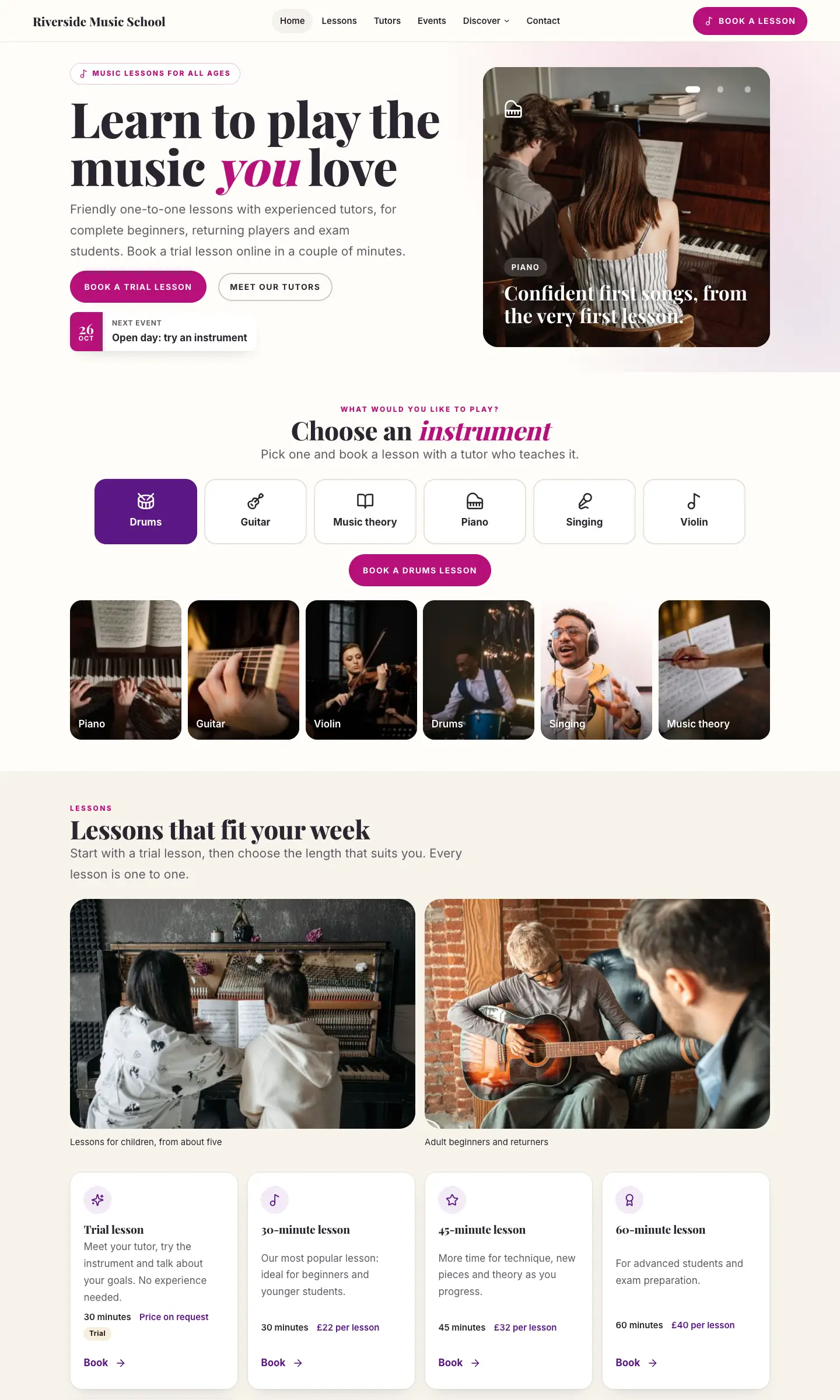
There is a live demo of a made-up school, Riverside Music School, at music.gskits.co.uk. Use Look around the admin on its sign-in page to see the staff screens. The demo resets every night, and saving settings is switched off there.
The chapters
Read them in this order. The shared chapters are the same for every Gradespace kit.
Getting started
- Quick start: from buying to your first booked lesson
- Buying and your licence
- Before you install
- Installing
- The setup wizard (in general)
- The Music setup wizard
- Designs, pages and menus
Your music school
- Instruments, lesson types and prices
- Tutors
- Online booking: what students and parents see
- Lessons and the calendar
- Students and parents
- Messages from the contact form
- Events, gallery, resources, testimonials and FAQs
- Practice tools (Pro)
- Music school settings
- Running the school day to day
The rest of the website
- Your look
- Pages and content
- Staff and sign-in
- Privacy and emails
- Backups and updates
- Troubleshooting and support
Help
Questions: support@thegradespace.com. Tell us what you were doing, what you expected to happen, and send a screenshot.
Every chapter of this manual
Getting started
Buying and installing
- Buying and your licenceSharedThe Starter, Pro and Agency tiers, buying a kit, the licence key email, your licences page on thegradespace.com, and moving or upgrading a licence.
- Before you installSharedWhat your website and hosting need for a Gradespace kit, how to check them, and why to take a backup and use a test copy first.
- Installing your kitSharedInstalling Gradespace Core, then your kit's plugin, then your kit's theme from their .zip files, adding your licence key, and how updates arrive.
Setting up
- The setup wizardSharedHow the setup wizard works in every kit: each step, the starter pages and menu, sample photos, legal pages, and how to run it again.
- The setup wizardThe step-by-step screen that gets a new music school website ready: instruments, tutors, lessons and prices, opening days, online booking, and the starter design, pages, sample content and photos.
- Your look: design, colours, logo, menus and footerSharedChoosing a design and colour palette in Site Settings → Design & colours, previewing it, keeping the menu at the top when scrolling, adding your logo, and changing the menu and the footer.
- Designs, pages and menusThe seven designs and seven colour palettes of the Music theme, how to preview and choose one, and the pages and menus the setup wizard makes.
- Pages, posts and picturesSharedEditing pages in the WordPress block editor, starting a page from your kit's ready-made layouts and sections, writing blog posts, and adding and replacing pictures in the media library.
Running your website
- Instruments, lesson types and pricesHow to list the instruments you teach, set up lesson types such as trial lessons, 30-minute lessons and group classes, and choose whether prices show on the website.
- TutorsHow to add a tutor's public profile, set their instruments, lessons and weekly teaching hours, block days off, and let tutors sign in to see their own lessons.
- Online booking: what students and parents seeHow a student or parent books a lesson on your website, what they see afterwards, the emails they get, how they cancel, and the settings that control it.
- Lessons and the calendarHow the office confirms, declines, moves and cancels lessons, books lessons by phone, and uses the day, week and month calendar and private calendar feeds.
- Students and parentsHow student records are made from bookings, what they hold (including a parent or guardian), how to add one by hand, and how to export, erase and review records for data protection.
- Messages from the contact formHow enquiries from your website's contact form reach you, how to read and answer them under Music school → Messages, and how long they are kept.
- Events, gallery, resources, testimonials and FAQsHow to add concerts, recitals and open days, photo albums, downloadable practice resources, testimonials and frequently asked questions, and where each shows on the website.
- Practice tools (Pro)The instrument tuner and metronome your students can use on your website: how to add them to a page, what visitors see, the block settings, and how the tuner keeps sound private.
- Music school settingsEvery tab of Music school → Settings: your business details, contact details, emails, lesson booking rules, opening days and holidays, record reviews, privacy and your licence, plus staff access.
- Running the school day to dayThe Today screen, the red numbers in the menu, a daily, weekly and termly routine for the office and tutors, site stats, and a quick reference of where everything is.
Looking after your website
- Staff accounts and signing inSharedGiving each member of staff their own account, the staff roles each kit comes with, choosing what each role can do (Pro), and the staff sign-in page.
- Privacy, cookies and emailsSharedThe cookie banner and cookie settings, your starter terms, privacy and cookie policies, requests for people's data, the website's branded emails, test emails and the email log (Pro).
- Backups and updatesSharedWhat to back up and how often, and how to install updates to Gradespace Core, your kit's plugin and its theme safely.
- Troubleshooting and supportSharedFixes for the problems people meet most often: licence messages, installing, the setup wizard, pages not found, emails, signing in, the design and the cookie banner, and how to get help.
Bought this kit? The whole manual is also a PDF (version 1.0.1) to download or print, on My licences.