Running your website
Instruments, lesson types and prices
How to list the instruments you teach, set up lesson types such as trial lessons, 30-minute lessons and group classes, and choose whether prices show on the website.
On this page
Two lists sit behind your booking form and your Lessons page. Instruments are what you teach (piano, guitar, singing and so on). Lesson types are the kinds of lesson you offer, each with a length and a price, for example "Trial lesson, 30 minutes" or "45-minute lesson, £32". When someone books, they choose an instrument first, then a lesson type, then a tutor who teaches that instrument.
The setup wizard fills both lists. Come back here when you add an instrument, change a price or start a new kind of lesson.
How to add or rename an instrument
- Go to Music school → Instruments.
- On the left, under Add instrument, type the instrument's Name, for example "Cello".
- Leave Part of on None (choose another instrument only to put this one under it) and click Add instrument. Description is optional.
- To rename one, hover over it in the list on the right and click Edit.
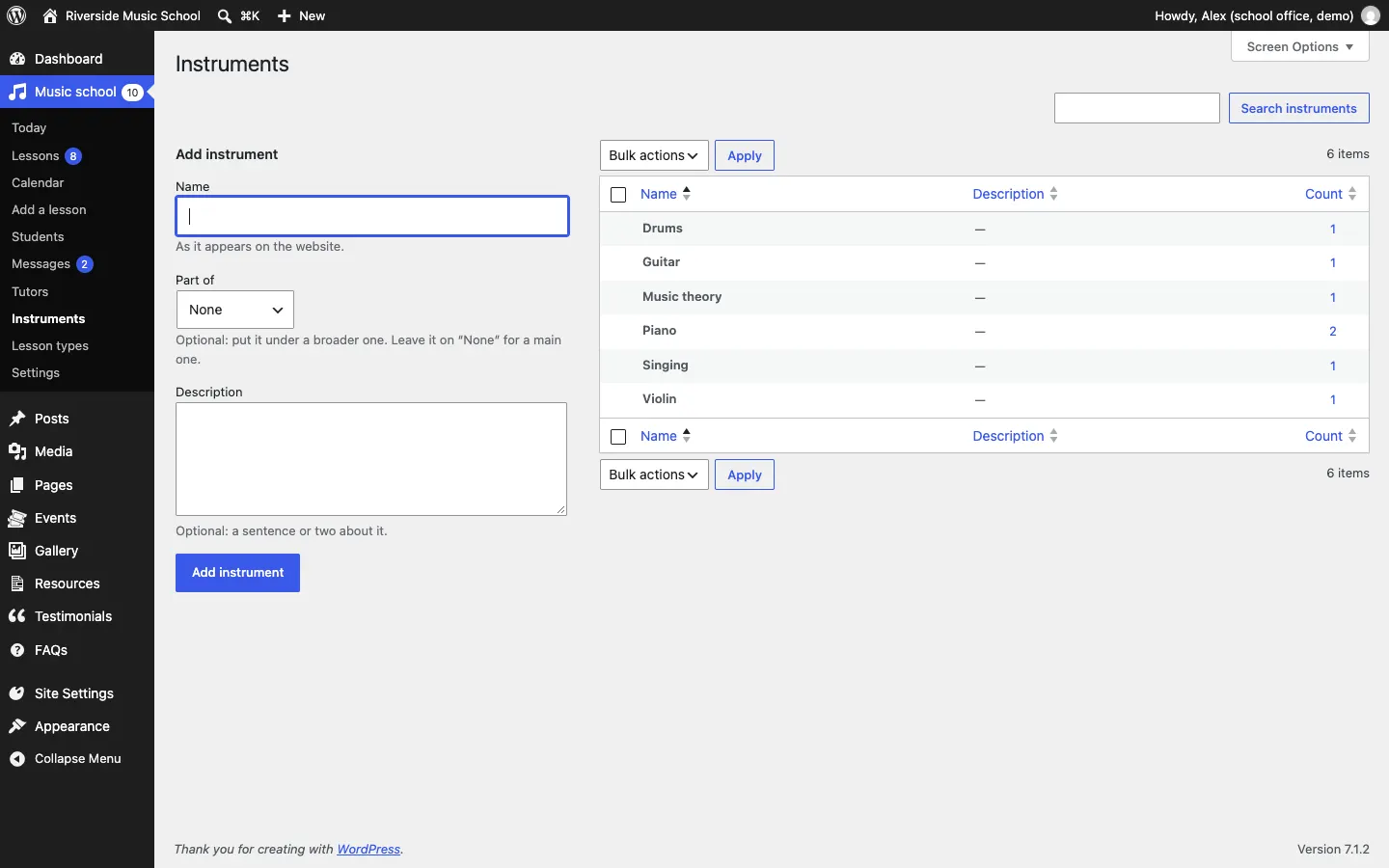
The Count column shows how many tutors teach each instrument. An instrument shows on the booking form only when at least one tutor who takes online bookings teaches it.
How to add a lesson type
-
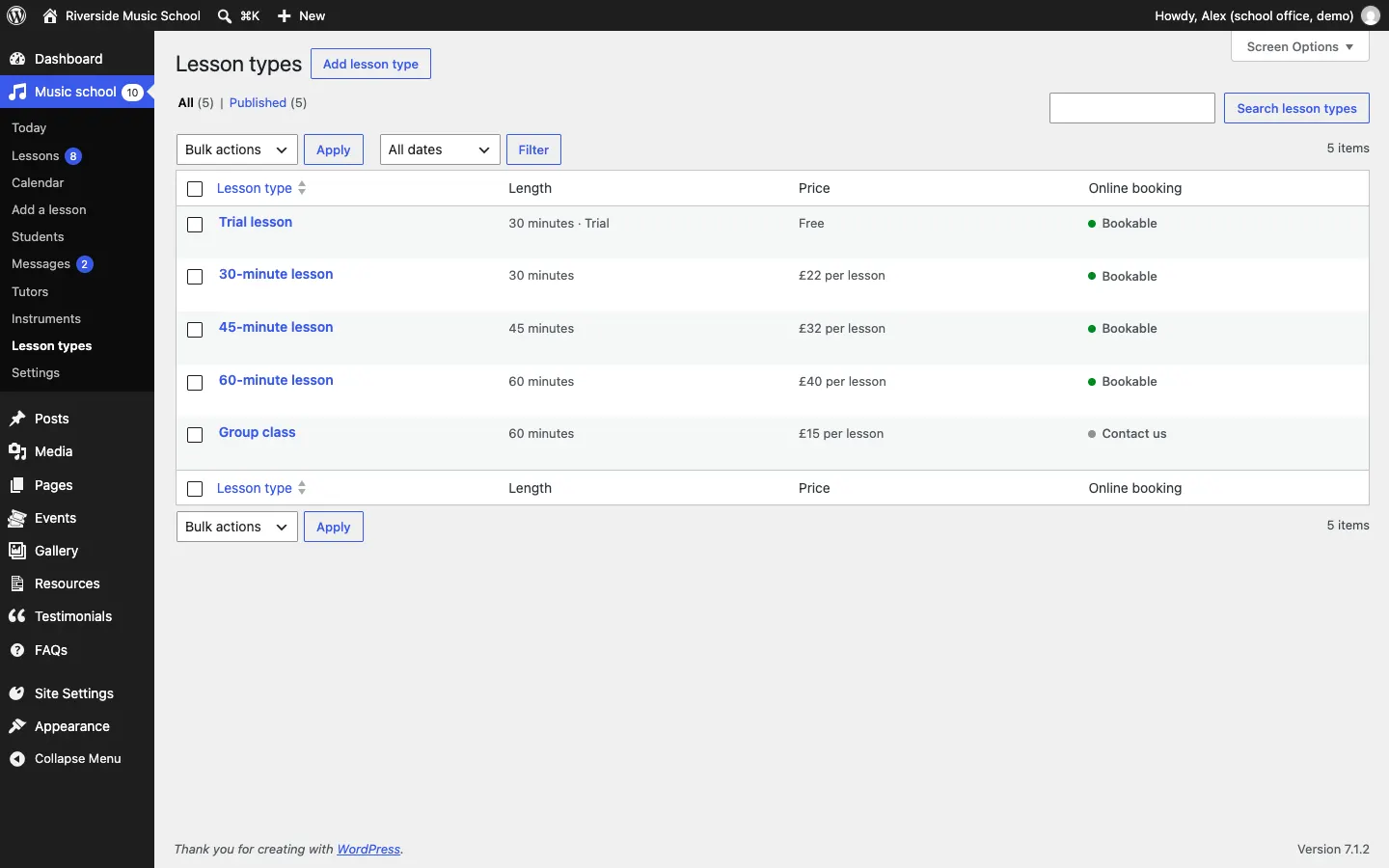
Go to Music school → Lesson types. You see each lesson type with its length and price.
-
Click Add lesson type (at the top, or in the Music school menu).
-
Type the name in the top box, for example "30-minute lesson".
-
In the Length and price box:
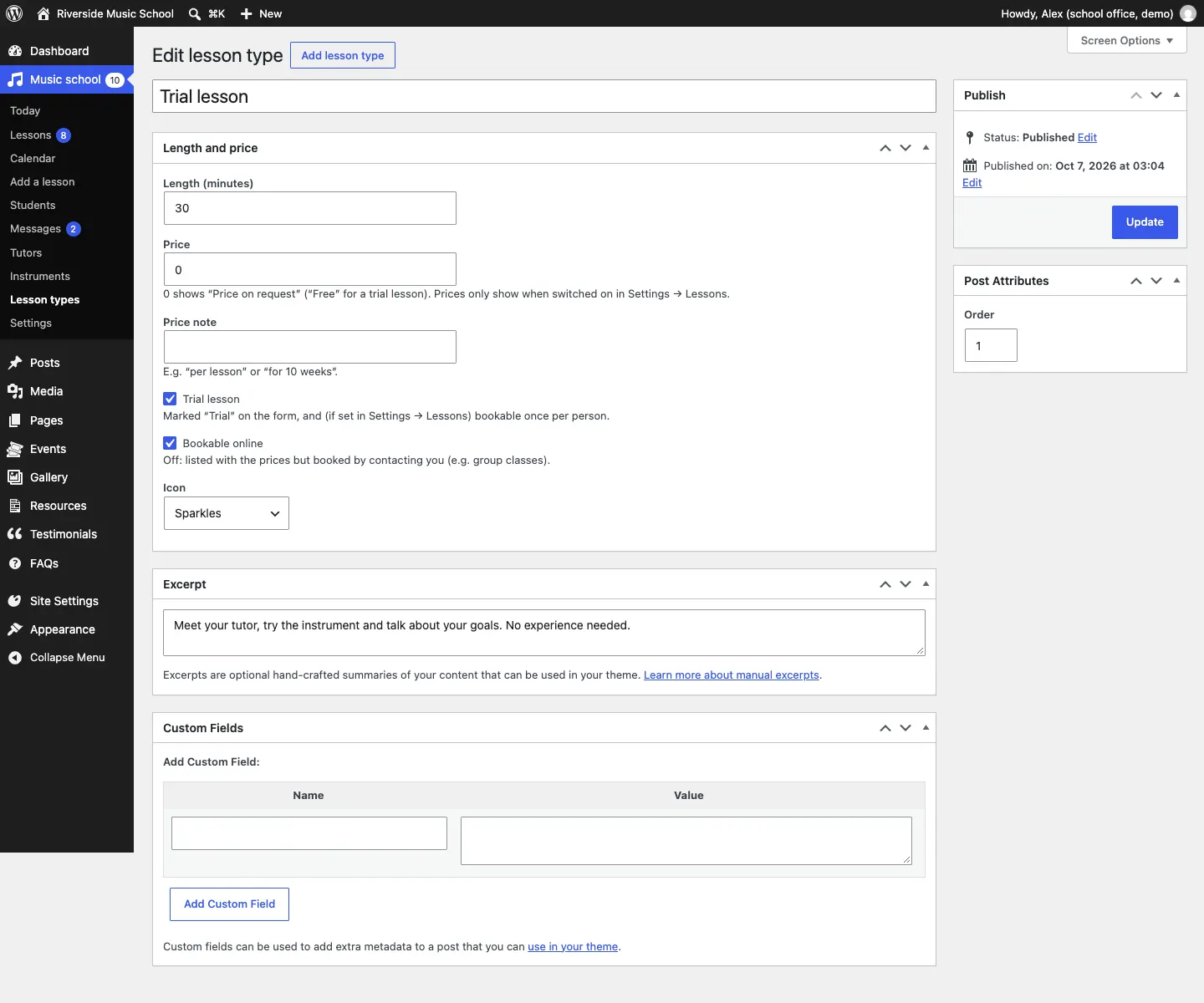
- Length (minutes): how long the lesson is. The booking form uses this to find free times.
- Price: in pounds, for example 22. A price of 0 shows "Price on request", or "Free" for a trial lesson.
- Price note: words after the price, for example "per lesson" or "for 10 weeks".
- Trial lesson: tick for a first, taster lesson. It's marked "Trial" on the form and, if you choose, can only be booked once per person.
- Bookable online: untick for lessons people should ask about instead, such as group classes. They still show with the prices, with "Ask us about this" instead of a Book link.
- Icon: the small picture shown with this lesson in some designs.
-
Under Excerpt, type one or two sentences describing the lesson. They show with the lesson on the Lessons page.
-
Under Post Attributes, the Order number sets the order on the website (lowest first).
-
Click Publish (or Update if you're changing one).
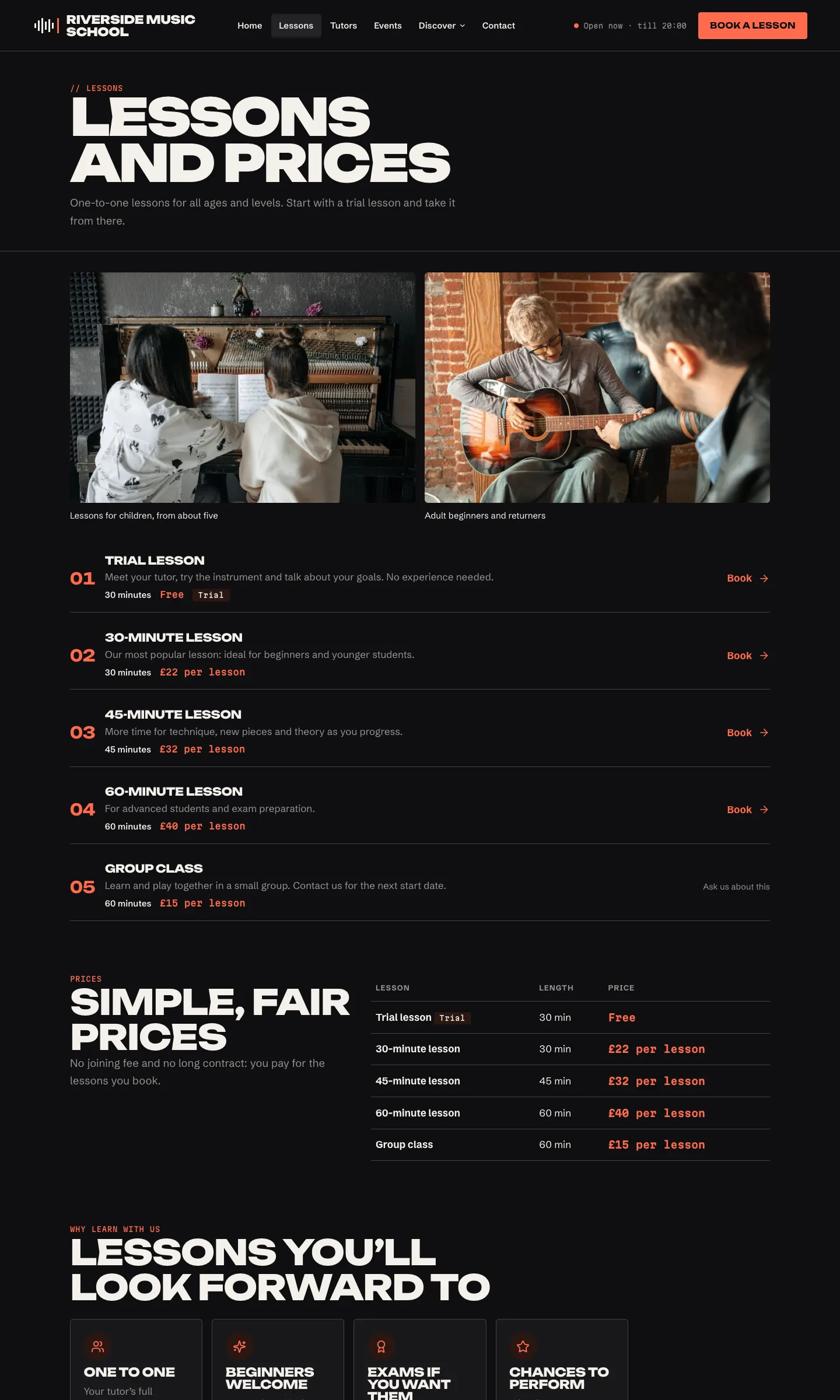
How the lessons look on the website
Your lesson types appear on the Lessons and prices page, in the price sections of the home page, and on the booking form.
How to show or hide prices
Prices only show on the website when you switch them on.
- Go to Music school → Settings → Lessons.
- In the Prices card, switch on Show prices on the website. Off, visitors see "Prices on request".
- Optionally fill in Note under the prices, for example "Discounts for siblings and termly blocks."
- Click Save changes.
Trial lessons: one per person
In Music school → Settings → Lessons, One trial lesson per person (on by default) means each email address can book a trial lesson type once. If someone tries again, the form asks them to choose a regular lesson or contact you. You can still book a second trial for someone yourself with Add a lesson.
Payments
The kit doesn't take payments online. Students pay you the way you already arrange it. To tell them how, add a line in Music school → Settings → Lessons → Note on the booking form, for example "Lessons are paid for at the start of each half term." It shows near the end of the booking form, under the "Anything your tutor should know?" box.
Group classes and terms
Each online booking is one lesson with one tutor. For group classes, courses or termly blocks:
- Add a lesson type such as "Group class" with Bookable online unticked, so it shows with its price and people contact you to join.
- Put the start dates and term details in the lesson type's description, on your Lessons page, or as an event.
- For a weekly pupil, book each lesson yourself with Music school → Add a lesson (see Lessons and the calendar).