Running your website
Giving
Showing your online giving links, bank details and Gift Aid note on the Give page. The website itself takes no payments.
On this page
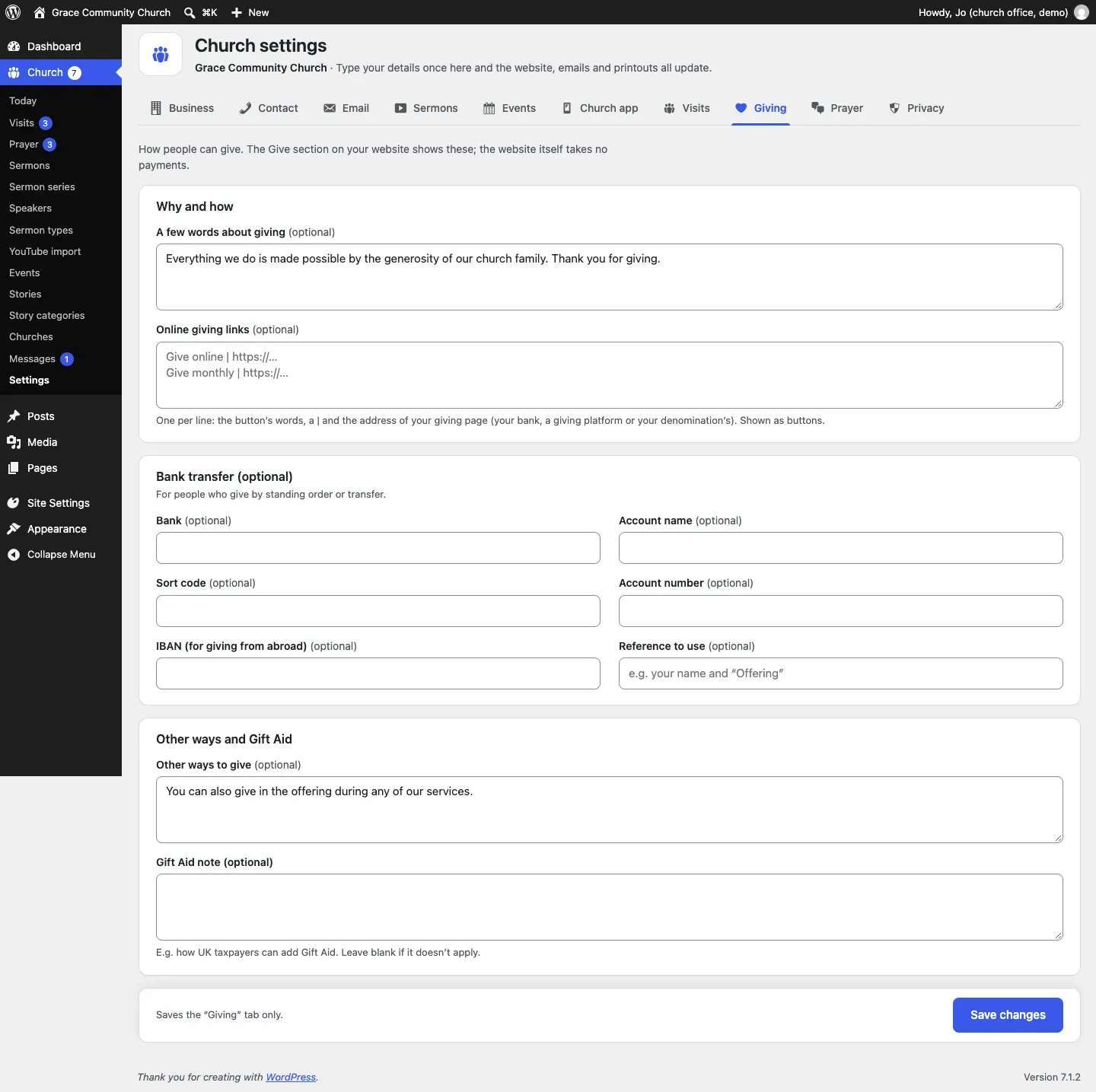
The Give page tells people how they can support the church: buttons to your online giving page, your bank details for standing orders, other ways to give and a Gift Aid note. You type these once under Church → Settings → Giving and the Give section shows them wherever it appears.
The website itself takes no payments and never sees card details. Online giving buttons go to your bank, a giving platform or your denomination's own giving page.
How to set up giving
- Go to Church → Settings → Giving.
- Under Why and how:
- A few words about giving (optional): a short line, for example "Everything we do is made possible by the generosity of our church family."
- Online giving links (optional): one per line, the button's words, a bar and the address of your giving page, for example
Give online | https://…andGive monthly | https://…. Each line becomes a button. The address must start with https://.
- Under Bank transfer (optional), fill in Bank, Account name, Sort code, Account number, IBAN (for giving from abroad) and Reference to use, for people who give by standing order.
- Under Other ways and Gift Aid, add Other ways to give (optional) (for example "in the offering at any service") and a Gift Aid note, such as how UK taxpayers can add Gift Aid. Leave it blank if it doesn't apply.
- Click Save changes.
What visitors see
The Give page shows a thank-you, the giving buttons, your bank details and other ways to give.
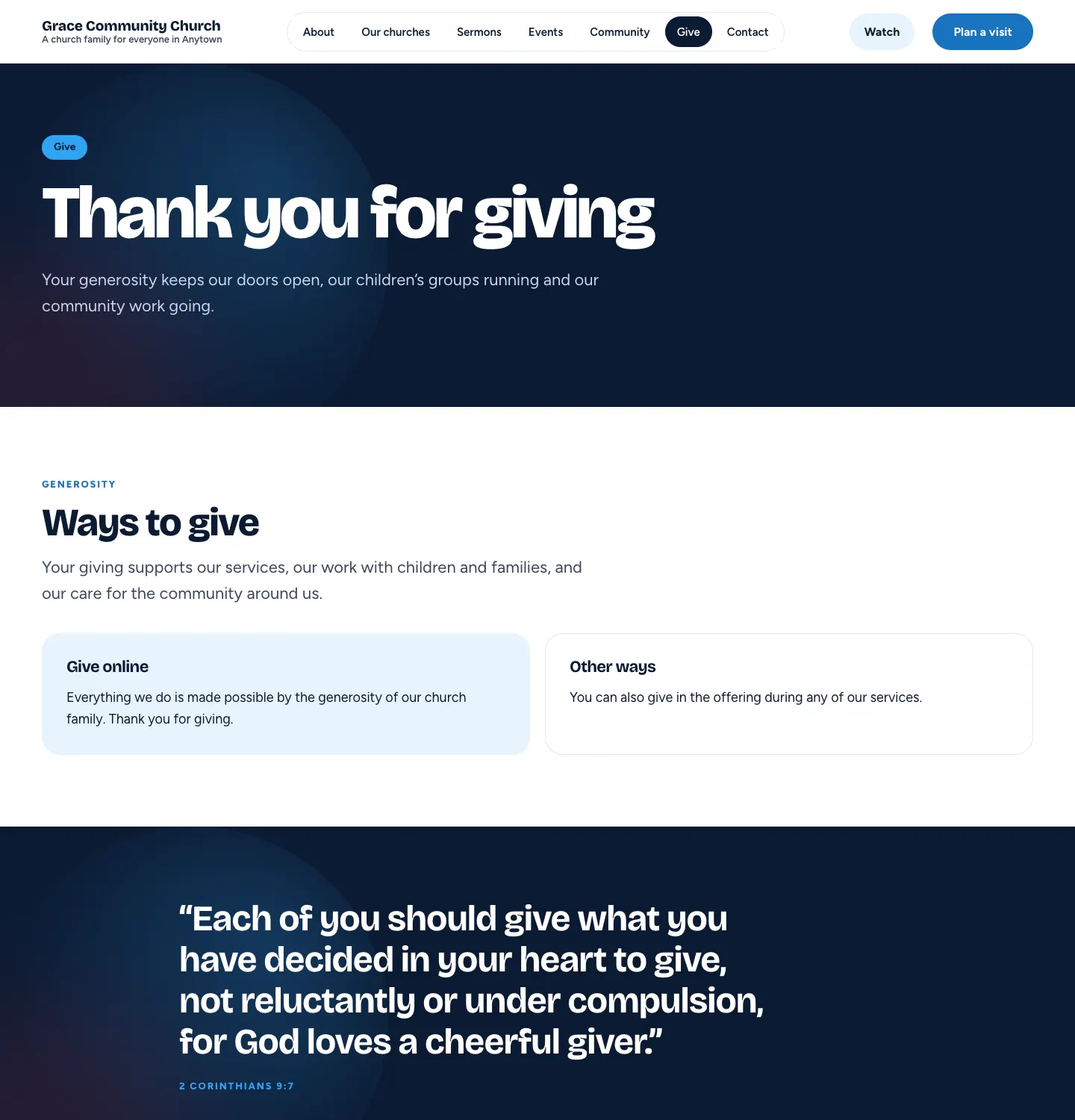
The demo shows only the words, because it has no giving links or bank details filled in. Yours will show the buttons and bank details as you enter them.
To change the rest of the page (the heading, the verse), edit Pages → Give. See Pages and content.