User manual
Gradespace Church: user manual
What the Church kit does, what Starter and Pro include, and every chapter of this manual in reading order.
On this page
Gradespace Church turns a WordPress website into your church's home online. Newcomers can find your service times and Plan a visit. Your sermons arrive from YouTube by themselves. Your events, community stories, giving details and an optional private prayer request form all live in one place, and your team runs it from one menu: Church.
This manual is for the people who look after the website: church administrators, office staff and volunteers. You don't need any technical knowledge. Every step uses the words you see on the screen.
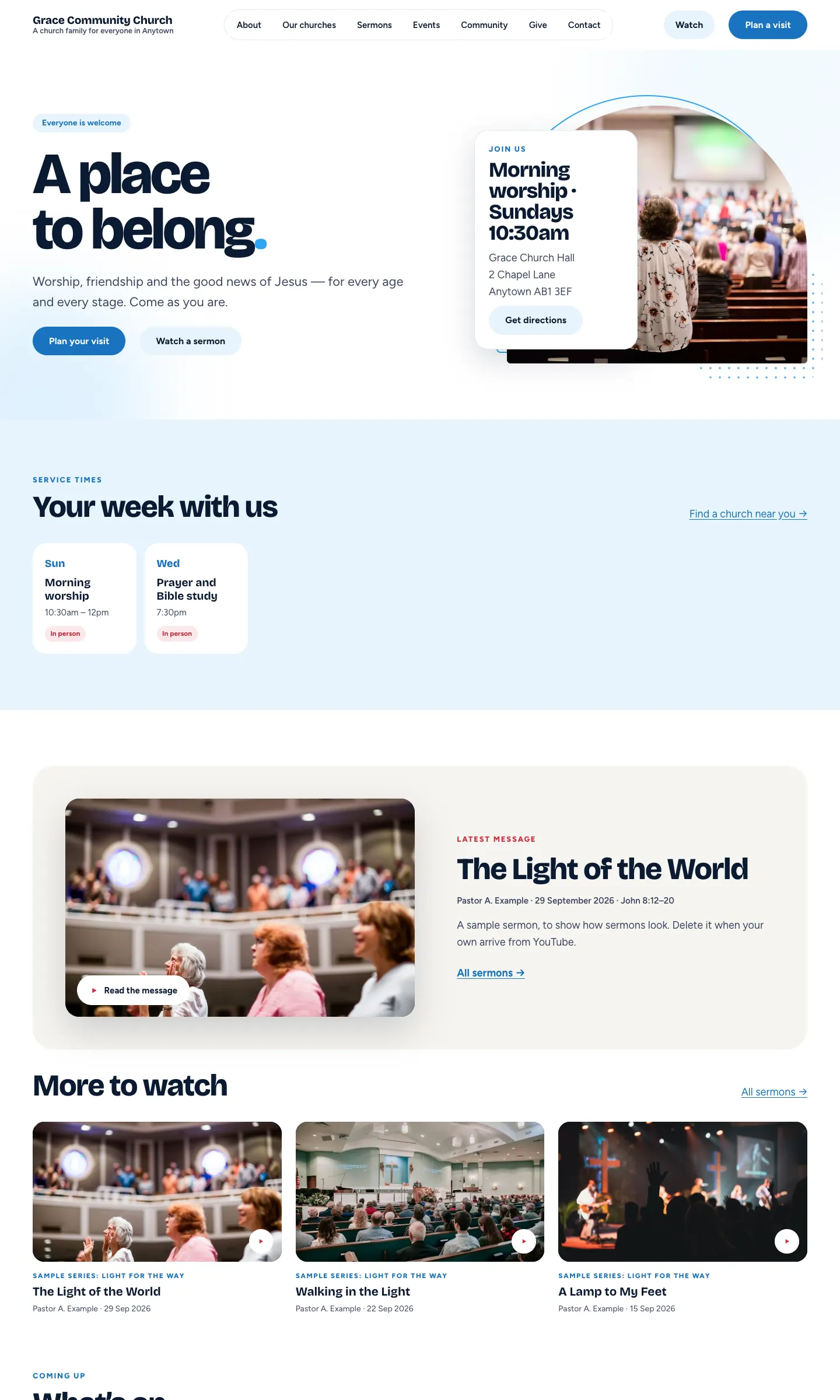
What the kit gives you
- Churches (congregations): one or several, each with its own page, address, colour, pastor, photos and meeting times.
- Plan a visit: a form where newcomers choose a church and a Sunday. The church is emailed and the visitor gets a friendly confirmation.
- Sermons from YouTube: paste your channel once and new videos become sermons every hour. No YouTube key or password is needed.
- Events: one-off or repeating, each with an Add to my calendar button.
- Prayer requests (optional): a private form that only your prayer team can read.
- Community stories with categories, and a "Voices" section of what people said.
- Giving: your giving links and bank details on a Give page. The website takes no payments itself.
- Messages from the contact form, Today (your weekly start screen) and staff roles for pastors, media and welcome teams.
- Six designs and seven colour palettes, switched in one click.
Starter and Pro
Your licence comes in three tiers. Starter has everything most churches need. Pro and Agency add the features below. Agency is Pro for up to five websites. Features marked (Pro) in this manual need a Pro or Agency licence.
| Feature | Starter | Pro / Agency |
|---|---|---|
| Churches, meeting times, photos, congregation pages | Yes | Yes |
| Plan a visit, visitor records and reviews | Yes | Yes |
| Sermons from YouTube (one channel per congregation) | Yes | Yes |
| Your own events, repeating events, Add to my calendar | Yes | Yes |
| Prayer requests, messages, stories, giving | Yes | Yes |
| Six designs and seven colour palettes | Yes | Yes |
| Staff roles (Pastor or church leader, Media team, Welcome team) | Yes | Yes |
| Events from a calendar feed (Google Calendar, Outlook, ChurchSuite…) | – | Yes |
| Events and special programmes from your church app (MaSym) | – | Yes |
| The Log in page and the "Church app" tab on the sign-in page | – | Yes |
| Ticking exactly what each staff role can do | – | Yes |
| The email log (was each email sent?) | – | Yes |
| Site stats | – | Yes |
| Hiding the "Website by Gradespace" line on the sign-in page | – | Yes |
Prices and upgrades are explained in Buying and your licence.
Try it first
There is a public demo at church.gskits.co.uk. Click Log in or go to the sign-in page and choose Look around the admin to see the back office as a member of staff. Saving settings is switched off in the demo, and everything resets every night.
Chapters in reading order
Getting started (shared by every Gradespace kit)
- How this manual is organised
- Buying and your licence
- Before you install
- Installing
- The setup wizard in general
Church kit
- Quick start: from buying to your first visitor
- The Church setup wizard
- Designs, pages and menus
- Churches and service times
- Plan a visit and visitor records
- Events
- Sermons from YouTube
- Your church app (MaSym) (Pro)
- Prayer requests and messages
- Giving
- Community stories
- The staff sign-in page and staff access
- Church settings, tab by tab
- Running the website week by week
Looking after the website (shared)
Every chapter of this manual
Buying and installing
- Buying and your licenceSharedThe Starter, Pro and Agency tiers, buying a kit, the licence key email, your licences page on thegradespace.com, and moving or upgrading a licence.
- Before you installSharedWhat your website and hosting need for a Gradespace kit, how to check them, and why to take a backup and use a test copy first.
- Installing your kitSharedInstalling Gradespace Core, then your kit's plugin, then your kit's theme from their .zip files, adding your licence key, and how updates arrive.
Setting up
- The setup wizardSharedHow the setup wizard works in every kit: each step, the starter pages and menu, sample photos, legal pages, and how to run it again.
- The setup wizardThe step-by-step screen that gets a new church website ready: where you meet, your service times, your YouTube channel, and the starter pages, sample sermons, events, stories and photos.
- Your look: design, colours, logo, menus and footerSharedChoosing a design and colour palette in Site Settings → Design & colours, previewing it, keeping the menu at the top when scrolling, adding your logo, and changing the menu and the footer.
- Designs, pages and menusThe six designs and seven colour palettes of the Church theme, the pages and menu the kit makes, and how to switch the look.
- Pages, posts and picturesSharedEditing pages in the WordPress block editor, starting a page from your kit's ready-made layouts and sections, writing blog posts, and adding and replacing pictures in the media library.
Running your website
- Churches and service timesYour congregations: each church's page, address, colour, pastor, meeting and service times, photos, its own YouTube channel and the congregation header.
- Plan a visit and visitor recordsHow newcomers tell you they're coming, where their requests go, how to welcome them and mark them welcomed, and how to review old visitor records.
- EventsAdding one-off and repeating events, the Add to my calendar button, events for one congregation, and showing events from a calendar feed (Pro).
- Sermons from YouTubeConnecting your YouTube channel so new videos become sermons every hour, adding series and Bible passages, skipping videos, congregation channels, types and renaming Sermons.
- Your church app (MaSym) (Pro)Showing the events and special programmes from your church app on the website, Register and Join on Zoom buttons, matching congregations, and the Log in page.
- Prayer requests and messagesTaking private prayer requests on the website, reading them and marking them prayed for, and dealing with messages from the contact form.
- GivingShowing your online giving links, bank details and Gift Aid note on the Give page. The website itself takes no payments.
- Community storiesWriting community and outreach stories, organising them in categories, and gathering what people said into the Voices section.
- The staff sign-in page and staff accessSigning in, making the staff sign-in page your own, the Log in button, and giving each team member the right role.
- Church settings, tab by tabEvery tab of Church → Settings: Business, Contact, Email, Sermons, Events, Church app, Visits, Giving, Prayer and Privacy, with what each setting does.
- Running the website week by weekThe weekly routine: the Today screen, red numbers in the menu, welcoming visitors, prayer, sermons and events, site stats, and good habits.
Looking after your website
- Staff accounts and signing inSharedGiving each member of staff their own account, the staff roles each kit comes with, choosing what each role can do (Pro), and the staff sign-in page.
- Privacy, cookies and emailsSharedThe cookie banner and cookie settings, your starter terms, privacy and cookie policies, requests for people's data, the website's branded emails, test emails and the email log (Pro).
- Backups and updatesSharedWhat to back up and how often, and how to install updates to Gradespace Core, your kit's plugin and its theme safely.
- Troubleshooting and supportSharedFixes for the problems people meet most often: licence messages, installing, the setup wizard, pages not found, emails, signing in, the design and the cookie banner, and how to get help.
Bought this kit? The whole manual is also a PDF (version 1.0.1) to download or print, on My licences.