Running your website
Community stories
Writing community and outreach stories, organising them in categories, and gathering what people said into the Voices section.
On this page
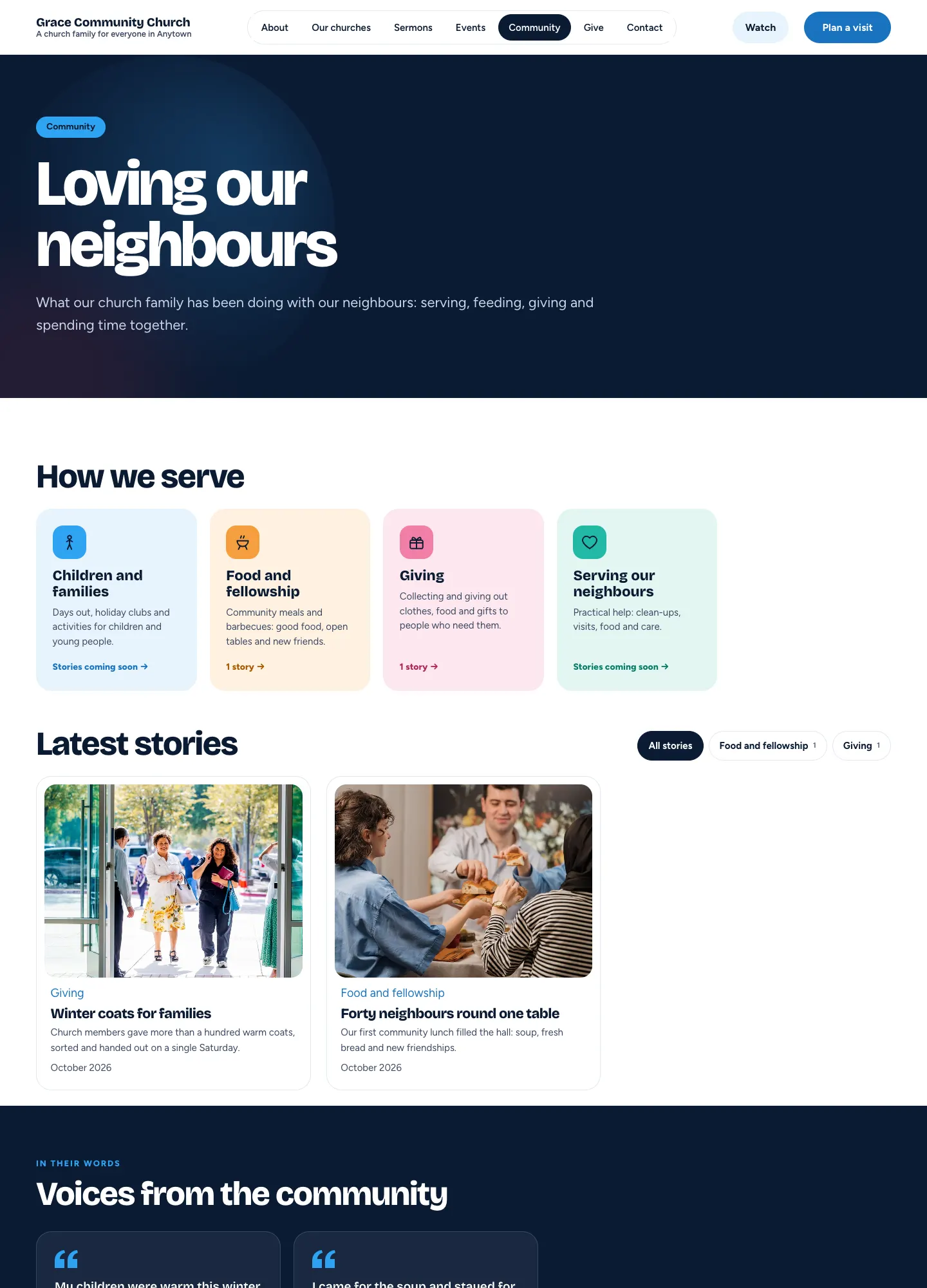
Church → Stories is where you tell what your church family has been doing with your neighbours: lunches, clothes collections, holiday clubs, clean-ups. Stories show on the Community page and on the home page, grouped by category. What people said in a story can be gathered into a Voices section, so visitors hear it in their own words.
How to see your stories
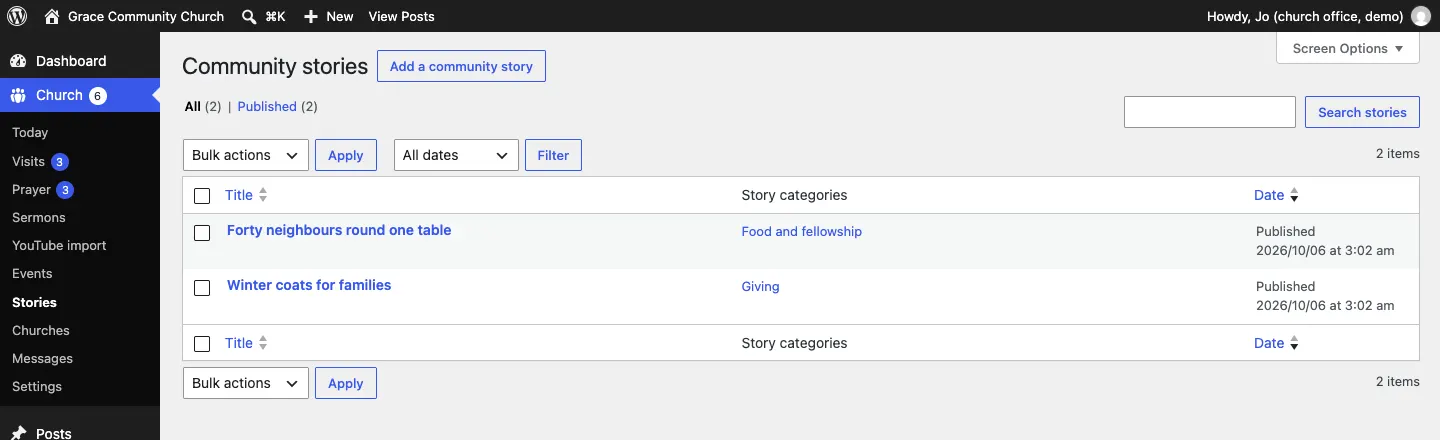
Go to Church → Stories. The list (headed Community stories) shows each story and its category.
How to write a story
- Go to Church → Stories and click Add a community story.
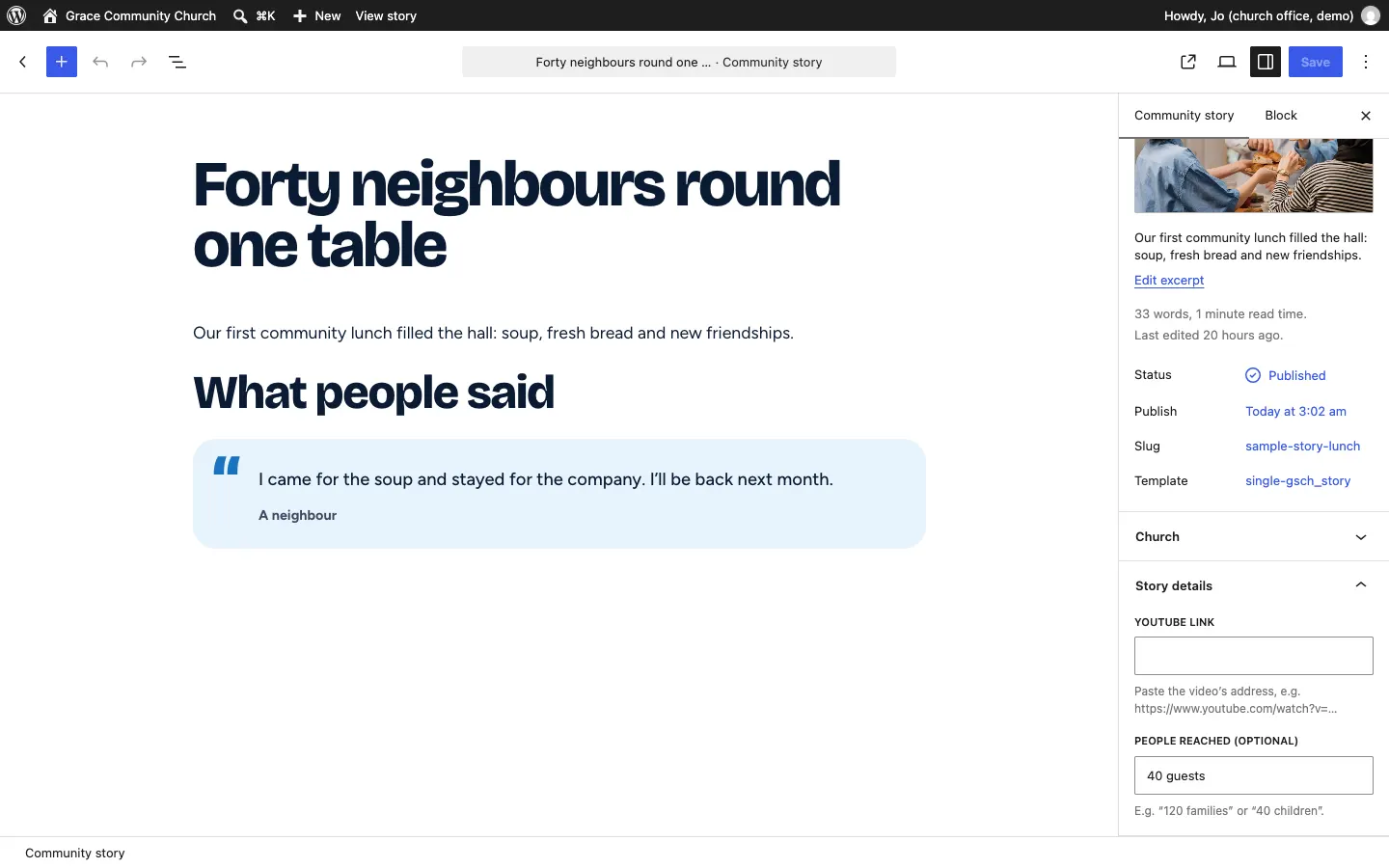
- Type a title, for example "Forty neighbours round one table".
- Write the story. Add photos as you go.
- To add a quote for the Voices section, add a Quote block with what someone said and who said it (for example "A neighbour"). The sample stories put it under a heading "What people said".
- In the sidebar, open Story details and choose its Categories.
- If the story belongs to one congregation, choose it in the Church panel.
- Add a picture with Set featured image, then click Publish.
How to organise categories
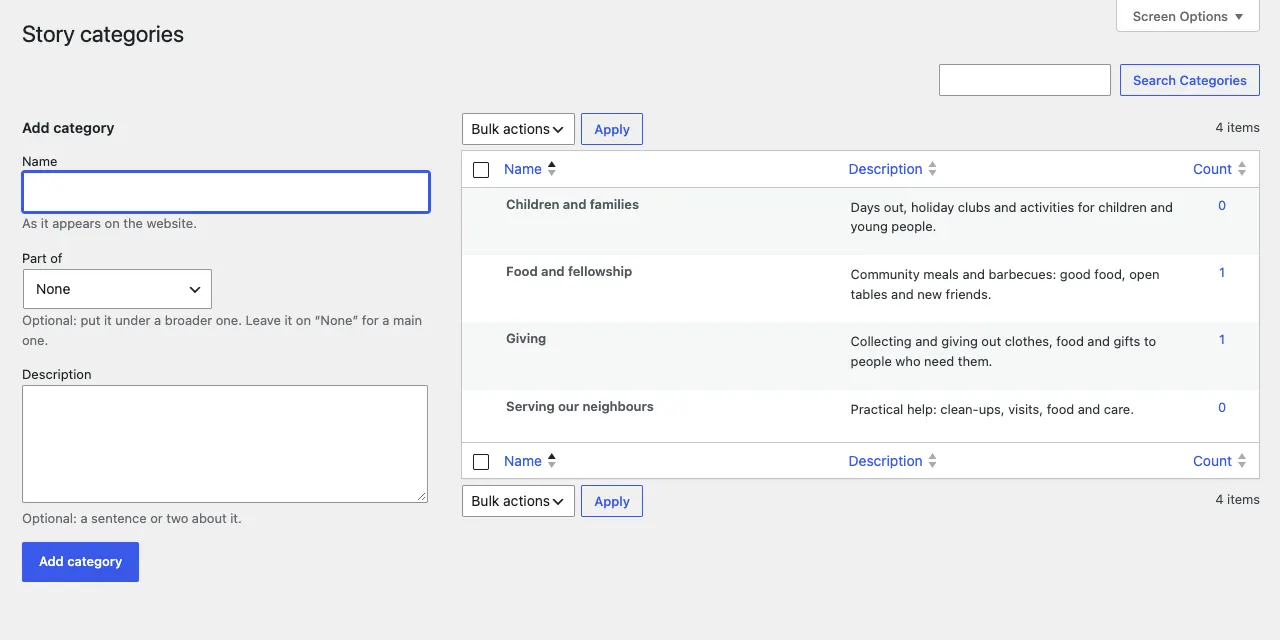
Categories group your stories, for example Children and families, Food and fellowship, Giving and Serving our neighbours. You can add a new one in the story's Story details panel.
To rename a category or change its description (shown on the Community page), use Church → Story categories. To add one, type its Name, choose Part of only if it belongs under a broader category (leave it on None for a main one), add an optional Description and click Add category.
What visitors see
The Community page shows each category with how many stories it has, the latest stories, and Voices from the community: the quotes from your stories.