Running your website
Online booking: what patients see
How a patient books on your website, step by step, what they see afterwards, and how they cancel. Read it so you can talk a patient through it on the phone.
On this page
Patients book on your website's Book an appointment page. They only ever see times when the clinic is open and a chair is free, so you never get a booking at a time you can't do. An online booking arrives as a request: your team checks it and confirms it (see Appointments and the calendar).
It helps to make a test booking yourself, so you know what patients see. If you do, cancel it afterwards.
Features marked (Pro) need a Pro or Agency licence.
Where patients start
- The Book an appointment button in the header, on every page.
- The Book button on each service on the Services page and the home page.
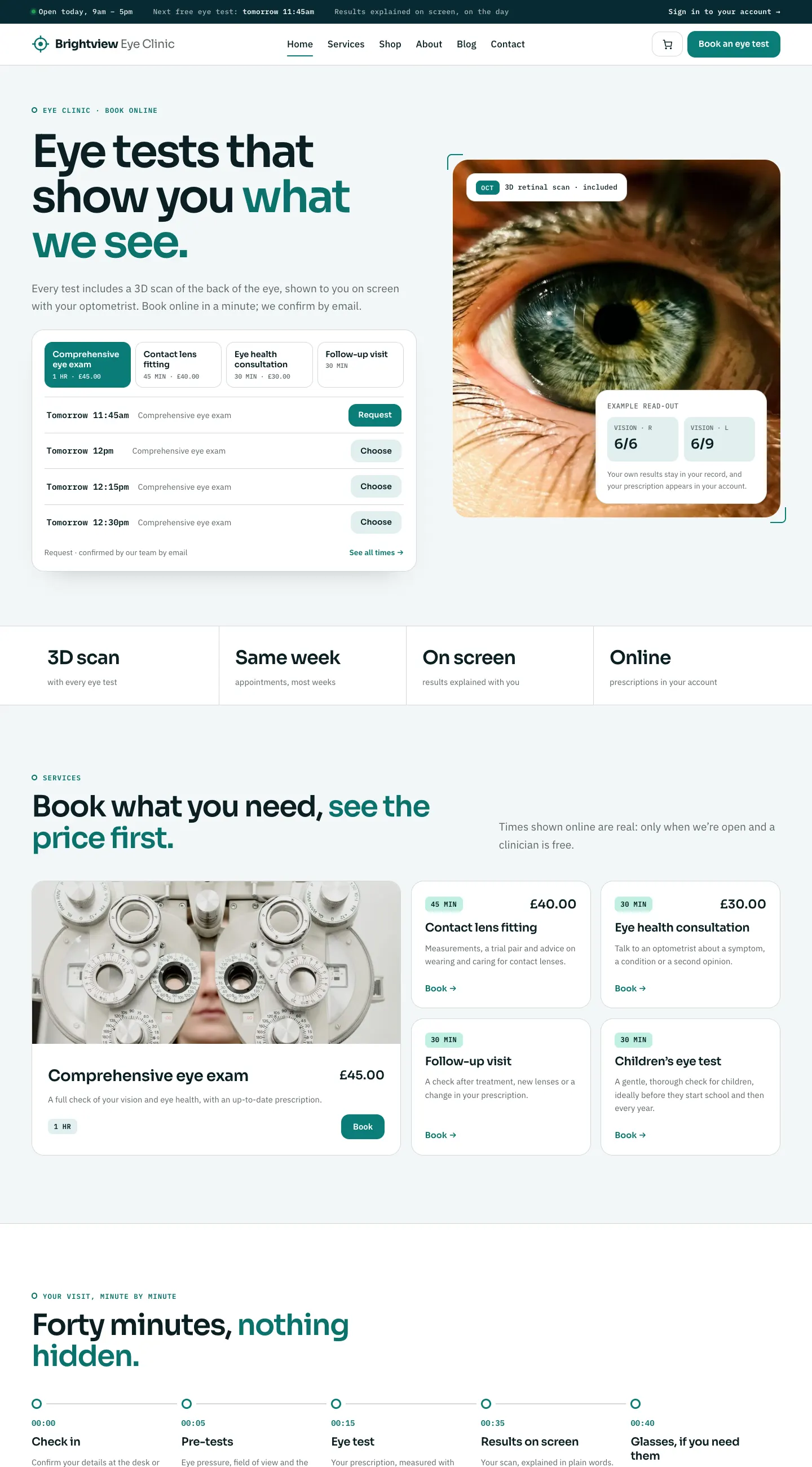
- In the Clarity and Atelier designs, the home page also lists the next free times. Clicking Request or Choose next to a time opens the booking form with that service, day and time already picked.
How a patient books
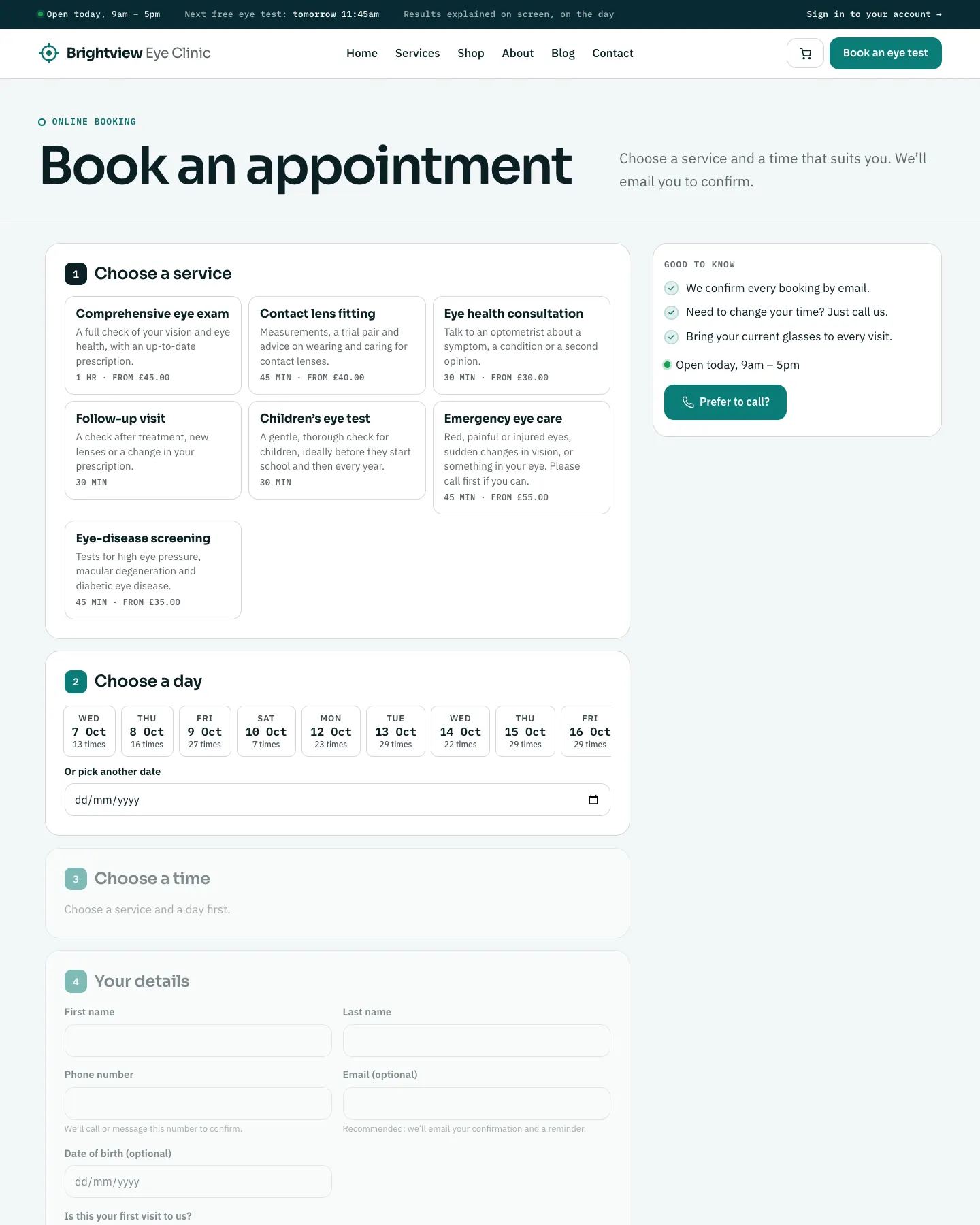
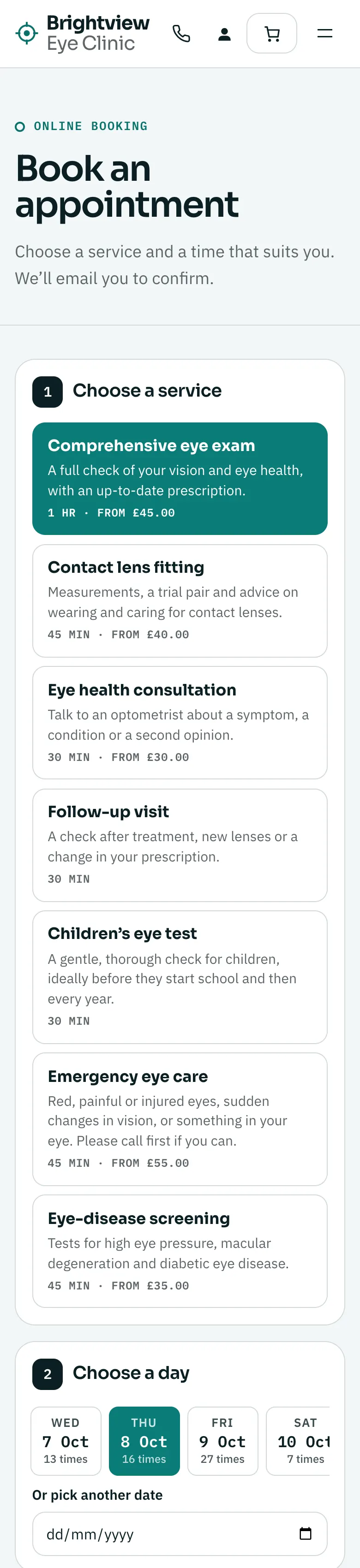
The form has five numbered steps. Each step opens when the one before it is done.
- Choose a service. Each service shows its description, how long it takes and its "from" price.
- Choose a day. The next few weeks are shown as day buttons with how many times are free that day. Or pick another date opens a date picker for later dates. Days you're closed don't appear.
- Choose a time. The free start times for that service and day appear as buttons.
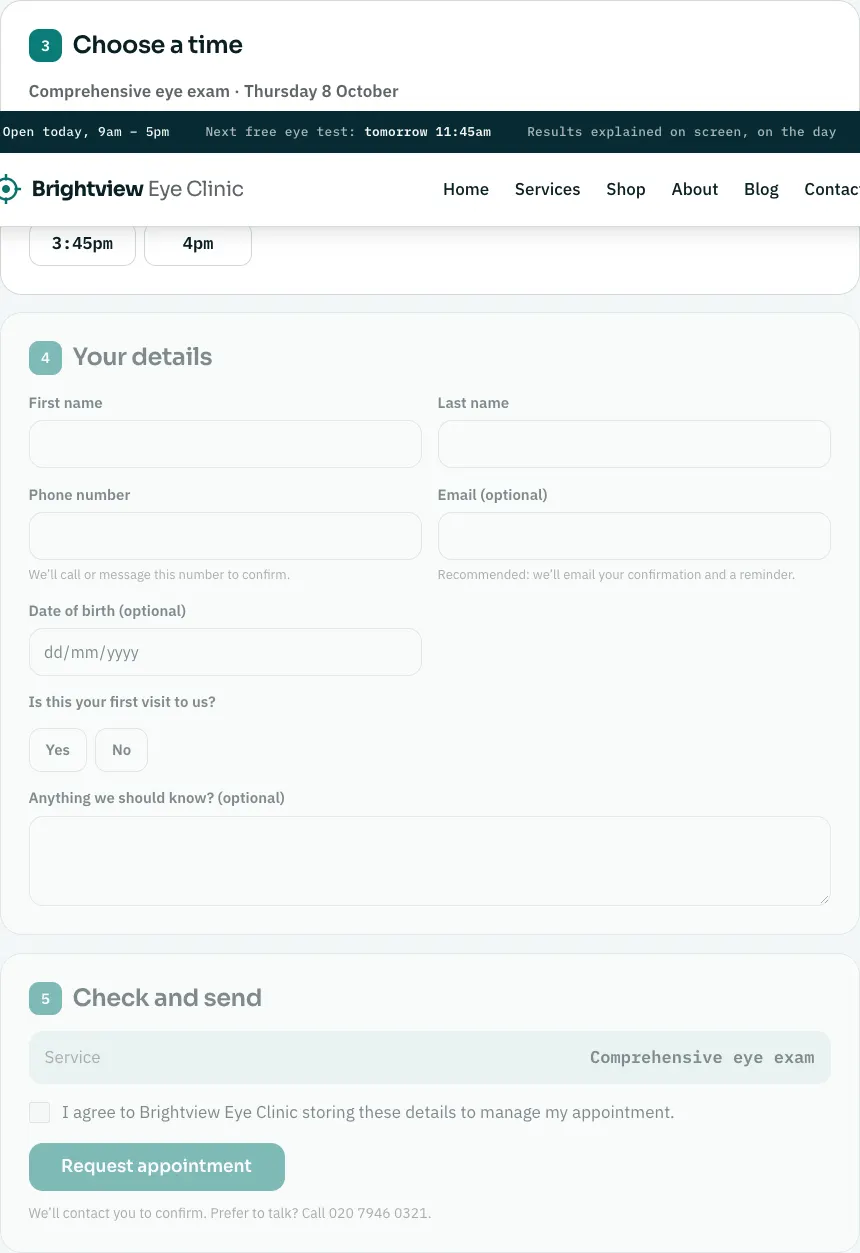
- Your details. First name, Last name and Phone number are needed. Email (optional) is recommended, because that's how the confirmation and reminder are sent. There's also Date of birth (optional), Is this your first visit to us? (Yes or No) and Anything we should know? (optional).
- Check and send. A summary shows the service, the day and time, and their name and phone number. They tick I agree to [your clinic] storing these details to manage my appointment and click Request appointment.
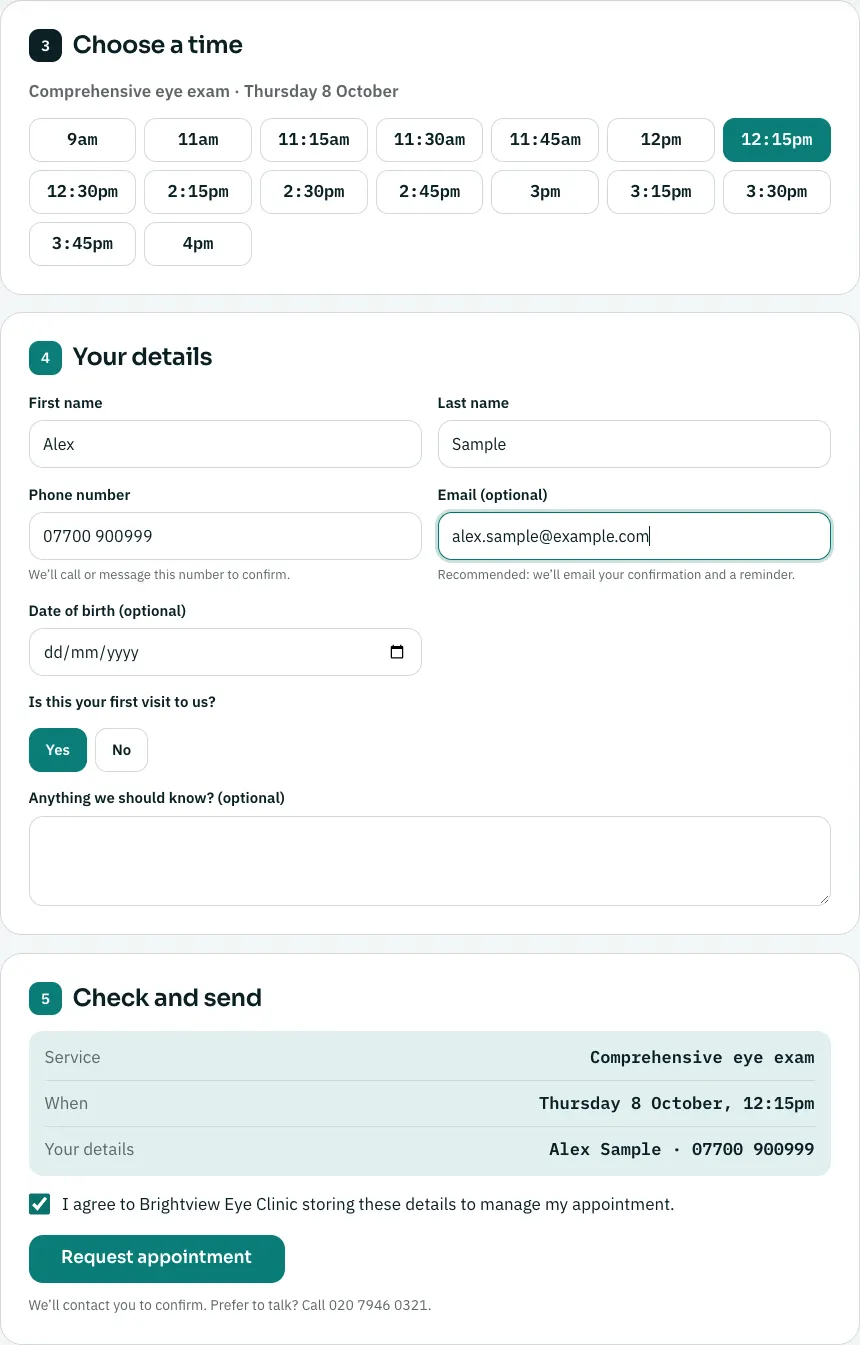
The booking form works the same on a phone, one step under another.
What happens next
- The page says Thank you, [name]. Your request is in. and We'll call or message you shortly to confirm your appointment. It shows the service, when, the status Waiting for us to confirm, where, and anything to bring. There are buttons to Add to calendar, Message us on WhatsApp (if you've set a WhatsApp number) and Book another time.
- If they gave an email address, they get a Booking received email at once.
- The clinic gets a New booking email, and the request appears in Clinic → Today and Clinic → Appointments as Waiting to confirm.
- When your team clicks Confirm, the patient gets a Booking confirmed email.
- At about 8am the day before, the patient gets a Reminder the day before email.
Deposits when booking (Pro)
If you ask for a deposit on a service (see Payments and deposits), the patient sees Nearly there: pay the deposit to keep this time and a Pay the deposit button. They pay on the payment provider's own secure page. The time is held while they pay; if they don't pay in time, it's freed for others. Once paid, the booking becomes a normal request for you to confirm.
How a patient cancels
Every email has a View or cancel your appointment link. On that page, under Can't make it?, they click Cancel my appointment. To move an appointment, the page asks them to call you.
When a patient cancels, the time becomes free again and the clinic gets a Patient cancelled email.
When online booking can't take a booking
The form tells the patient plainly and gives your phone number, for example:
- "No free days in the next few weeks. Please call us to book."
- "We're closed on this day. Please choose another day."
- "Online booking isn't open yet. Please call us to book." (no services are ticked for online booking yet)