Running your website
Block bookings and courses (Pro)
How to set up blocks of hours and weekly, semi-intensive and intensive courses, how learners buy them online, how to sell one in person, and how block hours are used lesson by lesson.
On this page
Many learners save by buying hours in a block. Under Driving school → Packages you set up two kinds:
- a block: a number of hours (for example 10 hours with a saving), used lesson by lesson whenever it suits;
- a course: weekly, semi-intensive or intensive, which can require a theory pass first.
Each has a manual and an automatic price, and the hours can expire after some months (or never). Learners buy them online on the Lessons and prices page, or you sell one in person from the learner's record. Every lesson the learner books then takes its length off their hours.
Everything in this chapter needs a Pro or Agency licence. Buying online also needs a payment provider set up (see Payments and gift vouchers).
How to see your packages
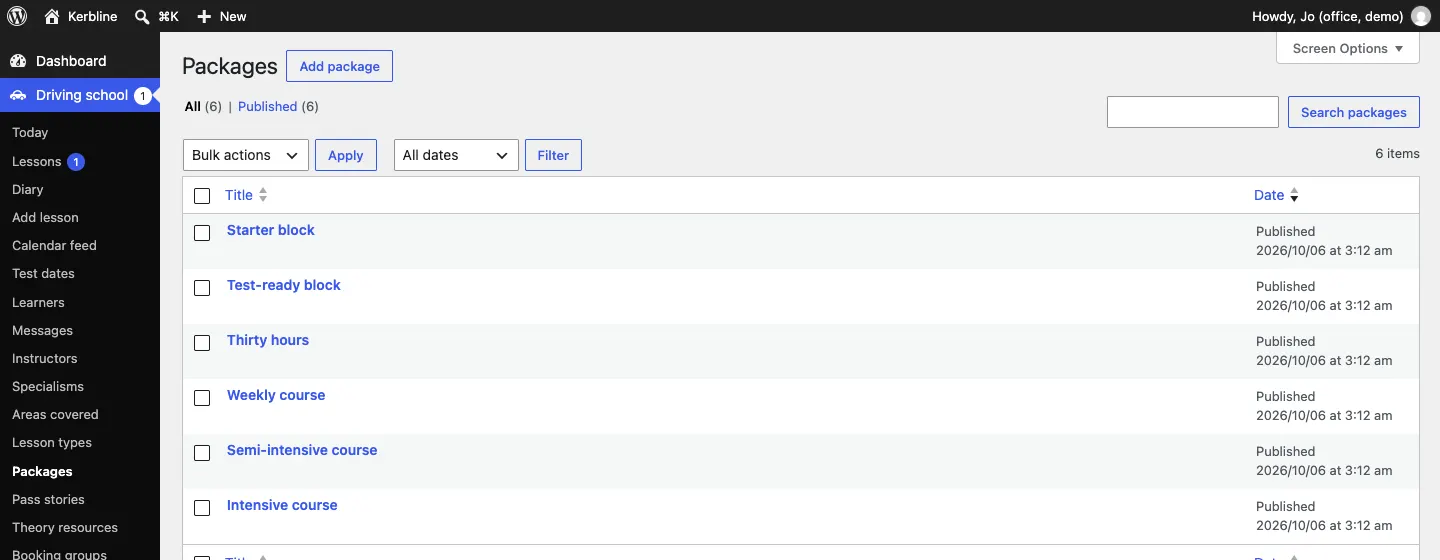
Go to Driving school → Packages.
How to add or change a package
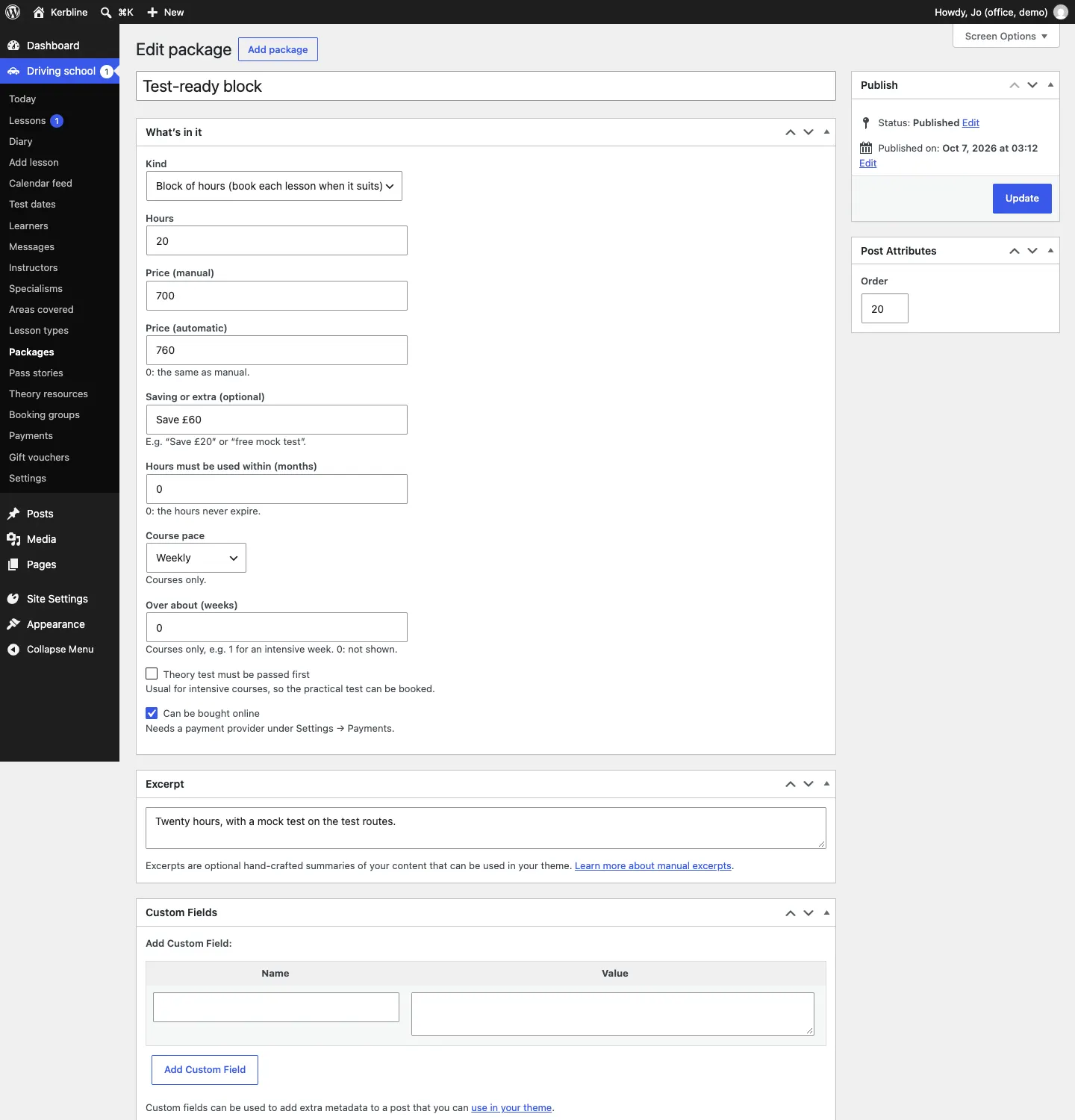
- Click a package, or Add package.
- Type its name, for example "10 hours" or "Starter block".
- Under What's in it, fill in:
- Kind: Block of hours (book each lesson when it suits) or Course (weekly, semi-intensive or intensive).
- Hours: for example 10.
- Price (manual) and Price (automatic) (0 means the same as manual).
- Saving or extra (optional): for example "Save £20" or "free mock test".
- Hours must be used within (months): 0 means the hours never expire.
- For courses: Course pace (Weekly, Semi-intensive or Intensive) and Over about (weeks), for example 1 for an intensive week (0 hides it).
- Theory test must be passed first: usual for intensive courses, so the practical test can be booked.
- Can be bought online: needs a payment provider under Settings → Payments.
- Write a short description in Excerpt, for example "Ten hours to use as 1, 1.5 or 2-hour lessons."
- Set the Order to choose where it's listed, and click Update (or Publish).
How learners buy hours online
- On the Lessons and prices page, the learner looks at Block bookings (with a Manual and Automatic switch). Each shows the hours, the price, the price an hour, the saving and whether the hours expire.
- In Buy hours, they choose the Package and Gearbox, fill in their details (learners must be at least 17 by their first lesson; a parent or guardian if they're under 18) and the theory test, tick the terms and click Continue to payment.
- They pay on the payment provider's own secure page.
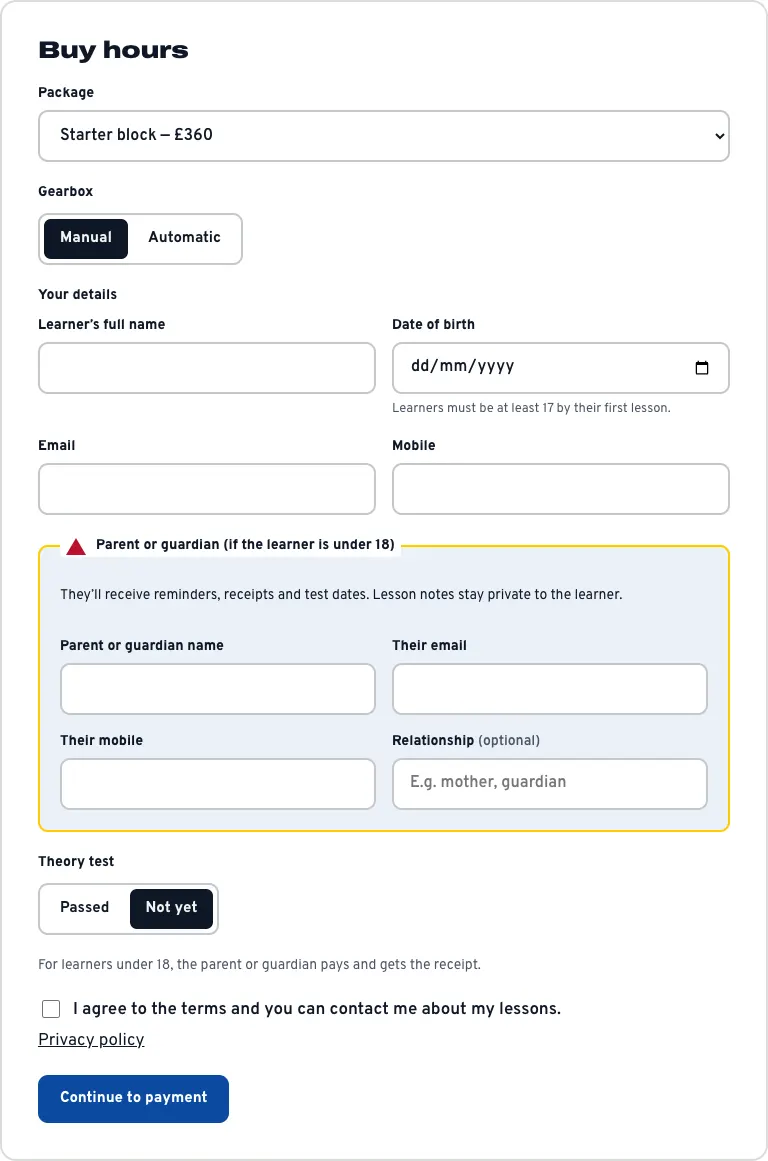
For learners under 18, the parent or guardian pays and gets the receipt. The buyer gets a "Block hours bought" email with the receipt, the hours and how to book.
How to sell a package in person
- Open the learner's record (Driving school → Learners, then their name).
- In the Block hours box, choose the package.
- Click Sold in person.
The hours are added straight away. See Learners and parents.
How block hours are used
- Each lesson that fits takes its length off the learner's hours: a 1.5-hour lesson takes 1.5 hours.
- Cancelling a lesson gives the hours back.
- When a learner books several lessons at once, block hours pay for as many lessons as they cover. A signed-in learner can choose to pay for every lesson with their block hours; the website first checks there are enough.
- Lessons paid with block hours don't ask for a deposit.
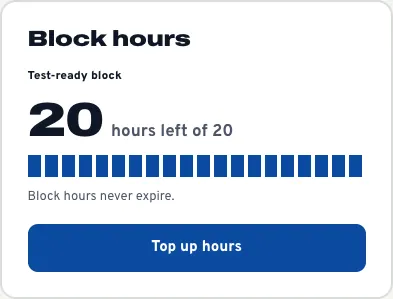
- The hours left show on the learner's record, in the Learners list, on the lesson (Block hours) and in the learner's account, with a Top up hours link back to the packages.