Running your website
Test dates and pass stories
The Test dates screen with every practical test and theory passes running out, how to record a result, and how to publish a pass story only with the learner's agreement.
On this page
Practical tests are the big date in every learner's diary. The Test dates screen keeps them all in one place, with the days to go, whether the theory pass runs out first and (Pro) how ready the learner is. When a learner passes, you can share their story on the website, but only with their agreement.
Features marked (Pro) need a Pro or Agency licence.
Where test dates come from
- The office adds them on the learner's record, in the Tests box (see Learners and parents).
- Learners (Pro) add their own in their learner account, under Test tracker → Edit test details (see The learner account).
Either way, the learner (and the parent of an under-18) gets one email when a test date is added or changed, and the test shows in the diary in their instructor's column.
The test centres offered when a test date is added come from Settings → Learners → Test centres you use (one per line).
The Test dates screen
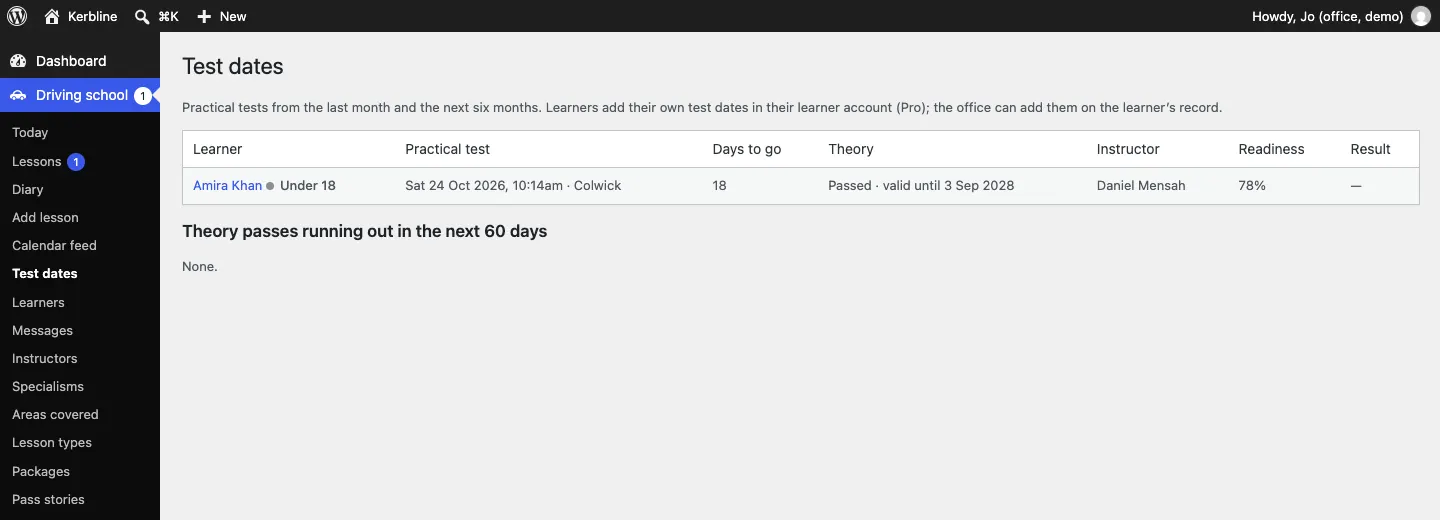
Go to Driving school → Test dates. It lists practical tests from the last month and the next six months, with:
- Learner (with an Under 18 label),
- Practical test: date, time and centre,
- Days to go,
- Theory: passed and valid until when, or Not passed yet, with a Runs out before the test warning if the theory pass ends before the practical test,
- Instructor,
- Readiness (Pro): the average progress score,
- Result: Passed or Not passed.
Below is Theory passes running out in the next 60 days, so you can warn learners in time. A theory pass lasts two years in Great Britain (change it under Settings → Learners).
The Today screen also lists Driving tests coming up in the next two weeks.
How to record a test result
- After the test, go to Driving school → Test dates.
- In the learner's row, click Passed or Not passed.
You can also set Result in the Tests box on the learner's record. Results feed the pass rate on your home page once you have at least 10 from the last 12 months.
Pass stories
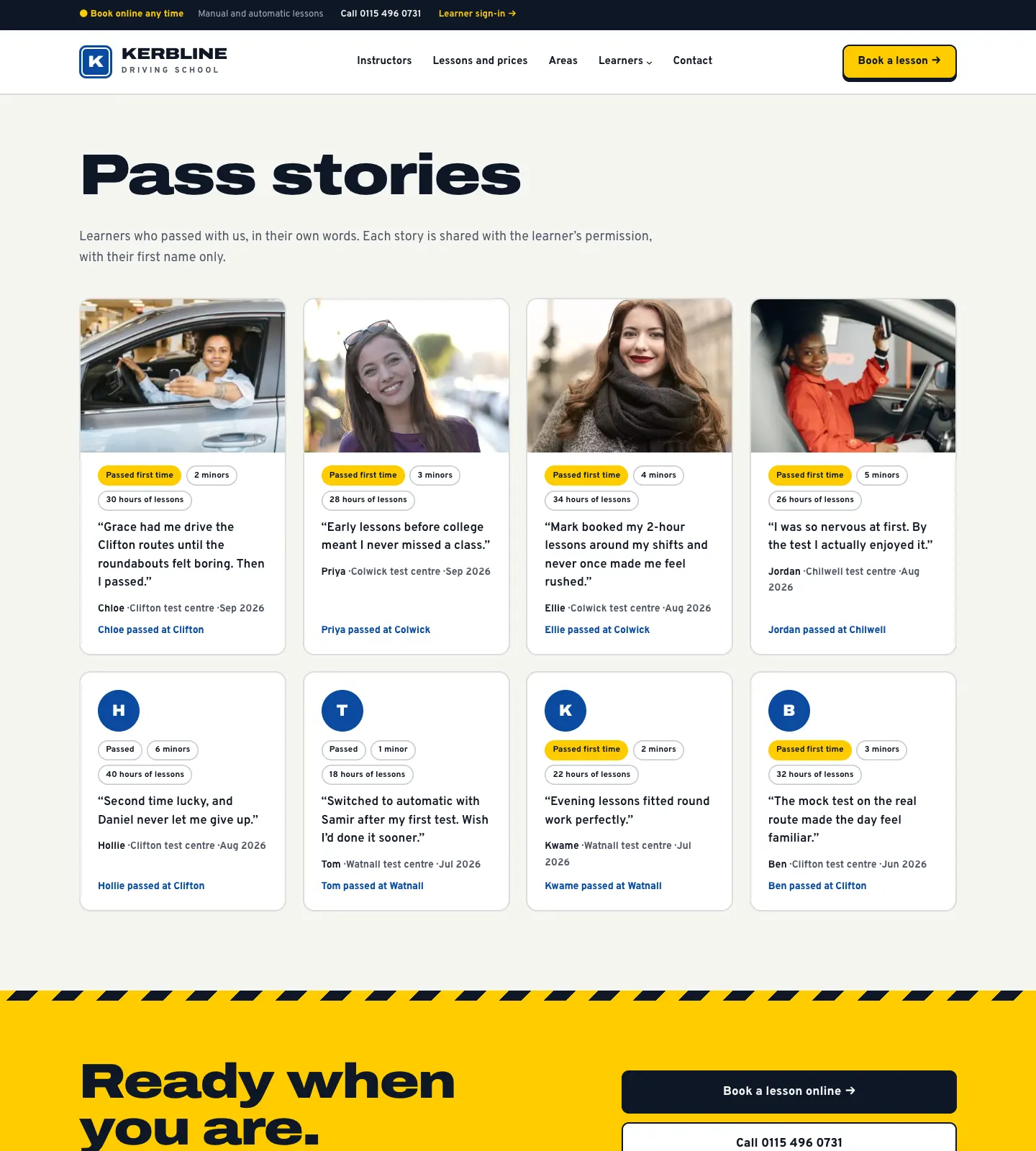
A pass story is a short page about a learner's pass: their first name, the test centre, the month, whether it was first time, the number of minors and a few words in their own voice. Stories show on the Pass stories page and on the home page.
How to make a pass story from a learner's record
- When the learner passes, ask whether they'd like it shared (first name, test centre and a few words).
- If yes, open their record and, in the Tests box, set Result to Passed and fill in Agreed to a pass story on. Click Update.
- The Pass story box on the right now has a Make a pass story button. Click it.
- A draft story opens with the details filled in. Add their words (and a photo only if they're happy), then click Publish.
Until the result and the agreement date are filled in, the Pass story box tells you what's missing.
How to add or edit a pass story directly
-
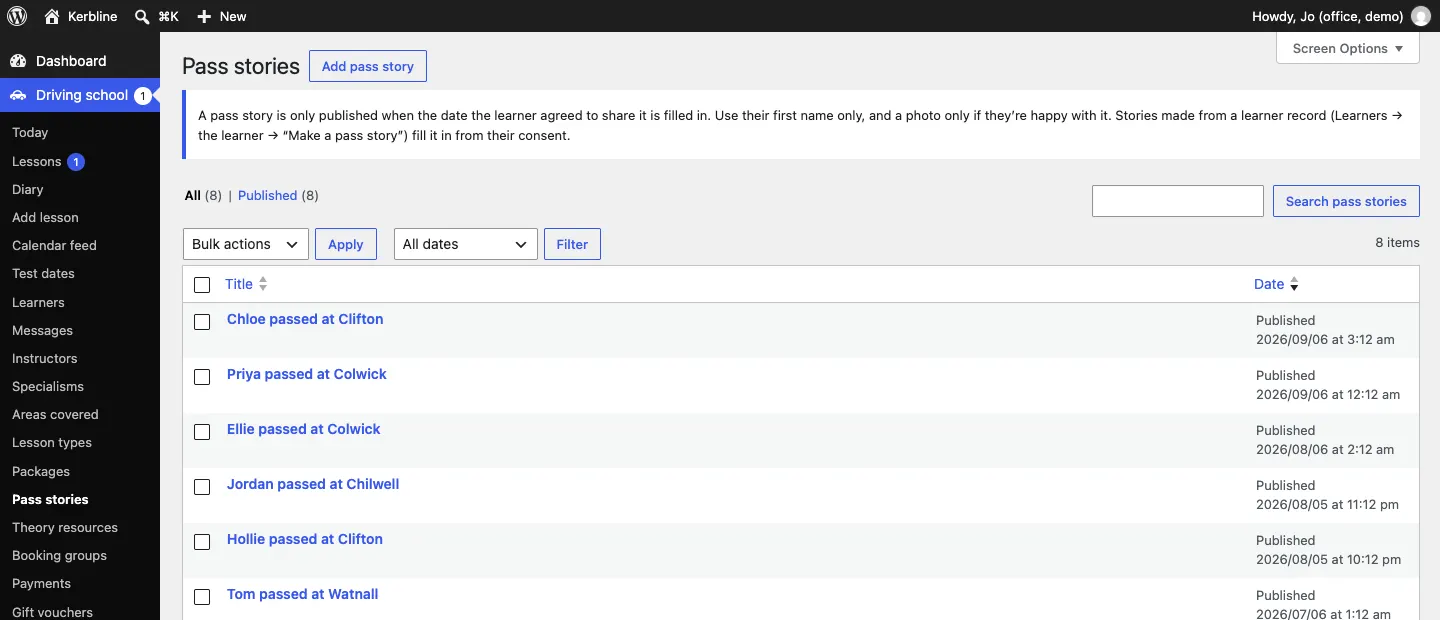
Go to Driving school → Pass stories.
-
Click a story, or Add pass story.
-
Type a title, for example "Chloe passed at Clifton", and add a photo if they agreed.
-
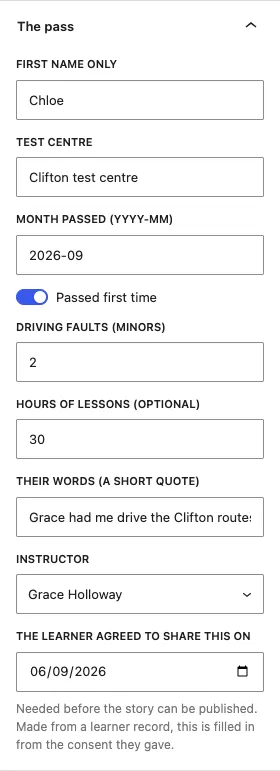
In the right-hand panel, open The pass and fill in First name only, Test centre, Month passed (YYYY-MM), Passed first time, Driving faults (minors), Hours of lessons (optional), Their words (a short quote), the Instructor, and The learner agreed to share this on.
-
Click Save (or Publish).