Running your website
Lesson types and prices
How to set up the first lesson and your 1, 1.5 and 2-hour lessons, with manual and automatic prices, and how to ask for a deposit when learners book online.
On this page
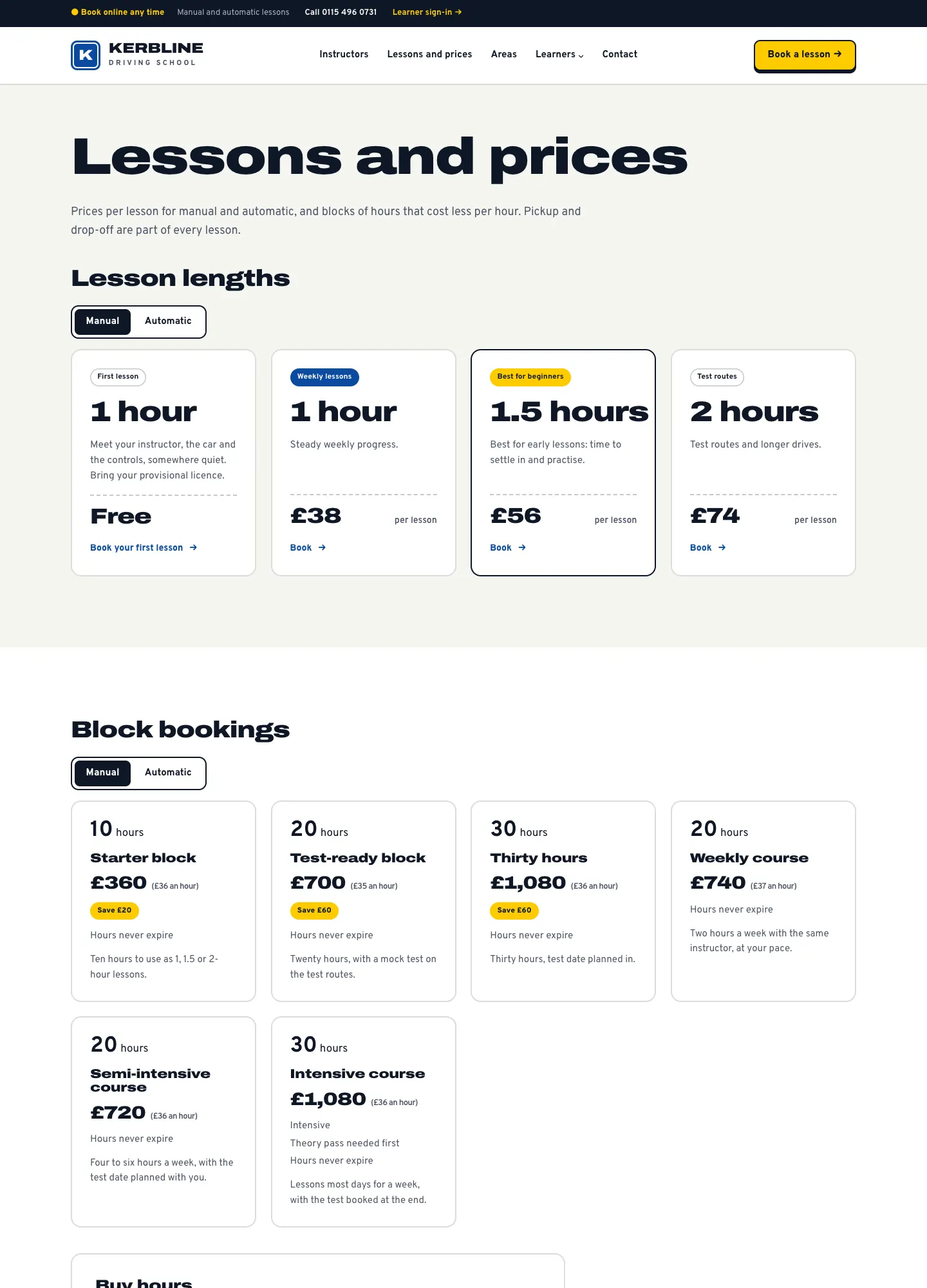
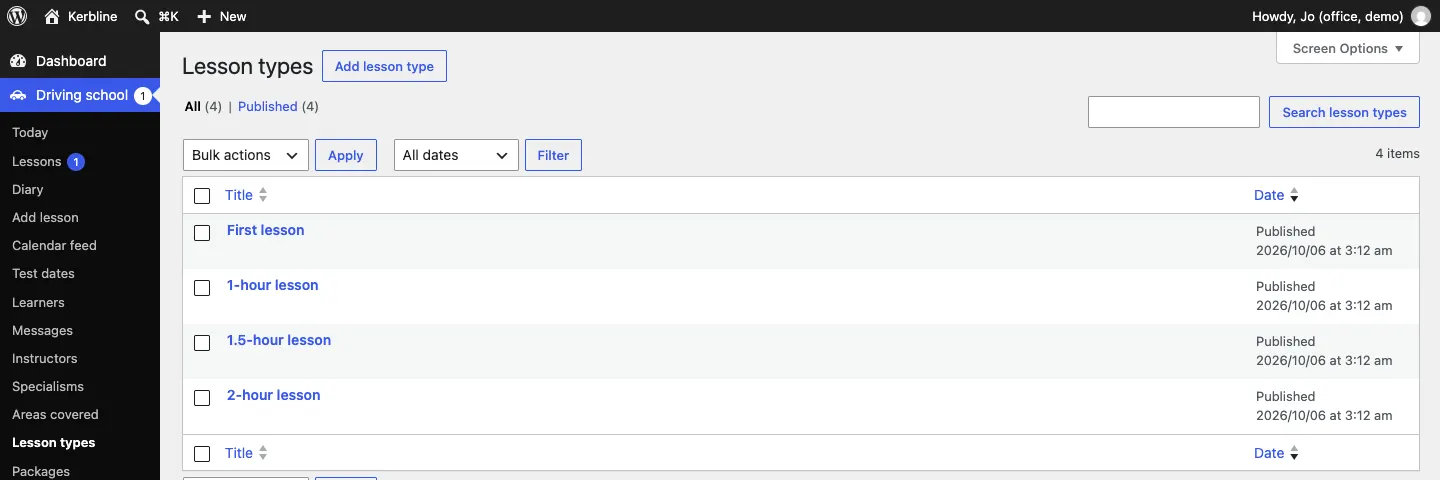
A lesson type is a lesson length learners can book, with its price. The setup wizard makes four: a First lesson and 1, 1.5 and 2-hour lessons. Each has a manual price and, if it's different, an automatic price. They appear on the Lessons and prices page, on the home page and in the booking form.
Features marked (Pro) need a Pro or Agency licence.
How to see your lesson types
Go to Driving school → Lesson types.
How to add or change a lesson type
- Click a lesson type, or Add lesson type at the top.
- Type its name, for example "1.5-hour lesson".
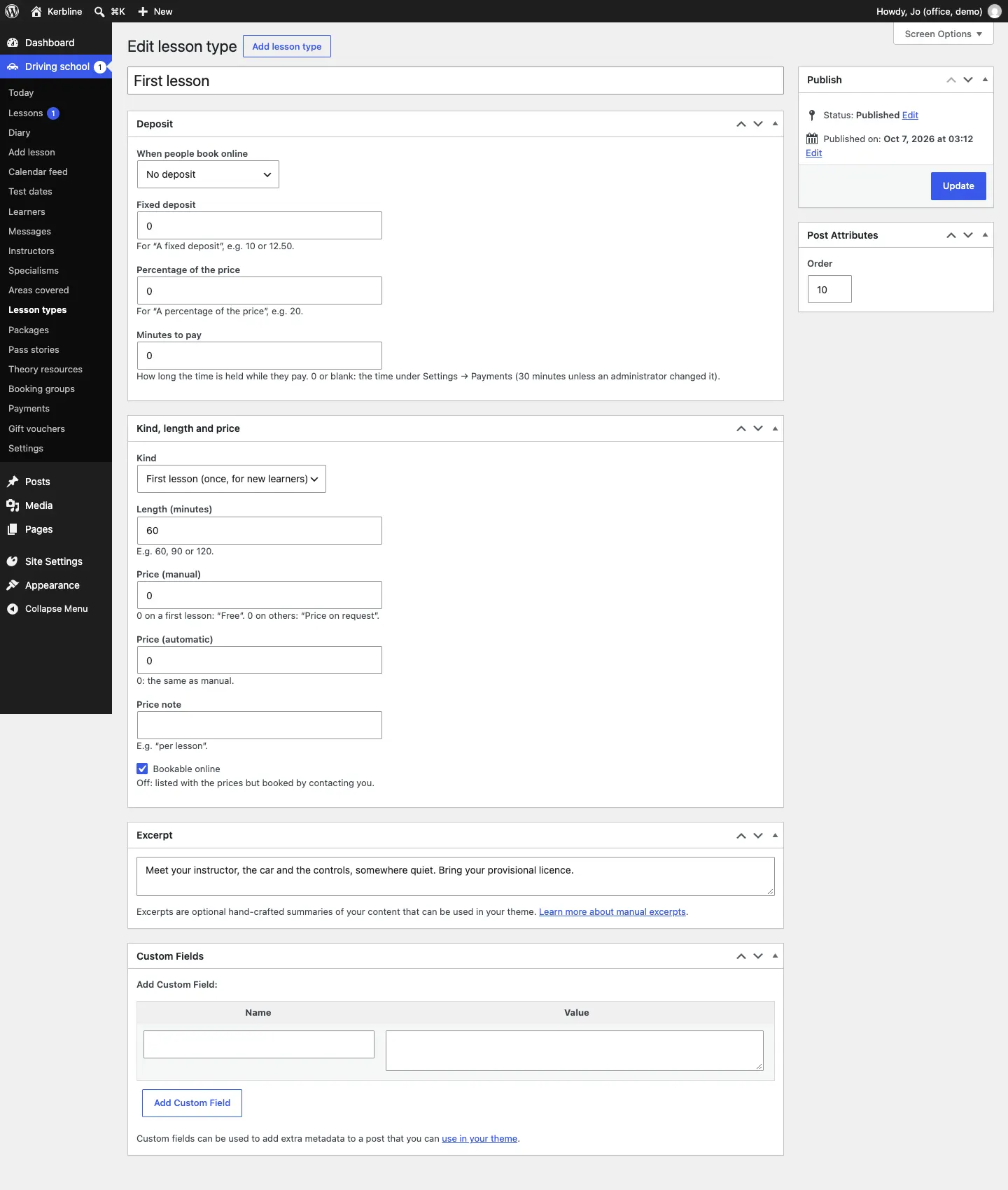
- Under Kind, length and price, fill in:
- Kind: Driving lesson, or First lesson (once, for new learners).
- Length (minutes): for example 60, 90 or 120.
- Price (manual): on a first lesson, 0 shows "Free". On other lessons, 0 shows "Price on request".
- Price (automatic): 0 means the same as manual.
- Price note: for example "per lesson".
- Bookable online: switch off to list the lesson with the prices but have learners contact you to book it.
- Write a short description in Excerpt, for example "Steady weekly progress." It shows under the price.
- Use Order (under Post Attributes) to set the order lessons are listed in.
- Click Update (or Publish for a new one).
First lessons
A first lesson is once per learner, and only for new learners. You can change both rules under Driving school → Settings → Lessons → First lessons:
- One first lesson per learner: a learner who has had (or has booked) a first lesson is asked to book a normal lesson instead.
- First lessons are for new learners only: learners who already have lessons with you book a normal lesson.
Give the first lesson a price of 0 for a free one.
Paying before the lesson (Pro)
Once online payments are set up (see Payments and gift vouchers), each lesson type can ask for all or part of its price when learners book. Use the Deposit panel on the lesson type:
- Under When people book online, choose No deposit, A fixed deposit, A percentage of the price or The full price (prepay).
- For a fixed deposit, type the amount in Fixed deposit, for example 10 or 12.50. For a percentage, type it in Percentage of the price, for example 20.
- Minutes to pay: how long the time is held while they pay. Leave it empty to use the time under Settings → Payments.
- Click Update.
While the learner pays, the lesson shows as Waiting for payment in the diary. Learners who pay with block hours (Pro) don't pay a deposit: the hours pay for the lesson instead.
Showing or hiding prices
To hide every price, switch off Show prices on the website under Driving school → Settings → Lessons → Your policy and prices. Visitors then see "Price on request".
What learners see
The Lessons and prices page shows the first lesson, the lesson lengths with a Manual and Automatic switch, and your block bookings (Pro) with a Buy hours form. See Block bookings and courses.