Running your website
The learner account (Pro)
What learners see when they sign in: their next lessons, the test tracker, block hours, progress, lesson notes, theory guides, their parent's contact and their data, and how they first get in.
On this page
The Learner account page is where learners sign in to see everything about their lessons in one place: their next lessons with links to move or cancel, the hours left on their block, a countdown to their test, the progress their instructor has scored, the notes after each lesson and the theory guides they've finished.
Everything in this chapter needs a Pro or Agency licence.
How learners get in
- The first time someone books (or buys hours), they get an email ("Learner account ready") with a link to set a password.
- They go to the Learner account page (the Learner sign-in link in the header) and sign in with their Email or username and Password.
- If they've lost the email or forgotten the password, they click Set or reset your password.
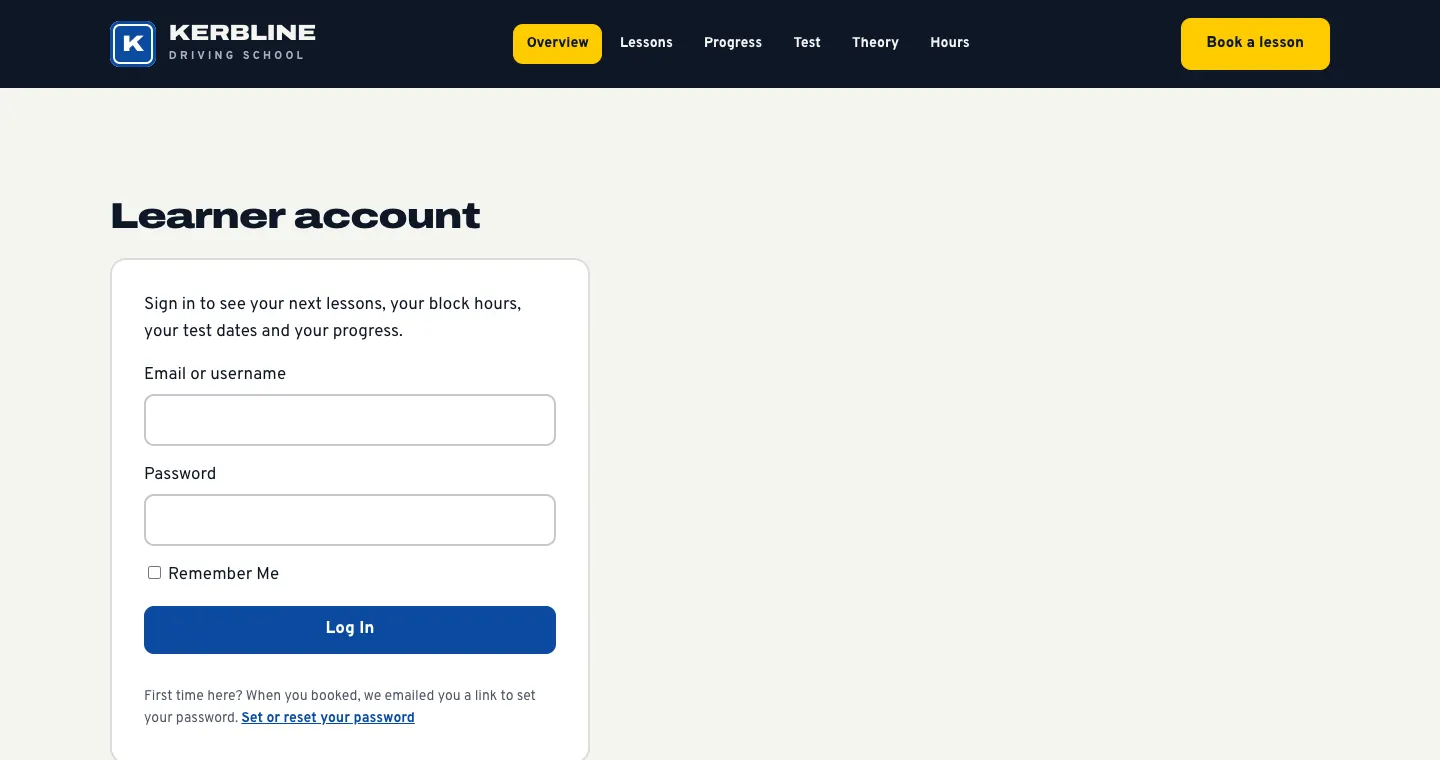
Learners who sign in always go to their learner account, never to the staff screens.
What learners see
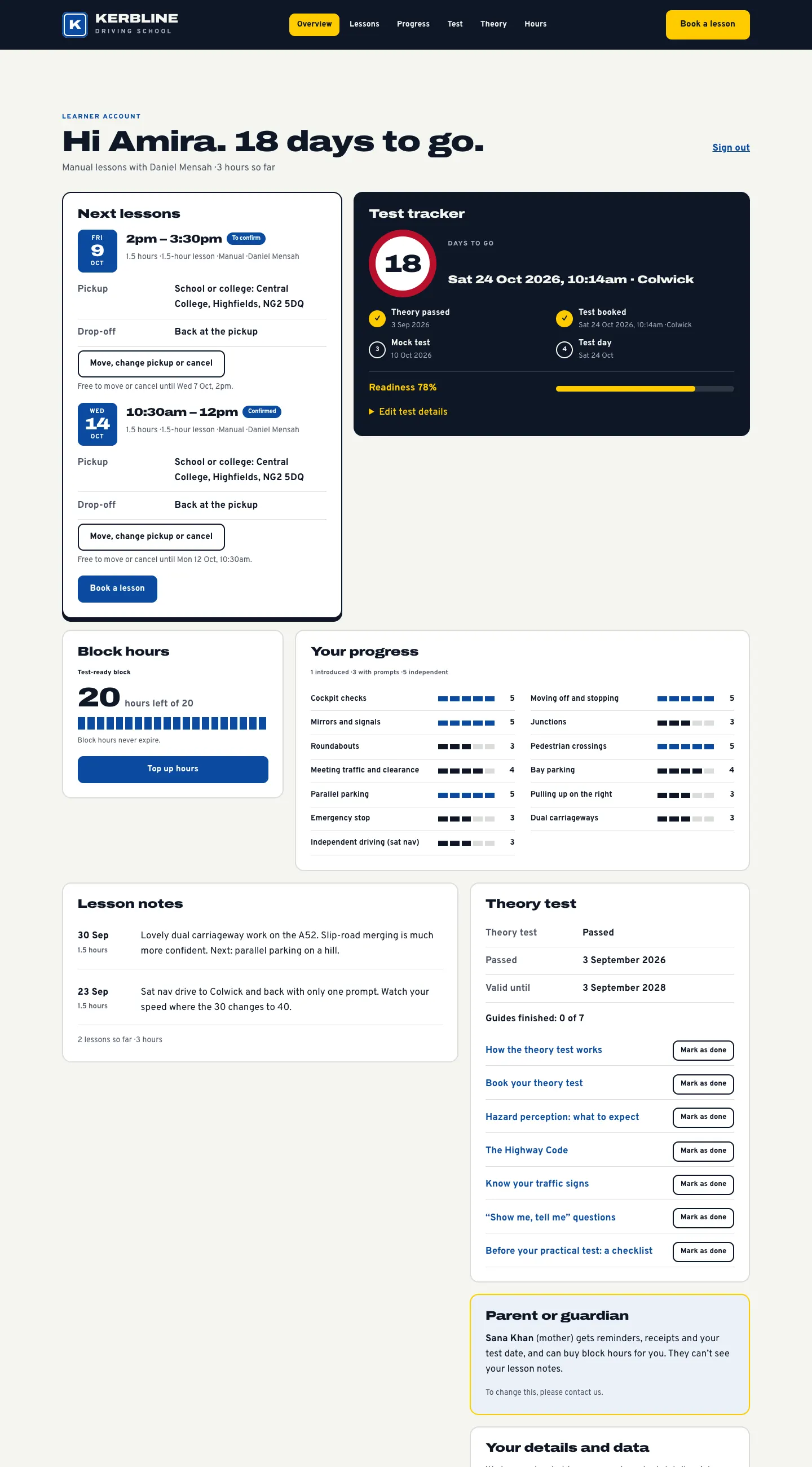
The top of the page greets them, for example "Hi Amira. 18 days to go.", with their gearbox, their instructor and the hours taught so far, and a Sign out button.
Next lessons
Each coming lesson shows the date and time, the status (To confirm or Confirmed), the lesson, gearbox and instructor, the Pickup and Drop-off, and a Move, change pickup or cancel link with the cut-off ("Free to move or cancel until Wed 7 Oct, 2pm."). A Book a lesson button is underneath. Lessons booked as a set show as one ("4 lessons, every Tuesday at 3:30pm with Daniel", "Lesson 2 of 4").
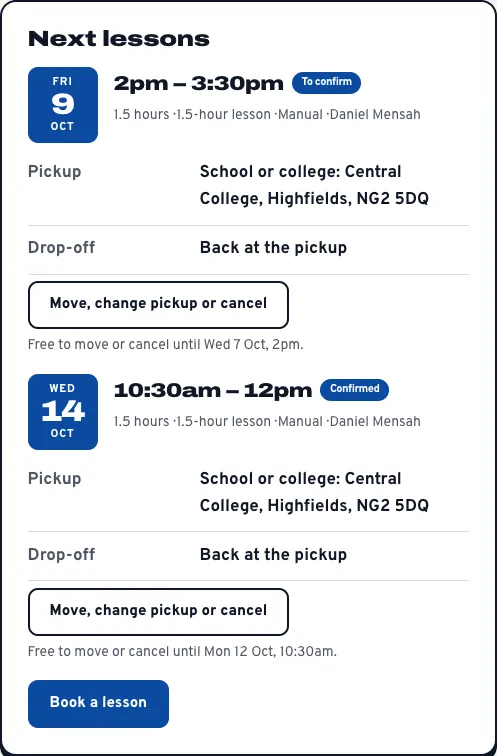
The link opens the lesson's own page. See Online booking.
The test tracker
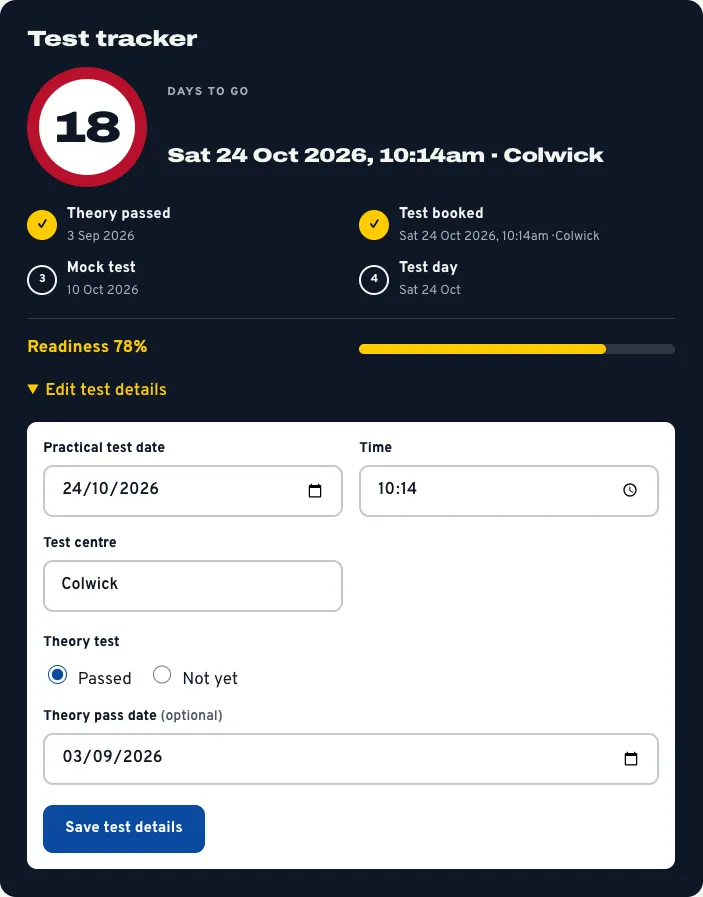
The Test tracker counts down the days to the practical test and ticks off the milestones: Theory passed, Test booked, Mock test and Test day, with their readiness.
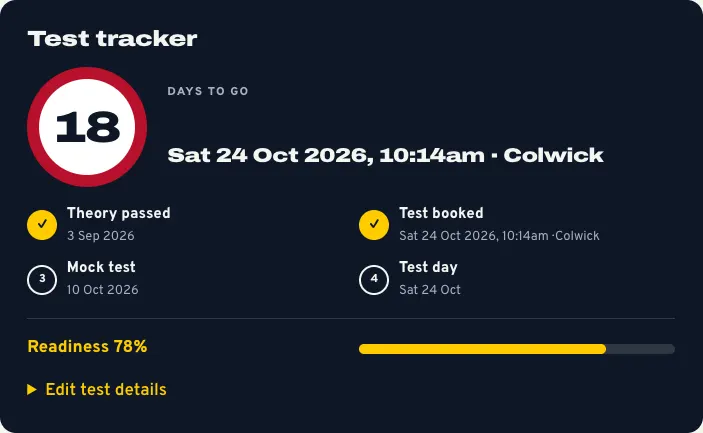
To add or change their test, the learner clicks Edit test details, fills in the Practical test date, Time, Test centre, Theory test (Passed or Not yet) and Theory pass date (optional), and clicks Save test details. They (and the parent of an under-18) get one email, and the test appears on Driving school → Test dates and in the diary.
Block hours
The package, the hours left, whether they expire, and Top up hours. See Block bookings and courses.
Your progress
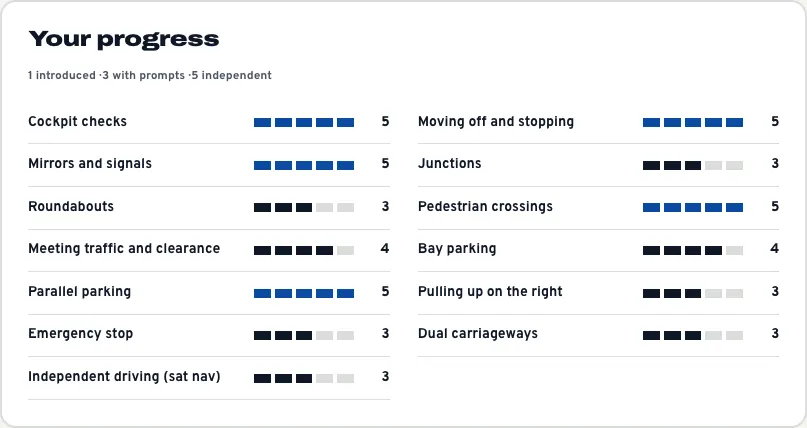
Each skill in your syllabus with the score their instructor gave it, from 1 (introduced) to 5 (independent).
Lesson notes
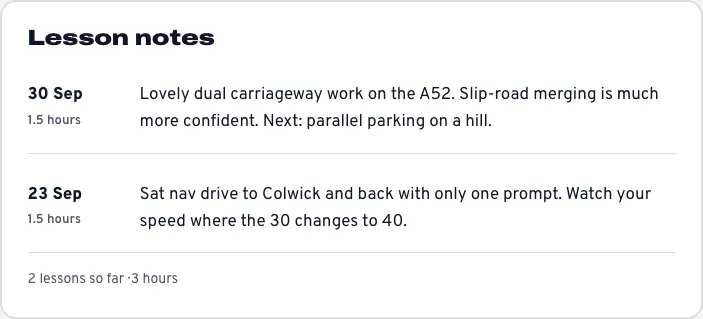
The Note for the learner the instructor wrote after each lesson, newest first, with the total lessons and hours so far. Only the learner sees these: they're never emailed, and the parent doesn't see them.
Theory test
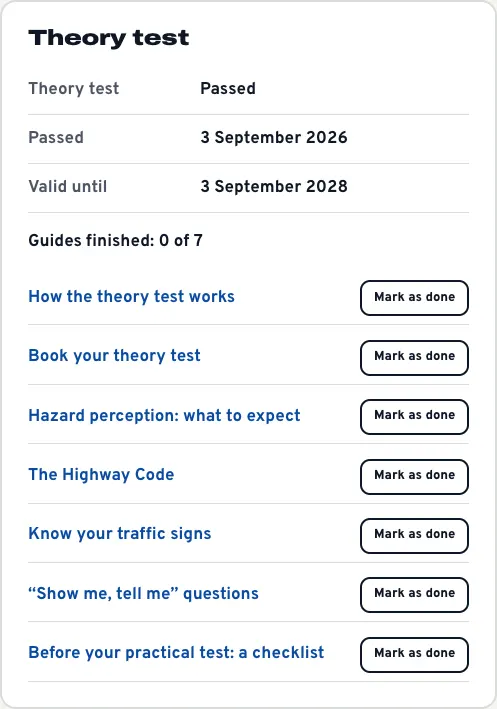
Their theory pass and how long it's valid, and your theory guides, each with Mark as done. Their instructor sees how many they've finished.
Parent or guardian
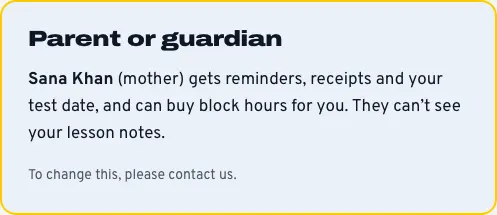
For under-18s, who gets their reminders, receipts and test dates, for example "Sana Khan (mother) gets reminders, receipts and your test date, and can buy block hours for you. They can't see your lesson notes." To change it, the learner contacts you.
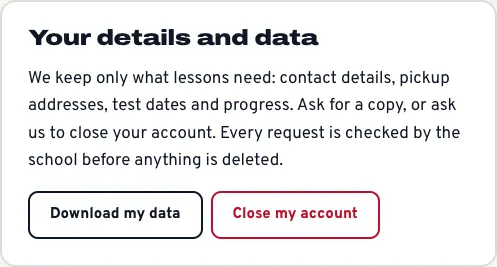
Your details and data
Two buttons: Download my data and Close my account. Both come to you to check first; nothing is deleted until you act. See Learners and parents.
On a phone
The cards stack one under the other.

Changing what learners are scored on
The skills come from your syllabus under Driving school → Settings → Learners → Skills and progress, one skill per line. Edit it freely. See Settings.