Setting up
Designs, pages and menus
The four designs of the Events theme (Club, Day Party, Culture, Festival), their palettes, the starter pages and the main menu.
On this page
Choose a design and its colours under Site Settings → Design & colours. Every design shows the same content, so you can change your mind at any time.
| Design | What it's like |
|---|---|
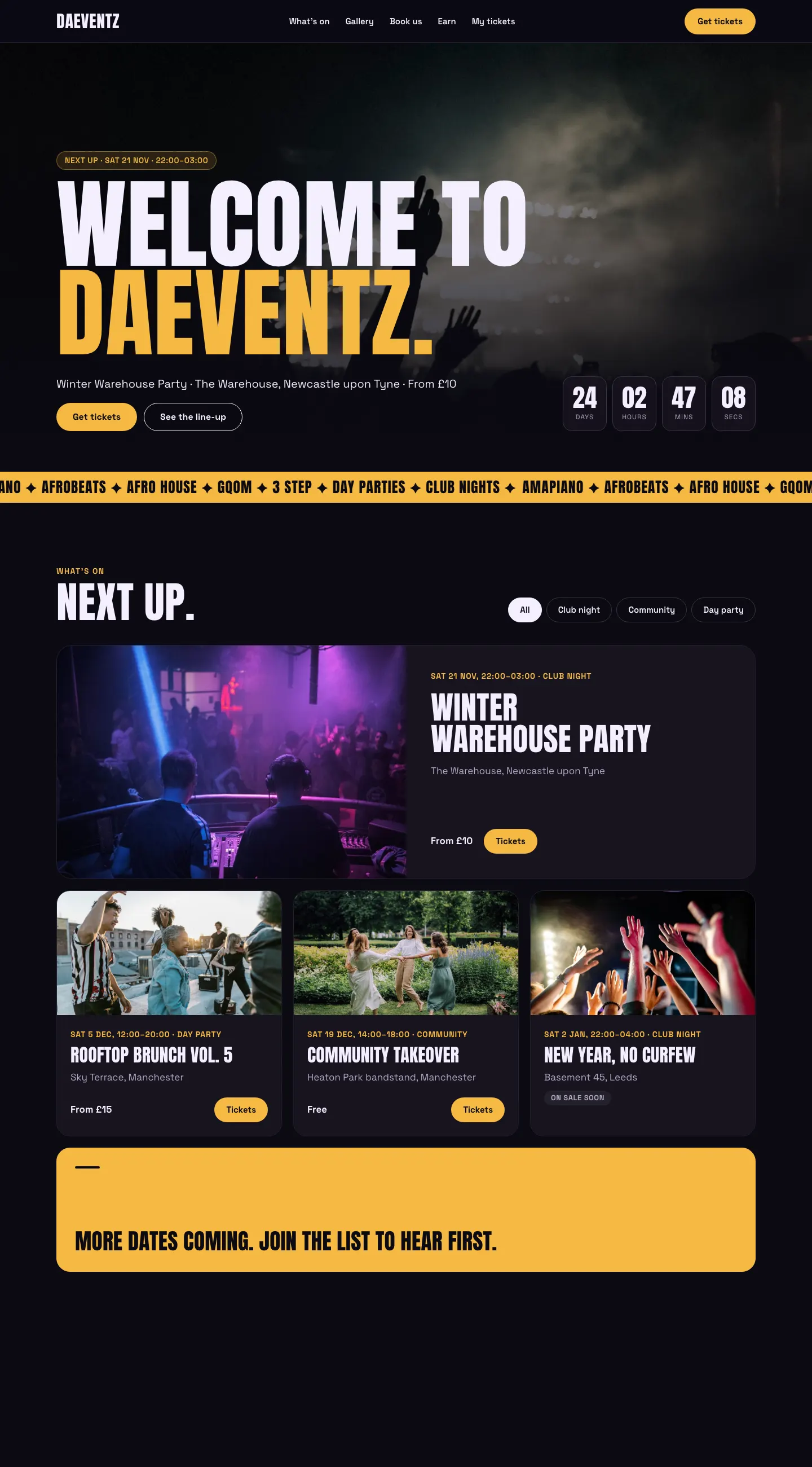
| Club | Dark and bold for club nights: tall capitals, gold buttons, a full-width crowd photo with a countdown to the next event. |
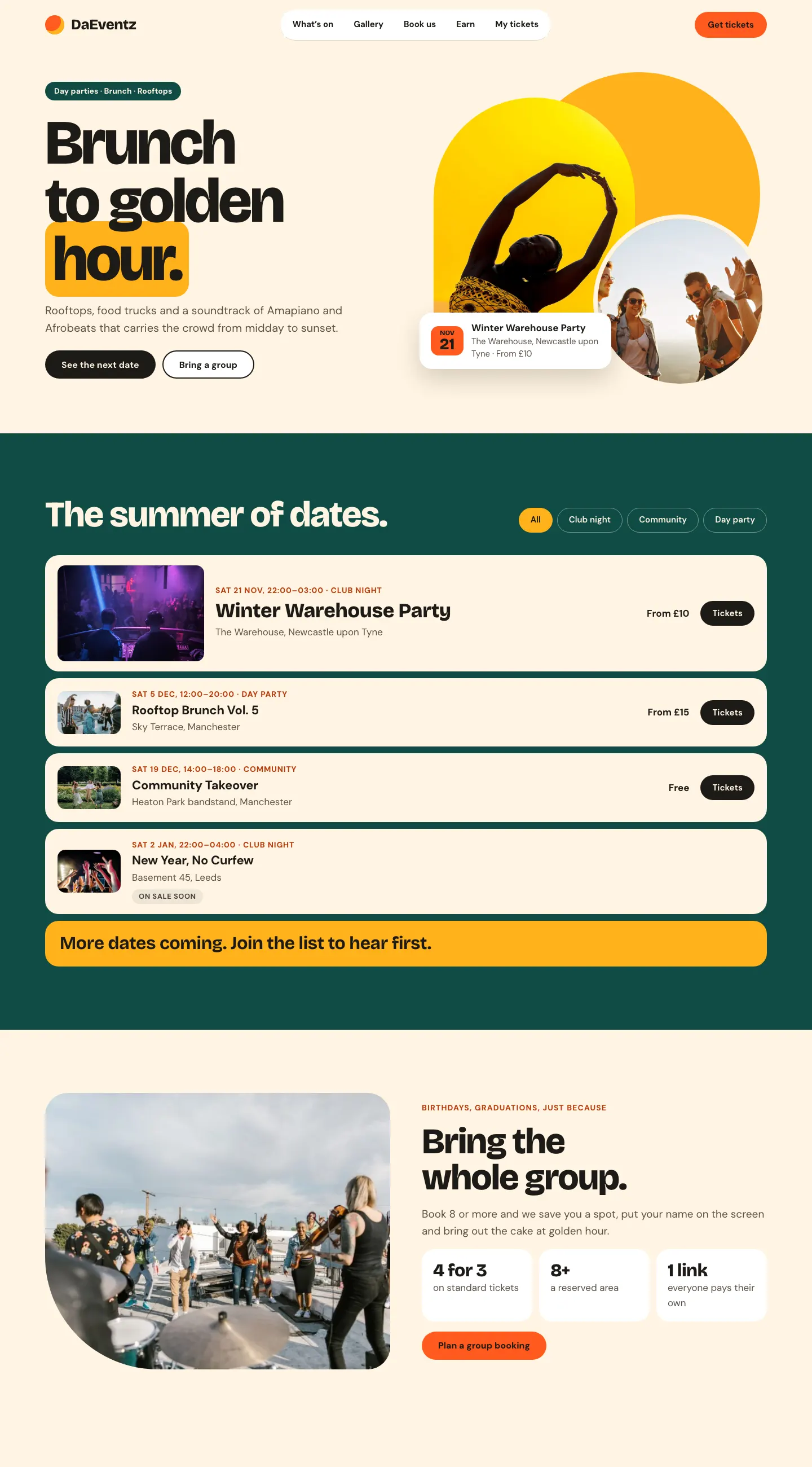
| Day Party | Bright and warm: cream, orange and sun yellow, arched and round photos, dates as a list with "Early bird ends Friday" and "Free · RSVP". |
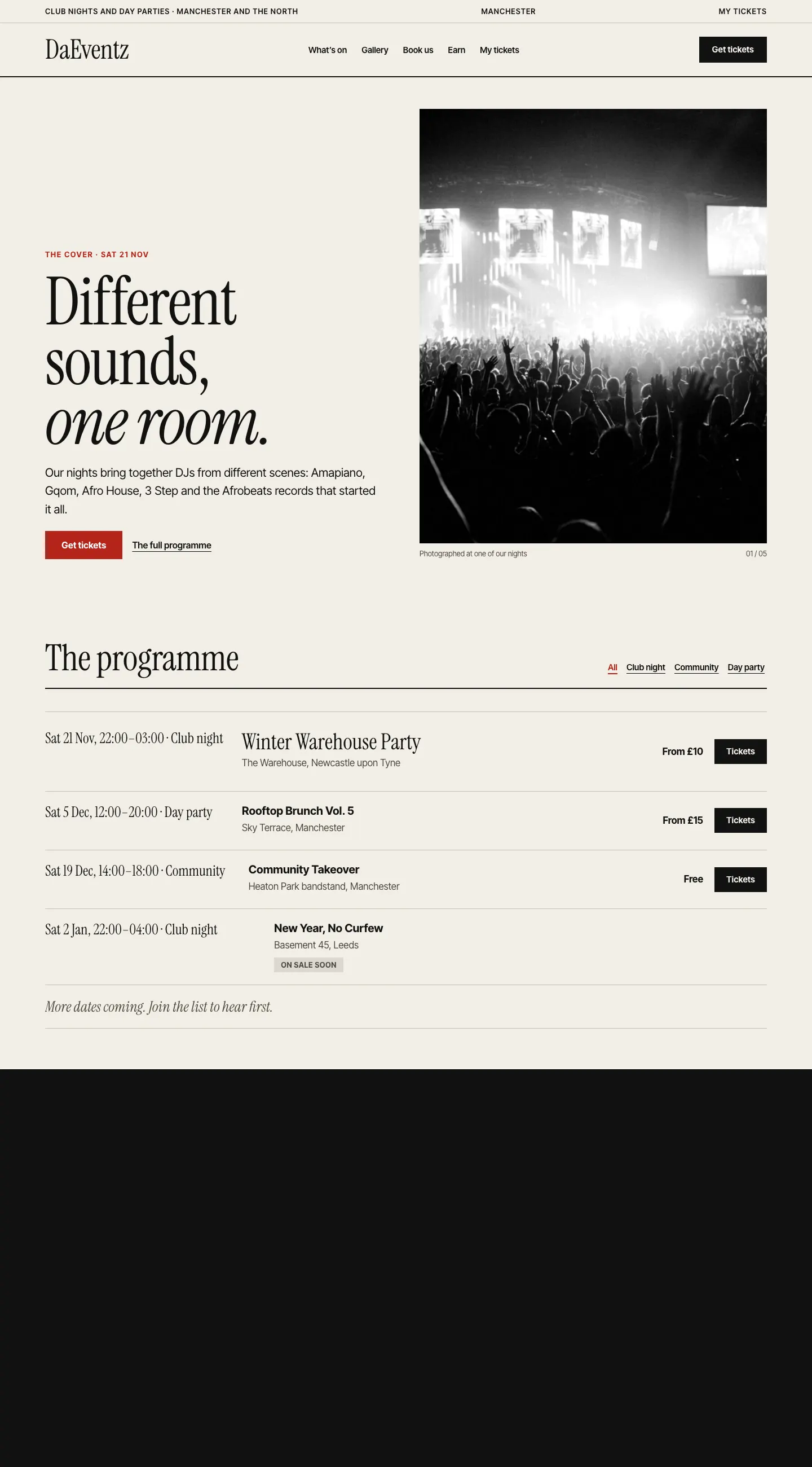
| Culture | Like a magazine: a serif headline, the season's programme as a table, a story with a big quote. |
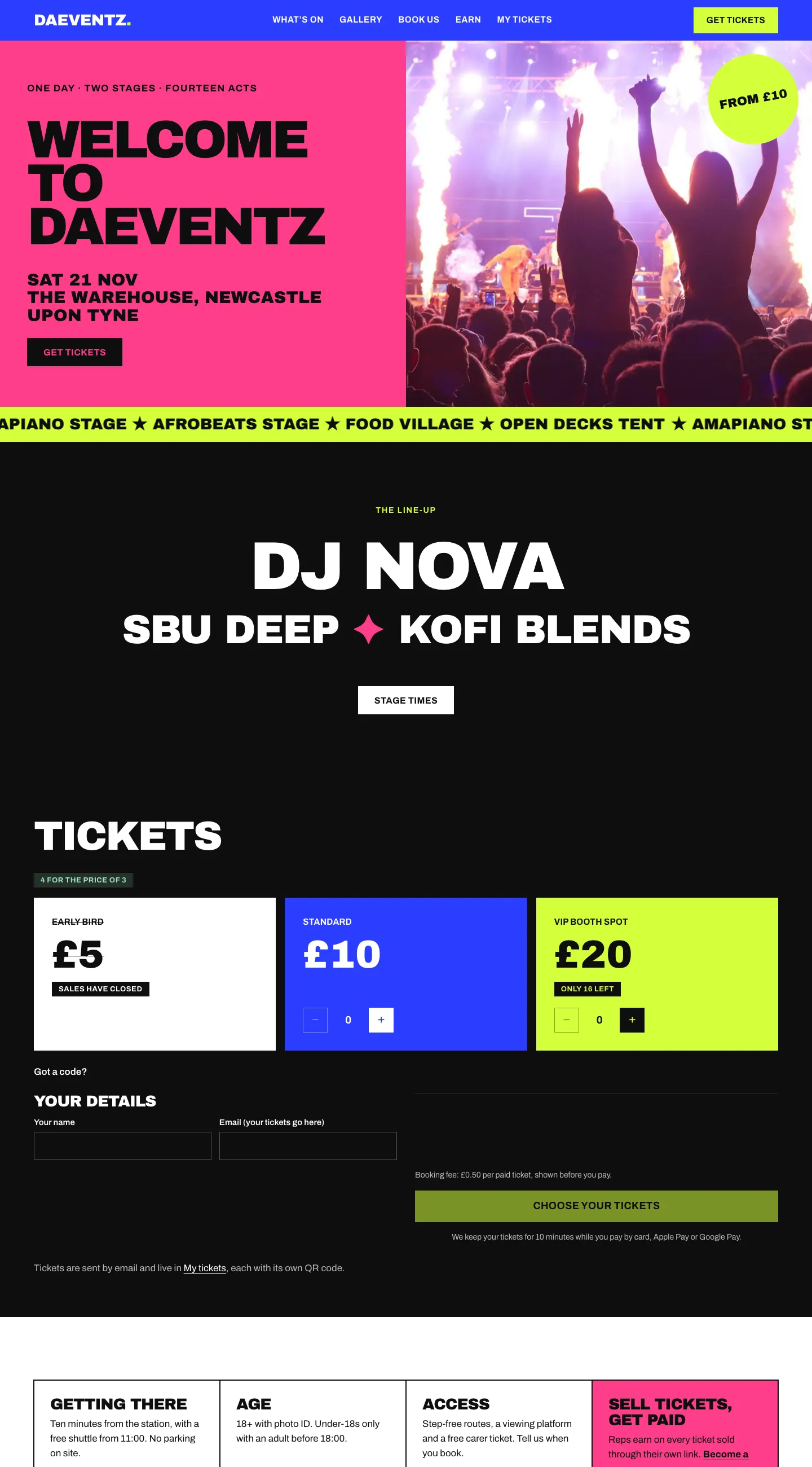
| Festival | Big blocks of colour: a poster-style line-up, ticket tiers on the home page, visitor information in a grid. |
Each design has its own palettes. Every text colour is checked to read clearly on its background.
Club

Day Party

Culture

Festival

Lists that fit
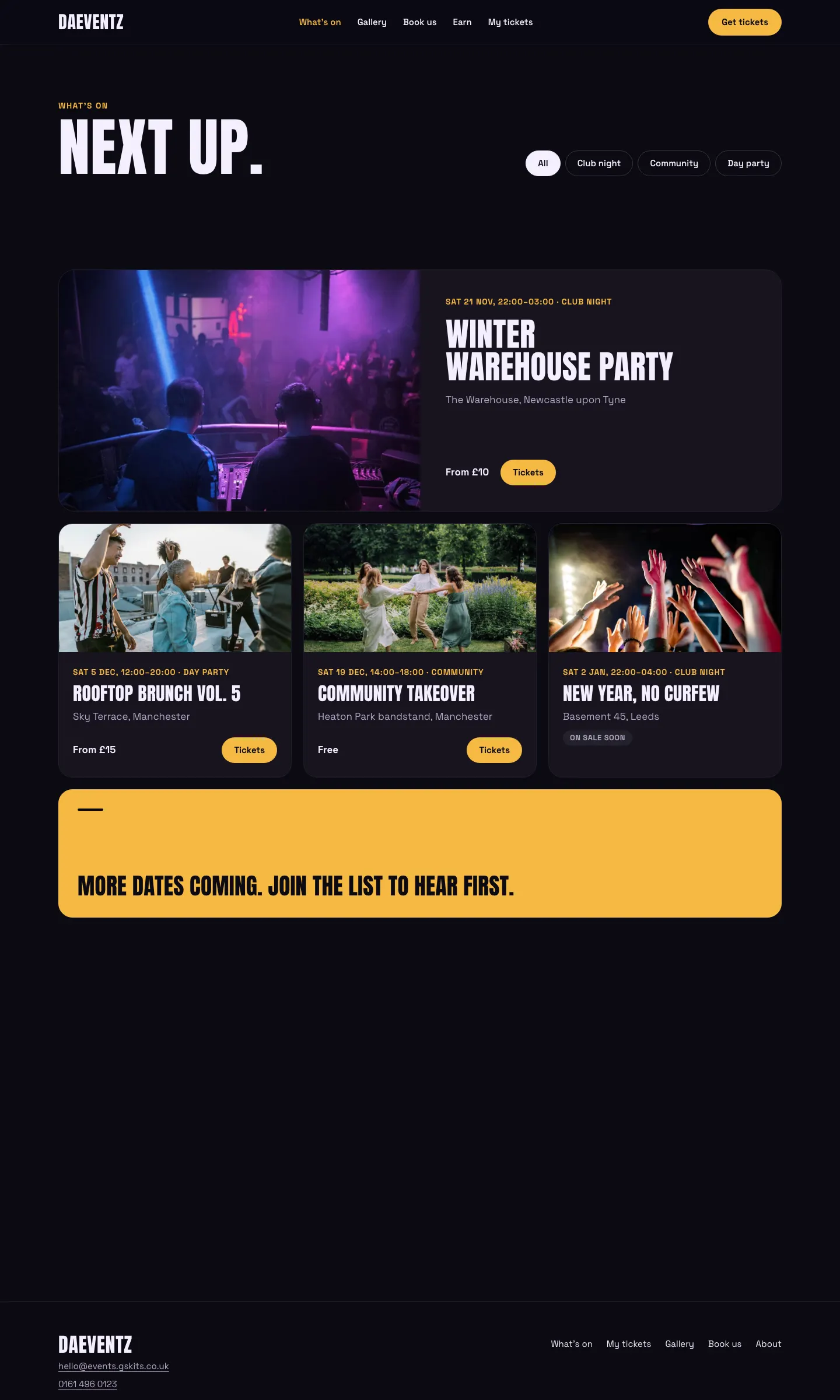
Lists of events, albums and the crew change their layout with how many there are, so a page never has a big empty space:
- one item is shown large, across the page;
- two sit side by side;
- three or more make a grid led by the next event or the newest album.
When there are only a few events, a "More dates coming" card fills the gap; set its words and link in the block's settings. The Albums block also has a wall layout: even photos with the album's name and date under each, newest first.
Pages and the menu
The wizard's starter pages each use the design's own layout. The main menu links What's on, Gallery, Book us, Earn (Pro), My tickets and a Get tickets button. Change the menu under Appearance → Editor → Navigation. See Pages and content.
The Credits page
The Credits page lists who took the photos on your website. Add a line for anything else you'd like to credit, such as the artist or tool that made your logo.