Running your website
Points and rewards (Pro)
How people earn points (spending, coming, bringing a friend, social tasks), checking claims, the Instagram follow check, rewards and their codes, and the settings.
On this page
Points need a Pro or Agency licence. Name them under Events → Settings → Points (for example "Yard Points").
Points that are added by themselves
- Spending: points per £1 of tickets (5 at first; the booking fee doesn't count). A refund takes them back.
- Coming: points when their ticket is checked in at the door, once per event.
- Bringing a friend: everyone has their own link on My tickets. When a friend's first paid order comes through it, both get points (150 at first). Nobody gets points for referring themselves.
Social tasks, checked by your team
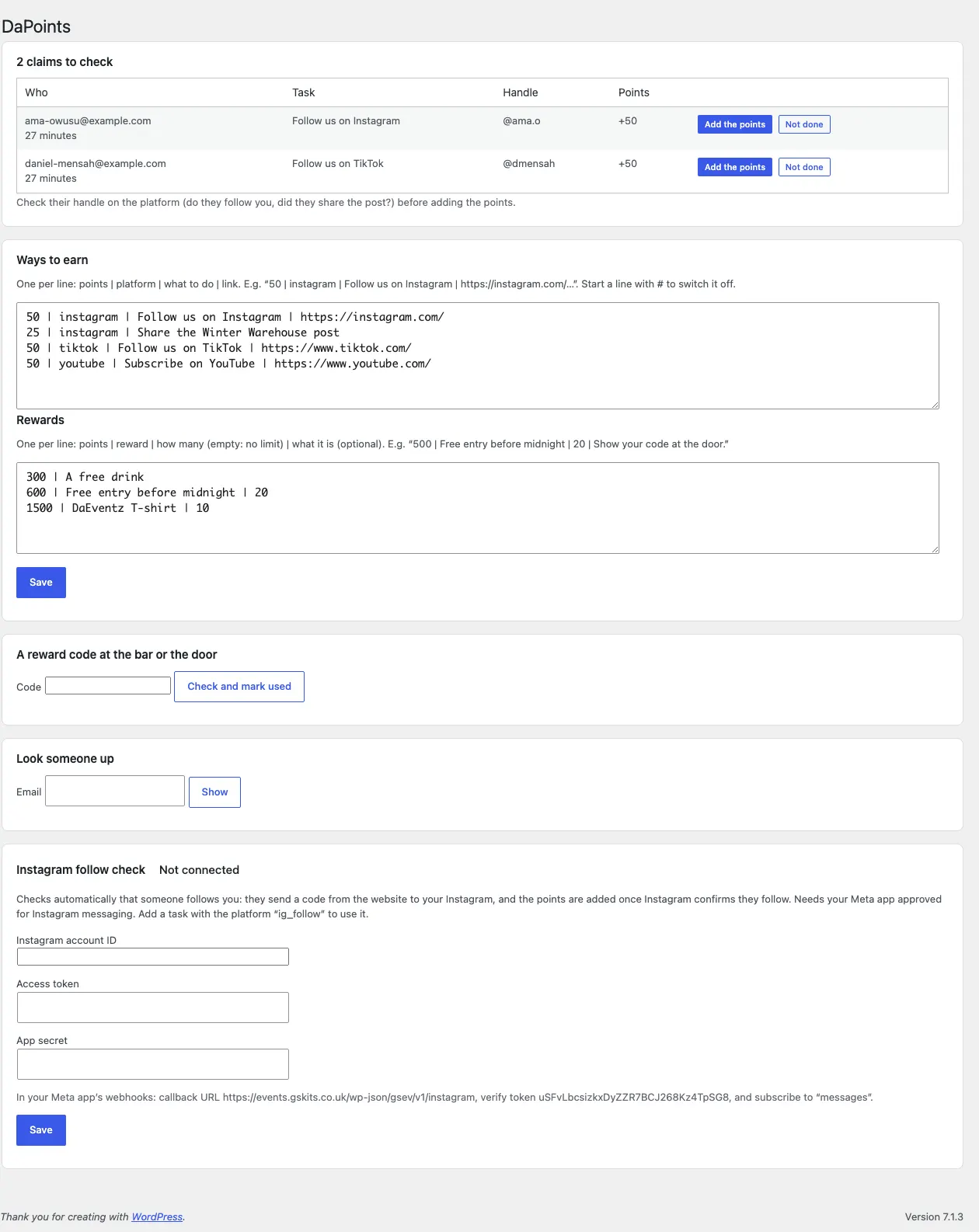
Websites can't see who follows you on Instagram or TikTok, so these are claims your team checks. Add them under Events → Points → Ways to earn, one per line:
50 | instagram | Follow us on Instagram | https://instagram.com/yourname
Platforms: instagram, ig_follow (see below), tiktok, youtube, x, facebook, other. Start a line with # to switch it off.
On My tickets or the Earn page, a signed-in buyer taps I did it with their handle. The claim waits under Events → Points → claims to check: look at the platform (do they follow you? did they share the post?) and click Add the points or Not done. Each task can be claimed once, and there's a daily limit on social points per person (Settings → Points).
The Instagram follow check
With your Meta app approved for Instagram messaging, a task with the platform ig_follow is checked automatically:
- The buyer taps Get my code and gets a code like
PTS-4K7Q9M. - They send it to your Instagram as a message.
- Instagram tells your website whether they follow you. If they do, the points are added, their handle is saved and they get a thank-you message. If not, they're asked to follow and send the code again.
Connect it under Events → Points → Instagram follow check: your Instagram account ID, access token and app secret, and set the webhook address and verify token shown there in your Meta app. Until it's connected, use an ordinary instagram task that your team checks.
Rewards
Add rewards under Events → Points → Rewards, one per line:
500 | Free entry before midnight | 20 | Show your code at the door.
(points, the reward, how many, and what it is; leave "how many" empty for no limit, and the last part off if you don't need it). A buyer with enough points taps Get it and gets a code to show at the bar or the door. Staff type it into A reward code at the bar or the door to check it and mark it used; a used code says when it was used.
Look someone up shows anyone's balance and history.
The Earn page's layout
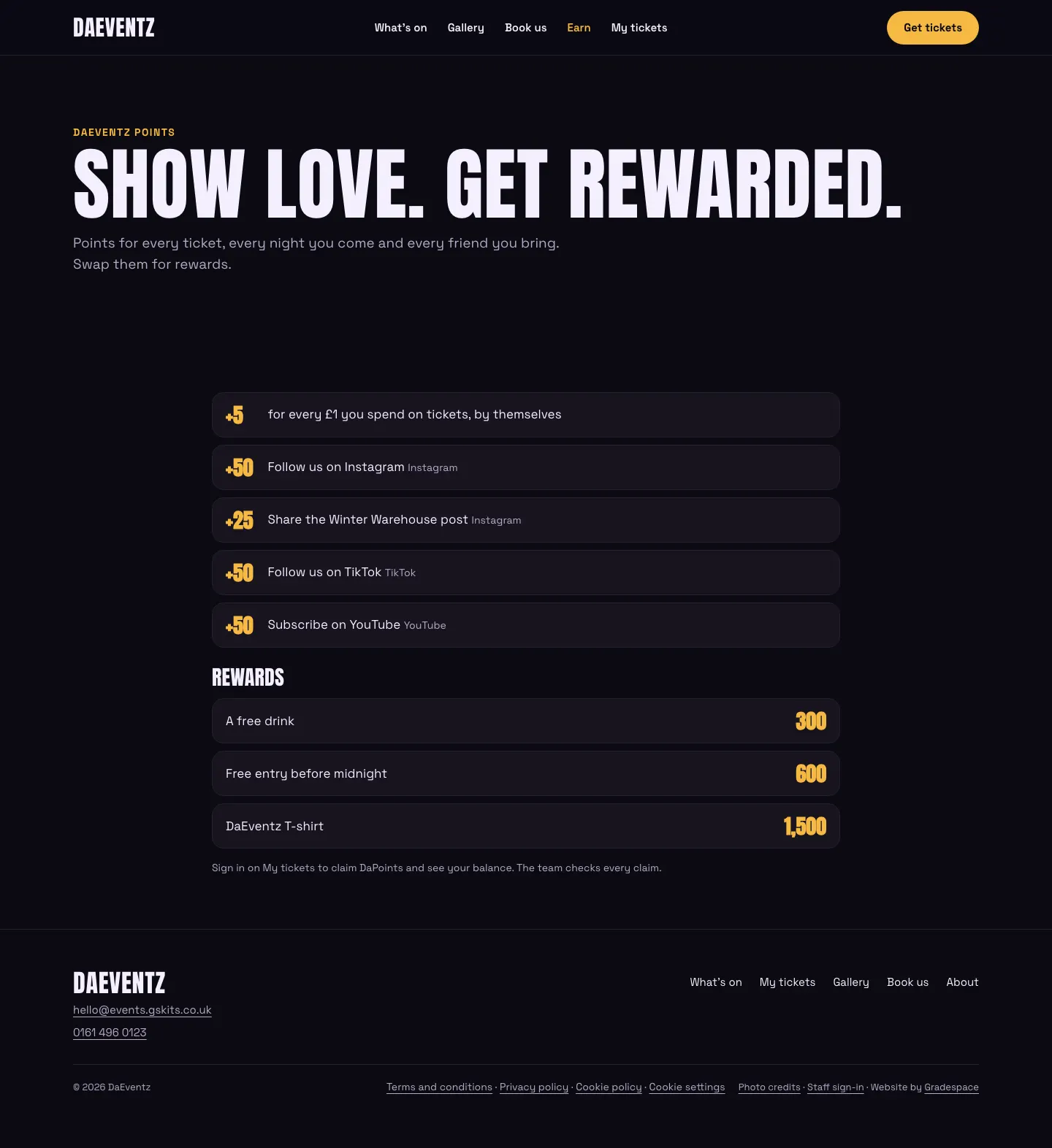
The Earn block on your Earn page lists the ways to earn and the rewards. In the block's settings (the editor's side panel):
- Layout: empty for a simple list, or
groupedfor a card per platform (Instagram, YouTube, TikTok, other ways in) with each way to earn and an I did it button, and the rewards as cards with what each one is and a Redeem button. - Show: empty for both,
tasksfor only the ways to earn, orrewardsfor only the rewards. Use two Earn blocks (onetasks, onerewards) to put your own heading, such as "The store", between them.
The buttons take people who aren't signed in to My tickets to sign in first.