Running your website
DJ bookings
The Book us form, the list of requests by stage, clashes, notes, deposit links that book the date when paid, and the settings.
On this page
The Book us page has a form for people who want you (or one of the crew) for their event: the kind of event, date, start time, set length, venue, guests, equipment, budget and a message. Crew members with Takes bookings ticked can be chosen on the form.
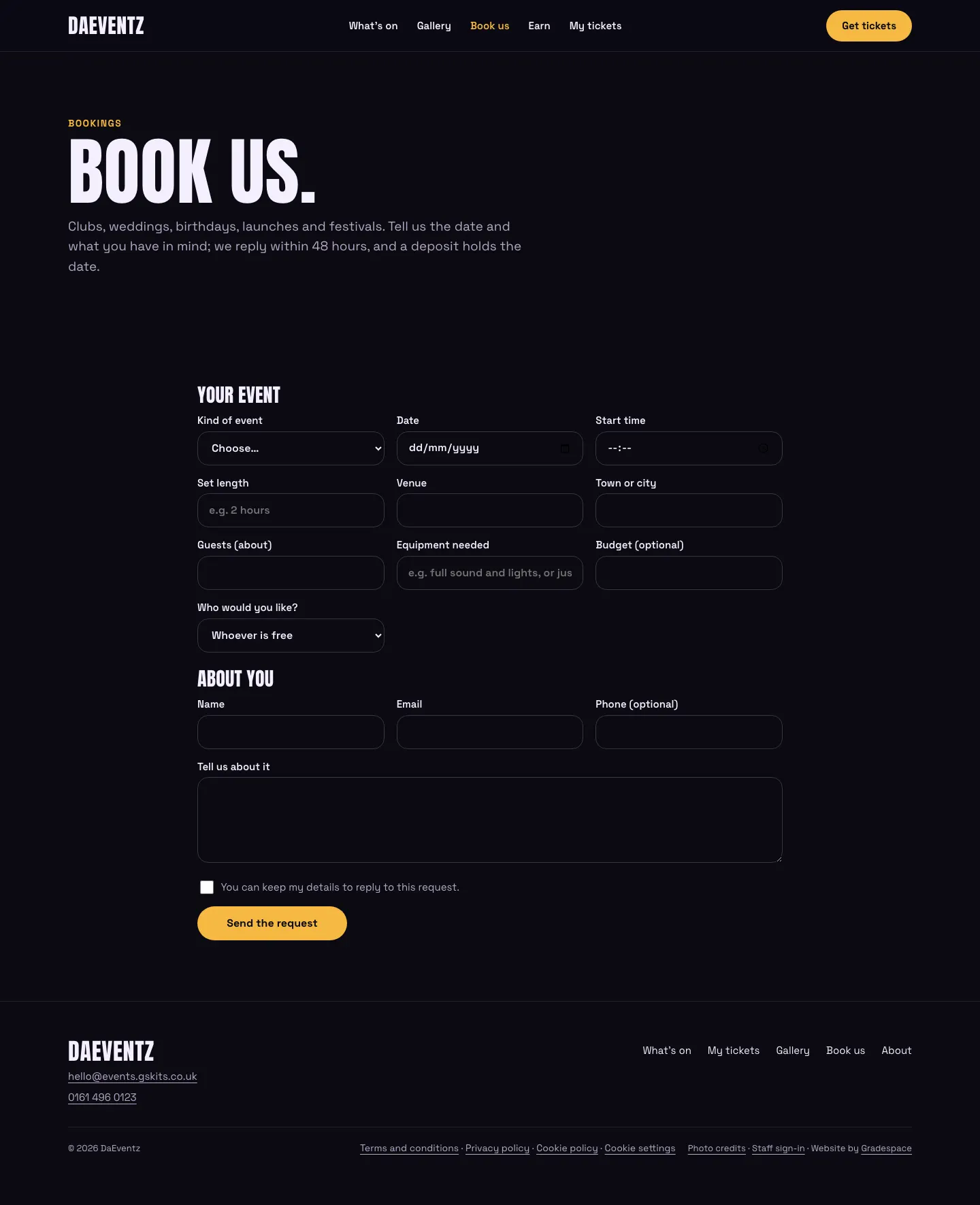
Requests land under Events → DJ bookings, in stages: New, Quote sent, Booked, Done and Didn't go ahead. The person gets an automatic reply and your team an email (to Settings → Email → Send booking requests to).

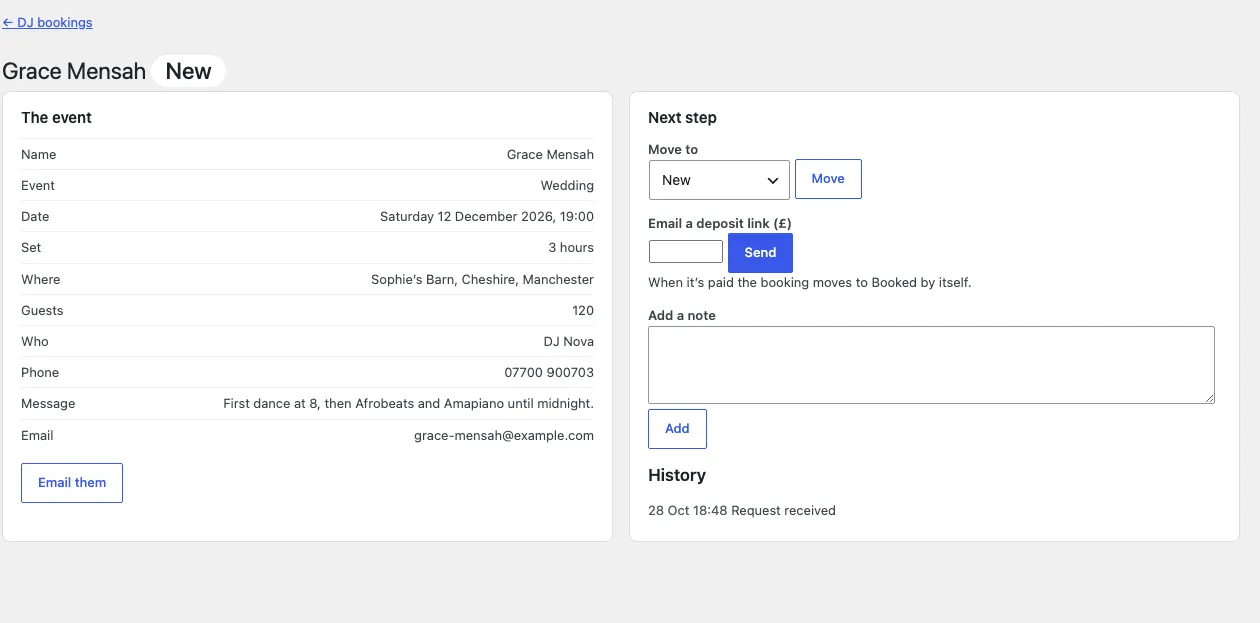
Open a request to:
- read the details, and Email them;
- Move to another stage;
- Email a deposit link: type the amount and click Send. They pay on Stripe's page, and once it's paid the booking moves to Booked by itself and they get a Date booked email;
- Add a note, with the history kept below.
If that crew member (or anyone, when nobody is chosen) is already booked on that date, the request says Date already booked, and it can't be moved to Booked until the clash is sorted out.
Settings: Events → Settings → DJ bookings (form on or off, the kinds of event, the reply and the deposit note).
Booking one person only
To take bookings for one DJ only, untick Takes bookings for everyone else in the crew, or give the booking block that crew member in its settings (Crew member): the form then books them without asking who.
Your own questions
A website developer can add your own questions to the form (for example the venue's full address, whether travel is provided, music genres or equipment at the venue), hide questions you don't need, and change the wording of the button and the consent line, from a child theme. The answers are kept with each request and shown in its emails and on its page. The filters are listed in the plugin's changelog (0.1.1).