Running your website
Reps (Pro)
Rep applications, approving a rep (their code, link, commission and optional discount), what counts as their sales, paying them, and pausing a rep.
On this page
Reps sell your tickets to their people with their own link and code, and earn commission. Reps need a Pro or Agency licence.
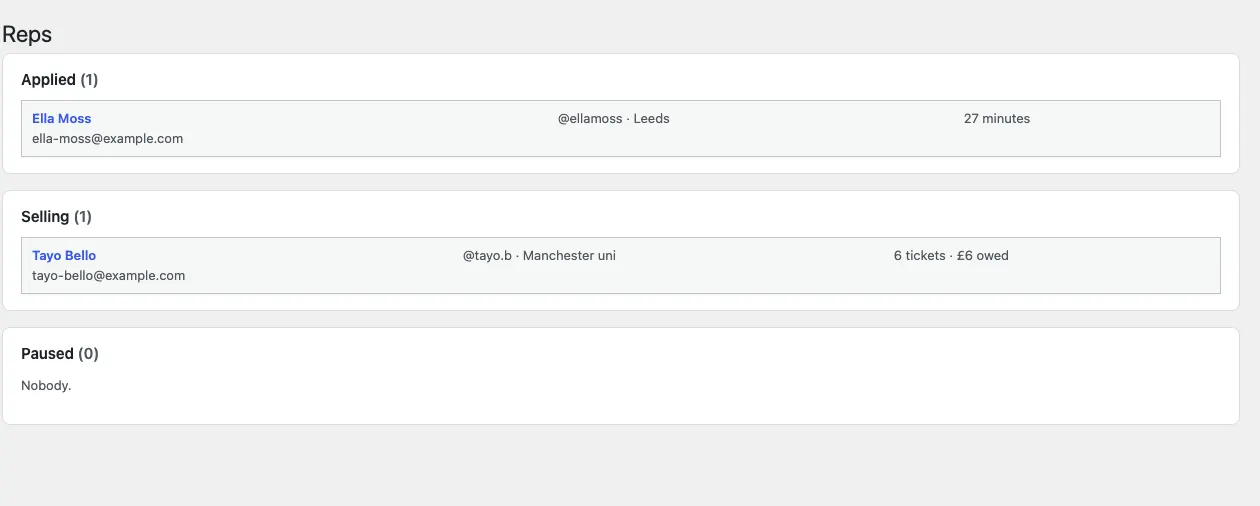
Applications
The Become a rep page has the application form: name, email, phone, Instagram or TikTok, where their people are and a few words about them. To ask for a name and email only (you learn the rest when you get in touch), tick Ask for name and email only in the Become a rep block's settings. The block can go on any page, for example under your events. Applications land under Events → Reps → Applied, and your team gets an email. Turn applications on or off, and set the starting commission, under Settings → Reps.
Approving a rep
Open the application and choose:
- Code: their own code (made from their name if you leave it empty).
- Commission: an amount per ticket, or a percentage of the ticket price (booking fees left out).
- Discount for their buyers: 0 for none. With 0 the code only tracks their sales.
Click Approve and email their link. They get their link (your website's address with ?rep=THEIRCODE) and code. Anyone who arrives through the link in the next 30 days counts as their sale even without typing the code. A rep's code never unlocks hidden tickets.
Sales and paying reps
Each rep's page shows their tickets and earnings per event. Commission counts only tickets still valid or used, so a refund takes its commission back by itself. When you pay a rep (by bank transfer, for example), Record a payout: the page then shows paid and owed. There are no automatic payments.
Reps see their link, code and money on My tickets (signed in with the email they applied with).
Pause their link stops their code and link working; approve them again to start again.