Running your website
Running the salon day to day
A simple daily and weekly routine for the front desk and stylists: the Today screen, the red badges, requests, done and no-shows, messages, payments and keeping records tidy.
On this page
Once the website is set up, it mostly runs itself: clients book, get their emails and reminders, and move or cancel with their link. This chapter is the short routine that keeps everything right, for whoever is on the front desk.
Features marked (Pro) need a Pro or Agency licence.
Signing in
- Go to your website's address followed by /wp-admin (for example yoursalon.com/wp-admin), or click Staff sign-in at the very bottom of any page.
- Sign in with your own username and password. Please don't share accounts: the website records who did what.
- You land on Salon → Today.
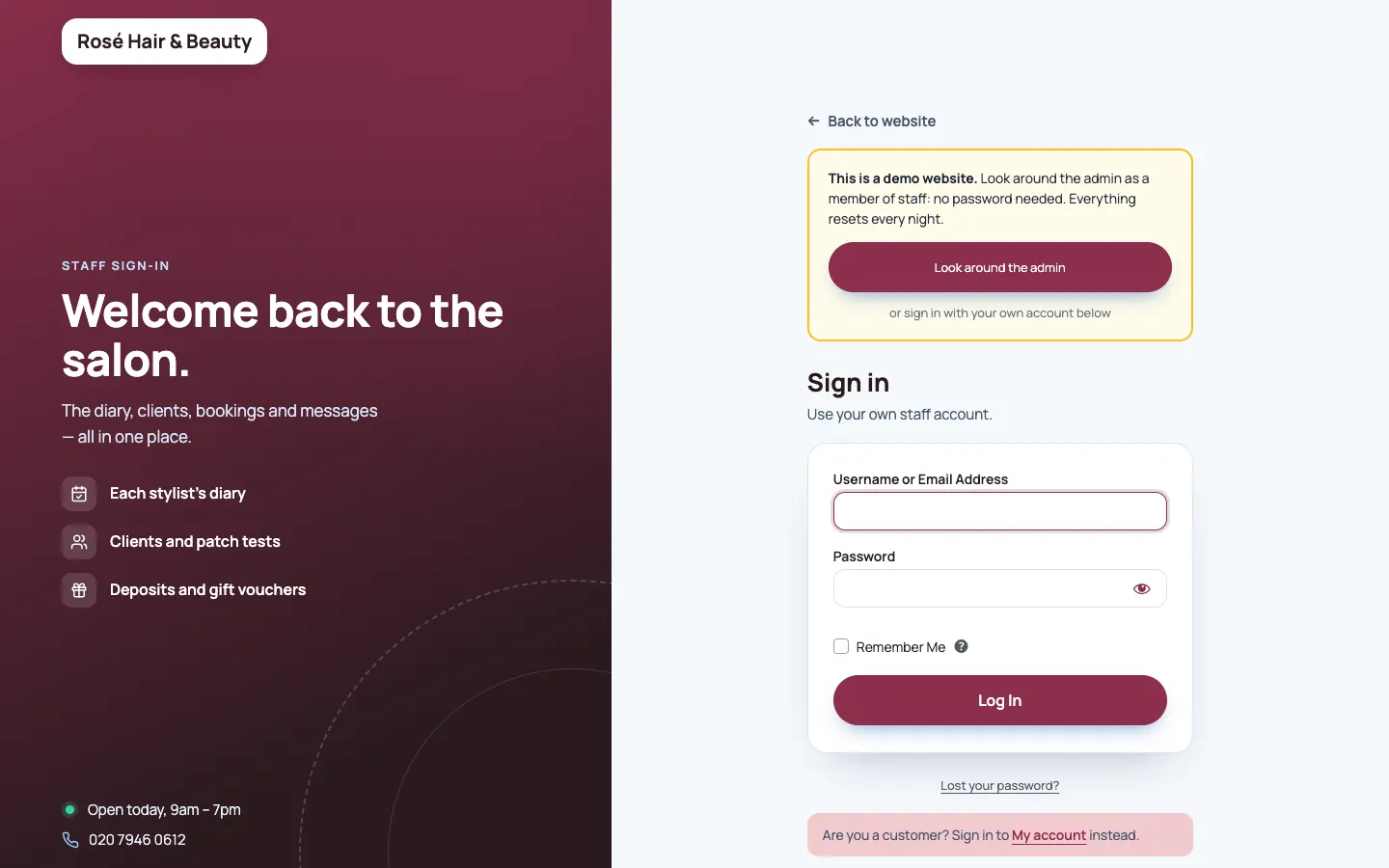
Forgotten your password? Click Lost your password? on the sign-in page. After 5 wrong passwords, sign-in pauses for 15 minutes. See Staff accounts and sign-in.
The red badges
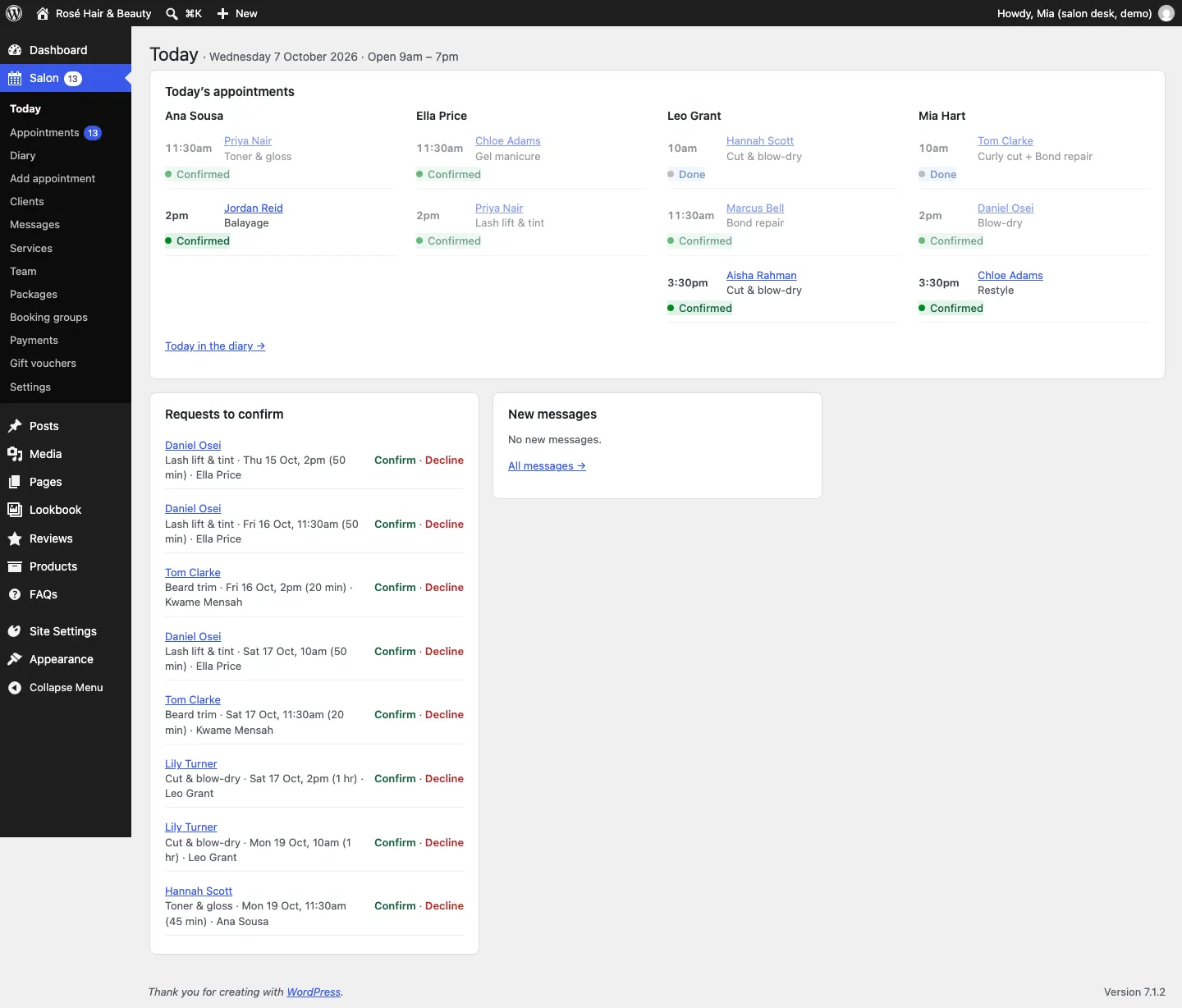
The red numbers in the left-hand menu show what's waiting:
| Badge on | Means |
|---|---|
| Salon | Everything below added together |
| Appointments | Online bookings waiting for you to confirm |
| Payments | Deposits waiting for you to decide: refund or keep (Pro) |
When a badge reaches zero it disappears.
Every morning
- Open Salon → Today. Check today's appointments for each person. Anything odd, such as a double-length colour, click to open it.
- Confirm or decline requests under Requests to confirm (only if you confirm online bookings yourself). Clients are waiting for your email.
- Read new messages under New messages and reply to anything urgent. See Messages.
- Open the diary (Today in the diary →) to see the day as columns, with breaks and days off shaded. See Appointments and the diary.
During the day
- Phone and walk-in bookings: Salon → Add appointment, or + Add in the diary.
- Someone wants to move: open the appointment and use Move or change.
- When a client has been: open the appointment and click Done. With the loyalty card (Pro), a stamp is added. For a patch test, the date goes on the client's record.
- A no-show: click Didn't come.
- A voucher at the till (Pro): Salon → Gift vouchers, find it, and Take it off.
- A deposit paid at the desk (Pro): open the booking and click Paid in the salon.
- Notes: add colour formulas and preferences to the client's record (Client record link on the appointment), so they're there next time.
Every week
- Look ahead in the diary (Week view) for gaps you could fill and clashes with holidays.
- Update hours and days off for the coming weeks: each person's Working hours under Salon → Team (or stylists under My hours). See Your team.
- Add closed days (bank holidays) under Salon → Settings → Opening hours.
- Check Salon → Payments (Pro): anything under To decide, and anything still Waiting.
Every few months
- Review old records: Salon → Clients → Due for review and Salon → Messages → Due for review. Delete what you no longer need. See Clients.
- Check your prices and services under Salon → Services, especially before a price rise.
- Replace sample photos with your own work, and add new looks to the Lookbook.
- Updates: install new versions of the kit when Dashboard → Updates shows them. See Backups and updates.
Quick answers
A client says they didn't get their email. Check the address on their appointment. Ask them to look in spam. Make sure From email under Salon → Settings → Email is on your own domain.
A time shows as free but the stylist is off. Add the day off to their Working hours → Days off and holidays.
A client can't find a time. Check Notice needed (hours) and Book up to (weeks ahead) under Salon → Settings → Bookings, and that the treatment is ticked for the stylist under Who does it. For colour, they may need to book 48 hours ahead for their patch test.
The website says "Online booking is paused". Take bookings online is off under Salon → Settings → Bookings.
More help is in Troubleshooting and support.
Where to find things
| To… | Go to |
|---|---|
| See today | Salon → Today |
| List or search appointments | Salon → Appointments |
| See the day, week or month | Salon → Diary |
| Book someone in | Salon → Add appointment |
| Find a client | Salon → Clients |
| Read messages | Salon → Messages |
| Change services and prices | Salon → Services |
| Change the team or their hours | Salon → Team (stylists: Salon → My hours) |
| Packages (Pro) | Salon → Packages |
| Group bookings | Salon → Booking groups |
| Deposits and refunds (Pro) | Salon → Payments |
| Gift vouchers (Pro) | Salon → Gift vouchers |
| Business details and booking rules | Salon → Settings |
| Design and colours | Site Settings → Design & colours |
| Lookbook, reviews, FAQs | Lookbook, Reviews, FAQs in the left-hand menu |