User manual
Gradespace Venue: the manual
What the Venue kit does for a wedding, event or meeting venue, what Starter and Pro include, and every chapter of this manual in reading order.
On this page
Gradespace Venue is the website kit for venues and spaces to hire: wedding venues, country houses, barns, event halls and meeting rooms. It gives your website:
- Your spaces, each with a page showing how many people it takes for every layout (ceremony, banquet, long tables, cabaret, standing, theatre, boardroom), its size, features, photos and prices.
- A diary of free, held and booked dates on the website, for the whole day or the morning, afternoon or evening. Visitors only ever see whether a date is free, held or booked, never anyone's name.
- Enquiries in four short steps, with a live estimate, landing in a list your team works through stage by stage, from New to Booked.
- Holds that keep a date for someone while they decide, with reminders and a waiting list.
- Weekends and festivals: one enquiry can cover a run of days or several separate dates, held and booked together.
- Viewings people book online, and your open days.
- Packages and a price guide by season, a gallery, a supplier directory and your brochure behind a short form.
- Deposits paid online that turn a held date into a booking.
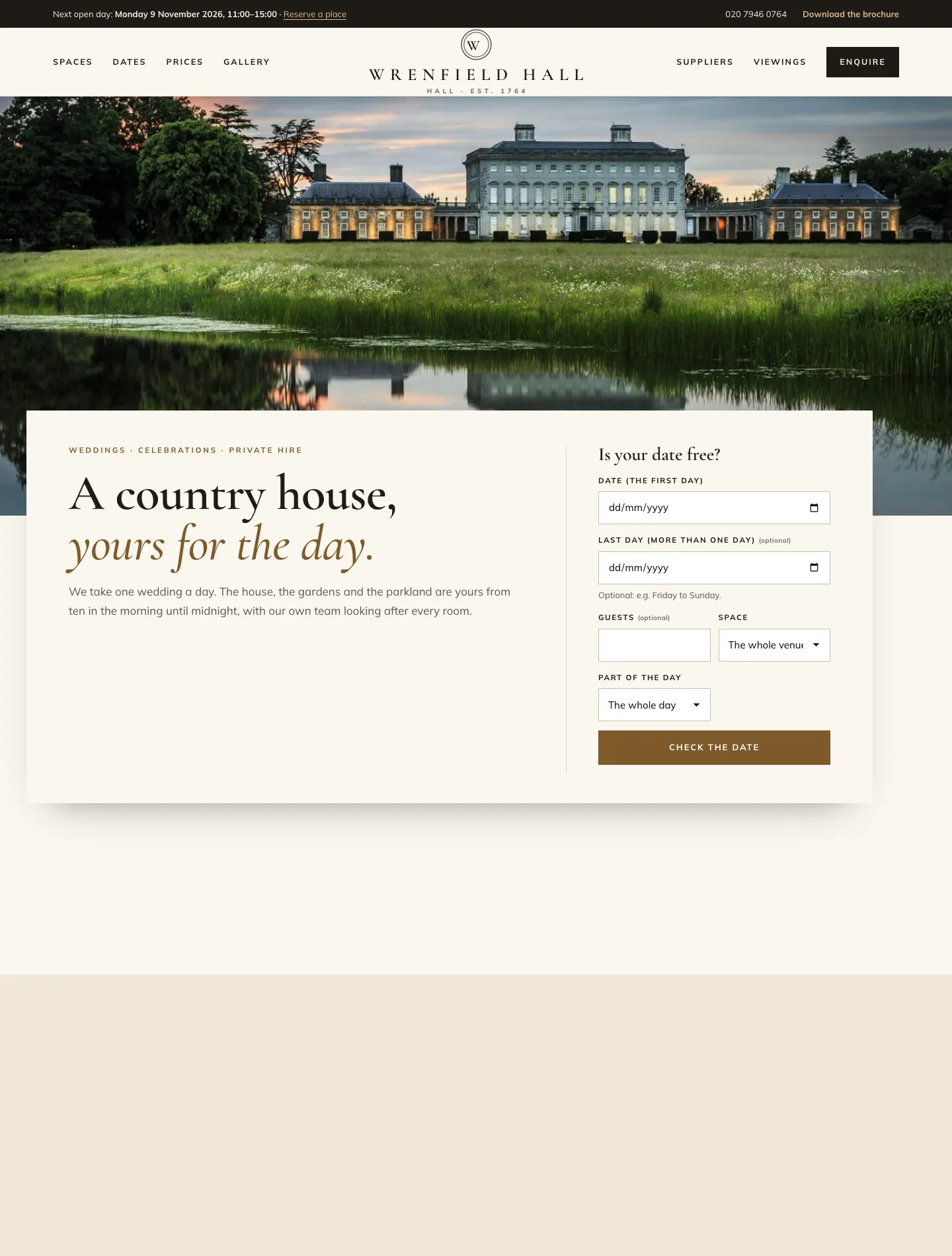
The demo website at venue.gskits.co.uk is a sample country house called Wrenfield Hall. Every picture in this manual comes from it.
The three parts
A Gradespace kit comes in three parts, installed in this order:
- Gradespace Core (free): the back office. Settings in plain words, the Today screen, staff accounts, emails, the setup wizard, your licence and updates.
- The Gradespace Venue plugin: everything in the list above. (A plugin is an add-on for WordPress.)
- The Gradespace Venue theme: the look of the website, with three designs and seven colour palettes for each.
One licence covers the plugin and its theme.
Starter and Pro
Without a licence key, or with a Starter licence, the kit runs in Starter mode. Features marked (Pro) in this manual need a Pro or Agency licence.
| Feature | Starter | Pro / Agency |
|---|---|---|
| Spaces with capacities, photos and prices | Yes | Yes |
| The diary on the website and the staff diary | Yes | Yes |
| Enquiries, the enquiry list, stages, notes, owners and history | Yes | Yes |
| Several dates in one enquiry (weekends, festivals) | Yes | Yes |
| Holding dates by hand (they stay held until you release them) | Yes | Yes |
| Viewings and open days | Yes | Yes |
| Packages, price guide and estimates | Yes | Yes |
| Gallery, suppliers, brochure behind a form | Yes | Yes |
| Holds that end on their own, reminders, "extend once", the waiting list, and the enquiry form holding a free date straight away | No | Yes |
| Enquiry board and Download CSV | No | Yes |
| Deposits paid online that book the date | No | Yes |
| Diary feeds: read Google Calendar or Outlook, and a feed back to your calendar | No | Yes |
| Updates | With a key | Yes |
The demo runs with Pro switched on, so you can see everything.
How this manual is organised
Read the chapters in this order. The shared chapters (marked shared) are the same for every Gradespace kit.
Getting started
- Quick start: from buying to your first booking
- Buying and your licence (shared)
- Before you install (shared)
- Installing (shared)
- The setup wizard (general) (shared)
- The Venue setup wizard
- Designs, pages and menus
Running your venue
- Spaces
- Availability and the diary
- Enquiries
- Holds (Pro)
- Bookings, including several days
- Viewings and open days
- Packages, the price guide and estimates
- Deposits and payments (Pro)
- Gallery, suppliers and the brochure
- Messages
- Diary feeds (Pro)
- Daily running and settings
Your website in general
- Your look: design, colours, logo and menus (shared)
- Pages and content (shared)
- Staff and signing in (shared)
- Privacy and emails (shared)
- Backups and updates (shared)
- Troubleshooting and support (shared)
Need help? Email support@thegradespace.com with what you were doing and a screenshot.
Every chapter of this manual
Getting started
Buying and installing
- Buying and your licenceSharedThe Starter, Pro and Agency tiers, buying a kit, the licence key email, your licences page on thegradespace.com, and moving or upgrading a licence.
- Before you installSharedWhat your website and hosting need for a Gradespace kit, how to check them, and why to take a backup and use a test copy first.
- Installing your kitSharedInstalling Gradespace Core, then your kit's plugin, then your kit's theme from their .zip files, adding your licence key, and how updates arrive.
Setting up
- The setup wizardSharedHow the setup wizard works in every kit: each step, the starter pages and menu, sample photos, legal pages, and how to run it again.
- The setup wizardThe step-by-step screen that gets a new venue website ready: your spaces and kinds of event, enquiries and date holds, viewings, and the starter pages, sample packages, price guide, suppliers and photos.
- Your look: design, colours, logo, menus and footerSharedChoosing a design and colour palette in Site Settings → Design & colours, previewing it, keeping the menu at the top when scrolling, adding your logo, and changing the menu and the footer.
- Designs, pages and menusThe three Venue designs (Estate, Loft and Garden) and their colour palettes, how to choose and preview one, and the pages and menu the setup wizard makes.
- Pages, posts and picturesSharedEditing pages in the WordPress block editor, starting a page from your kit's ready-made layouts and sections, writing blog posts, and adding and replacing pictures in the media library.
Running your website
- SpacesYour rooms and parts of the grounds: how to add and edit a space, its capacity for each layout, its season, details, photos, floor plan and prices, and how it appears on the website.
- Availability and the diaryHow free, held, booked and closed dates work; what visitors see in the date checker, the calendar and the date finder; and how staff use Venue → Diary to hold, book, close and release dates.
- EnquiriesHow people enquire on your website, what they see, and how your team works through enquiries in Venue → Enquiries: the stages, owners, notes, replies, the history, adding an enquiry yourself and the enquiry board.
- Holds (provisional bookings)How a date is held for someone while they decide: holds from the enquiry form, holding and extending by hand, reminders, the customer extending or releasing, holds running out, and the waiting list.
- Bookings, including several daysHow a date becomes booked, from the customer's side and the staff side; booking straight away or from a hold; releasing a booking; and enquiries that cover a weekend, a festival or several separate dates.
- Viewings and open daysHow people book a time to look round, how to set your viewing hours and open days, how to book a viewing for someone from their enquiry, and where to see every viewing.
- Packages, the price guide and estimatesHow to set your seasonal price guide and packages, how the website turns them into an estimate as people enquire, and each space's own prices.
- Deposits and payments (Pro)How to take a deposit online that turns a held date into a booking, record a deposit paid in person, what happens if a payment arrives too late, and the Payments screen.
- Gallery, suppliers and the brochureHow to fill the Gallery page with tagged photos, build your directory of recommended suppliers, and offer your brochure behind a short form that turns each request into a lead.
- MessagesMessages sent through the contact form on your Contact page: where they arrive, how to answer them, and when to point people to the enquiry form instead.
- Diary feeds (Pro)Mark dates busy on your website from Google Calendar, Outlook or another booking system, and add the website's holds and bookings to your own calendar.
- Daily running and settingsThe daily and weekly routine for your events team: the Today screen and the numbers in the menu, who sees what, reviewing old records, privacy requests, and every Venue setting at a glance.
Looking after your website
- Staff accounts and signing inSharedGiving each member of staff their own account, the staff roles each kit comes with, choosing what each role can do (Pro), and the staff sign-in page.
- Privacy, cookies and emailsSharedThe cookie banner and cookie settings, your starter terms, privacy and cookie policies, requests for people's data, the website's branded emails, test emails and the email log (Pro).
- Backups and updatesSharedWhat to back up and how often, and how to install updates to Gradespace Core, your kit's plugin and its theme safely.
- Troubleshooting and supportSharedFixes for the problems people meet most often: licence messages, installing, the setup wizard, pages not found, emails, signing in, the design and the cookie banner, and how to get help.
Bought this kit? The whole manual is also a PDF (version 1.0.1) to download or print, on My licences.