Running your website
Packages, the price guide and estimates
How to set your seasonal price guide and packages, how the website turns them into an estimate as people enquire, and each space's own prices.
On this page
People want to know roughly what a day will cost before they get in touch. The Venue kit shows your prices in the open, in two ways:
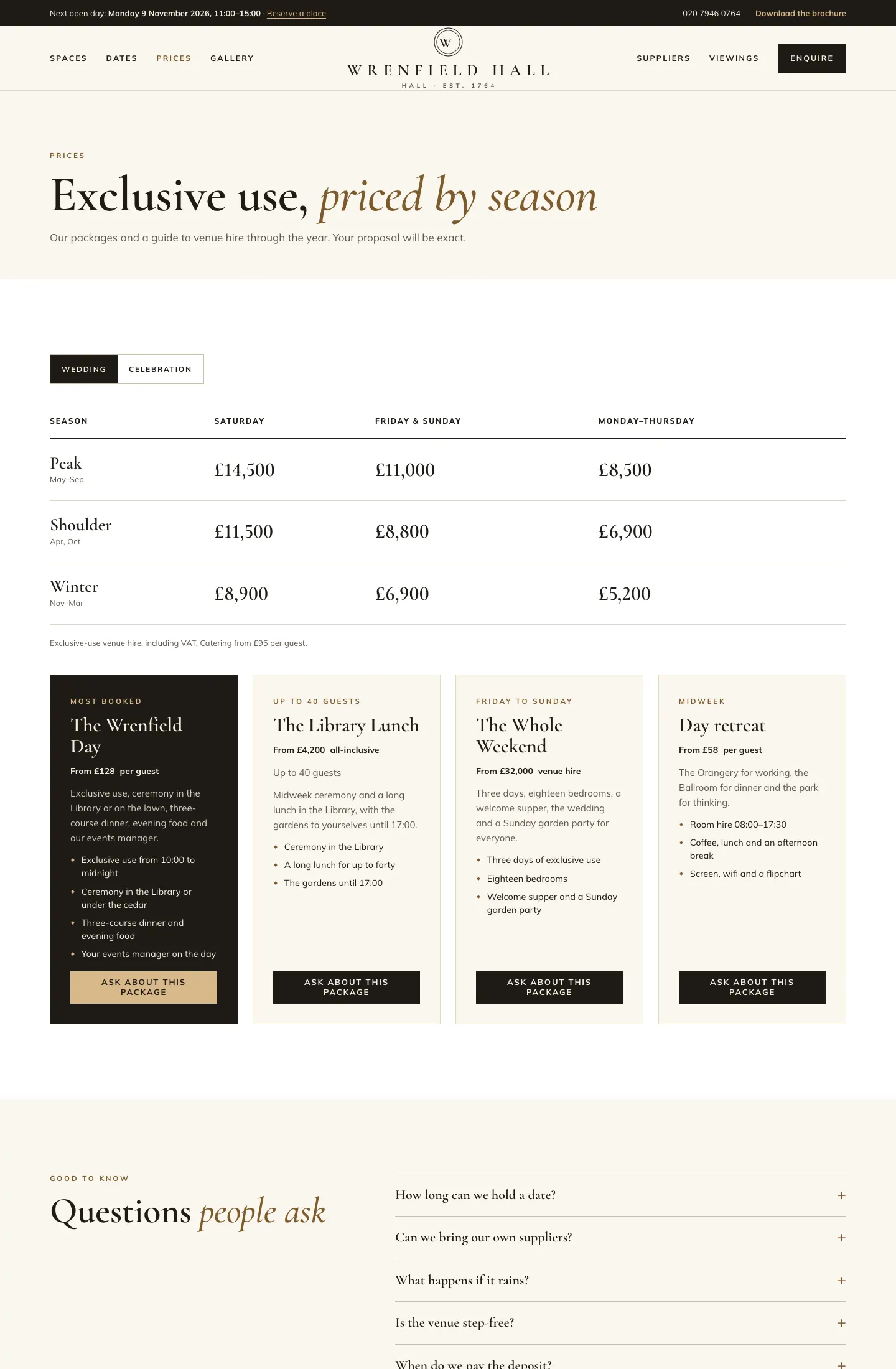
- The price guide: venue hire for each kind of event, by season and kind of day (for example a Saturday in May). The website uses it to show an estimate as people check a date or enquire.
- Packages: cards such as The Wrenfield Day, from £128 per guest, with what's included.
Each space can also have its own short price list (see Spaces).
What visitors see
The Prices page shows the price guide with a button for each kind of event, then your packages. Each package has an Ask about this package button that opens the enquiry form.
How estimates work
When someone picks a date in the date checker or on the enquiry form, the website finds the season and kind of day for that date in your price guide and shows the venue hire for their kind of event. For several dates, it adds them up: in the demo, Friday 9 to Sunday 11 October is £8,800 + £11,500 + £8,800 = £29,100.
The estimate is saved on the enquiry, so your team sees it under What they sent, and a deposit set as a share of the estimate uses it. If there's no price for that date, no estimate is shown.
How to set up the price guide
- Go to Venue → Price guide.
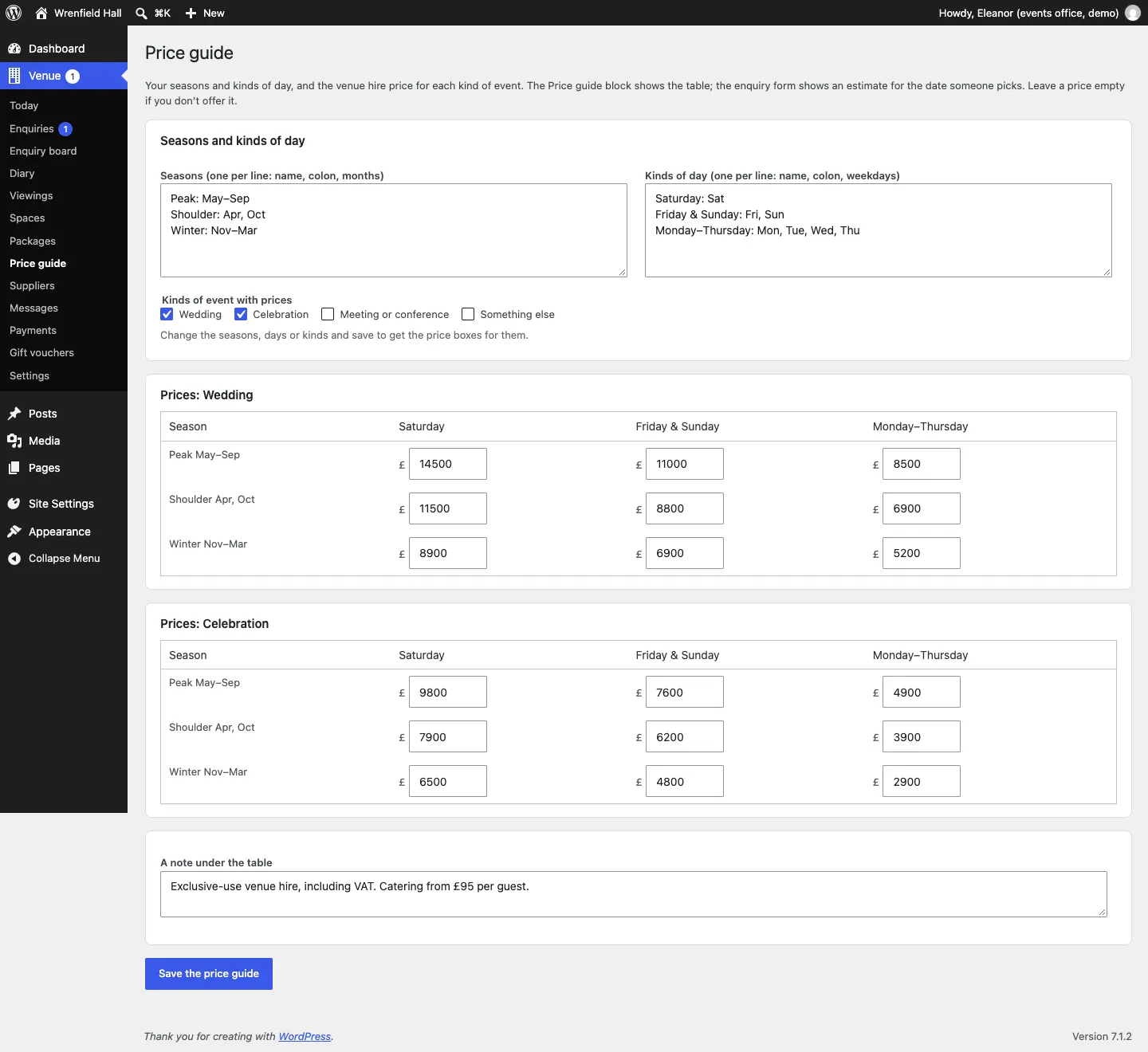
- Under Seasons, type one season per line: a name, a colon, then the months. For example:
Peak: May–SepShoulder: Apr, OctWinter: Nov–Mar - Under Kinds of day, type one per line: a name, a colon, then the weekdays. For example:
Saturday: SatFriday & Sunday: Fri, SunMonday–Thursday: Mon, Tue, Wed, Thu - Under Kinds of event with prices, tick the events you price (they come from Venue → Settings → Your venue → Kinds of event).
- Click Save the price guide. A table of price boxes appears for each kind of event you ticked.
- Type the venue hire price in each box. Leave a box empty if you don't offer it.
- Add A note under the table, such as Exclusive-use venue hire, including VAT.
- Click Save the price guide again.
How to add or edit a package
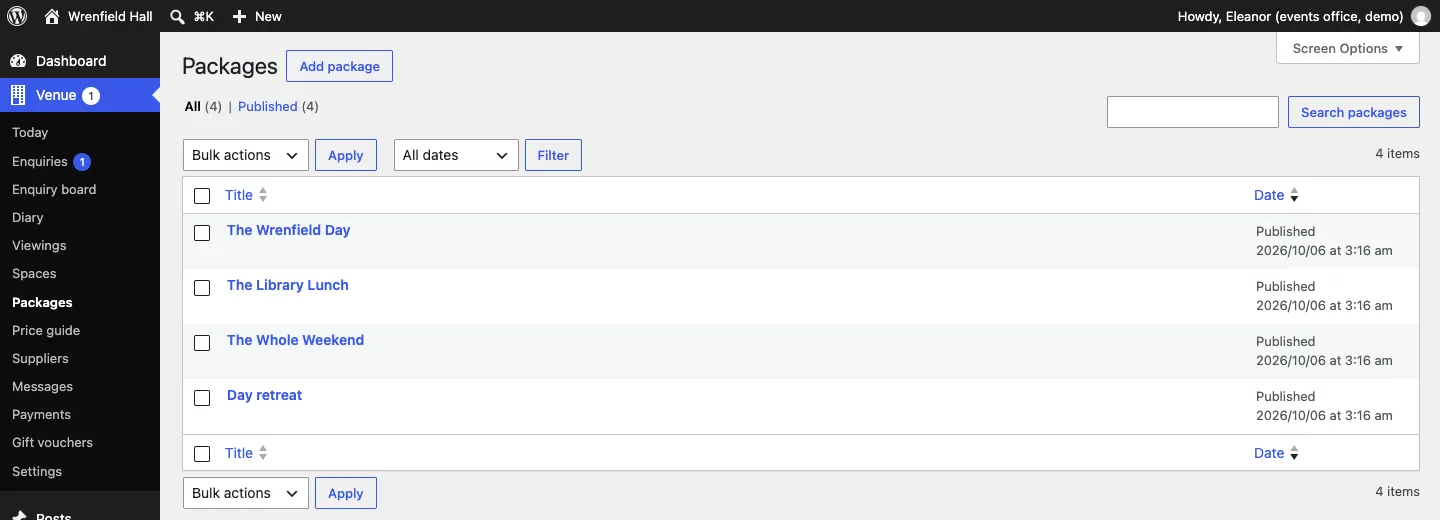
- Go to Venue → Packages and click Add package, or click a package's name.
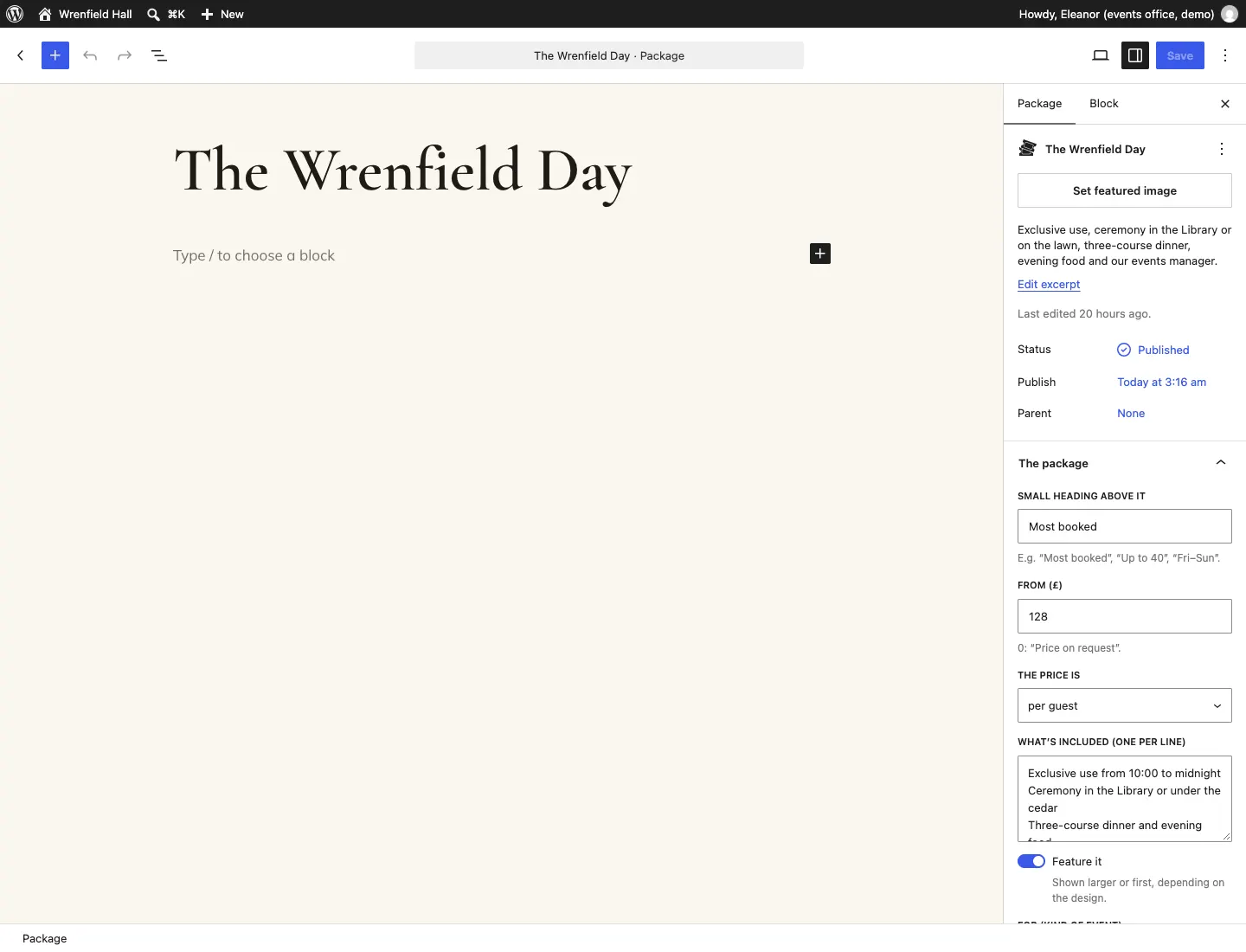
- Type the package's name at the top and a short description in Excerpt in the side panel.
- In the side panel, under The package, fill in:
- Small heading above it, such as Most booked, Up to 40 or Fri–Sun;
- From (£): the starting price (0 shows "Price on request");
- The price is: per guest, venue hire, per day, all-inclusive or no unit;
- What's included (one per line);
- Feature it: shown larger or first, depending on the design. Use it for your most popular package;
- For (kind of event): one of your kinds of event, so a page can show only that kind's packages. Leave it empty for any;
- Up to (guests): 0 means not shown.
- Optionally set a featured image.
- Click Save (or Publish).