Running your website
Holds (provisional bookings)
How a date is held for someone while they decide: holds from the enquiry form, holding and extending by hand, reminders, the customer extending or releasing, holds running out, and the waiting list.
On this page
A hold keeps a date for someone while they decide, with no payment and no obligation. On the website a held date shows as dashed amber: other people can see it's taken for now, and it may come free.
Features marked (Pro) need a Pro or Agency licence.
- With Pro, the enquiry form holds a free date straight away for the days you choose, people are reminded before the hold ends, they can extend it once or let it go themselves, and the website releases it by itself when it runs out.
- Without Pro, you still hold dates by hand from an enquiry or the diary. They stay held until you release them.
How holds start
- From the enquiry form (Pro): when someone sends an enquiry with Hold my date for 14 days if it's free ticked, a free date is held for them at once. Holds end at 5pm on the last day.
- From the website's calendar (Pro): Hold this date for 14 days on the Dates page, a space's page or the date finder takes them to the enquiry form with the date filled in.
- By you, from an enquiry: see below.
- By you, from the diary: for holds that aren't linked to an enquiry. See Availability and the diary.
How to hold a date from an enquiry
- Open the enquiry from Venue → Enquiries.
- In The date, check it says Free.
- Type the number of days in For (days) (14 to start with).
- Click Hold the date.
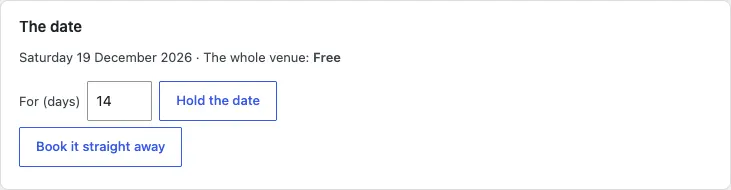
You can also move the enquiry to the Held stage under Looking after it: that holds the date too.
If the date is already held by someone else, the website tells you and nothing changes. The enquiry can go on the date's waiting list.
How to extend or release a hold
- Open the enquiry.
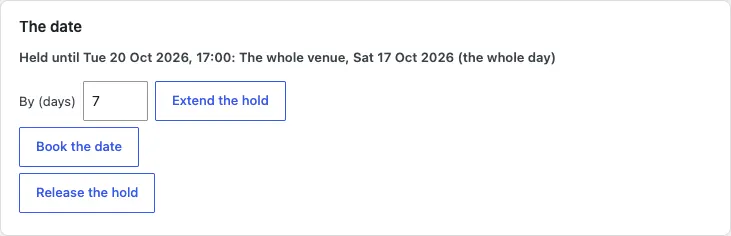
- In The date you see Held until the day and time it ends.
- To give them longer (Pro), type the days in By (days) and click Extend the hold.
- To free the date, click Release the hold and confirm.
What the customer can do (Pro)
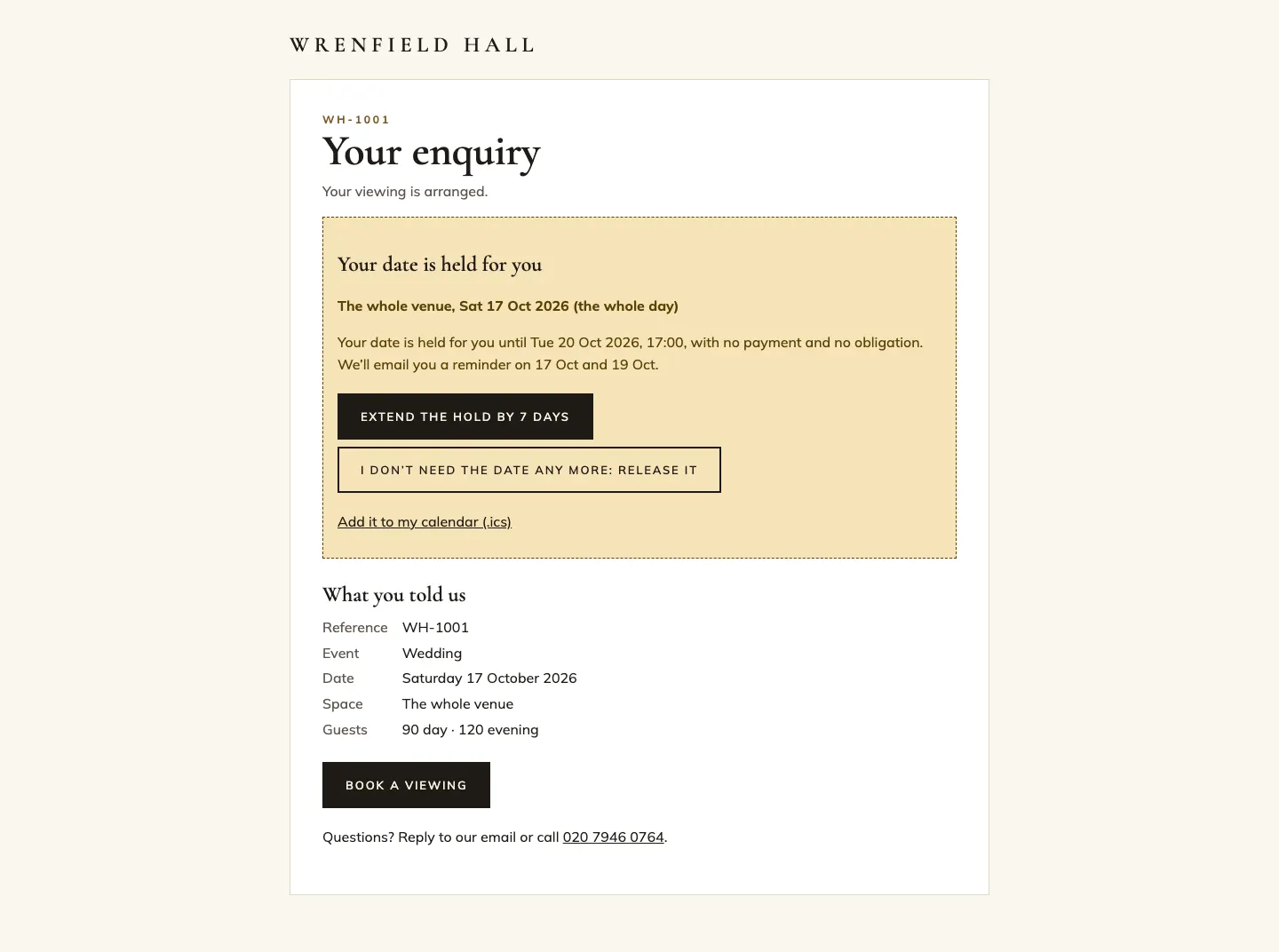
On their own page, linked from every email, the person sees until when their date is held and when they'll be reminded. They can:
- click Extend the hold by 7 days, once;
- click I don't need the date any more: release it;
- add the hold to their calendar.
When a hold runs out (Pro)
The website checks every hour. When a hold has ended it:
- releases the date, so it's free on the website again;
- emails the person (Hold ended) and tells your team (A hold ended), naming anyone on the waiting list;
- writes it in the enquiry's History as done by The website.
Before then, the person gets a Hold ending soon email on the days you choose, each sent once.
The waiting list (Pro)
When Waiting list on held dates is on, people can still enquire about a held date. Their enquiry goes on that date's waiting list, and the enquiry screen says On the waiting list for this date. When the hold ends or is released, you're emailed with everyone who was waiting, so you can offer it to the first.
Hold settings (Pro)
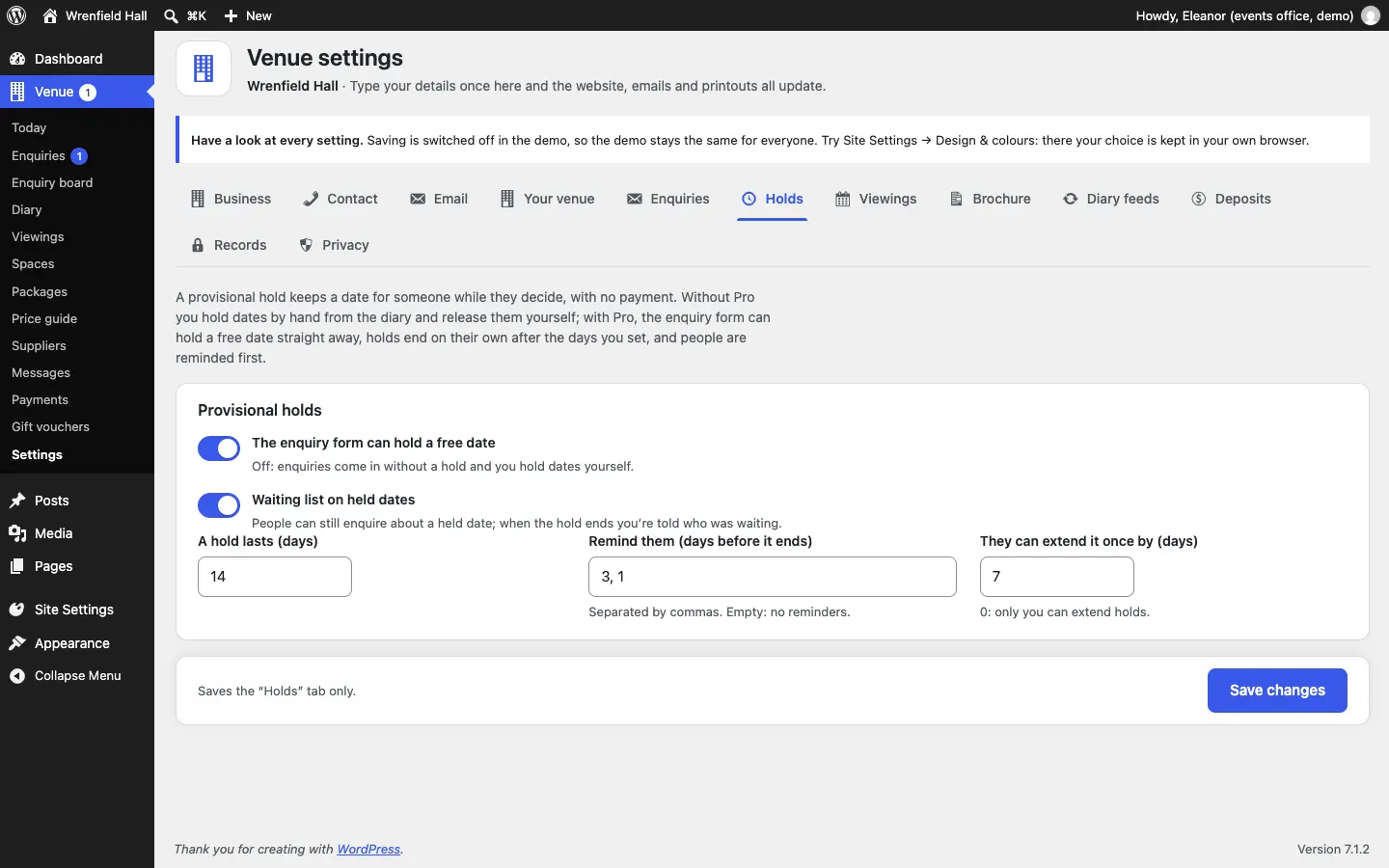
Go to Venue → Settings → Holds:
- The enquiry form can hold a free date: off, and enquiries come in without a hold; you hold dates yourself.
- Waiting list on held dates: see above.
- A hold lasts (days): 14 to start with (1 to 60).
- Remind them (days before it ends): separated by commas, such as 3, 1. Empty means no reminders.
- They can extend it once by (days): 7 to start with. 0 means only you can extend holds.
Click Save changes.
Holds on Today
Venue → Today has a Holds ending soon panel listing holds that end in the next seven days. Check it every morning. On the enquiry board, holds ending within three days are marked. See Daily running.