Running your website
Bookings, including several days
How a date becomes booked, from the customer's side and the staff side; booking straight away or from a hold; releasing a booking; and enquiries that cover a weekend, a festival or several separate dates.
On this page
A booked date is taken: it shows dark and struck through on the website, and nobody else can hold or book it. A date is booked in one of three ways:
- you click Book it straight away or Book the date on the enquiry;
- you move the enquiry to the Booked stage;
- the customer pays the deposit online, which books the held date by itself (Pro).
Features marked (Pro) need a Pro or Agency licence.
The customer's side
For a couple or an organiser, the usual path is:
- They check their date on your website and send an enquiry. A free date is held for them (Pro).
- They get an email with their reference, the hold and a link to their own page.
- They book a viewing, come and look round, and you send a proposal.
- They sign your contract and pay the deposit, online (Pro) or by bank transfer or in person.
- The date turns from held to booked. They get a Date booked email.
The Enquire page in the demo shows this path to visitors as five stages (New enquiry, Viewing booked, Proposal sent, Contract and deposit, Confirmed), with what the diary shows at each one. You can change those words like any other page.
Customers can't book a date outright on the website: they can only hold it. Booking always needs you, or a paid deposit.
The staff side
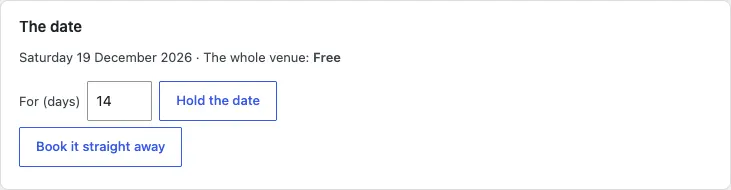
How to book a free date straight away
Use this when someone has already signed and paid, for example a booking you took on the phone.
- Open the enquiry from Venue → Enquiries (or add one with Add an enquiry).
- In The date, click Book it straight away.
How to book a held date
- Open the enquiry.
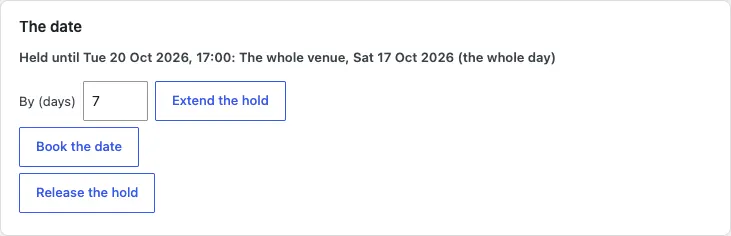
- In The date, click Book the date.
Or, under Looking after it, choose Booked in Move to and click Move. Either way the date is booked in the diary, the enquiry moves to Booked and they're emailed.
How to record a deposit paid in person
If they paid by bank transfer, card in person or cheque: in the Deposit card, click Paid in person: book the date. See Deposits and payments.
How to release a booking
If a booking is cancelled:
- Open the enquiry.
- In The date, click Release the booking and confirm.
- Move the enquiry to Lost under Looking after it, with the reason in Why (optional).

Several days in one enquiry
For a wedding weekend, a festival or a conference, one enquiry can cover:
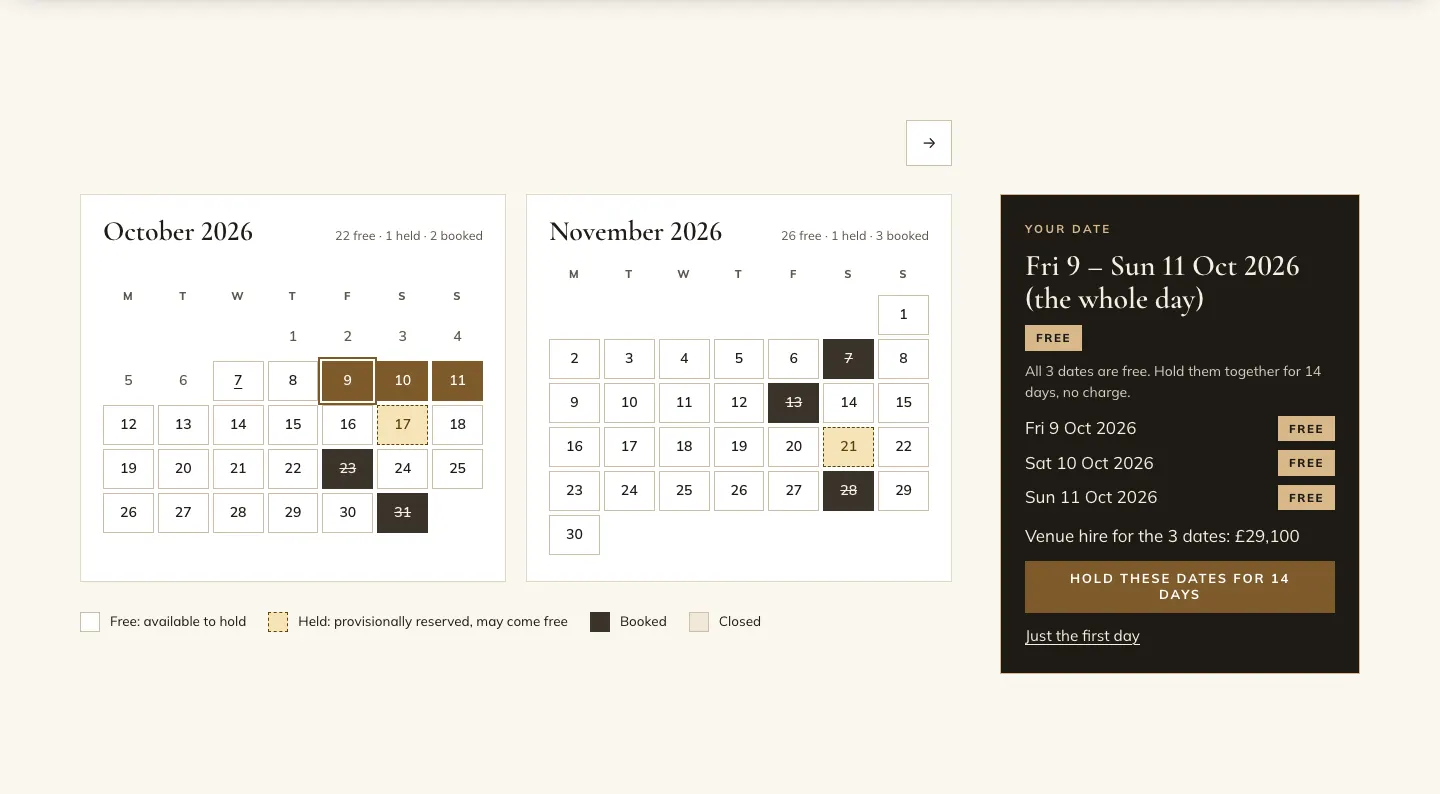
- a run of days, such as Fri 9 – Sun 11 Oct, each with its own part of the day (the evening on Friday, the whole day on Saturday and Sunday); and
- separate dates, added with + Add another date.
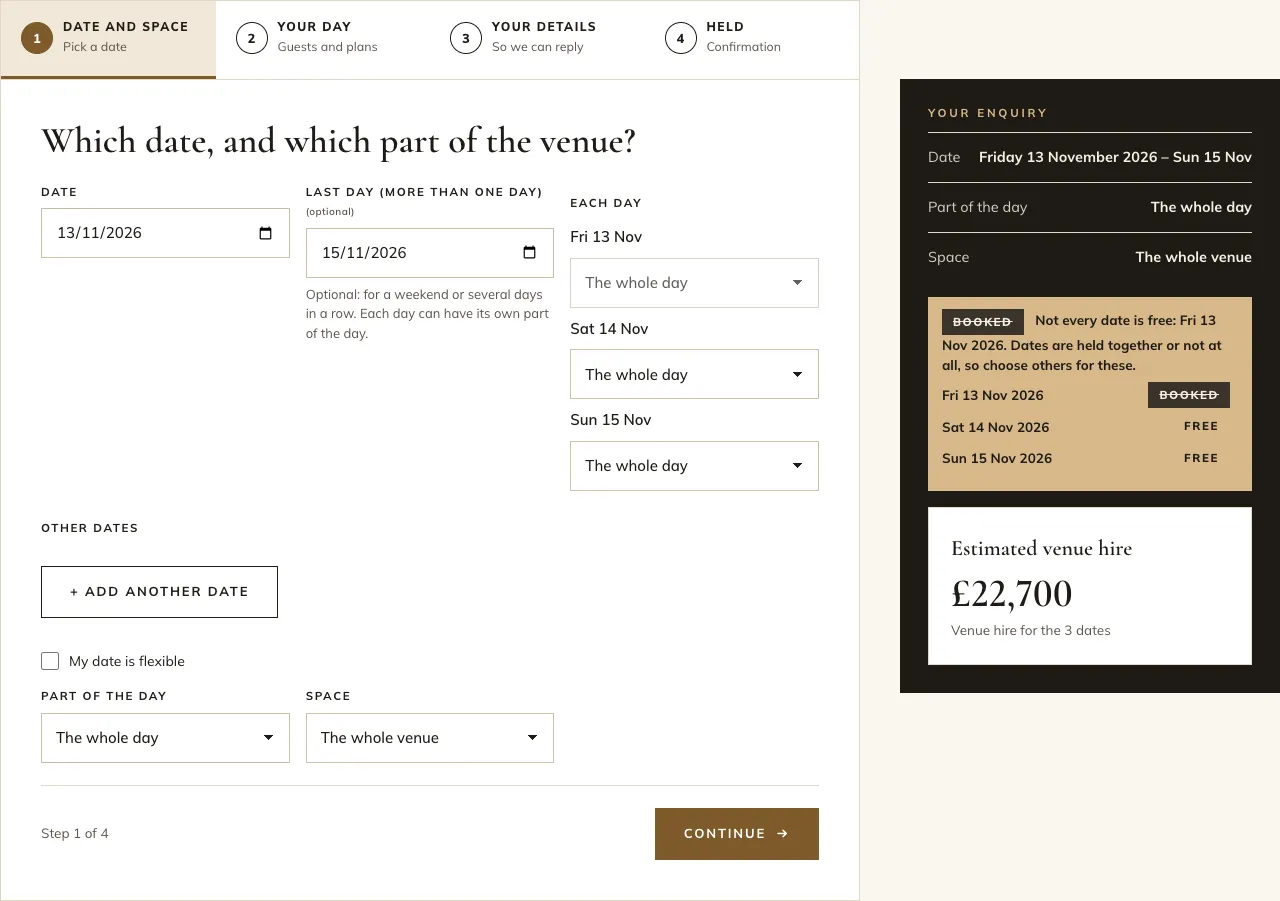
All the dates in one enquiry are checked, held, booked, extended and released together, or not at all. If any part of any date is taken, nothing is kept and the message names the date that's taken. A hold on several dates has one end, so they run out together and the reminders cover all of them. The estimate, and a deposit worked out as a share of the estimate, covers every date.
What the customer sees
- In the date checker or on the enquiry form, they fill in Date and Last day (more than one day). On the calendar, they click the first day, then the last.
- Each day is listed with its state, and the estimate is for all the days.
- On the enquiry form, Each day lets them choose a part of the day for each one.
Their email, their own page and the calendar file list every date (the calendar file has one event for each).
What you see
The enquiry list, the enquiry screen and the diary list every date. Hold the date, Book the date, Extend the hold and Release act on all of them at once.
How to set the limit
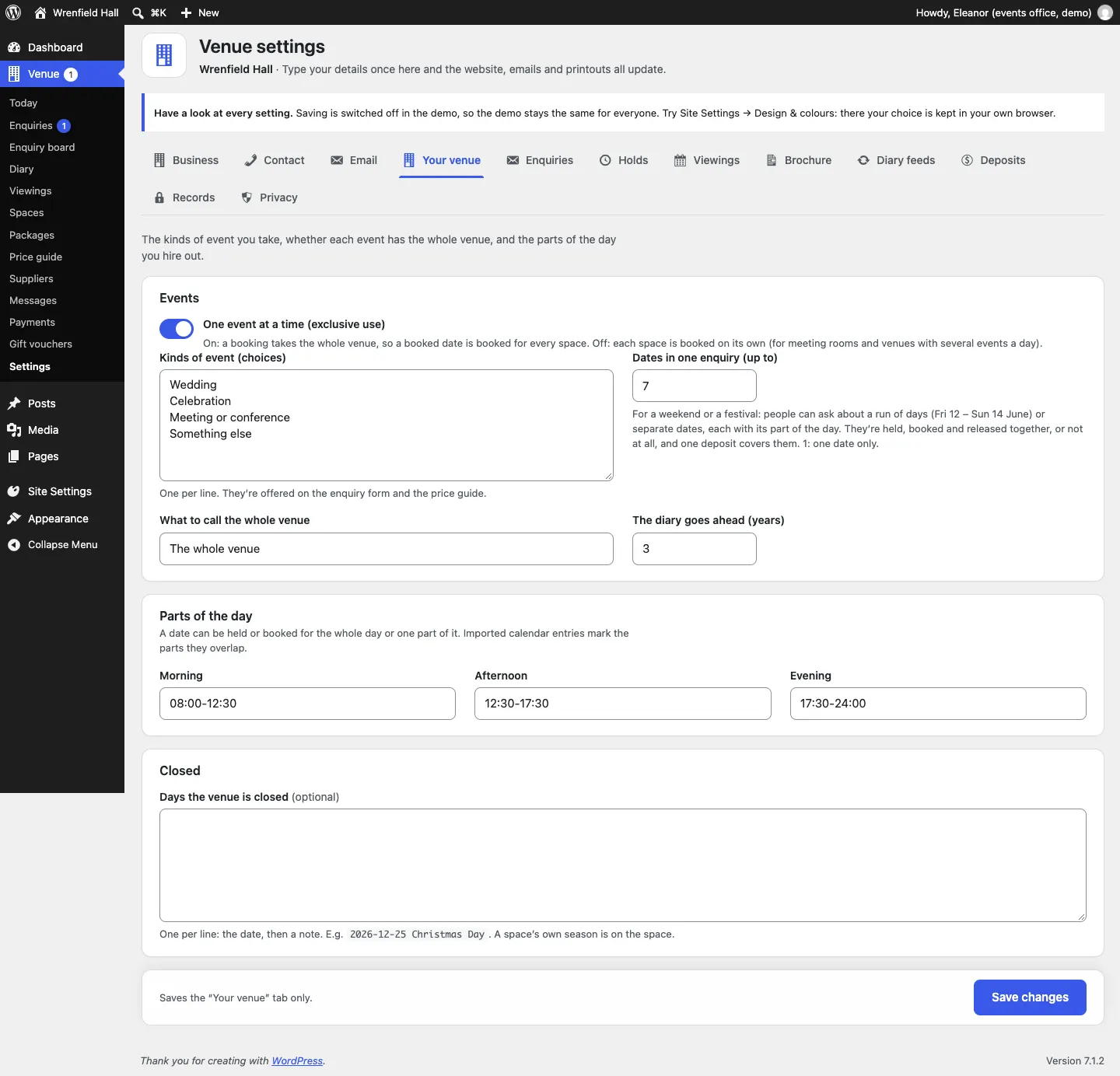
Go to Venue → Settings → Your venue and set Dates in one enquiry (up to): 7 to start with, up to 14. Set it to 1 to allow one date only.